Search Results for system
Explore AI generated designs, images, art and prompts by top community artists and designers.
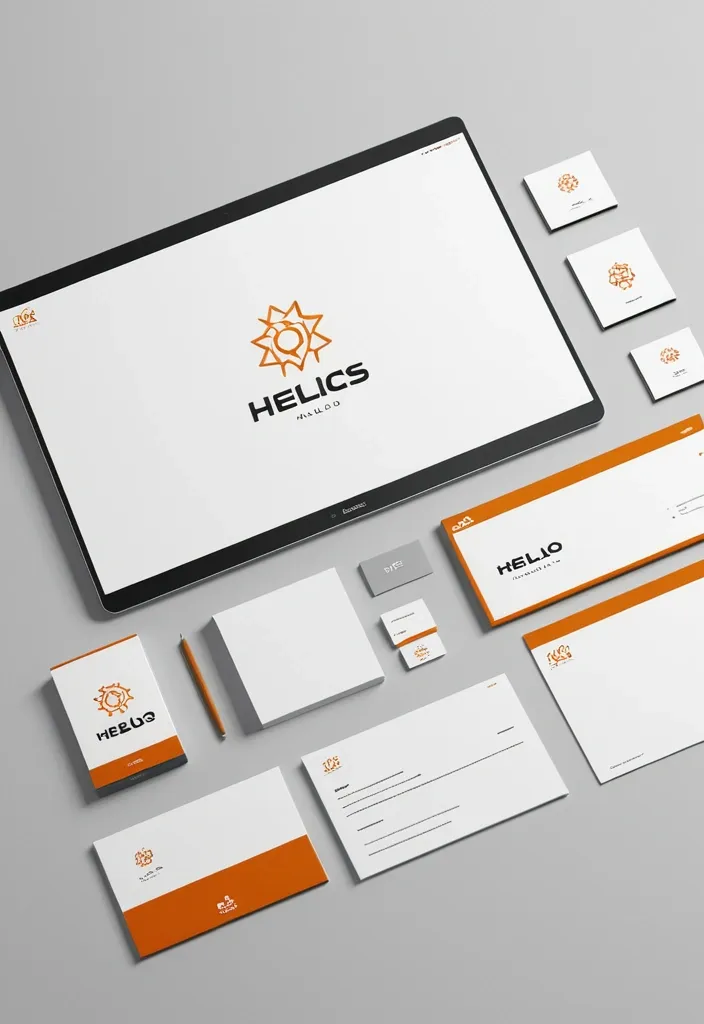

Act as a world-class brand identity director. Create a cohesive , professional visual identity system for "HELIOS". Define the logo , color palette with HEX codes , typography , spacing , iconography , imagery , graphic elements , and layout rules. Showcase the identity across Software office using consistent mockups. Style: Software development Make the brand distinctive , scalable , recognizable , and easy to apply across all future designs. Present everything as a polished , professional brand guidelines board. ar 9:16. ,

A meditating figure levitating horizontal vortex at the threshold of a Sacred Geometry Fractal Portal , but reconstruct its drops and structure from thousands of elongated dots and scales with varied lengths , depths , and scales. here ancient , mystical patterns of emerald and neon unlock hidden panoramic and secret knowledge. with denser and shorter dots near the visual core and longer waves extending toward the camera to create dramatic Z-axis depth , perspective , and a sense of motion. Use a controlled color system built around the chosen mystical patterns. Keep the main subject vivid and coherent , while deep shadows and dark gaps between the drops create strong negative space and dimensional contrast. Add only a small amount of accent color when needed. ar 1:1. ,
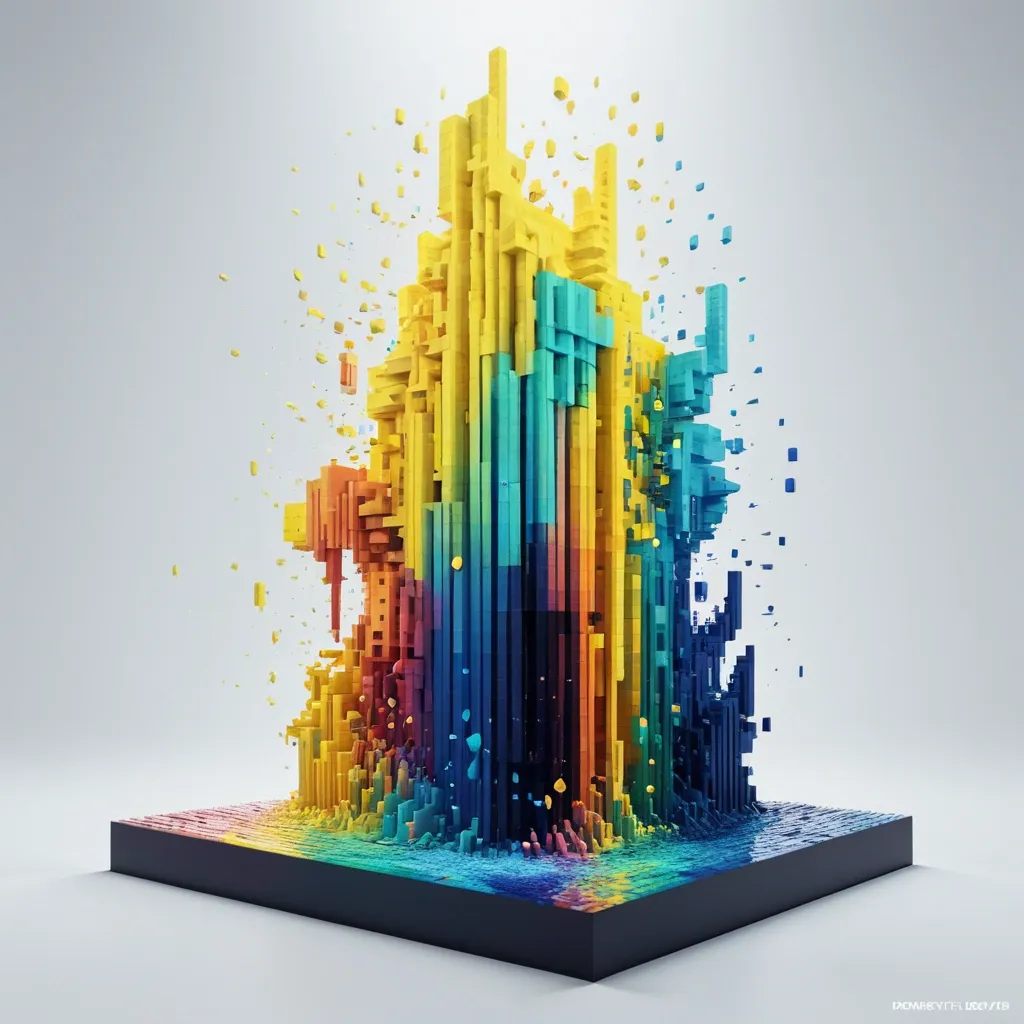
Palette: light yellow + waves blue + radial Motion: spiral bloom Create a 9:16 experimental 3D voxel poster featuring a dancer , in flowing artifacts , rotating liquid paints drops beneath the figure in a whimsical watercolor composition. Let the blocks follow the natural growth direction of the petals instead of becoming random pixels. Build a strong spatial motion based on the selected direction , with denser and shorter blocks near the visual core and longer blocks extending toward the camera to create dramatic Z-axis depth , perspective , and a sense of motion. Use a controlled color system built around the chosen palette. Keep the main subject vivid and coherent , while deep shadows and dark gaps between the drops create strong negative space and dimensional contrast. Add only a small amount of accent color when needed. The final image should feel like a premium contemporary art poster: bold silhouette , strong thumbnail impact , rich spatial depth , refined lighting , and a clear balance between dense 3D geometry and minimal typography. Avoid Minecraft aesthetics , flat pixel art , random cubes , identical extrusion lengths , rainbow colors , excessive text , heavy neon , thick 3D lettering , meaningless placeholder copy , logos , numbering , watermarks , and cheap CGI materials. ,

Create a experimental 3D image featuring a female , wears a towering headdress of frog's eyes , Her long , wavy brown hair flows beneath the dress. in flowing and rotating dots beneath the figure , but reconstruct its drops and structure from thousands of elongated dots and scales with varied lengths , depths , and scales. Let the dots follow the natural growth direction of the dots instead of becoming random drops. Build a strong spatial motion based on the selected direction in canopy shape , with denser and shorter dots near the visual core and longer waves extending toward the camera to create dramatic Z-axis depth , perspective , and a sense of motion. Use a controlled color system built around the chosen palette. Keep the main subject vivid and coherent , while deep shadows and dark gaps between the drops create strong negative space and dimensional contrast. Add only a small amount of accent color when needed. The final image should feel like a premium contemporary art poster: bold silhouette , strong thumbnail impact , rich spatial depth , refined lighting , and a clear balance between dense 3D geometry and minimal typography. Avoid Minecraft aesthetics , flat pixel art , random cubes , identical extrusion lengths , rainbow colors , excessive text , heavy neon , thick 3D lettering , meaningless placeholder copy , logos , numbering , watermarks , and cheap CGI materials. ,

Palette: fish scales + black Motion: winged spread Background: Black Create a experimental 3D poster featuring a dark armored figure with large horns , surrounded by glowing teal energy. the character is positioned in the center , wearing ornate dark plate armor with a tattered cloak. intense teal light radiates from the armor joints and helmet , but reconstruct its drops and structure from thousands of elongated dots and scales with varied lengths , depths , and scales. Let the dots follow the natural growth direction of the dots instead of becoming random drops. Build a strong spatial motion based on the selected direction in canopy shape , with denser and shorter dots near the visual core and longer waves extending toward the camera to create dramatic Z-axis depth , perspective , and a sense of motion. Use a controlled color system built around the chosen palette. Keep the main subject vivid and coherent , while deep shadows and dark gaps between the drops create strong negative space and dimensional contrast. Add only a small amount of accent color when needed. The final image should feel like a premium contemporary art poster: bold silhouette , strong thumbnail impact , rich spatial depth , refined lighting , and a clear balance between dense 3D geometry and minimal typography. Avoid Minecraft aesthetics , flat pixel art , random cubes , identical extrusion lengths , rainbow colors , excessive text , heavy neon , thick 3D lettering , meaningless placeholder copy , logos , numbering , watermarks , and cheap CGI materials. ,

Title: TEDPOL Palette: fish scales + black Motion: spiral bloom Background: Black Create a experimental 3D poster featuring a female , wears a brimmed hat of frog's eyes , in flowing and rotating dots beneath the figure , but reconstruct its drops and structure from thousands of elongated drop dots and fish scales with varied lengths , depths , and scales. Let the dots follow the natural growth direction of the dots instead of becoming random drops. Build a strong spatial motion based on the selected direction in canopy shape , with denser and shorter dots near the visual core and longer waves extending toward the camera to create dramatic Z-axis depth , perspective , and a sense of motion. Use a controlled color system built around the chosen palette. Keep the main subject vivid and coherent , while deep shadows and dark gaps between the drops create strong negative space and dimensional contrast. Add only a small amount of accent color when needed. The final image should feel like a premium contemporary art poster: bold silhouette , strong thumbnail impact , rich spatial depth , refined lighting , and a clear balance between dense 3D geometry and minimal typography. Avoid Minecraft aesthetics , flat pixel art , random cubes , identical extrusion lengths , rainbow colors , excessive text , heavy neon , thick 3D lettering , meaningless placeholder copy , logos , numbering , watermarks , and cheap CGI materials. ,

Title: TEDPOL Palette: water drop + green gradient Motion: spiral bloom Background: Black Create a 1:1 experimental 3D portrait poster featuring a alien , wears a towering headdress of frog's eyes , in swirls wax , and dark mechanical spirals , in flowing and rotating dots beneath the figure , but reconstruct its drops and structure from thousands of elongated drop dots and water drops with varied lengths , depths , and scales. Let the dots follow the natural growth direction of the dots instead of becoming random drops. Build a strong spatial motion based on the selected direction in heart shape , with denser and shorter dots near the visual core and longer waves extending toward the camera to create dramatic -Z-axis depth , perspective , and a sense of motion. Use a controlled color system built around the chosen palette. Keep the main subject vivid and coherent , while deep shadows and dark gaps between the drops create strong negative space and dimensional contrast. Add only a small amount of accent color when needed. The final image should feel like a premium contemporary art poster: bold silhouette , strong thumbnail impact , rich spatial depth , refined lighting , and a clear balance between dense 3D geometry and minimal typography. Avoid Minecraft aesthetics , flat pixel art , random cubes , identical extrusion lengths , rainbow colors , excessive text , heavy neon , thick 3D lettering , meaningless placeholder copy , logos , numbering , watermarks , and cheap CGI materials. ,

Title: TEDPOL Palette: water drop + green gradient Motion: spiral bloom Background: Black Create a experimental 3D portrait poster featuring a alien , wears a towering headdress of frog's eyes , in swirls wax , and dark mechanical spirals , in flowing and rotating dots beneath the figure , but reconstruct its drops and structure from thousands of elongated drop dots and water drops with varied lengths , depths , and scales. Let the dots follow the natural growth direction of the dots instead of becoming random drops. Build a strong spatial motion based on the selected direction in heart shape , with denser and shorter dots near the visual core and longer waves extending toward the camera to create dramatic -Z-axis depth , perspective , and a sense of motion. Use a controlled color system built around the chosen palette. Keep the main subject vivid and coherent , while deep shadows and dark gaps between the drops create strong negative space and dimensional contrast. Add only a small amount of accent color when needed. The final image should feel like a premium contemporary art poster: bold silhouette , strong thumbnail impact , rich spatial depth , refined lighting , and a clear balance between dense 3D geometry and minimal typography. Avoid Minecraft aesthetics , flat pixel art , random cubes , identical extrusion lengths , rainbow colors , excessive text , heavy neon , thick 3D lettering , meaningless placeholder copy , logos , numbering , watermarks , and cheap CGI materials. ,

Title: TEDPOL Palette: water drop + gray Motion: winged spread Background: Black Create a experimental 3D portrait poster featuring a witch , wears a towering headdress of gold and Candles , in swirls wax , and dark mechanical spirals , in flowing and rotating dots beneath the figure , but reconstruct its drops and structure from thousands of elongated drop dots and water drops with varied lengths , depths , and scales. Let the dots follow the natural growth direction of the dots instead of becoming random drops. Build a strong spatial motion based on the selected direction in skull shape , with denser and shorter dots near the visual core and longer waves extending toward the camera to create dramatic -Z-axis depth , perspective , and a sense of motion. Use a controlled color system built around the chosen palette. Keep the main subject vivid and coherent , while deep shadows and dark gaps between the drops create strong negative space and dimensional contrast. Add only a small amount of accent color when needed. The final image should feel like a premium contemporary art poster: bold silhouette , strong thumbnail impact , rich spatial depth , refined lighting , and a clear balance between dense 3D geometry and minimal typography. Avoid Minecraft aesthetics , flat pixel art , random cubes , identical extrusion lengths , rainbow colors , excessive text , heavy neon , thick 3D lettering , meaningless placeholder copy , logos , numbering , watermarks , and cheap CGI materials. ,

Palette: water drop + gray Motion: winged spread Background: Black Create a experimental 3D portrait poster featuring a witch , wears a towering headdress of gold and Candles , wax swirls , and dark mechanical spirals , in flowing and rotating dots beneath the figure , but reconstruct its drops and structure from thousands of elongated drop dots and water drops with varied lengths , depths , and scales. Let the dots follow the natural growth direction of the dots instead of becoming random drops. Build a strong spatial motion based on the selected direction in skull shape , with denser and shorter dots near the visual core and longer waves extending toward the camera to create dramatic -Z-axis depth , perspective , and a sense of motion. Use a controlled color system built around the chosen palette. Keep the main subject vivid and coherent , while deep shadows and dark gaps between the drops create strong negative space and dimensional contrast. Add only a small amount of accent color when needed. The final image should feel like a premium contemporary art poster: bold silhouette , strong thumbnail impact , rich spatial depth , refined lighting , and a clear balance between dense 3D geometry and minimal typography. Avoid Minecraft aesthetics , flat pixel art , random cubes , identical extrusion lengths , rainbow colors , excessive text , heavy neon , thick 3D lettering , meaningless placeholder copy , logos , numbering , watermarks , and cheap CGI materials. ,

Subject: Wings dancer Title: Tedpol Palette: light yellow + dark blue + white Motion: spiral bloom Create a experimental 3D voxel poster featuring a female , in flowing artifacts , rotating drops beneath the figure , but reconstruct its petals and structure from thousands of elongated rectangular prisms and cuboid blocks with varied lengths , depths , and scales. Let the dots follow the natural growth direction of the petals instead of becoming random dots. Build a strong spatial motion based on the selected direction , with denser and shorter dots near the visual core and longer waves extending toward the camera to create dramatic Z-axis depth , perspective , and a sense of motion. Use a controlled color system built around the chosen palette. Keep the main subject vivid and coherent , while deep shadows and dark gaps between the drops create strong negative space and dimensional contrast. Add only a small amount of accent color when needed. Add minimal editorial typography with a large main title , a short secondary phrase , and one small meaningful tagline. Give the main title a subtle frosted-glass or translucent material with restrained highlights and slight environmental reflections; keep the other text clean , luminous , and highly readable. The final image should feel like a premium contemporary art poster: bold silhouette , strong thumbnail impact , rich spatial depth , refined lighting , and a clear balance between dense 3D geometry and minimal typography. Avoid Minecraft aesthetics , flat pixel art , random cubes , identical extrusion lengths , rainbow colors , excessive text , heavy neon , thick 3D lettering , meaningless placeholder copy , logos , numbering , watermarks , and cheap CGI materials. ,

Subject: Wings dancer Title: Tedpol Palette: light yellow + dark blue + white Motion: winged spread Create a experimental 3D voxel poster featuring a female , in flowing artifacts , rotating drops beneath the figure , but reconstruct its petals and structure from thousands of elongated rectangular prisms and cuboid blocks with varied lengths , depths , and scales. Let the dots follow the natural growth direction of the petals instead of becoming random dots. Build a strong spatial motion based on the selected direction , with denser and shorter dots near the visual core and longer waves extending toward the camera to create dramatic Z-axis depth , perspective , and a sense of motion. Use a controlled color system built around the chosen palette. Keep the main subject vivid and coherent , while deep shadows and dark gaps between the drops create strong negative space and dimensional contrast. Add only a small amount of accent color when needed. Add minimal editorial typography with a large main title , a short secondary phrase , and one small meaningful tagline. Give the main title a subtle frosted-glass or translucent material with restrained highlights and slight environmental reflections; keep the other text clean , luminous , and highly readable. The final image should feel like a premium contemporary art poster: bold silhouette , strong thumbnail impact , rich spatial depth , refined lighting , and a clear balance between dense 3D geometry and minimal typography. Avoid Minecraft aesthetics , flat pixel art , random cubes , identical extrusion lengths , rainbow colors , excessive text , heavy neon , thick 3D lettering , meaningless placeholder copy , logos , numbering , watermarks , and cheap CGI materials. ,

Subject: L O T U S Palette: pink gradient + water waves + bloom Motion: spiral bloom Create a 9:16 experimental 3D voxel poster featuring one oversized botanical subject filling most of the frame. Keep the flower clearly recognizable , but reconstruct its petals and structure from thousands of elongated dots with varied lengths , depths , and scales. Let the strips follow the natural growth direction of the petals instead of becoming random pixels. Build a strong spatial motion based on the selected direction , with denser and shorter blocks near the visual core and longer blocks extending toward the camera to create dramatic Z-axis depth , perspective , and a sense of motion. Use a controlled color system built around the chosen palette. Keep the main subject vivid and coherent , while deep shadows and dark gaps between the blocks create strong negative space and dimensional contrast. Add only a small amount of accent color when needed. Add minimal editorial typography with a large main title , a short secondary phrase , and one small meaningful tagline. Give the main title a subtle frosted-glass or translucent material with restrained highlights and slight environmental reflections; keep the other text clean , luminous , and highly readable. The final image should feel like a premium contemporary art poster: bold silhouette , strong thumbnail impact , rich spatial depth , refined lighting , and a clear balance between dense 3D geometry and minimal typography. Avoid Minecraft aesthetics , flat pixel art , random cubes , identical extrusion lengths , rainbow colors , excessive text , heavy neon , thick 3D lettering , meaningless placeholder copy , logos , numbering , watermarks , and cheap CGI materials. ,
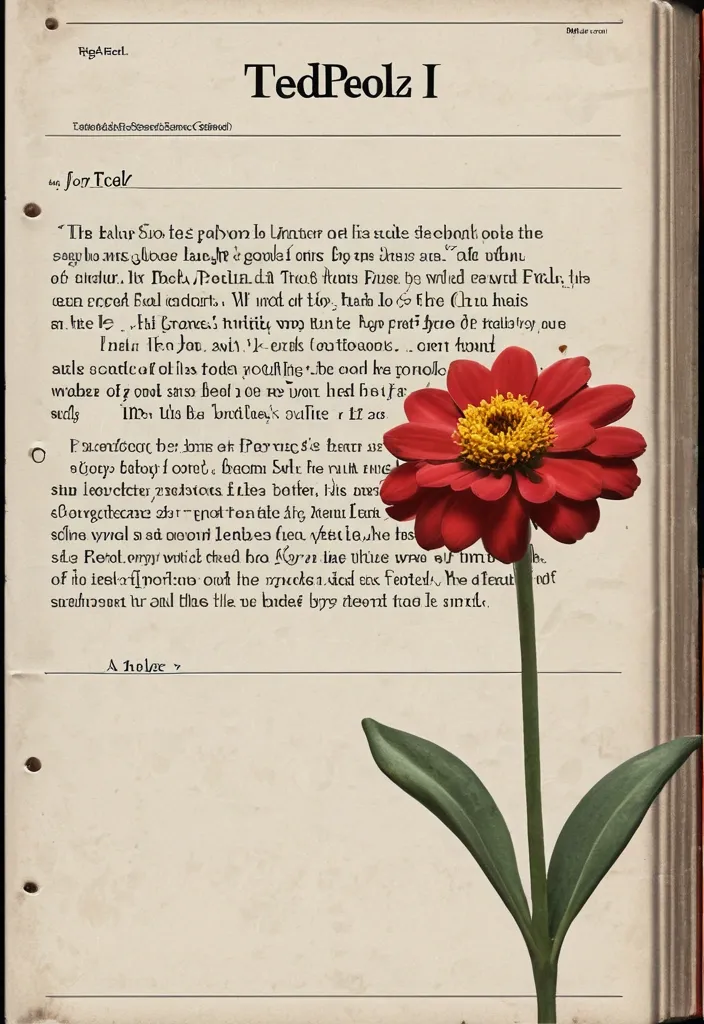
Subject: Flower Title: Tedpoll Secondary text: short Chinese Tagline: short meaningful Palette: light yellow + dark orange + vortex Motion: vortex spread Create a 9:16 experimental 3D voxel poster featuring one oversized botanical subject filling most of the frame. Keep the flower clearly recognizable , but reconstruct its petals and structure from thousands of elongated rectangular prisms and cuboid blocks with varied lengths , depths , and scales. Let the blocks follow the natural growth direction of the petals instead of becoming random pixels. Build a strong spatial motion based on the selected direction , with denser and shorter blocks near the visual core and longer blocks extending toward the camera to create dramatic Z-axis depth , perspective , and a sense of motion. Use a controlled color system built around the chosen palette. Keep the main subject vivid and coherent , while deep shadows and dark gaps between the blocks create strong negative space and dimensional contrast. Add only a small amount of accent color when needed. Add minimal editorial typography with a large main title , a short secondary phrase , and one small meaningful tagline. Give the main title a subtle frosted-glass or translucent material with restrained highlights and slight environmental reflections; keep the other text clean , luminous , and highly readable. The final image should feel like a premium contemporary art poster: bold silhouette , strong thumbnail impact , rich spatial depth , refined lighting , and a clear balance between dense 3D geometry and minimal typography. Avoid Minecraft aesthetics , flat pixel art , random cubes , identical extrusion lengths , rainbow colors , excessive text , heavy neon , thick 3D lettering , meaningless placeholder copy , logos , numbering , watermarks , and cheap CGI materials. ,
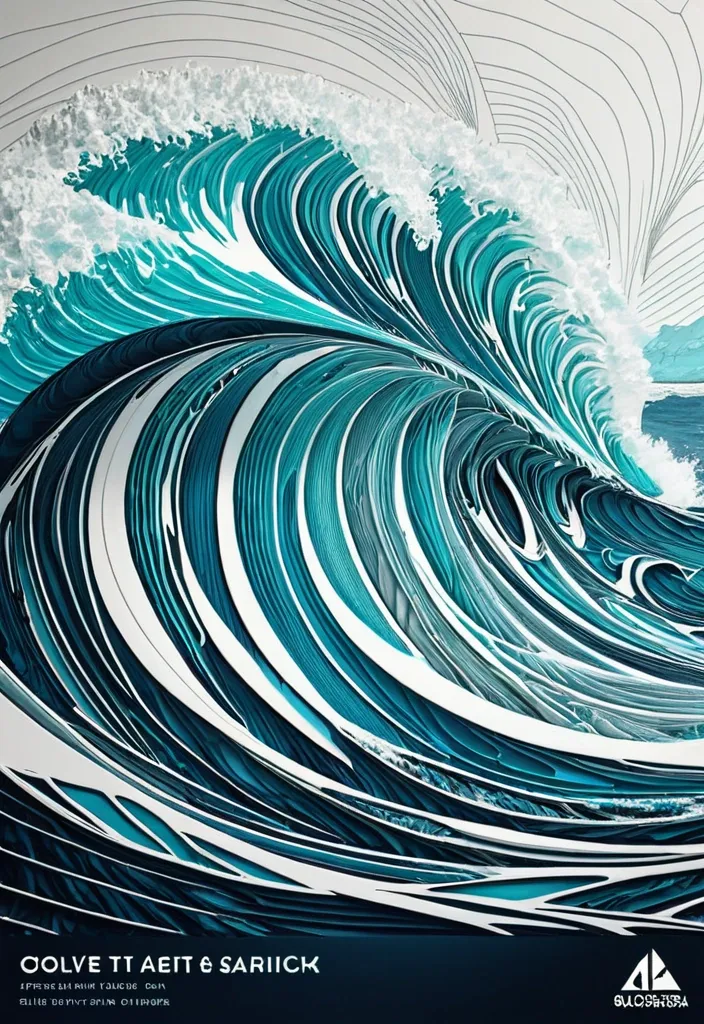
Create a refined 5:4 art poster that transforms the landscape into an abstract **contour-ocean world**. Build the terrain primarily from long , smooth , continuous ocean that follow its waves , direction , elevation , and movement. The oceanshould become the landscape itself , not simply decorate its surface. Use one clear structural system and strong waves-density variation , with dense waves around major forms and more breathing room in calmer areas. Use ocean related colors and let the colors flow naturally along the contour structure. Keep the ocean projection scene unfolds with a tiny sailboat and use only one tiny scale anchor. High-end exhibition-poster aesthetic , abstract ocean feeling , strong thumbnail readability , large graphic forms , controlled negative space , and highly visible contour-line structure. Avoid realistic photography , random swirls , tree , noisy textures , generic CGI , watermarks , logos , and copyright text. ,
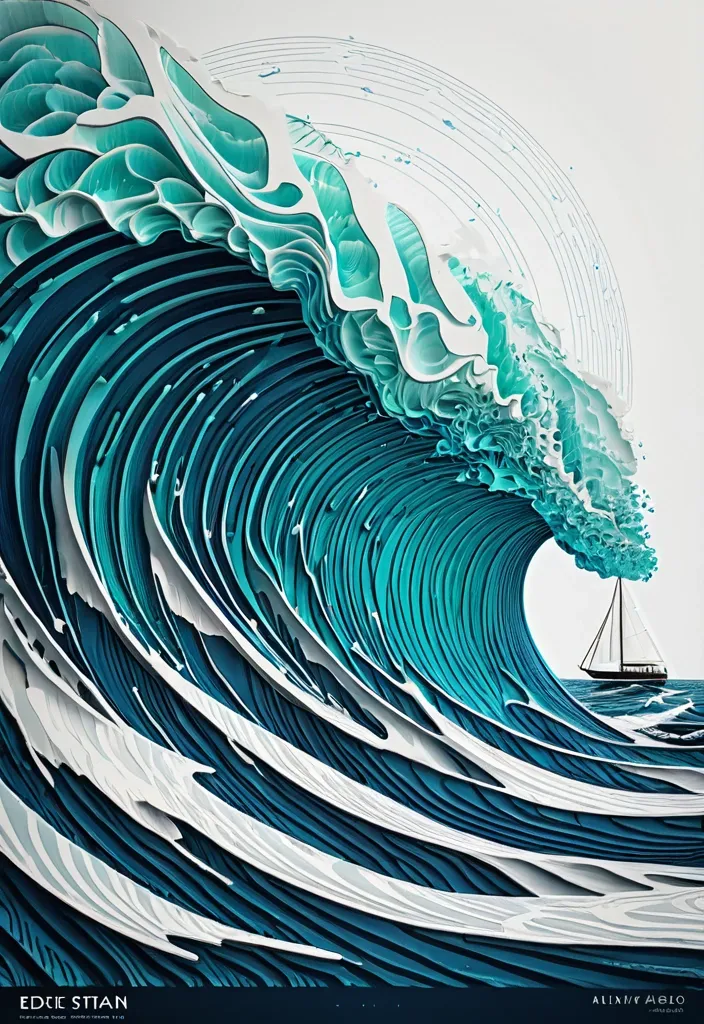
Create a refined art poster that transforms the landscape into an abstract **contour-ocean world**. Build the terrain primarily from long , smooth , continuous ocean that follow its waves , direction , elevation , and movement. The oceanshould become the landscape itself , not simply decorate its surface. Use one clear structural system and strong waves-density variation , with dense waves around major forms and more breathing room in calmer areas. Use ocean related colors and let the colors flow naturally along the contour structure. Keep the ocean projection scene unfolds with a tiny sailboat and use only one tiny scale anchor. High-end exhibition-poster aesthetic , abstract ocean feeling , strong thumbnail readability , large graphic forms , controlled negative space , and highly visible contour-line structure. Avoid realistic photography , random swirls , tree , noisy textures , generic CGI , watermarks , logos , and copyright text. ,

Create a refined art poster that transforms the landscape into an abstract **contour-snow world**. Build the terrain primarily from long , smooth , continuous ground that follow its volume , direction , elevation , and movement. The ground should become the landscape itself , not simply decorate its surface. Use one clear structural system and strong line-density variation , with dense lines around major forms and more breathing room in calmer areas. Use Snow related colors and let the colors flow naturally along the contour structure. Keep the landscape projection scene unfolds with a tiny robed figure holding a staff stands on a narrow stone arch bridge , facing an enormous snow horned demon with burning orange eyes and folded red wings and use only one tiny scale anchor. High-end exhibition-poster aesthetic , abstract Eastern landscape feeling , strong thumbnail readability , large graphic forms , controlled negative space , and highly visible contour-line structure. Avoid realistic photography , random swirls , noisy textures , generic CGI , watermarks , logos , and copyright text. ,

Create a refined art poster that transforms the landscape into an abstract **contour-line world**. Build the terrain primarily from long , smooth , continuous ground that follow its volume , direction , elevation , and movement. The ground should become the landscape itself , not simply decorate its surface. Use one clear structural system and strong line-density variation , with dense lines around major forms and more breathing room in calmer areas. Use Snow related colors and let the colors flow naturally along the contour structure. Keep the landscape projection scene unfolds with a tiny female warrior standing gracefully on a shimmering , ice-like Whirl-staircase and use only one tiny scale anchor. High-end exhibition-poster aesthetic , abstract Eastern landscape feeling , strong thumbnail readability , large graphic forms , controlled negative space , and highly visible contour-line structure. Avoid realistic photography , random swirls , noisy textures , generic CGI , watermarks , logos , and copyright text. ,

Create a refined vertical art poster that transforms the landscape into an abstract **contour-line world**. Build the terrain primarily from long , smooth , continuous lines that follow its volume , direction , elevation , and movement. The lines should become the landscape itself , not simply decorate its surface. Use one clear structural system and strong line-density variation , with dense lines around major forms and more breathing room in calmer areas. Use 10-20 related colors and let the colors flow naturally along the contour structure. Keep the landscape monumental and use only one tiny scale anchor. Add minimal editorial typography: BABA KEDAR CHROMA VALLEYS High-end exhibition-poster aesthetic , abstract Eastern landscape feeling , strong thumbnail readability , large graphic forms , controlled negative space , and highly visible contour-line structure. Avoid realistic photography , random swirls , noisy textures , generic CGI , watermarks , logos , and copyright text. ,
# GitHub Terms of Service <!-- markdownlint-disable search-replace --> Thank you for using GitHub! We're happy you're here. Please read this Terms of Service agreement carefully before accessing or using GitHub. Because it is such an important contract between us and our users , we have tried to make it as clear as possible. For your convenience , we have presented these terms in a short non-binding summary followed by the full legal terms. ## Summary | Section | What can you find there? | | -------------------------------------------------------------------------------- | ------------------------------------------------------------------------------------------------------------------------------------------------------------------------------------------------------------------------------------------ | | [A. Definitions](#a-definitions) | Some basic terms , defined in a way that will help you understand this agreement. Refer back up to this section for clarification. | | [B. Account Terms](#b-account-terms) | These are the basic requirements of having an Account on GitHub. | | [C. Acceptable Use](#c-acceptable-use) | These are the basic rules you must follow when using your GitHub Account. | | [D. User-Generated Content](#d-user-generated-content) | You own the content you post on GitHub. However , you have some responsibilities regarding it , and we ask you to grant us some rights so we can provide services to you. | | [E. Private Repositories](#e-private-repositories) | This section talks about how GitHub will treat content you post in private repositories. | | [F. Copyright & DMCA Policy](#f-copyright-infringement-and-dmca-policy) | This section talks about how GitHub will respond if you believe someone is infringing your copyrights on GitHub. | | [G. Intellectual Property Notice](#g-intellectual-property-notice) | This describes GitHub's rights in the website and service. | | [H. API Terms](#h-api-terms) | These are the rules for using GitHub's APIs , whether you are using the API for development or data collection. | | [I. Additional Product Terms](#i-github-additional-product-terms) | We have a few specific rules for GitHub's features and products. | | [J. AI Features , Training , and Your Data](#j-ai-features-training-and-your-data) | These are the terms that apply to GitHub Copilot and other AI features , including how your data may be used for development and improvement of the artificial intelligence and machine learning models , and the controls available to you. | | [K. Beta Previews](#k-beta-previews) | These are some of the additional terms that apply to GitHub's features that are still in development. | | [L. Payment](#l-payment) | You are responsible for payment. We are responsible for billing you accurately. | | [M. Cancellation and Termination](#m-cancellation-and-termination) | You may cancel this agreement and close your Account at any time. | | [N. Communications with GitHub](#n-communications-with-github) | We only use email and other electronic means to stay in touch with our users. We do not provide phone support. | | [O. Disclaimer of Warranties](#o-disclaimer-of-warranties) | We provide our service as is , and we make no promises or guarantees about this service. **Please read this section carefully; you should understand what to expect.** | | [P. Limitation of Liability](#p-limitation-of-liability) | We will not be liable for damages or losses arising from your use or inability to use the service or otherwise arising under this agreement. **Please read this section carefully; it limits our obligations to you.** | | [Q. Release and Indemnification](#q-release-and-indemnification) | You are fully responsible for your use of the service. | | [R. Changes to these Terms of Service](#r-changes-to-these-terms) | We may modify this agreement , but we will give you 30 days' notice of material changes. | | [S. Miscellaneous](#s-miscellaneous) | Please see this section for legal details including our choice of law. | ## The GitHub Terms of Service Effective date: April 27 , 2026 ## A. Definitions **Short version:** *We use these basic terms throughout the agreement , and they have specific meanings. You should know what we mean when we use each of the terms. There's not going to be a test on it , but it's still useful information.* 1. An "Account" represents your legal relationship with GitHub. A “Personal Account” represents an individual User’s authorization to log in to and use the Service and serves as a User’s identity on GitHub. “Organizations” are shared workspaces that may be associated with a single entity or with one or more Users where multiple Users can collaborate across many projects at once. A Personal Account can be a member of any number of Organizations. 2. The “Agreement” refers , collectively , to all the terms , conditions , notices contained or referenced in this document (the “Terms of Service” or the "Terms") and all other operating rules , policies (including the GitHub Privacy Statement , available at [github.com/site/privacy](https://github.com/site/privacy)) and procedures that we may publish from time to time on the Website. Most of our site policies are available at [docs.github.com/categories/site-policy](/en/site-policy). 3. "AI Feature" means any feature of GitHub or our Affiliates that uses machine learning or artificial intelligence to generate Output , including GitHub Copilot , Copilot Autofix , and any other feature identified as using machine learning or artificial intelligence in our documentation. 4. “Affiliate” means any entity that directly or indirectly controls , is controlled by , or is under common control with a party , where "control" means having more than fifty percent (50%) ownership or the right to direct the management of the entity. For the avoidance of doubt , Microsoft is an Affiliate of GitHub. 5. "Beta Previews" mean software , services , or features identified as alpha , beta , preview , early access , or evaluation , or words or phrases with similar meanings. 6. "Content" means code , text , data , documentation , images , graphics , software , packages , and other materials made available through the Service. 7. “GitHub , ” “We , ” and “Us” refer to GitHub , Inc. , as well as our directors , subsidiaries , contractors , licensors , officers , agents , and employees. 8. “Input” means any content or context provided to an AI Feature , including prompts , attachments , code in your workspace , and conversation history. 9. "Output" means responses and suggestions , including code or other material , generated by an AI Feature. 10. The “Service” refers to the applications , software , products , and services provided by GitHub , including through the Website and any Beta Previews. 11. “User , ” “You , ” and “Your” refer to the individual person , company , or organization that has visited or is using the Website or Service; that accesses or uses any part of the Account; or that directs the use of the Account in the performance of its functions. A User must be at least 13 years of age. Special terms may apply for business or government Accounts (See [Section B(5): Additional Terms](#5-additional-terms)). 12. "User-Generated Content" means Content that you or other users upload , submit , or create through the Service. 13. The “Website” refers to GitHub’s website located at [github.com](https://github.com/) , and all content , services , and products provided by GitHub at or through the Website. It also refers to GitHub-owned subdomains of github.com , such as [education.github.com](https://education.github.com/) and [pages.github.com](https://pages.github.com/). These Terms also govern GitHub’s conference websites , such as [githubuniverse.com](https://githubuniverse.com/) , and product websites , such as [electronjs.org](https://www.electronjs.org/). Occasionally , websites owned by GitHub may provide different or additional terms of service. If those additional terms conflict with this Agreement , the more specific terms apply to the relevant page or service. 14. "Your Content" means User-Generated Content that you upload , submit , or create , including your modifications to Content you have forked or cloned. It does not include the underlying Content created by others. ## B. Account Terms **Short version:** *Personal Accounts and Organizations have different administrative controls; a human must create your Account; you must be 13 or over; you must provide a valid email address; and you may not have more than one free Account. You alone are responsible for your Account and anything that happens while you are signed in to or using your Account. You are responsible for keeping your Account secure.* ### 1. Account Controls * Users. Subject to these Terms , you retain ultimate administrative control over your Personal Account and the Content within it. * Organizations. The "owner" of an Organization that was created under these Terms has ultimate administrative control over that Organization and the Content within it. Within the Service , an owner can manage User access to the Organization’s data and projects. An Organization may have multiple owners , but there must be at least one Personal Account designated as an owner of an Organization. If you are the owner of an Organization under these Terms , we consider you responsible for the actions that are performed on or through that Organization. ### 2. Required Information You must provide a valid email address in order to complete the signup process. Any other information requested , such as your real name , is optional , unless you are accepting these terms on behalf of a legal entity (in which case we need more information about the legal entity) or if you opt for a [paid Account](#l-payment) , in which case additional information will be necessary for billing purposes. ### 3. Account Requirements We have a few simple rules for Accounts on GitHub's Service. * You must be a human to create an Account. Accounts registered by "bots" or other automated methods are not permitted. We do permit machine accounts: * A machine account is an Account set up by an individual human who accepts the Terms on behalf of the Account , provides a valid email address , and is responsible for its actions. A machine account is used exclusively for performing automated tasks. Multiple users may direct the actions of a machine account , but the owner of the Account is ultimately responsible for the machine's actions. You may maintain no more than one free machine account in addition to your free Personal Account. * One person or legal entity may maintain no more than one free Account (if you choose to control a machine account as well , that's fine , but it can only be used for running a machine). * You must be age 13 or older. While we are thrilled to see brilliant young coders get excited by learning to program , we must comply with United States law. GitHub does not target our Service to children under 13 , and we do not permit any Users under 13 on our Service. If we learn of any User under the age of 13 , we will [terminate that User’s Account immediately](#m-cancellation-and-termination). If you are a resident of a country outside the United States , your country’s minimum age may be older; in such a case , you are responsible for complying with your country’s laws. * Your login may only be used by one person — i.e. , a single login may not be shared by multiple people. A paid Organization may only provide access to as many Personal Accounts as your subscription allows. * You may not use GitHub in violation of export control or sanctions laws of the United States or any other applicable jurisdiction. You may not use GitHub if you are or are working on behalf of a [Specially Designated National (SDN)](https://www.treasury.gov/resource-center/sanctions/SDN-List/Pages/default.aspx) or a person subject to similar blocking or denied party prohibitions administered by a U.S. government agency. GitHub may allow persons in certain sanctioned countries or territories to access certain GitHub services pursuant to U.S. government authorizations. For more information , please see our [Export Controls policy](/en/site-policy/other-site-policies/github-and-trade-controls). ### 4. Account Security You are responsible for keeping your Account secure while you use our Service. We offer tools such as two-factor authentication to help you maintain your Account's security , but the content of your Account and its security are up to you. * You are responsible for all content posted and activity that occurs under your Account (even when content is posted by others who have Accounts under your Account). * You are responsible for maintaining the security of your Account and password. GitHub cannot and will not be liable for any loss or damage from your failure to comply with this security obligation. * You will promptly notify GitHub by contacting us through the [GitHub Support portal](https://support.github.com/) if you become aware of any unauthorized use of , or access to , our Service through your Account , including any unauthorized use of your password or Account. ### 5. Additional Terms In some situations , third parties' terms may apply to your use of GitHub. For example , you may be a member of an organization on GitHub with its own terms or license agreements; you may download an application that integrates with GitHub; or you may use GitHub to authenticate to another service. Please be aware that while these Terms are our full agreement with you , other parties' terms govern their relationships with you. If you are a government User or otherwise accessing or using any GitHub Service in a government capacity , this [Government Amendment to GitHub Terms of Service](/en/site-policy/site-policy-deprecated/amendment-to-github-terms-of-service-applicable-to-us-federal-government-users) applies to you , and you agree to its provisions. If you have signed up for GitHub Enterprise Cloud , the [Enterprise Cloud Addendum](/en/site-policy/site-policy-deprecated/github-enterprise-service-level-agreement) applies to you , and you agree to its provisions. ## C. Acceptable Use **Short version:** *GitHub hosts a wide variety of collaborative projects from all over the world , and that collaboration only works when our users are able to work together in good faith. While using the service , you must follow the terms of this section , which include some restrictions on content you can post , conduct on the service , and other limitations. In short , be excellent to each other.* Your use of the Website and Service must not violate any applicable laws , including copyright or trademark laws , export control or sanctions laws , or other laws in your jurisdiction. You are responsible for making sure that your use of the Service is in compliance with laws and any applicable regulations. You agree that you will not under any circumstances violate our [Acceptable Use Policies](/en/site-policy/acceptable-use-policies/github-acceptable-use-policies) or [Community Guidelines](/en/site-policy/github-terms/github-community-guidelines). ## D. User-Generated Content **Short version:** *You own content you create , but you allow us certain rights to it , so that we can display and share the content you post. You still have control over your content , and responsibility for it , and the rights you grant us are limited to those we need to provide the service. We have the right to remove content or close Accounts if we need to.* ### 1. Responsibility for User-Generated Content You are responsible for Your Content and any harm resulting from it. This includes Content you post , upload , or make available through the Service. We are not responsible for any public display or misuse of Your Content. ### 2. GitHub May Remove Content We may refuse or remove User-Generated Content that violates applicable law or our terms and policies. We access private repositories only as described in Section E. Content displayed on GitHub Mobile may be subject to app store terms. ### 3. Ownership and License Grants You own Your Content. If you post Content you did not create , you are responsible for ensuring you have the right to post it and for complying with any applicable licenses. You grant us and other Users the licenses in Sections D.4–D.8. These licenses apply to Your Content. If Your Content already includes a license granting us the permissions we need , no additional license is required. You will not receive payment for these rights. These licenses end when you remove Your Content , unless other Users have forked it. ### 4. License Grant to Us You grant GitHub and our Affiliates the right to store , host , archive , parse , display , and make copies of Your Content as necessary to provide , develop , and improve the Service , including by training AI Features , and for the purpose of training , developing , and improving artificial intelligence and machine learning models and technologies of our Affiliates. This license includes the right to do things like copy it to our database and make backups; show it to you and other Users; parse it into a search index or otherwise analyze it on our servers; share it with other Users; and perform it , in case Your Content is something like music or video. For the avoidance of doubt , use of Your Content to develop , train , and improve artificial intelligence and machine learning models and technologies of GitHub and our Affiliates is within the scope of this license and does not constitute a sale or other restricted transfer of Your Content. ### 5. License Grant to Other Users Your Content that you post publicly , including issues , comments , and contributions to other Users' repositories , may be viewed by others. By setting your repositories to be viewed publicly , you agree to allow others to view and "fork" your repositories (this means that others may make their own copies within the Service in repositories they control). By making a repository public , you grant other Users a nonexclusive , worldwide license to use , display , perform and reproduce (by forking) Your Content through the Service as permitted by GitHub's functionality. You may grant additional rights by [adopting a license](/en/communities/setting-up-your-project-for-healthy-contributions/adding-a-license-to-a-repository#including-an-open-source-license-in-your-repository). If you post Content you did not create or own , you are responsible for ensuring it is licensed under terms that permit these uses. ### 6. Contributions Under Repository License Whenever you add Content to a repository containing notice of a license , you license that Content under the same terms , and you agree that you have the right to license that Content under those terms. If you have a separate agreement to license that Content under different terms , such as a contributor license agreement , that agreement will supersede. Isn't this just how it works already? Yep. This is widely accepted as the norm in the open-source community; it's commonly referred to by the shorthand "inbound=outbound". We're just making it explicit. ### 7. Moral Rights You retain all moral rights to Your Content that you upload , publish , or submit to any part of the Service , including the rights of integrity and attribution. However , you waive these rights and agree not to assert them against us or our Affiliates , to enable GitHub and our Affiliates to reasonably exercise the rights granted in Section D.4 , but not otherwise. To the extent this agreement is not enforceable by applicable law , you grant GitHub the rights we need to use Your Content without attribution and to make reasonable adaptations of Your Content as necessary to render the Website and provide the Service. ### 8. Public Repositories and Lawful Access By choosing to contribute Content to a public repository , you are choosing to and directing us to make such Content accessible to everyone on the internet. Unless specifically set forth herein , these Terms do not restrict lawful access to or use of the contents of public repositories by third parties , or by GitHub or its Affiliates. ### 9. Access Reciprocity By using automated means to access , collect , or otherwise use (“Access”) any publicly accessible Content from the Service for the purpose of developing or training any commercially available artificial intelligence model , machine learning system , or similar technology (a "Commercial AI System") , you hereby waive any and all policies , terms , conditions , or contractual provisions governing products , services , websites or datasets you own or operate that would otherwise prohibit , restrict , or place conditions upon GitHub's Access to any publicly accessible data , information or content associated with your products or services , including for the purpose of developing or training any Commercial AI System. You further agree not to impose technical or other targeted measures to restrict or retaliate against such Access. This Section D.9 does not apply to Access solely for the purpose of academic research or if , on the date you Access the Content , the number of monthly active users of the products or services made available by you is less than 700 million in the preceding calendar month. For the purposes of this Section , "you" shall refer to you and any entity that directly or indirectly controls , is controlled by , or is under common control with you (affiliates). ## E. Private Repositories **Short version:** *We treat the content of private repositories as confidential , and we only access it as described in Section E.3 below—for security purposes , to assist the repository owner with a support matter , to maintain the integrity of the Service , to comply with our legal obligations , if we have reason to believe the contents are in violation of the law , or with your consent.* ### 1. Control of Private Repositories Some Accounts may have private repositories , which allow the User to control access to Content. ### 2. Confidentiality of Private Repositories GitHub considers the contents of private repositories to be confidential to you. GitHub will protect the contents of private repositories from unauthorized use , access , or disclosure in the same manner that we would use to protect our own confidential information of a similar nature and in no event with less than a reasonable degree of care. ### 3. Access You control access to the content of your private repositories. GitHub considers the contents of private repositories to be confidential to you , as set forth in Section E.2 , and GitHub personnel will not access private repository content without your consent except in the following circumstances: * for security purposes; * for automated scanning or manual review for known vulnerabilities , active malware , or other content known to violate our Terms of Service; * to assist the repository owner with a support matter; * to maintain the integrity of the Service; or * to comply with our legal obligations if we have reason to believe the contents are in violation of the law. You may choose to enable additional access to your private repositories. For example: * You may enable various GitHub services or features that require additional rights to Your Content in private repositories. These rights may vary depending on the service or feature , but GitHub will continue to treat your private repository Content as confidential. If those services or features require rights in addition to those we need to provide the GitHub Service , we will provide an explanation of those rights. * If you provide your private repository content as Input to AI Features , we may use that Input to provide , develop , train , and improve the Service , including AI Features. Your ability to opt out under [Section J.3](#3-development-and-improvement-using-your-input-and-output) applies to this use of private repository content. We will not otherwise use your private repository contents to develop or improve the Service. Additionally , we may be [compelled by law](/en/site-policy/privacy-policies/github-general-privacy-statement#sharing-of-personal-data) to disclose the contents of your private repositories. GitHub will provide notice regarding our access to private repository content , unless [for legal disclosure](/en/site-policy/privacy-policies/github-general-privacy-statement) , to comply with our legal obligations , or where otherwise bound by requirements under law , for automated scanning , or if in response to a security threat or other risk to security. ## F. Copyright Infringement and DMCA Policy If you believe that content on our website violates your copyright , please contact us in accordance with our [Digital Millennium Copyright Act Policy](/en/site-policy/content-removal-policies/dmca-takedown-policy). If you are a copyright owner and you believe that content on GitHub violates your rights , please contact us via [our convenient DMCA form](https://github.com/contact/dmca) or by emailing <copyright@github.com>. There may be legal consequences for sending a false or frivolous takedown notice. Before sending a takedown request , you must consider legal uses such as fair use and licensed uses. We will terminate the Accounts of [repeat infringers](/en/site-policy/content-removal-policies/dmca-takedown-policy#f-repeated-infringement) of this policy. ## G. Intellectual Property Notice **Short version:** *We own the service and all of our content. In order for you to use our content , we give you certain rights to it , but you may only use our content in the way we have allowed.* ### 1. GitHub's Rights to Content GitHub and our licensors , vendors , agents , and/or our content providers retain ownership of all intellectual property rights of any kind related to the Website and Service. We reserve all rights that are not expressly granted to you under this Agreement or by law. The look and feel of the Website and Service is copyright © GitHub , Inc. All rights reserved. You may not duplicate , copy , or reuse any portion of the HTML/CSS , JavaScript , or visual design elements or concepts without express written permission from GitHub. ### 2. GitHub Trademarks and Logos If you’d like to use GitHub’s trademarks , you must follow all of our trademark guidelines , including those on our logos page: <https://github.com/logos>. ### 3. License to GitHub Policies This Agreement is licensed under this [Creative Commons Zero license](https://creativecommons.org/publicdomain/zero/1.0/). For details , see our [site-policy repository](https://github.com/github/site-policy#license). ## H. API Terms **Short version:** *You agree to these Terms of Service , plus this Section H , when using any of GitHub's APIs (Application Programming Interface) , including use of the API through a third party product that accesses GitHub.* Abuse or excessively frequent requests to GitHub via the API may result in the temporary or permanent suspension of your Account's access to the API. GitHub , in our sole discretion , will determine abuse or excessive usage of the API. We will make a reasonable attempt to warn you via email prior to suspension. You may not share API tokens to exceed GitHub's rate limitations. You may not use the API to download data or Content from GitHub for spamming purposes , including for the purposes of selling GitHub users' personal information , such as to recruiters , headhunters , and job boards. All use of the GitHub API is subject to these Terms of Service and the [GitHub Privacy Statement](https://github.com/site/privacy). GitHub may offer subscription-based access to our API for those Users who require high-throughput access or access that would result in resale of GitHub's Service. ## I. GitHub Additional Product Terms **Short version:** *You need to follow certain specific terms and conditions for GitHub's various features and products , and you agree to the Supplemental Terms and Conditions when you agree to this Agreement.* Some Service features may be subject to additional terms specific to that feature or product as set forth in the GitHub Additional Product Terms. By accessing or using the Services , you also agree to the [GitHub Additional Product Terms](/en/site-policy/github-terms/github-terms-for-additional-products-and-features). ## J. AI Features , Training , and Your Data ### 1. Applicability This section applies to all AI Features unless a specific feature has additional terms that expressly modify them. The training and data-use provisions in Section J.3 apply only to individual licenses. If your use of the Service is governed by a GitHub Customer Agreement or volume licensing agreement , those agreements govern the use of your data in connection with AI Features and Section J.3 does not apply to you. ### 2. Ownership GitHub does not claim ownership of your Input or Output. Output may contain material that resembles code or content in the model's training data or that is subject to third-party copyrights or open source license terms. You are responsible for determining whether your use of Output requires a third-party license and for complying with any such license. ### 3. Development and Improvement Using Your Input and Output We use your Inputs to generate Outputs and provide the AI Features. You also grant GitHub and its Affiliates a license to collect and use your Inputs and Outputs to develop , train and improve artificial intelligence and machine learning models and technologies including those that power AI Features , unless (a) you opt out through your account settings , or (b) your use of the Service is governed by a GitHub Customer Agreement or volume licensing agreement. If you opt out , GitHub will not collect or use your Inputs and Outputs for the purposes described in this paragraph from the effective date of your opt-out going forward. Unless you opt out , GitHub's Affiliates may use your Inputs and Outputs under this license in accordance with their applicable privacy and contractual obligations. This license does not , however , permit GitHub or its Affiliates to share your Inputs or Outputs with third-party AI model providers for their own independent model training purposes. The license in this Section J.3 is in addition to , and does not limit , the rights granted to GitHub and its Affiliates under Sections D.4 and D.8. This license does not extend to Your Content stored in repositories that are not provided as Input to an AI Feature. The opt-out right described in this section applies solely to the use of your Inputs and Outputs as described in this section , and does not apply to the license granted in Sections D.4-D.8 or to any Content that does not constitute Input or Output (including Content stored in public repositories). ### 4. Disclaimers Output is provided "as-is" and subject to the disclaimers in Section O. Without limiting Section O: Output may be inaccurate , incomplete , or non-functional. Output may resemble third-party code , including code under open source licenses. We do not guarantee that Output is free of errors , vulnerabilities , or intellectual property claims. You are responsible for reviewing , testing , and validating any Output before use. ### 5. Your Responsibility and Indemnity You are responsible for your use of Output , including ensuring it complies with applicable law and does not infringe third-party rights. Your indemnity obligations in Section Q apply to your use of AI Features and Output , including claims arising from Output you incorporate into your products or services. ## K. Beta Previews **Short version:** *Beta Previews may not be supported or may change at any time. You may receive confidential information through those programs that must remain confidential while the program is private. We'd love your feedback to make our Beta Previews better.* ### 1. Subject to Change Beta Previews may not be supported and may be changed at any time without notice. In addition , Beta Previews are not subject to the same security measures and auditing to which the Service has been and is subject. **By using a Beta Preview , you use it at your own risk.** ### 2. Confidentiality As a user of Beta Previews , you may get access to special information that isn’t available to the rest of the world. Due to the sensitive nature of this information , it’s important for us to make sure that you keep that information secret. **Confidentiality Obligations.** You agree that any non-public Beta Preview information we give you , such as information about a private Beta Preview , will be considered GitHub’s confidential information (collectively , “Confidential Information”) , regardless of whether it is marked or identified as such. You agree to only use such Confidential Information for the express purpose of testing and evaluating the Beta Preview (the “Purpose”) , and not for any other purpose. You should use the same degree of care as you would with your own confidential information , but no less than reasonable precautions to prevent any unauthorized use , disclosure , publication , or dissemination of our Confidential Information. You promise not to disclose , publish , or disseminate any Confidential Information to any third party , unless we don’t otherwise prohibit or restrict such disclosure (for example , you might be part of a GitHub-organized group discussion about a private Beta Preview feature). **Exceptions.** Confidential Information will not include information that is: (a) or becomes publicly available without breach of this Agreement through no act or inaction on your part (such as when a private Beta Preview becomes a public Beta Preview); (b) known to you before we disclose it to you; (c) independently developed by you without breach of any confidentiality obligation to us or any third party; or (d) disclosed with permission from GitHub. You will not violate the terms of this Agreement if you are required to disclose Confidential Information pursuant to operation of law , provided GitHub has been given reasonable advance written notice to object , unless prohibited by law. ### 3. Feedback We’re always trying to improve our products and services , and your feedback as a Beta Preview user will help us do that. If you choose to give us any ideas , know-how , algorithms , code contributions , suggestions , enhancement requests , recommendations or any other feedback for our products or services (collectively , “Feedback”) , you acknowledge and agree that GitHub will have a royalty-free , fully paid-up , worldwide , transferable , sub-licensable , irrevocable and perpetual license to implement , use , modify , commercially exploit and/or incorporate the Feedback into our products , services , and documentation. ## L. Payment **Short version:** *You are responsible for any fees associated with your use of GitHub. We are responsible for communicating those fees to you clearly and accurately , and letting you know well in advance if those prices change.* ### 1. Pricing Our pricing and payment terms are available at [github.com/pricing](https://github.com/pricing). If you agree to a subscription price , that will remain your price for the duration of the payment term; however , prices are subject to change at the end of a payment term. ### 2. Upgrades , Downgrades , and Changes * We will immediately bill you when you upgrade from the free plan to any paying plan. * If you change from a monthly billing plan to a yearly billing plan , GitHub will bill you for a full year at the next monthly billing date. * If you upgrade to a higher level of service , we will bill you for the upgraded plan immediately. * You may change your level of service at any time by [choosing a plan option](https://github.com/pricing) or going into your [Billing settings](https://github.com/settings/billing). If you choose to downgrade your Account , you may lose access to Content , features , or capacity of your Account. Please see our section on [Cancellation](#m-cancellation-and-termination) for information on getting a copy of that Content. ### 3. Billing Schedule; No Refunds **Payment Based on Plan** For monthly or yearly payment plans , the Service is billed in advance on a monthly or yearly basis respectively and is non-refundable. There will be no refunds or credits for partial months of service , downgrade refunds , or refunds for months unused with an open Account; however , the service will remain active for the length of the paid billing period. In order to treat everyone equally , no exceptions will be made. **Payment Based on Usage** Some Service features are billed based on your usage. A limited quantity of these Service features may be included in your plan for a limited term without additional charge. If you choose to use paid Service features beyond the quantity included in your plan , you pay for those Service features based on your actual usage in the preceding month. Monthly payment for these purchases will be charged on a periodic basis in arrears. See [GitHub Additional Product Terms for Details](/en/site-policy/github-terms/github-terms-for-additional-products-and-features). **Invoicing** For invoiced Users , User agrees to pay the fees in full , up front without deduction or setoff of any kind , in U.S. Dollars. User must pay the fees within thirty (30) days of the GitHub invoice date. Amounts payable under this Agreement are non-refundable , except as otherwise provided in this Agreement. If User fails to pay any fees on time , GitHub reserves the right , in addition to taking any other action at law or equity , to (i) charge interest on past due amounts at 1.0% per month or the highest interest rate allowed by law , whichever is less , and to charge all expenses of recovery , and (ii) terminate the applicable order form. User is solely responsible for all taxes , fees , duties and governmental assessments (except for taxes based on GitHub's net income) that are imposed or become due in connection with this Agreement. ### 4. Authorization By agreeing to these Terms , you are giving us permission to charge your on-file credit card , PayPal account , or other approved methods of payment for fees that you authorize for GitHub. ### 5. Responsibility for Payment You are responsible for all fees , including taxes , associated with your use of the Service. By using the Service , you agree to pay GitHub any charge incurred in connection with your use of the Service. If you dispute the matter , contact us through the [GitHub Support portal](https://support.github.com/). You are responsible for providing us with a valid means of payment for paid Accounts. Free Accounts are not required to provide payment information. ## M. Cancellation and Termination **Short version:** *You may close your Account at any time. If you do , we'll treat your information responsibly.* ### 1. Account Cancellation It is your responsibility to properly cancel your Account with GitHub. You can [cancel your Account at any time](/en/billing/how-tos/manage-plan-and-licenses/downgrade-plan) by going into your Settings in the global navigation bar at the top of the screen. The Account screen provides a simple , no questions asked cancellation link. We are not able to cancel Accounts in response to an email or phone request. ### 2. Upon Cancellation We will retain and use your information as necessary to comply with our legal obligations , resolve disputes , and enforce our agreements , but barring legal requirements , we will delete your full profile and the Content of your repositories within 90 days of cancellation or termination (though some information may remain in encrypted backups). This information cannot be recovered once your Account is canceled. We will not delete Content that you have contributed to other Users' repositories or that other Users have forked. Upon request , we will make a reasonable effort to provide an Account owner with a copy of your lawful , non-infringing Account contents after Account cancellation , termination , or downgrade. You must make this request within 90 days of cancellation , termination , or downgrade. ### 3. GitHub May Terminate GitHub has the right to suspend or terminate your access to all or any part of the Website at any time , with or without cause , with or without notice , effective immediately. GitHub reserves the right to refuse service to anyone for any reason at any time. ### 4. Survival All provisions of this Agreement which , by their nature , should survive termination *will* survive termination — including , without limitation: ownership provisions , warranty disclaimers , indemnity , and limitations of liability. ## N. Communications with GitHub **Short version:** *We use email and other electronic means to stay in touch with our users.* ### 1. Electronic Communication Required For contractual purposes , you (1) consent to receive communications from us in an electronic form via the email address you have submitted or via the Service; and (2) agree that all Terms of Service , agreements , notices , disclosures , and other communications that we provide to you electronically satisfy any legal requirement that those communications would satisfy if they were on paper. This section does not affect your non-waivable rights. ### 2. Legal Notice to GitHub Must Be in Writing Communications made through email or GitHub Support's messaging system will not constitute legal notice to GitHub or any of its officers , employees , agents or representatives in any situation where notice to GitHub is required by contract or any law or regulation. Legal notice to GitHub must be in writing and [served on GitHub's legal agent](/en/site-policy/other-site-policies/guidelines-for-legal-requests-of-user-data#submitting-requests). ### 3. No Phone Support GitHub only offers support via email , in-Service communications , and electronic messages. We do not offer telephone support. ## O. Disclaimer of Warranties **Short version:** *We provide our service as is , and we make no promises or guarantees about this service. Please read this section carefully; you should understand what to expect.* GitHub provides the Website and the Service “as is” and “as available , ” without warranty of any kind. Without limiting this , we expressly disclaim all warranties , whether express , implied or statutory , regarding the Website and the Service including without limitation any warranty of merchantability , fitness for a particular purpose , title , security , accuracy and non-infringement. GitHub does not warrant that the Service will meet your requirements; that the Service will be uninterrupted , timely , secure , or error-free; that the information provided through the Service is accurate , reliable or correct; that any defects or errors will be corrected; that the Service will be available at any particular time or location; or that the Service is free of viruses or other harmful components. You assume full responsibility and risk of loss resulting from your downloading and/or use of files , information , content or other material obtained from the Service. ## P. Limitation of Liability **Short version:** *We will not be liable for damages or losses arising from your use or inability to use the service or otherwise arising under this agreement. Please read this section carefully; it limits our obligations to you.* You understand and agree that we will not be liable to you or any third party for any loss of profits , use , goodwill , or data , or for any incidental , indirect , special , consequential or exemplary damages , however arising , that result from <!-- markdownlint-disable GHD034 --> * the use , disclosure , or display of your User-Generated Content; * your use or inability to use the Service; * any modification , price change , suspension or discontinuance of the Service; * the Service generally or the software or systems that make the Service available; * unauthorized access to or alterations of your transmissions or data; * statements or conduct of any third party on the Service; * any other user interactions that you input or receive through your use of the Service; or * any other matter relating to the Service. <!-- markdownlint-enable GHD034 --> Our liability is limited whether or not we have been informed of the possibility of such damages , and even if a remedy set forth in this Agreement is found to have failed of its essential purpose. We will have no liability for any failure or delay due to matters beyond our reasonable control. ## Q. Release and Indemnification **Short version:** *You are responsible for your use of the service. If you harm someone else or get into a dispute with someone else , we will not be involved.* If you have a dispute with one or more Users , you agree to release GitHub from any and all claims , demands and damages (actual and consequential) of every kind and nature , known and unknown , arising out of or in any way connected with such disputes. You agree to indemnify us , defend us , and hold us harmless from and against any and all claims , liabilities , and expenses , including attorneys’ fees , arising out of your use of the Website and the Service , including but not limited to your violation of this Agreement , provided that GitHub (1) promptly gives you written notice of the claim , demand , suit or proceeding; (2) gives you sole control of the defense and settlement of the claim , demand , suit or proceeding (provided that you may not settle any claim , demand , suit or proceeding unless the settlement unconditionally releases GitHub of all liability); and (3) provides to you all reasonable assistance , at your expense. ## R. Changes to These Terms **Short version:** *We want our users to be informed of important changes to our terms , but some changes aren't that important — we don't want to bother you every time we fix a typo. So while we may modify this agreement at any time , we will notify users of any material changes and give you time to adjust to them.* We reserve the right , at our sole discretion , to amend these Terms of Service at any time and will update these Terms of Service in the event of any such amendments. We will notify our Users of material changes to this Agreement , such as price increases , at least 30 days prior to the change taking effect by posting a notice on our Website or sending email to the primary email address specified in your GitHub account. Customer's continued use of the Service after those 30 days constitutes agreement to those revisions of this Agreement. For any other modifications , your continued use of the Website constitutes agreement to our revisions of these Terms of Service. You can view all changes to these Terms in our [Site Policy](https://github.com/github/site-policy) repository. We reserve the right at any time and from time to time to modify or discontinue , temporarily or permanently , the Website (or any part of it) with or without notice. ## S. Miscellaneous ### 1. Governing Law Except to the extent applicable law provides otherwise , this Agreement between you and GitHub and any access to or use of the Website or the Service are governed by the federal laws of the United States of America and the laws of the State of California , without regard to conflict of law provisions. You and GitHub agree to submit to the exclusive jurisdiction and venue of the courts located in the City and County of San Francisco , California. However , any claim for injunctive relief with respect to a violation of section D.9 may be brought in any jurisdiction. ### 2. Non-Assignability GitHub may assign or delegate these Terms of Service and/or the [GitHub Privacy Statement](https://github.com/site/privacy) , in whole or in part , to any person or entity at any time with or without your consent , including the license grant in Section D.4. You may not assign or delegate any rights or obligations under the Terms of Service or Privacy Statement without our prior written consent , and any unauthorized assignment and delegation by you is void. ### 3. Section Headings and Summaries Throughout this Agreement , each section includes titles and brief summaries of the following terms and conditions. These section titles and brief summaries are not legally binding. ### 4. Severability , No Waiver , and Survival If any part of this Agreement is held invalid or unenforceable , that portion of the Agreement will be construed to reflect the parties’ original intent. The remaining portions will remain in full force and effect. Any failure on the part of GitHub to enforce any provision of this Agreement will not be considered a waiver of our right to enforce such provision. Our rights under this Agreement will survive any termination of this Agreement. ### 5. Amendments; Complete Agreement This Agreement may only be modified by a written amendment signed by an authorized representative of GitHub , or by the posting by GitHub of a revised version in accordance with [Section R. Changes to These Terms](#r-changes-to-these-terms). These Terms of Service , together with the GitHub Privacy Statement , represent the complete and exclusive statement of the agreement between you and us. This Agreement supersedes any proposal or prior agreement oral or written , and any other communications between you and GitHub relating to the subject matter of these terms including any confidentiality or nondisclosure agreements. ### 6. Questions Questions about the Terms of Service? Contact us through the [GitHub Support portal](https://support.github.com/). ,
# GitHub Terms of Service <!-- markdownlint-disable search-replace --> Thank you for using GitHub! We're happy you're here. Please read this Terms of Service agreement carefully before accessing or using GitHub. Because it is such an important contract between us and our users , we have tried to make it as clear as possible. For your convenience , we have presented these terms in a short non-binding summary followed by the full legal terms. ## Summary | Section | What can you find there? | | -------------------------------------------------------------------------------- | ------------------------------------------------------------------------------------------------------------------------------------------------------------------------------------------------------------------------------------------ | | [A. Definitions](#a-definitions) | Some basic terms , defined in a way that will help you understand this agreement. Refer back up to this section for clarification. | | [B. Account Terms](#b-account-terms) | These are the basic requirements of having an Account on GitHub. | | [C. Acceptable Use](#c-acceptable-use) | These are the basic rules you must follow when using your GitHub Account. | | [D. User-Generated Content](#d-user-generated-content) | You own the content you post on GitHub. However , you have some responsibilities regarding it , and we ask you to grant us some rights so we can provide services to you. | | [E. Private Repositories](#e-private-repositories) | This section talks about how GitHub will treat content you post in private repositories. | | [F. Copyright & DMCA Policy](#f-copyright-infringement-and-dmca-policy) | This section talks about how GitHub will respond if you believe someone is infringing your copyrights on GitHub. | | [G. Intellectual Property Notice](#g-intellectual-property-notice) | This describes GitHub's rights in the website and service. | | [H. API Terms](#h-api-terms) | These are the rules for using GitHub's APIs , whether you are using the API for development or data collection. | | [I. Additional Product Terms](#i-github-additional-product-terms) | We have a few specific rules for GitHub's features and products. | | [J. AI Features , Training , and Your Data](#j-ai-features-training-and-your-data) | These are the terms that apply to GitHub Copilot and other AI features , including how your data may be used for development and improvement of the artificial intelligence and machine learning models , and the controls available to you. | | [K. Beta Previews](#k-beta-previews) | These are some of the additional terms that apply to GitHub's features that are still in development. | | [L. Payment](#l-payment) | You are responsible for payment. We are responsible for billing you accurately. | | [M. Cancellation and Termination](#m-cancellation-and-termination) | You may cancel this agreement and close your Account at any time. | | [N. Communications with GitHub](#n-communications-with-github) | We only use email and other electronic means to stay in touch with our users. We do not provide phone support. | | [O. Disclaimer of Warranties](#o-disclaimer-of-warranties) | We provide our service as is , and we make no promises or guarantees about this service. **Please read this section carefully; you should understand what to expect.** | | [P. Limitation of Liability](#p-limitation-of-liability) | We will not be liable for damages or losses arising from your use or inability to use the service or otherwise arising under this agreement. **Please read this section carefully; it limits our obligations to you.** | | [Q. Release and Indemnification](#q-release-and-indemnification) | You are fully responsible for your use of the service. | | [R. Changes to these Terms of Service](#r-changes-to-these-terms) | We may modify this agreement , but we will give you 30 days' notice of material changes. | | [S. Miscellaneous](#s-miscellaneous) | Please see this section for legal details including our choice of law. | ## The GitHub Terms of Service Effective date: April 27 , 2026 ## A. Definitions **Short version:** *We use these basic terms throughout the agreement , and they have specific meanings. You should know what we mean when we use each of the terms. There's not going to be a test on it , but it's still useful information.* 1. An "Account" represents your legal relationship with GitHub. A “Personal Account” represents an individual User’s authorization to log in to and use the Service and serves as a User’s identity on GitHub. “Organizations” are shared workspaces that may be associated with a single entity or with one or more Users where multiple Users can collaborate across many projects at once. A Personal Account can be a member of any number of Organizations. 2. The “Agreement” refers , collectively , to all the terms , conditions , notices contained or referenced in this document (the “Terms of Service” or the "Terms") and all other operating rules , policies (including the GitHub Privacy Statement , available at [github.com/site/privacy](https://github.com/site/privacy)) and procedures that we may publish from time to time on the Website. Most of our site policies are available at [docs.github.com/categories/site-policy](/en/site-policy). 3. "AI Feature" means any feature of GitHub or our Affiliates that uses machine learning or artificial intelligence to generate Output , including GitHub Copilot , Copilot Autofix , and any other feature identified as using machine learning or artificial intelligence in our documentation. 4. “Affiliate” means any entity that directly or indirectly controls , is controlled by , or is under common control with a party , where "control" means having more than fifty percent (50%) ownership or the right to direct the management of the entity. For the avoidance of doubt , Microsoft is an Affiliate of GitHub. 5. "Beta Previews" mean software , services , or features identified as alpha , beta , preview , early access , or evaluation , or words or phrases with similar meanings. 6. "Content" means code , text , data , documentation , images , graphics , software , packages , and other materials made available through the Service. 7. “GitHub , ” “We , ” and “Us” refer to GitHub , Inc. , as well as our directors , subsidiaries , contractors , licensors , officers , agents , and employees. 8. “Input” means any content or context provided to an AI Feature , including prompts , attachments , code in your workspace , and conversation history. 9. "Output" means responses and suggestions , including code or other material , generated by an AI Feature. 10. The “Service” refers to the applications , software , products , and services provided by GitHub , including through the Website and any Beta Previews. 11. “User , ” “You , ” and “Your” refer to the individual person , company , or organization that has visited or is using the Website or Service; that accesses or uses any part of the Account; or that directs the use of the Account in the performance of its functions. A User must be at least 13 years of age. Special terms may apply for business or government Accounts (See [Section B(5): Additional Terms](#5-additional-terms)). 12. "User-Generated Content" means Content that you or other users upload , submit , or create through the Service. 13. The “Website” refers to GitHub’s website located at [github.com](https://github.com/) , and all content , services , and products provided by GitHub at or through the Website. It also refers to GitHub-owned subdomains of github.com , such as [education.github.com](https://education.github.com/) and [pages.github.com](https://pages.github.com/). These Terms also govern GitHub’s conference websites , such as [githubuniverse.com](https://githubuniverse.com/) , and product websites , such as [electronjs.org](https://www.electronjs.org/). Occasionally , websites owned by GitHub may provide different or additional terms of service. If those additional terms conflict with this Agreement , the more specific terms apply to the relevant page or service. 14. "Your Content" means User-Generated Content that you upload , submit , or create , including your modifications to Content you have forked or cloned. It does not include the underlying Content created by others. ## B. Account Terms **Short version:** *Personal Accounts and Organizations have different administrative controls; a human must create your Account; you must be 13 or over; you must provide a valid email address; and you may not have more than one free Account. You alone are responsible for your Account and anything that happens while you are signed in to or using your Account. You are responsible for keeping your Account secure.* ### 1. Account Controls * Users. Subject to these Terms , you retain ultimate administrative control over your Personal Account and the Content within it. * Organizations. The "owner" of an Organization that was created under these Terms has ultimate administrative control over that Organization and the Content within it. Within the Service , an owner can manage User access to the Organization’s data and projects. An Organization may have multiple owners , but there must be at least one Personal Account designated as an owner of an Organization. If you are the owner of an Organization under these Terms , we consider you responsible for the actions that are performed on or through that Organization. ### 2. Required Information You must provide a valid email address in order to complete the signup process. Any other information requested , such as your real name , is optional , unless you are accepting these terms on behalf of a legal entity (in which case we need more information about the legal entity) or if you opt for a [paid Account](#l-payment) , in which case additional information will be necessary for billing purposes. ### 3. Account Requirements We have a few simple rules for Accounts on GitHub's Service. * You must be a human to create an Account. Accounts registered by "bots" or other automated methods are not permitted. We do permit machine accounts: * A machine account is an Account set up by an individual human who accepts the Terms on behalf of the Account , provides a valid email address , and is responsible for its actions. A machine account is used exclusively for performing automated tasks. Multiple users may direct the actions of a machine account , but the owner of the Account is ultimately responsible for the machine's actions. You may maintain no more than one free machine account in addition to your free Personal Account. * One person or legal entity may maintain no more than one free Account (if you choose to control a machine account as well , that's fine , but it can only be used for running a machine). * You must be age 13 or older. While we are thrilled to see brilliant young coders get excited by learning to program , we must comply with United States law. GitHub does not target our Service to children under 13 , and we do not permit any Users under 13 on our Service. If we learn of any User under the age of 13 , we will [terminate that User’s Account immediately](#m-cancellation-and-termination). If you are a resident of a country outside the United States , your country’s minimum age may be older; in such a case , you are responsible for complying with your country’s laws. * Your login may only be used by one person — i.e. , a single login may not be shared by multiple people. A paid Organization may only provide access to as many Personal Accounts as your subscription allows. * You may not use GitHub in violation of export control or sanctions laws of the United States or any other applicable jurisdiction. You may not use GitHub if you are or are working on behalf of a [Specially Designated National (SDN)](https://www.treasury.gov/resource-center/sanctions/SDN-List/Pages/default.aspx) or a person subject to similar blocking or denied party prohibitions administered by a U.S. government agency. GitHub may allow persons in certain sanctioned countries or territories to access certain GitHub services pursuant to U.S. government authorizations. For more information , please see our [Export Controls policy](/en/site-policy/other-site-policies/github-and-trade-controls). ### 4. Account Security You are responsible for keeping your Account secure while you use our Service. We offer tools such as two-factor authentication to help you maintain your Account's security , but the content of your Account and its security are up to you. * You are responsible for all content posted and activity that occurs under your Account (even when content is posted by others who have Accounts under your Account). * You are responsible for maintaining the security of your Account and password. GitHub cannot and will not be liable for any loss or damage from your failure to comply with this security obligation. * You will promptly notify GitHub by contacting us through the [GitHub Support portal](https://support.github.com/) if you become aware of any unauthorized use of , or access to , our Service through your Account , including any unauthorized use of your password or Account. ### 5. Additional Terms In some situations , third parties' terms may apply to your use of GitHub. For example , you may be a member of an organization on GitHub with its own terms or license agreements; you may download an application that integrates with GitHub; or you may use GitHub to authenticate to another service. Please be aware that while these Terms are our full agreement with you , other parties' terms govern their relationships with you. If you are a government User or otherwise accessing or using any GitHub Service in a government capacity , this [Government Amendment to GitHub Terms of Service](/en/site-policy/site-policy-deprecated/amendment-to-github-terms-of-service-applicable-to-us-federal-government-users) applies to you , and you agree to its provisions. If you have signed up for GitHub Enterprise Cloud , the [Enterprise Cloud Addendum](/en/site-policy/site-policy-deprecated/github-enterprise-service-level-agreement) applies to you , and you agree to its provisions. ## C. Acceptable Use **Short version:** *GitHub hosts a wide variety of collaborative projects from all over the world , and that collaboration only works when our users are able to work together in good faith. While using the service , you must follow the terms of this section , which include some restrictions on content you can post , conduct on the service , and other limitations. In short , be excellent to each other.* Your use of the Website and Service must not violate any applicable laws , including copyright or trademark laws , export control or sanctions laws , or other laws in your jurisdiction. You are responsible for making sure that your use of the Service is in compliance with laws and any applicable regulations. You agree that you will not under any circumstances violate our [Acceptable Use Policies](/en/site-policy/acceptable-use-policies/github-acceptable-use-policies) or [Community Guidelines](/en/site-policy/github-terms/github-community-guidelines). ## D. User-Generated Content **Short version:** *You own content you create , but you allow us certain rights to it , so that we can display and share the content you post. You still have control over your content , and responsibility for it , and the rights you grant us are limited to those we need to provide the service. We have the right to remove content or close Accounts if we need to.* ### 1. Responsibility for User-Generated Content You are responsible for Your Content and any harm resulting from it. This includes Content you post , upload , or make available through the Service. We are not responsible for any public display or misuse of Your Content. ### 2. GitHub May Remove Content We may refuse or remove User-Generated Content that violates applicable law or our terms and policies. We access private repositories only as described in Section E. Content displayed on GitHub Mobile may be subject to app store terms. ### 3. Ownership and License Grants You own Your Content. If you post Content you did not create , you are responsible for ensuring you have the right to post it and for complying with any applicable licenses. You grant us and other Users the licenses in Sections D.4–D.8. These licenses apply to Your Content. If Your Content already includes a license granting us the permissions we need , no additional license is required. You will not receive payment for these rights. These licenses end when you remove Your Content , unless other Users have forked it. ### 4. License Grant to Us You grant GitHub and our Affiliates the right to store , host , archive , parse , display , and make copies of Your Content as necessary to provide , develop , and improve the Service , including by training AI Features , and for the purpose of training , developing , and improving artificial intelligence and machine learning models and technologies of our Affiliates. This license includes the right to do things like copy it to our database and make backups; show it to you and other Users; parse it into a search index or otherwise analyze it on our servers; share it with other Users; and perform it , in case Your Content is something like music or video. For the avoidance of doubt , use of Your Content to develop , train , and improve artificial intelligence and machine learning models and technologies of GitHub and our Affiliates is within the scope of this license and does not constitute a sale or other restricted transfer of Your Content. ### 5. License Grant to Other Users Your Content that you post publicly , including issues , comments , and contributions to other Users' repositories , may be viewed by others. By setting your repositories to be viewed publicly , you agree to allow others to view and "fork" your repositories (this means that others may make their own copies within the Service in repositories they control). By making a repository public , you grant other Users a nonexclusive , worldwide license to use , display , perform and reproduce (by forking) Your Content through the Service as permitted by GitHub's functionality. You may grant additional rights by [adopting a license](/en/communities/setting-up-your-project-for-healthy-contributions/adding-a-license-to-a-repository#including-an-open-source-license-in-your-repository). If you post Content you did not create or own , you are responsible for ensuring it is licensed under terms that permit these uses. ### 6. Contributions Under Repository License Whenever you add Content to a repository containing notice of a license , you license that Content under the same terms , and you agree that you have the right to license that Content under those terms. If you have a separate agreement to license that Content under different terms , such as a contributor license agreement , that agreement will supersede. Isn't this just how it works already? Yep. This is widely accepted as the norm in the open-source community; it's commonly referred to by the shorthand "inbound=outbound". We're just making it explicit. ### 7. Moral Rights You retain all moral rights to Your Content that you upload , publish , or submit to any part of the Service , including the rights of integrity and attribution. However , you waive these rights and agree not to assert them against us or our Affiliates , to enable GitHub and our Affiliates to reasonably exercise the rights granted in Section D.4 , but not otherwise. To the extent this agreement is not enforceable by applicable law , you grant GitHub the rights we need to use Your Content without attribution and to make reasonable adaptations of Your Content as necessary to render the Website and provide the Service. ### 8. Public Repositories and Lawful Access By choosing to contribute Content to a public repository , you are choosing to and directing us to make such Content accessible to everyone on the internet. Unless specifically set forth herein , these Terms do not restrict lawful access to or use of the contents of public repositories by third parties , or by GitHub or its Affiliates. ### 9. Access Reciprocity By using automated means to access , collect , or otherwise use (“Access”) any publicly accessible Content from the Service for the purpose of developing or training any commercially available artificial intelligence model , machine learning system , or similar technology (a "Commercial AI System") , you hereby waive any and all policies , terms , conditions , or contractual provisions governing products , services , websites or datasets you own or operate that would otherwise prohibit , restrict , or place conditions upon GitHub's Access to any publicly accessible data , information or content associated with your products or services , including for the purpose of developing or training any Commercial AI System. You further agree not to impose technical or other targeted measures to restrict or retaliate against such Access. This Section D.9 does not apply to Access solely for the purpose of academic research or if , on the date you Access the Content , the number of monthly active users of the products or services made available by you is less than 700 million in the preceding calendar month. For the purposes of this Section , "you" shall refer to you and any entity that directly or indirectly controls , is controlled by , or is under common control with you (affiliates). ## E. Private Repositories **Short version:** *We treat the content of private repositories as confidential , and we only access it as described in Section E.3 below—for security purposes , to assist the repository owner with a support matter , to maintain the integrity of the Service , to comply with our legal obligations , if we have reason to believe the contents are in violation of the law , or with your consent.* ### 1. Control of Private Repositories Some Accounts may have private repositories , which allow the User to control access to Content. ### 2. Confidentiality of Private Repositories GitHub considers the contents of private repositories to be confidential to you. GitHub will protect the contents of private repositories from unauthorized use , access , or disclosure in the same manner that we would use to protect our own confidential information of a similar nature and in no event with less than a reasonable degree of care. ### 3. Access You control access to the content of your private repositories. GitHub considers the contents of private repositories to be confidential to you , as set forth in Section E.2 , and GitHub personnel will not access private repository content without your consent except in the following circumstances: * for security purposes; * for automated scanning or manual review for known vulnerabilities , active malware , or other content known to violate our Terms of Service; * to assist the repository owner with a support matter; * to maintain the integrity of the Service; or * to comply with our legal obligations if we have reason to believe the contents are in violation of the law. You may choose to enable additional access to your private repositories. For example: * You may enable various GitHub services or features that require additional rights to Your Content in private repositories. These rights may vary depending on the service or feature , but GitHub will continue to treat your private repository Content as confidential. If those services or features require rights in addition to those we need to provide the GitHub Service , we will provide an explanation of those rights. * If you provide your private repository content as Input to AI Features , we may use that Input to provide , develop , train , and improve the Service , including AI Features. Your ability to opt out under [Section J.3](#3-development-and-improvement-using-your-input-and-output) applies to this use of private repository content. We will not otherwise use your private repository contents to develop or improve the Service. Additionally , we may be [compelled by law](/en/site-policy/privacy-policies/github-general-privacy-statement#sharing-of-personal-data) to disclose the contents of your private repositories. GitHub will provide notice regarding our access to private repository content , unless [for legal disclosure](/en/site-policy/privacy-policies/github-general-privacy-statement) , to comply with our legal obligations , or where otherwise bound by requirements under law , for automated scanning , or if in response to a security threat or other risk to security. ## F. Copyright Infringement and DMCA Policy If you believe that content on our website violates your copyright , please contact us in accordance with our [Digital Millennium Copyright Act Policy](/en/site-policy/content-removal-policies/dmca-takedown-policy). If you are a copyright owner and you believe that content on GitHub violates your rights , please contact us via [our convenient DMCA form](https://github.com/contact/dmca) or by emailing <copyright@github.com>. There may be legal consequences for sending a false or frivolous takedown notice. Before sending a takedown request , you must consider legal uses such as fair use and licensed uses. We will terminate the Accounts of [repeat infringers](/en/site-policy/content-removal-policies/dmca-takedown-policy#f-repeated-infringement) of this policy. ## G. Intellectual Property Notice **Short version:** *We own the service and all of our content. In order for you to use our content , we give you certain rights to it , but you may only use our content in the way we have allowed.* ### 1. GitHub's Rights to Content GitHub and our licensors , vendors , agents , and/or our content providers retain ownership of all intellectual property rights of any kind related to the Website and Service. We reserve all rights that are not expressly granted to you under this Agreement or by law. The look and feel of the Website and Service is copyright © GitHub , Inc. All rights reserved. You may not duplicate , copy , or reuse any portion of the HTML/CSS , JavaScript , or visual design elements or concepts without express written permission from GitHub. ### 2. GitHub Trademarks and Logos If you’d like to use GitHub’s trademarks , you must follow all of our trademark guidelines , including those on our logos page: <https://github.com/logos>. ### 3. License to GitHub Policies This Agreement is licensed under this [Creative Commons Zero license](https://creativecommons.org/publicdomain/zero/1.0/). For details , see our [site-policy repository](https://github.com/github/site-policy#license). ## H. API Terms **Short version:** *You agree to these Terms of Service , plus this Section H , when using any of GitHub's APIs (Application Programming Interface) , including use of the API through a third party product that accesses GitHub.* Abuse or excessively frequent requests to GitHub via the API may result in the temporary or permanent suspension of your Account's access to the API. GitHub , in our sole discretion , will determine abuse or excessive usage of the API. We will make a reasonable attempt to warn you via email prior to suspension. You may not share API tokens to exceed GitHub's rate limitations. You may not use the API to download data or Content from GitHub for spamming purposes , including for the purposes of selling GitHub users' personal information , such as to recruiters , headhunters , and job boards. All use of the GitHub API is subject to these Terms of Service and the [GitHub Privacy Statement](https://github.com/site/privacy). GitHub may offer subscription-based access to our API for those Users who require high-throughput access or access that would result in resale of GitHub's Service. ## I. GitHub Additional Product Terms **Short version:** *You need to follow certain specific terms and conditions for GitHub's various features and products , and you agree to the Supplemental Terms and Conditions when you agree to this Agreement.* Some Service features may be subject to additional terms specific to that feature or product as set forth in the GitHub Additional Product Terms. By accessing or using the Services , you also agree to the [GitHub Additional Product Terms](/en/site-policy/github-terms/github-terms-for-additional-products-and-features). ## J. AI Features , Training , and Your Data ### 1. Applicability This section applies to all AI Features unless a specific feature has additional terms that expressly modify them. The training and data-use provisions in Section J.3 apply only to individual licenses. If your use of the Service is governed by a GitHub Customer Agreement or volume licensing agreement , those agreements govern the use of your data in connection with AI Features and Section J.3 does not apply to you. ### 2. Ownership GitHub does not claim ownership of your Input or Output. Output may contain material that resembles code or content in the model's training data or that is subject to third-party copyrights or open source license terms. You are responsible for determining whether your use of Output requires a third-party license and for complying with any such license. ### 3. Development and Improvement Using Your Input and Output We use your Inputs to generate Outputs and provide the AI Features. You also grant GitHub and its Affiliates a license to collect and use your Inputs and Outputs to develop , train and improve artificial intelligence and machine learning models and technologies including those that power AI Features , unless (a) you opt out through your account settings , or (b) your use of the Service is governed by a GitHub Customer Agreement or volume licensing agreement. If you opt out , GitHub will not collect or use your Inputs and Outputs for the purposes described in this paragraph from the effective date of your opt-out going forward. Unless you opt out , GitHub's Affiliates may use your Inputs and Outputs under this license in accordance with their applicable privacy and contractual obligations. This license does not , however , permit GitHub or its Affiliates to share your Inputs or Outputs with third-party AI model providers for their own independent model training purposes. The license in this Section J.3 is in addition to , and does not limit , the rights granted to GitHub and its Affiliates under Sections D.4 and D.8. This license does not extend to Your Content stored in repositories that are not provided as Input to an AI Feature. The opt-out right described in this section applies solely to the use of your Inputs and Outputs as described in this section , and does not apply to the license granted in Sections D.4-D.8 or to any Content that does not constitute Input or Output (including Content stored in public repositories). ### 4. Disclaimers Output is provided "as-is" and subject to the disclaimers in Section O. Without limiting Section O: Output may be inaccurate , incomplete , or non-functional. Output may resemble third-party code , including code under open source licenses. We do not guarantee that Output is free of errors , vulnerabilities , or intellectual property claims. You are responsible for reviewing , testing , and validating any Output before use. ### 5. Your Responsibility and Indemnity You are responsible for your use of Output , including ensuring it complies with applicable law and does not infringe third-party rights. Your indemnity obligations in Section Q apply to your use of AI Features and Output , including claims arising from Output you incorporate into your products or services. ## K. Beta Previews **Short version:** *Beta Previews may not be supported or may change at any time. You may receive confidential information through those programs that must remain confidential while the program is private. We'd love your feedback to make our Beta Previews better.* ### 1. Subject to Change Beta Previews may not be supported and may be changed at any time without notice. In addition , Beta Previews are not subject to the same security measures and auditing to which the Service has been and is subject. **By using a Beta Preview , you use it at your own risk.** ### 2. Confidentiality As a user of Beta Previews , you may get access to special information that isn’t available to the rest of the world. Due to the sensitive nature of this information , it’s important for us to make sure that you keep that information secret. **Confidentiality Obligations.** You agree that any non-public Beta Preview information we give you , such as information about a private Beta Preview , will be considered GitHub’s confidential information (collectively , “Confidential Information”) , regardless of whether it is marked or identified as such. You agree to only use such Confidential Information for the express purpose of testing and evaluating the Beta Preview (the “Purpose”) , and not for any other purpose. You should use the same degree of care as you would with your own confidential information , but no less than reasonable precautions to prevent any unauthorized use , disclosure , publication , or dissemination of our Confidential Information. You promise not to disclose , publish , or disseminate any Confidential Information to any third party , unless we don’t otherwise prohibit or restrict such disclosure (for example , you might be part of a GitHub-organized group discussion about a private Beta Preview feature). **Exceptions.** Confidential Information will not include information that is: (a) or becomes publicly available without breach of this Agreement through no act or inaction on your part (such as when a private Beta Preview becomes a public Beta Preview); (b) known to you before we disclose it to you; (c) independently developed by you without breach of any confidentiality obligation to us or any third party; or (d) disclosed with permission from GitHub. You will not violate the terms of this Agreement if you are required to disclose Confidential Information pursuant to operation of law , provided GitHub has been given reasonable advance written notice to object , unless prohibited by law. ### 3. Feedback We’re always trying to improve our products and services , and your feedback as a Beta Preview user will help us do that. If you choose to give us any ideas , know-how , algorithms , code contributions , suggestions , enhancement requests , recommendations or any other feedback for our products or services (collectively , “Feedback”) , you acknowledge and agree that GitHub will have a royalty-free , fully paid-up , worldwide , transferable , sub-licensable , irrevocable and perpetual license to implement , use , modify , commercially exploit and/or incorporate the Feedback into our products , services , and documentation. ## L. Payment **Short version:** *You are responsible for any fees associated with your use of GitHub. We are responsible for communicating those fees to you clearly and accurately , and letting you know well in advance if those prices change.* ### 1. Pricing Our pricing and payment terms are available at [github.com/pricing](https://github.com/pricing). If you agree to a subscription price , that will remain your price for the duration of the payment term; however , prices are subject to change at the end of a payment term. ### 2. Upgrades , Downgrades , and Changes * We will immediately bill you when you upgrade from the free plan to any paying plan. * If you change from a monthly billing plan to a yearly billing plan , GitHub will bill you for a full year at the next monthly billing date. * If you upgrade to a higher level of service , we will bill you for the upgraded plan immediately. * You may change your level of service at any time by [choosing a plan option](https://github.com/pricing) or going into your [Billing settings](https://github.com/settings/billing). If you choose to downgrade your Account , you may lose access to Content , features , or capacity of your Account. Please see our section on [Cancellation](#m-cancellation-and-termination) for information on getting a copy of that Content. ### 3. Billing Schedule; No Refunds **Payment Based on Plan** For monthly or yearly payment plans , the Service is billed in advance on a monthly or yearly basis respectively and is non-refundable. There will be no refunds or credits for partial months of service , downgrade refunds , or refunds for months unused with an open Account; however , the service will remain active for the length of the paid billing period. In order to treat everyone equally , no exceptions will be made. **Payment Based on Usage** Some Service features are billed based on your usage. A limited quantity of these Service features may be included in your plan for a limited term without additional charge. If you choose to use paid Service features beyond the quantity included in your plan , you pay for those Service features based on your actual usage in the preceding month. Monthly payment for these purchases will be charged on a periodic basis in arrears. See [GitHub Additional Product Terms for Details](/en/site-policy/github-terms/github-terms-for-additional-products-and-features). **Invoicing** For invoiced Users , User agrees to pay the fees in full , up front without deduction or setoff of any kind , in U.S. Dollars. User must pay the fees within thirty (30) days of the GitHub invoice date. Amounts payable under this Agreement are non-refundable , except as otherwise provided in this Agreement. If User fails to pay any fees on time , GitHub reserves the right , in addition to taking any other action at law or equity , to (i) charge interest on past due amounts at 1.0% per month or the highest interest rate allowed by law , whichever is less , and to charge all expenses of recovery , and (ii) terminate the applicable order form. User is solely responsible for all taxes , fees , duties and governmental assessments (except for taxes based on GitHub's net income) that are imposed or become due in connection with this Agreement. ### 4. Authorization By agreeing to these Terms , you are giving us permission to charge your on-file credit card , PayPal account , or other approved methods of payment for fees that you authorize for GitHub. ### 5. Responsibility for Payment You are responsible for all fees , including taxes , associated with your use of the Service. By using the Service , you agree to pay GitHub any charge incurred in connection with your use of the Service. If you dispute the matter , contact us through the [GitHub Support portal](https://support.github.com/). You are responsible for providing us with a valid means of payment for paid Accounts. Free Accounts are not required to provide payment information. ## M. Cancellation and Termination **Short version:** *You may close your Account at any time. If you do , we'll treat your information responsibly.* ### 1. Account Cancellation It is your responsibility to properly cancel your Account with GitHub. You can [cancel your Account at any time](/en/billing/how-tos/manage-plan-and-licenses/downgrade-plan) by going into your Settings in the global navigation bar at the top of the screen. The Account screen provides a simple , no questions asked cancellation link. We are not able to cancel Accounts in response to an email or phone request. ### 2. Upon Cancellation We will retain and use your information as necessary to comply with our legal obligations , resolve disputes , and enforce our agreements , but barring legal requirements , we will delete your full profile and the Content of your repositories within 90 days of cancellation or termination (though some information may remain in encrypted backups). This information cannot be recovered once your Account is canceled. We will not delete Content that you have contributed to other Users' repositories or that other Users have forked. Upon request , we will make a reasonable effort to provide an Account owner with a copy of your lawful , non-infringing Account contents after Account cancellation , termination , or downgrade. You must make this request within 90 days of cancellation , termination , or downgrade. ### 3. GitHub May Terminate GitHub has the right to suspend or terminate your access to all or any part of the Website at any time , with or without cause , with or without notice , effective immediately. GitHub reserves the right to refuse service to anyone for any reason at any time. ### 4. Survival All provisions of this Agreement which , by their nature , should survive termination *will* survive termination — including , without limitation: ownership provisions , warranty disclaimers , indemnity , and limitations of liability. ## N. Communications with GitHub **Short version:** *We use email and other electronic means to stay in touch with our users.* ### 1. Electronic Communication Required For contractual purposes , you (1) consent to receive communications from us in an electronic form via the email address you have submitted or via the Service; and (2) agree that all Terms of Service , agreements , notices , disclosures , and other communications that we provide to you electronically satisfy any legal requirement that those communications would satisfy if they were on paper. This section does not affect your non-waivable rights. ### 2. Legal Notice to GitHub Must Be in Writing Communications made through email or GitHub Support's messaging system will not constitute legal notice to GitHub or any of its officers , employees , agents or representatives in any situation where notice to GitHub is required by contract or any law or regulation. Legal notice to GitHub must be in writing and [served on GitHub's legal agent](/en/site-policy/other-site-policies/guidelines-for-legal-requests-of-user-data#submitting-requests). ### 3. No Phone Support GitHub only offers support via email , in-Service communications , and electronic messages. We do not offer telephone support. ## O. Disclaimer of Warranties **Short version:** *We provide our service as is , and we make no promises or guarantees about this service. Please read this section carefully; you should understand what to expect.* GitHub provides the Website and the Service “as is” and “as available , ” without warranty of any kind. Without limiting this , we expressly disclaim all warranties , whether express , implied or statutory , regarding the Website and the Service including without limitation any warranty of merchantability , fitness for a particular purpose , title , security , accuracy and non-infringement. GitHub does not warrant that the Service will meet your requirements; that the Service will be uninterrupted , timely , secure , or error-free; that the information provided through the Service is accurate , reliable or correct; that any defects or errors will be corrected; that the Service will be available at any particular time or location; or that the Service is free of viruses or other harmful components. You assume full responsibility and risk of loss resulting from your downloading and/or use of files , information , content or other material obtained from the Service. ## P. Limitation of Liability **Short version:** *We will not be liable for damages or losses arising from your use or inability to use the service or otherwise arising under this agreement. Please read this section carefully; it limits our obligations to you.* You understand and agree that we will not be liable to you or any third party for any loss of profits , use , goodwill , or data , or for any incidental , indirect , special , consequential or exemplary damages , however arising , that result from <!-- markdownlint-disable GHD034 --> * the use , disclosure , or display of your User-Generated Content; * your use or inability to use the Service; * any modification , price change , suspension or discontinuance of the Service; * the Service generally or the software or systems that make the Service available; * unauthorized access to or alterations of your transmissions or data; * statements or conduct of any third party on the Service; * any other user interactions that you input or receive through your use of the Service; or * any other matter relating to the Service. <!-- markdownlint-enable GHD034 --> Our liability is limited whether or not we have been informed of the possibility of such damages , and even if a remedy set forth in this Agreement is found to have failed of its essential purpose. We will have no liability for any failure or delay due to matters beyond our reasonable control. ## Q. Release and Indemnification **Short version:** *You are responsible for your use of the service. If you harm someone else or get into a dispute with someone else , we will not be involved.* If you have a dispute with one or more Users , you agree to release GitHub from any and all claims , demands and damages (actual and consequential) of every kind and nature , known and unknown , arising out of or in any way connected with such disputes. You agree to indemnify us , defend us , and hold us harmless from and against any and all claims , liabilities , and expenses , including attorneys’ fees , arising out of your use of the Website and the Service , including but not limited to your violation of this Agreement , provided that GitHub (1) promptly gives you written notice of the claim , demand , suit or proceeding; (2) gives you sole control of the defense and settlement of the claim , demand , suit or proceeding (provided that you may not settle any claim , demand , suit or proceeding unless the settlement unconditionally releases GitHub of all liability); and (3) provides to you all reasonable assistance , at your expense. ## R. Changes to These Terms **Short version:** *We want our users to be informed of important changes to our terms , but some changes aren't that important — we don't want to bother you every time we fix a typo. So while we may modify this agreement at any time , we will notify users of any material changes and give you time to adjust to them.* We reserve the right , at our sole discretion , to amend these Terms of Service at any time and will update these Terms of Service in the event of any such amendments. We will notify our Users of material changes to this Agreement , such as price increases , at least 30 days prior to the change taking effect by posting a notice on our Website or sending email to the primary email address specified in your GitHub account. Customer's continued use of the Service after those 30 days constitutes agreement to those revisions of this Agreement. For any other modifications , your continued use of the Website constitutes agreement to our revisions of these Terms of Service. You can view all changes to these Terms in our [Site Policy](https://github.com/github/site-policy) repository. We reserve the right at any time and from time to time to modify or discontinue , temporarily or permanently , the Website (or any part of it) with or without notice. ## S. Miscellaneous ### 1. Governing Law Except to the extent applicable law provides otherwise , this Agreement between you and GitHub and any access to or use of the Website or the Service are governed by the federal laws of the United States of America and the laws of the State of California , without regard to conflict of law provisions. You and GitHub agree to submit to the exclusive jurisdiction and venue of the courts located in the City and County of San Francisco , California. However , any claim for injunctive relief with respect to a violation of section D.9 may be brought in any jurisdiction. ### 2. Non-Assignability GitHub may assign or delegate these Terms of Service and/or the [GitHub Privacy Statement](https://github.com/site/privacy) , in whole or in part , to any person or entity at any time with or without your consent , including the license grant in Section D.4. You may not assign or delegate any rights or obligations under the Terms of Service or Privacy Statement without our prior written consent , and any unauthorized assignment and delegation by you is void. ### 3. Section Headings and Summaries Throughout this Agreement , each section includes titles and brief summaries of the following terms and conditions. These section titles and brief summaries are not legally binding. ### 4. Severability , No Waiver , and Survival If any part of this Agreement is held invalid or unenforceable , that portion of the Agreement will be construed to reflect the parties’ original intent. The remaining portions will remain in full force and effect. Any failure on the part of GitHub to enforce any provision of this Agreement will not be considered a waiver of our right to enforce such provision. Our rights under this Agreement will survive any termination of this Agreement. ### 5. Amendments; Complete Agreement This Agreement may only be modified by a written amendment signed by an authorized representative of GitHub , or by the posting by GitHub of a revised version in accordance with [Section R. Changes to These Terms](#r-changes-to-these-terms). These Terms of Service , together with the GitHub Privacy Statement , represent the complete and exclusive statement of the agreement between you and us. This Agreement supersedes any proposal or prior agreement oral or written , and any other communications between you and GitHub relating to the subject matter of these terms including any confidentiality or nondisclosure agreements. ### 6. Questions Questions about the Terms of Service? Contact us through the [GitHub Support portal](https://support.github.com/). ,
# GitHub Terms of Service <!-- markdownlint-disable search-replace --> Thank you for using GitHub! We're happy you're here. Please read this Terms of Service agreement carefully before accessing or using GitHub. Because it is such an important contract between us and our users , we have tried to make it as clear as possible. For your convenience , we have presented these terms in a short non-binding summary followed by the full legal terms. ## Summary | Section | What can you find there? | | -------------------------------------------------------------------------------- | ------------------------------------------------------------------------------------------------------------------------------------------------------------------------------------------------------------------------------------------ | | [A. Definitions](#a-definitions) | Some basic terms , defined in a way that will help you understand this agreement. Refer back up to this section for clarification. | | [B. Account Terms](#b-account-terms) | These are the basic requirements of having an Account on GitHub. | | [C. Acceptable Use](#c-acceptable-use) | These are the basic rules you must follow when using your GitHub Account. | | [D. User-Generated Content](#d-user-generated-content) | You own the content you post on GitHub. However , you have some responsibilities regarding it , and we ask you to grant us some rights so we can provide services to you. | | [E. Private Repositories](#e-private-repositories) | This section talks about how GitHub will treat content you post in private repositories. | | [F. Copyright & DMCA Policy](#f-copyright-infringement-and-dmca-policy) | This section talks about how GitHub will respond if you believe someone is infringing your copyrights on GitHub. | | [G. Intellectual Property Notice](#g-intellectual-property-notice) | This describes GitHub's rights in the website and service. | | [H. API Terms](#h-api-terms) | These are the rules for using GitHub's APIs , whether you are using the API for development or data collection. | | [I. Additional Product Terms](#i-github-additional-product-terms) | We have a few specific rules for GitHub's features and products. | | [J. AI Features , Training , and Your Data](#j-ai-features-training-and-your-data) | These are the terms that apply to GitHub Copilot and other AI features , including how your data may be used for development and improvement of the artificial intelligence and machine learning models , and the controls available to you. | | [K. Beta Previews](#k-beta-previews) | These are some of the additional terms that apply to GitHub's features that are still in development. | | [L. Payment](#l-payment) | You are responsible for payment. We are responsible for billing you accurately. | | [M. Cancellation and Termination](#m-cancellation-and-termination) | You may cancel this agreement and close your Account at any time. | | [N. Communications with GitHub](#n-communications-with-github) | We only use email and other electronic means to stay in touch with our users. We do not provide phone support. | | [O. Disclaimer of Warranties](#o-disclaimer-of-warranties) | We provide our service as is , and we make no promises or guarantees about this service. **Please read this section carefully; you should understand what to expect.** | | [P. Limitation of Liability](#p-limitation-of-liability) | We will not be liable for damages or losses arising from your use or inability to use the service or otherwise arising under this agreement. **Please read this section carefully; it limits our obligations to you.** | | [Q. Release and Indemnification](#q-release-and-indemnification) | You are fully responsible for your use of the service. | | [R. Changes to these Terms of Service](#r-changes-to-these-terms) | We may modify this agreement , but we will give you 30 days' notice of material changes. | | [S. Miscellaneous](#s-miscellaneous) | Please see this section for legal details including our choice of law. | ## The GitHub Terms of Service Effective date: April 27 , 2026 ## A. Definitions **Short version:** *We use these basic terms throughout the agreement , and they have specific meanings. You should know what we mean when we use each of the terms. There's not going to be a test on it , but it's still useful information.* 1. An "Account" represents your legal relationship with GitHub. A “Personal Account” represents an individual User’s authorization to log in to and use the Service and serves as a User’s identity on GitHub. “Organizations” are shared workspaces that may be associated with a single entity or with one or more Users where multiple Users can collaborate across many projects at once. A Personal Account can be a member of any number of Organizations. 2. The “Agreement” refers , collectively , to all the terms , conditions , notices contained or referenced in this document (the “Terms of Service” or the "Terms") and all other operating rules , policies (including the GitHub Privacy Statement , available at [github.com/site/privacy](https://github.com/site/privacy)) and procedures that we may publish from time to time on the Website. Most of our site policies are available at [docs.github.com/categories/site-policy](/en/site-policy). 3. "AI Feature" means any feature of GitHub or our Affiliates that uses machine learning or artificial intelligence to generate Output , including GitHub Copilot , Copilot Autofix , and any other feature identified as using machine learning or artificial intelligence in our documentation. 4. “Affiliate” means any entity that directly or indirectly controls , is controlled by , or is under common control with a party , where "control" means having more than fifty percent (50%) ownership or the right to direct the management of the entity. For the avoidance of doubt , Microsoft is an Affiliate of GitHub. 5. "Beta Previews" mean software , services , or features identified as alpha , beta , preview , early access , or evaluation , or words or phrases with similar meanings. 6. "Content" means code , text , data , documentation , images , graphics , software , packages , and other materials made available through the Service. 7. “GitHub , ” “We , ” and “Us” refer to GitHub , Inc. , as well as our directors , subsidiaries , contractors , licensors , officers , agents , and employees. 8. “Input” means any content or context provided to an AI Feature , including prompts , attachments , code in your workspace , and conversation history. 9. "Output" means responses and suggestions , including code or other material , generated by an AI Feature. 10. The “Service” refers to the applications , software , products , and services provided by GitHub , including through the Website and any Beta Previews. 11. “User , ” “You , ” and “Your” refer to the individual person , company , or organization that has visited or is using the Website or Service; that accesses or uses any part of the Account; or that directs the use of the Account in the performance of its functions. A User must be at least 13 years of age. Special terms may apply for business or government Accounts (See [Section B(5): Additional Terms](#5-additional-terms)). 12. "User-Generated Content" means Content that you or other users upload , submit , or create through the Service. 13. The “Website” refers to GitHub’s website located at [github.com](https://github.com/) , and all content , services , and products provided by GitHub at or through the Website. It also refers to GitHub-owned subdomains of github.com , such as [education.github.com](https://education.github.com/) and [pages.github.com](https://pages.github.com/). These Terms also govern GitHub’s conference websites , such as [githubuniverse.com](https://githubuniverse.com/) , and product websites , such as [electronjs.org](https://www.electronjs.org/). Occasionally , websites owned by GitHub may provide different or additional terms of service. If those additional terms conflict with this Agreement , the more specific terms apply to the relevant page or service. 14. "Your Content" means User-Generated Content that you upload , submit , or create , including your modifications to Content you have forked or cloned. It does not include the underlying Content created by others. ## B. Account Terms **Short version:** *Personal Accounts and Organizations have different administrative controls; a human must create your Account; you must be 13 or over; you must provide a valid email address; and you may not have more than one free Account. You alone are responsible for your Account and anything that happens while you are signed in to or using your Account. You are responsible for keeping your Account secure.* ### 1. Account Controls * Users. Subject to these Terms , you retain ultimate administrative control over your Personal Account and the Content within it. * Organizations. The "owner" of an Organization that was created under these Terms has ultimate administrative control over that Organization and the Content within it. Within the Service , an owner can manage User access to the Organization’s data and projects. An Organization may have multiple owners , but there must be at least one Personal Account designated as an owner of an Organization. If you are the owner of an Organization under these Terms , we consider you responsible for the actions that are performed on or through that Organization. ### 2. Required Information You must provide a valid email address in order to complete the signup process. Any other information requested , such as your real name , is optional , unless you are accepting these terms on behalf of a legal entity (in which case we need more information about the legal entity) or if you opt for a [paid Account](#l-payment) , in which case additional information will be necessary for billing purposes. ### 3. Account Requirements We have a few simple rules for Accounts on GitHub's Service. * You must be a human to create an Account. Accounts registered by "bots" or other automated methods are not permitted. We do permit machine accounts: * A machine account is an Account set up by an individual human who accepts the Terms on behalf of the Account , provides a valid email address , and is responsible for its actions. A machine account is used exclusively for performing automated tasks. Multiple users may direct the actions of a machine account , but the owner of the Account is ultimately responsible for the machine's actions. You may maintain no more than one free machine account in addition to your free Personal Account. * One person or legal entity may maintain no more than one free Account (if you choose to control a machine account as well , that's fine , but it can only be used for running a machine). * You must be age 13 or older. While we are thrilled to see brilliant young coders get excited by learning to program , we must comply with United States law. GitHub does not target our Service to children under 13 , and we do not permit any Users under 13 on our Service. If we learn of any User under the age of 13 , we will [terminate that User’s Account immediately](#m-cancellation-and-termination). If you are a resident of a country outside the United States , your country’s minimum age may be older; in such a case , you are responsible for complying with your country’s laws. * Your login may only be used by one person — i.e. , a single login may not be shared by multiple people. A paid Organization may only provide access to as many Personal Accounts as your subscription allows. * You may not use GitHub in violation of export control or sanctions laws of the United States or any other applicable jurisdiction. You may not use GitHub if you are or are working on behalf of a [Specially Designated National (SDN)](https://www.treasury.gov/resource-center/sanctions/SDN-List/Pages/default.aspx) or a person subject to similar blocking or denied party prohibitions administered by a U.S. government agency. GitHub may allow persons in certain sanctioned countries or territories to access certain GitHub services pursuant to U.S. government authorizations. For more information , please see our [Export Controls policy](/en/site-policy/other-site-policies/github-and-trade-controls). ### 4. Account Security You are responsible for keeping your Account secure while you use our Service. We offer tools such as two-factor authentication to help you maintain your Account's security , but the content of your Account and its security are up to you. * You are responsible for all content posted and activity that occurs under your Account (even when content is posted by others who have Accounts under your Account). * You are responsible for maintaining the security of your Account and password. GitHub cannot and will not be liable for any loss or damage from your failure to comply with this security obligation. * You will promptly notify GitHub by contacting us through the [GitHub Support portal](https://support.github.com/) if you become aware of any unauthorized use of , or access to , our Service through your Account , including any unauthorized use of your password or Account. ### 5. Additional Terms In some situations , third parties' terms may apply to your use of GitHub. For example , you may be a member of an organization on GitHub with its own terms or license agreements; you may download an application that integrates with GitHub; or you may use GitHub to authenticate to another service. Please be aware that while these Terms are our full agreement with you , other parties' terms govern their relationships with you. If you are a government User or otherwise accessing or using any GitHub Service in a government capacity , this [Government Amendment to GitHub Terms of Service](/en/site-policy/site-policy-deprecated/amendment-to-github-terms-of-service-applicable-to-us-federal-government-users) applies to you , and you agree to its provisions. If you have signed up for GitHub Enterprise Cloud , the [Enterprise Cloud Addendum](/en/site-policy/site-policy-deprecated/github-enterprise-service-level-agreement) applies to you , and you agree to its provisions. ## C. Acceptable Use **Short version:** *GitHub hosts a wide variety of collaborative projects from all over the world , and that collaboration only works when our users are able to work together in good faith. While using the service , you must follow the terms of this section , which include some restrictions on content you can post , conduct on the service , and other limitations. In short , be excellent to each other.* Your use of the Website and Service must not violate any applicable laws , including copyright or trademark laws , export control or sanctions laws , or other laws in your jurisdiction. You are responsible for making sure that your use of the Service is in compliance with laws and any applicable regulations. You agree that you will not under any circumstances violate our [Acceptable Use Policies](/en/site-policy/acceptable-use-policies/github-acceptable-use-policies) or [Community Guidelines](/en/site-policy/github-terms/github-community-guidelines). ## D. User-Generated Content **Short version:** *You own content you create , but you allow us certain rights to it , so that we can display and share the content you post. You still have control over your content , and responsibility for it , and the rights you grant us are limited to those we need to provide the service. We have the right to remove content or close Accounts if we need to.* ### 1. Responsibility for User-Generated Content You are responsible for Your Content and any harm resulting from it. This includes Content you post , upload , or make available through the Service. We are not responsible for any public display or misuse of Your Content. ### 2. GitHub May Remove Content We may refuse or remove User-Generated Content that violates applicable law or our terms and policies. We access private repositories only as described in Section E. Content displayed on GitHub Mobile may be subject to app store terms. ### 3. Ownership and License Grants You own Your Content. If you post Content you did not create , you are responsible for ensuring you have the right to post it and for complying with any applicable licenses. You grant us and other Users the licenses in Sections D.4–D.8. These licenses apply to Your Content. If Your Content already includes a license granting us the permissions we need , no additional license is required. You will not receive payment for these rights. These licenses end when you remove Your Content , unless other Users have forked it. ### 4. License Grant to Us You grant GitHub and our Affiliates the right to store , host , archive , parse , display , and make copies of Your Content as necessary to provide , develop , and improve the Service , including by training AI Features , and for the purpose of training , developing , and improving artificial intelligence and machine learning models and technologies of our Affiliates. This license includes the right to do things like copy it to our database and make backups; show it to you and other Users; parse it into a search index or otherwise analyze it on our servers; share it with other Users; and perform it , in case Your Content is something like music or video. For the avoidance of doubt , use of Your Content to develop , train , and improve artificial intelligence and machine learning models and technologies of GitHub and our Affiliates is within the scope of this license and does not constitute a sale or other restricted transfer of Your Content. ### 5. License Grant to Other Users Your Content that you post publicly , including issues , comments , and contributions to other Users' repositories , may be viewed by others. By setting your repositories to be viewed publicly , you agree to allow others to view and "fork" your repositories (this means that others may make their own copies within the Service in repositories they control). By making a repository public , you grant other Users a nonexclusive , worldwide license to use , display , perform and reproduce (by forking) Your Content through the Service as permitted by GitHub's functionality. You may grant additional rights by [adopting a license](/en/communities/setting-up-your-project-for-healthy-contributions/adding-a-license-to-a-repository#including-an-open-source-license-in-your-repository). If you post Content you did not create or own , you are responsible for ensuring it is licensed under terms that permit these uses. ### 6. Contributions Under Repository License Whenever you add Content to a repository containing notice of a license , you license that Content under the same terms , and you agree that you have the right to license that Content under those terms. If you have a separate agreement to license that Content under different terms , such as a contributor license agreement , that agreement will supersede. Isn't this just how it works already? Yep. This is widely accepted as the norm in the open-source community; it's commonly referred to by the shorthand "inbound=outbound". We're just making it explicit. ### 7. Moral Rights You retain all moral rights to Your Content that you upload , publish , or submit to any part of the Service , including the rights of integrity and attribution. However , you waive these rights and agree not to assert them against us or our Affiliates , to enable GitHub and our Affiliates to reasonably exercise the rights granted in Section D.4 , but not otherwise. To the extent this agreement is not enforceable by applicable law , you grant GitHub the rights we need to use Your Content without attribution and to make reasonable adaptations of Your Content as necessary to render the Website and provide the Service. ### 8. Public Repositories and Lawful Access By choosing to contribute Content to a public repository , you are choosing to and directing us to make such Content accessible to everyone on the internet. Unless specifically set forth herein , these Terms do not restrict lawful access to or use of the contents of public repositories by third parties , or by GitHub or its Affiliates. ### 9. Access Reciprocity By using automated means to access , collect , or otherwise use (“Access”) any publicly accessible Content from the Service for the purpose of developing or training any commercially available artificial intelligence model , machine learning system , or similar technology (a "Commercial AI System") , you hereby waive any and all policies , terms , conditions , or contractual provisions governing products , services , websites or datasets you own or operate that would otherwise prohibit , restrict , or place conditions upon GitHub's Access to any publicly accessible data , information or content associated with your products or services , including for the purpose of developing or training any Commercial AI System. You further agree not to impose technical or other targeted measures to restrict or retaliate against such Access. This Section D.9 does not apply to Access solely for the purpose of academic research or if , on the date you Access the Content , the number of monthly active users of the products or services made available by you is less than 700 million in the preceding calendar month. For the purposes of this Section , "you" shall refer to you and any entity that directly or indirectly controls , is controlled by , or is under common control with you (affiliates). ## E. Private Repositories **Short version:** *We treat the content of private repositories as confidential , and we only access it as described in Section E.3 below—for security purposes , to assist the repository owner with a support matter , to maintain the integrity of the Service , to comply with our legal obligations , if we have reason to believe the contents are in violation of the law , or with your consent.* ### 1. Control of Private Repositories Some Accounts may have private repositories , which allow the User to control access to Content. ### 2. Confidentiality of Private Repositories GitHub considers the contents of private repositories to be confidential to you. GitHub will protect the contents of private repositories from unauthorized use , access , or disclosure in the same manner that we would use to protect our own confidential information of a similar nature and in no event with less than a reasonable degree of care. ### 3. Access You control access to the content of your private repositories. GitHub considers the contents of private repositories to be confidential to you , as set forth in Section E.2 , and GitHub personnel will not access private repository content without your consent except in the following circumstances: * for security purposes; * for automated scanning or manual review for known vulnerabilities , active malware , or other content known to violate our Terms of Service; * to assist the repository owner with a support matter; * to maintain the integrity of the Service; or * to comply with our legal obligations if we have reason to believe the contents are in violation of the law. You may choose to enable additional access to your private repositories. For example: * You may enable various GitHub services or features that require additional rights to Your Content in private repositories. These rights may vary depending on the service or feature , but GitHub will continue to treat your private repository Content as confidential. If those services or features require rights in addition to those we need to provide the GitHub Service , we will provide an explanation of those rights. * If you provide your private repository content as Input to AI Features , we may use that Input to provide , develop , train , and improve the Service , including AI Features. Your ability to opt out under [Section J.3](#3-development-and-improvement-using-your-input-and-output) applies to this use of private repository content. We will not otherwise use your private repository contents to develop or improve the Service. Additionally , we may be [compelled by law](/en/site-policy/privacy-policies/github-general-privacy-statement#sharing-of-personal-data) to disclose the contents of your private repositories. GitHub will provide notice regarding our access to private repository content , unless [for legal disclosure](/en/site-policy/privacy-policies/github-general-privacy-statement) , to comply with our legal obligations , or where otherwise bound by requirements under law , for automated scanning , or if in response to a security threat or other risk to security. ## F. Copyright Infringement and DMCA Policy If you believe that content on our website violates your copyright , please contact us in accordance with our [Digital Millennium Copyright Act Policy](/en/site-policy/content-removal-policies/dmca-takedown-policy). If you are a copyright owner and you believe that content on GitHub violates your rights , please contact us via [our convenient DMCA form](https://github.com/contact/dmca) or by emailing <copyright@github.com>. There may be legal consequences for sending a false or frivolous takedown notice. Before sending a takedown request , you must consider legal uses such as fair use and licensed uses. We will terminate the Accounts of [repeat infringers](/en/site-policy/content-removal-policies/dmca-takedown-policy#f-repeated-infringement) of this policy. ## G. Intellectual Property Notice **Short version:** *We own the service and all of our content. In order for you to use our content , we give you certain rights to it , but you may only use our content in the way we have allowed.* ### 1. GitHub's Rights to Content GitHub and our licensors , vendors , agents , and/or our content providers retain ownership of all intellectual property rights of any kind related to the Website and Service. We reserve all rights that are not expressly granted to you under this Agreement or by law. The look and feel of the Website and Service is copyright © GitHub , Inc. All rights reserved. You may not duplicate , copy , or reuse any portion of the HTML/CSS , JavaScript , or visual design elements or concepts without express written permission from GitHub. ### 2. GitHub Trademarks and Logos If you’d like to use GitHub’s trademarks , you must follow all of our trademark guidelines , including those on our logos page: <https://github.com/logos>. ### 3. License to GitHub Policies This Agreement is licensed under this [Creative Commons Zero license](https://creativecommons.org/publicdomain/zero/1.0/). For details , see our [site-policy repository](https://github.com/github/site-policy#license). ## H. API Terms **Short version:** *You agree to these Terms of Service , plus this Section H , when using any of GitHub's APIs (Application Programming Interface) , including use of the API through a third party product that accesses GitHub.* Abuse or excessively frequent requests to GitHub via the API may result in the temporary or permanent suspension of your Account's access to the API. GitHub , in our sole discretion , will determine abuse or excessive usage of the API. We will make a reasonable attempt to warn you via email prior to suspension. You may not share API tokens to exceed GitHub's rate limitations. You may not use the API to download data or Content from GitHub for spamming purposes , including for the purposes of selling GitHub users' personal information , such as to recruiters , headhunters , and job boards. All use of the GitHub API is subject to these Terms of Service and the [GitHub Privacy Statement](https://github.com/site/privacy). GitHub may offer subscription-based access to our API for those Users who require high-throughput access or access that would result in resale of GitHub's Service. ## I. GitHub Additional Product Terms **Short version:** *You need to follow certain specific terms and conditions for GitHub's various features and products , and you agree to the Supplemental Terms and Conditions when you agree to this Agreement.* Some Service features may be subject to additional terms specific to that feature or product as set forth in the GitHub Additional Product Terms. By accessing or using the Services , you also agree to the [GitHub Additional Product Terms](/en/site-policy/github-terms/github-terms-for-additional-products-and-features). ## J. AI Features , Training , and Your Data ### 1. Applicability This section applies to all AI Features unless a specific feature has additional terms that expressly modify them. The training and data-use provisions in Section J.3 apply only to individual licenses. If your use of the Service is governed by a GitHub Customer Agreement or volume licensing agreement , those agreements govern the use of your data in connection with AI Features and Section J.3 does not apply to you. ### 2. Ownership GitHub does not claim ownership of your Input or Output. Output may contain material that resembles code or content in the model's training data or that is subject to third-party copyrights or open source license terms. You are responsible for determining whether your use of Output requires a third-party license and for complying with any such license. ### 3. Development and Improvement Using Your Input and Output We use your Inputs to generate Outputs and provide the AI Features. You also grant GitHub and its Affiliates a license to collect and use your Inputs and Outputs to develop , train and improve artificial intelligence and machine learning models and technologies including those that power AI Features , unless (a) you opt out through your account settings , or (b) your use of the Service is governed by a GitHub Customer Agreement or volume licensing agreement. If you opt out , GitHub will not collect or use your Inputs and Outputs for the purposes described in this paragraph from the effective date of your opt-out going forward. Unless you opt out , GitHub's Affiliates may use your Inputs and Outputs under this license in accordance with their applicable privacy and contractual obligations. This license does not , however , permit GitHub or its Affiliates to share your Inputs or Outputs with third-party AI model providers for their own independent model training purposes. The license in this Section J.3 is in addition to , and does not limit , the rights granted to GitHub and its Affiliates under Sections D.4 and D.8. This license does not extend to Your Content stored in repositories that are not provided as Input to an AI Feature. The opt-out right described in this section applies solely to the use of your Inputs and Outputs as described in this section , and does not apply to the license granted in Sections D.4-D.8 or to any Content that does not constitute Input or Output (including Content stored in public repositories). ### 4. Disclaimers Output is provided "as-is" and subject to the disclaimers in Section O. Without limiting Section O: Output may be inaccurate , incomplete , or non-functional. Output may resemble third-party code , including code under open source licenses. We do not guarantee that Output is free of errors , vulnerabilities , or intellectual property claims. You are responsible for reviewing , testing , and validating any Output before use. ### 5. Your Responsibility and Indemnity You are responsible for your use of Output , including ensuring it complies with applicable law and does not infringe third-party rights. Your indemnity obligations in Section Q apply to your use of AI Features and Output , including claims arising from Output you incorporate into your products or services. ## K. Beta Previews **Short version:** *Beta Previews may not be supported or may change at any time. You may receive confidential information through those programs that must remain confidential while the program is private. We'd love your feedback to make our Beta Previews better.* ### 1. Subject to Change Beta Previews may not be supported and may be changed at any time without notice. In addition , Beta Previews are not subject to the same security measures and auditing to which the Service has been and is subject. **By using a Beta Preview , you use it at your own risk.** ### 2. Confidentiality As a user of Beta Previews , you may get access to special information that isn’t available to the rest of the world. Due to the sensitive nature of this information , it’s important for us to make sure that you keep that information secret. **Confidentiality Obligations.** You agree that any non-public Beta Preview information we give you , such as information about a private Beta Preview , will be considered GitHub’s confidential information (collectively , “Confidential Information”) , regardless of whether it is marked or identified as such. You agree to only use such Confidential Information for the express purpose of testing and evaluating the Beta Preview (the “Purpose”) , and not for any other purpose. You should use the same degree of care as you would with your own confidential information , but no less than reasonable precautions to prevent any unauthorized use , disclosure , publication , or dissemination of our Confidential Information. You promise not to disclose , publish , or disseminate any Confidential Information to any third party , unless we don’t otherwise prohibit or restrict such disclosure (for example , you might be part of a GitHub-organized group discussion about a private Beta Preview feature). **Exceptions.** Confidential Information will not include information that is: (a) or becomes publicly available without breach of this Agreement through no act or inaction on your part (such as when a private Beta Preview becomes a public Beta Preview); (b) known to you before we disclose it to you; (c) independently developed by you without breach of any confidentiality obligation to us or any third party; or (d) disclosed with permission from GitHub. You will not violate the terms of this Agreement if you are required to disclose Confidential Information pursuant to operation of law , provided GitHub has been given reasonable advance written notice to object , unless prohibited by law. ### 3. Feedback We’re always trying to improve our products and services , and your feedback as a Beta Preview user will help us do that. If you choose to give us any ideas , know-how , algorithms , code contributions , suggestions , enhancement requests , recommendations or any other feedback for our products or services (collectively , “Feedback”) , you acknowledge and agree that GitHub will have a royalty-free , fully paid-up , worldwide , transferable , sub-licensable , irrevocable and perpetual license to implement , use , modify , commercially exploit and/or incorporate the Feedback into our products , services , and documentation. ## L. Payment **Short version:** *You are responsible for any fees associated with your use of GitHub. We are responsible for communicating those fees to you clearly and accurately , and letting you know well in advance if those prices change.* ### 1. Pricing Our pricing and payment terms are available at [github.com/pricing](https://github.com/pricing). If you agree to a subscription price , that will remain your price for the duration of the payment term; however , prices are subject to change at the end of a payment term. ### 2. Upgrades , Downgrades , and Changes * We will immediately bill you when you upgrade from the free plan to any paying plan. * If you change from a monthly billing plan to a yearly billing plan , GitHub will bill you for a full year at the next monthly billing date. * If you upgrade to a higher level of service , we will bill you for the upgraded plan immediately. * You may change your level of service at any time by [choosing a plan option](https://github.com/pricing) or going into your [Billing settings](https://github.com/settings/billing). If you choose to downgrade your Account , you may lose access to Content , features , or capacity of your Account. Please see our section on [Cancellation](#m-cancellation-and-termination) for information on getting a copy of that Content. ### 3. Billing Schedule; No Refunds **Payment Based on Plan** For monthly or yearly payment plans , the Service is billed in advance on a monthly or yearly basis respectively and is non-refundable. There will be no refunds or credits for partial months of service , downgrade refunds , or refunds for months unused with an open Account; however , the service will remain active for the length of the paid billing period. In order to treat everyone equally , no exceptions will be made. **Payment Based on Usage** Some Service features are billed based on your usage. A limited quantity of these Service features may be included in your plan for a limited term without additional charge. If you choose to use paid Service features beyond the quantity included in your plan , you pay for those Service features based on your actual usage in the preceding month. Monthly payment for these purchases will be charged on a periodic basis in arrears. See [GitHub Additional Product Terms for Details](/en/site-policy/github-terms/github-terms-for-additional-products-and-features). **Invoicing** For invoiced Users , User agrees to pay the fees in full , up front without deduction or setoff of any kind , in U.S. Dollars. User must pay the fees within thirty (30) days of the GitHub invoice date. Amounts payable under this Agreement are non-refundable , except as otherwise provided in this Agreement. If User fails to pay any fees on time , GitHub reserves the right , in addition to taking any other action at law or equity , to (i) charge interest on past due amounts at 1.0% per month or the highest interest rate allowed by law , whichever is less , and to charge all expenses of recovery , and (ii) terminate the applicable order form. User is solely responsible for all taxes , fees , duties and governmental assessments (except for taxes based on GitHub's net income) that are imposed or become due in connection with this Agreement. ### 4. Authorization By agreeing to these Terms , you are giving us permission to charge your on-file credit card , PayPal account , or other approved methods of payment for fees that you authorize for GitHub. ### 5. Responsibility for Payment You are responsible for all fees , including taxes , associated with your use of the Service. By using the Service , you agree to pay GitHub any charge incurred in connection with your use of the Service. If you dispute the matter , contact us through the [GitHub Support portal](https://support.github.com/). You are responsible for providing us with a valid means of payment for paid Accounts. Free Accounts are not required to provide payment information. ## M. Cancellation and Termination **Short version:** *You may close your Account at any time. If you do , we'll treat your information responsibly.* ### 1. Account Cancellation It is your responsibility to properly cancel your Account with GitHub. You can [cancel your Account at any time](/en/billing/how-tos/manage-plan-and-licenses/downgrade-plan) by going into your Settings in the global navigation bar at the top of the screen. The Account screen provides a simple , no questions asked cancellation link. We are not able to cancel Accounts in response to an email or phone request. ### 2. Upon Cancellation We will retain and use your information as necessary to comply with our legal obligations , resolve disputes , and enforce our agreements , but barring legal requirements , we will delete your full profile and the Content of your repositories within 90 days of cancellation or termination (though some information may remain in encrypted backups). This information cannot be recovered once your Account is canceled. We will not delete Content that you have contributed to other Users' repositories or that other Users have forked. Upon request , we will make a reasonable effort to provide an Account owner with a copy of your lawful , non-infringing Account contents after Account cancellation , termination , or downgrade. You must make this request within 90 days of cancellation , termination , or downgrade. ### 3. GitHub May Terminate GitHub has the right to suspend or terminate your access to all or any part of the Website at any time , with or without cause , with or without notice , effective immediately. GitHub reserves the right to refuse service to anyone for any reason at any time. ### 4. Survival All provisions of this Agreement which , by their nature , should survive termination *will* survive termination — including , without limitation: ownership provisions , warranty disclaimers , indemnity , and limitations of liability. ## N. Communications with GitHub **Short version:** *We use email and other electronic means to stay in touch with our users.* ### 1. Electronic Communication Required For contractual purposes , you (1) consent to receive communications from us in an electronic form via the email address you have submitted or via the Service; and (2) agree that all Terms of Service , agreements , notices , disclosures , and other communications that we provide to you electronically satisfy any legal requirement that those communications would satisfy if they were on paper. This section does not affect your non-waivable rights. ### 2. Legal Notice to GitHub Must Be in Writing Communications made through email or GitHub Support's messaging system will not constitute legal notice to GitHub or any of its officers , employees , agents or representatives in any situation where notice to GitHub is required by contract or any law or regulation. Legal notice to GitHub must be in writing and [served on GitHub's legal agent](/en/site-policy/other-site-policies/guidelines-for-legal-requests-of-user-data#submitting-requests). ### 3. No Phone Support GitHub only offers support via email , in-Service communications , and electronic messages. We do not offer telephone support. ## O. Disclaimer of Warranties **Short version:** *We provide our service as is , and we make no promises or guarantees about this service. Please read this section carefully; you should understand what to expect.* GitHub provides the Website and the Service “as is” and “as available , ” without warranty of any kind. Without limiting this , we expressly disclaim all warranties , whether express , implied or statutory , regarding the Website and the Service including without limitation any warranty of merchantability , fitness for a particular purpose , title , security , accuracy and non-infringement. GitHub does not warrant that the Service will meet your requirements; that the Service will be uninterrupted , timely , secure , or error-free; that the information provided through the Service is accurate , reliable or correct; that any defects or errors will be corrected; that the Service will be available at any particular time or location; or that the Service is free of viruses or other harmful components. You assume full responsibility and risk of loss resulting from your downloading and/or use of files , information , content or other material obtained from the Service. ## P. Limitation of Liability **Short version:** *We will not be liable for damages or losses arising from your use or inability to use the service or otherwise arising under this agreement. Please read this section carefully; it limits our obligations to you.* You understand and agree that we will not be liable to you or any third party for any loss of profits , use , goodwill , or data , or for any incidental , indirect , special , consequential or exemplary damages , however arising , that result from <!-- markdownlint-disable GHD034 --> * the use , disclosure , or display of your User-Generated Content; * your use or inability to use the Service; * any modification , price change , suspension or discontinuance of the Service; * the Service generally or the software or systems that make the Service available; * unauthorized access to or alterations of your transmissions or data; * statements or conduct of any third party on the Service; * any other user interactions that you input or receive through your use of the Service; or * any other matter relating to the Service. <!-- markdownlint-enable GHD034 --> Our liability is limited whether or not we have been informed of the possibility of such damages , and even if a remedy set forth in this Agreement is found to have failed of its essential purpose. We will have no liability for any failure or delay due to matters beyond our reasonable control. ## Q. Release and Indemnification **Short version:** *You are responsible for your use of the service. If you harm someone else or get into a dispute with someone else , we will not be involved.* If you have a dispute with one or more Users , you agree to release GitHub from any and all claims , demands and damages (actual and consequential) of every kind and nature , known and unknown , arising out of or in any way connected with such disputes. You agree to indemnify us , defend us , and hold us harmless from and against any and all claims , liabilities , and expenses , including attorneys’ fees , arising out of your use of the Website and the Service , including but not limited to your violation of this Agreement , provided that GitHub (1) promptly gives you written notice of the claim , demand , suit or proceeding; (2) gives you sole control of the defense and settlement of the claim , demand , suit or proceeding (provided that you may not settle any claim , demand , suit or proceeding unless the settlement unconditionally releases GitHub of all liability); and (3) provides to you all reasonable assistance , at your expense. ## R. Changes to These Terms **Short version:** *We want our users to be informed of important changes to our terms , but some changes aren't that important — we don't want to bother you every time we fix a typo. So while we may modify this agreement at any time , we will notify users of any material changes and give you time to adjust to them.* We reserve the right , at our sole discretion , to amend these Terms of Service at any time and will update these Terms of Service in the event of any such amendments. We will notify our Users of material changes to this Agreement , such as price increases , at least 30 days prior to the change taking effect by posting a notice on our Website or sending email to the primary email address specified in your GitHub account. Customer's continued use of the Service after those 30 days constitutes agreement to those revisions of this Agreement. For any other modifications , your continued use of the Website constitutes agreement to our revisions of these Terms of Service. You can view all changes to these Terms in our [Site Policy](https://github.com/github/site-policy) repository. We reserve the right at any time and from time to time to modify or discontinue , temporarily or permanently , the Website (or any part of it) with or without notice. ## S. Miscellaneous ### 1. Governing Law Except to the extent applicable law provides otherwise , this Agreement between you and GitHub and any access to or use of the Website or the Service are governed by the federal laws of the United States of America and the laws of the State of California , without regard to conflict of law provisions. You and GitHub agree to submit to the exclusive jurisdiction and venue of the courts located in the City and County of San Francisco , California. However , any claim for injunctive relief with respect to a violation of section D.9 may be brought in any jurisdiction. ### 2. Non-Assignability GitHub may assign or delegate these Terms of Service and/or the [GitHub Privacy Statement](https://github.com/site/privacy) , in whole or in part , to any person or entity at any time with or without your consent , including the license grant in Section D.4. You may not assign or delegate any rights or obligations under the Terms of Service or Privacy Statement without our prior written consent , and any unauthorized assignment and delegation by you is void. ### 3. Section Headings and Summaries Throughout this Agreement , each section includes titles and brief summaries of the following terms and conditions. These section titles and brief summaries are not legally binding. ### 4. Severability , No Waiver , and Survival If any part of this Agreement is held invalid or unenforceable , that portion of the Agreement will be construed to reflect the parties’ original intent. The remaining portions will remain in full force and effect. Any failure on the part of GitHub to enforce any provision of this Agreement will not be considered a waiver of our right to enforce such provision. Our rights under this Agreement will survive any termination of this Agreement. ### 5. Amendments; Complete Agreement This Agreement may only be modified by a written amendment signed by an authorized representative of GitHub , or by the posting by GitHub of a revised version in accordance with [Section R. Changes to These Terms](#r-changes-to-these-terms). These Terms of Service , together with the GitHub Privacy Statement , represent the complete and exclusive statement of the agreement between you and us. This Agreement supersedes any proposal or prior agreement oral or written , and any other communications between you and GitHub relating to the subject matter of these terms including any confidentiality or nondisclosure agreements. ### 6. Questions Questions about the Terms of Service? Contact us through the [GitHub Support portal](https://support.github.com/). ,
# GitHub Terms of Service <!-- markdownlint-disable search-replace --> Thank you for using GitHub! We're happy you're here. Please read this Terms of Service agreement carefully before accessing or using GitHub. Because it is such an important contract between us and our users , we have tried to make it as clear as possible. For your convenience , we have presented these terms in a short non-binding summary followed by the full legal terms. ## Summary | Section | What can you find there? | | -------------------------------------------------------------------------------- | ------------------------------------------------------------------------------------------------------------------------------------------------------------------------------------------------------------------------------------------ | | [A. Definitions](#a-definitions) | Some basic terms , defined in a way that will help you understand this agreement. Refer back up to this section for clarification. | | [B. Account Terms](#b-account-terms) | These are the basic requirements of having an Account on GitHub. | | [C. Acceptable Use](#c-acceptable-use) | These are the basic rules you must follow when using your GitHub Account. | | [D. User-Generated Content](#d-user-generated-content) | You own the content you post on GitHub. However , you have some responsibilities regarding it , and we ask you to grant us some rights so we can provide services to you. | | [E. Private Repositories](#e-private-repositories) | This section talks about how GitHub will treat content you post in private repositories. | | [F. Copyright & DMCA Policy](#f-copyright-infringement-and-dmca-policy) | This section talks about how GitHub will respond if you believe someone is infringing your copyrights on GitHub. | | [G. Intellectual Property Notice](#g-intellectual-property-notice) | This describes GitHub's rights in the website and service. | | [H. API Terms](#h-api-terms) | These are the rules for using GitHub's APIs , whether you are using the API for development or data collection. | | [I. Additional Product Terms](#i-github-additional-product-terms) | We have a few specific rules for GitHub's features and products. | | [J. AI Features , Training , and Your Data](#j-ai-features-training-and-your-data) | These are the terms that apply to GitHub Copilot and other AI features , including how your data may be used for development and improvement of the artificial intelligence and machine learning models , and the controls available to you. | | [K. Beta Previews](#k-beta-previews) | These are some of the additional terms that apply to GitHub's features that are still in development. | | [L. Payment](#l-payment) | You are responsible for payment. We are responsible for billing you accurately. | | [M. Cancellation and Termination](#m-cancellation-and-termination) | You may cancel this agreement and close your Account at any time. | | [N. Communications with GitHub](#n-communications-with-github) | We only use email and other electronic means to stay in touch with our users. We do not provide phone support. | | [O. Disclaimer of Warranties](#o-disclaimer-of-warranties) | We provide our service as is , and we make no promises or guarantees about this service. **Please read this section carefully; you should understand what to expect.** | | [P. Limitation of Liability](#p-limitation-of-liability) | We will not be liable for damages or losses arising from your use or inability to use the service or otherwise arising under this agreement. **Please read this section carefully; it limits our obligations to you.** | | [Q. Release and Indemnification](#q-release-and-indemnification) | You are fully responsible for your use of the service. | | [R. Changes to these Terms of Service](#r-changes-to-these-terms) | We may modify this agreement , but we will give you 30 days' notice of material changes. | | [S. Miscellaneous](#s-miscellaneous) | Please see this section for legal details including our choice of law. | ## The GitHub Terms of Service Effective date: April 27 , 2026 ## A. Definitions **Short version:** *We use these basic terms throughout the agreement , and they have specific meanings. You should know what we mean when we use each of the terms. There's not going to be a test on it , but it's still useful information.* 1. An "Account" represents your legal relationship with GitHub. A “Personal Account” represents an individual User’s authorization to log in to and use the Service and serves as a User’s identity on GitHub. “Organizations” are shared workspaces that may be associated with a single entity or with one or more Users where multiple Users can collaborate across many projects at once. A Personal Account can be a member of any number of Organizations. 2. The “Agreement” refers , collectively , to all the terms , conditions , notices contained or referenced in this document (the “Terms of Service” or the "Terms") and all other operating rules , policies (including the GitHub Privacy Statement , available at [github.com/site/privacy](https://github.com/site/privacy)) and procedures that we may publish from time to time on the Website. Most of our site policies are available at [docs.github.com/categories/site-policy](/en/site-policy). 3. "AI Feature" means any feature of GitHub or our Affiliates that uses machine learning or artificial intelligence to generate Output , including GitHub Copilot , Copilot Autofix , and any other feature identified as using machine learning or artificial intelligence in our documentation. 4. “Affiliate” means any entity that directly or indirectly controls , is controlled by , or is under common control with a party , where "control" means having more than fifty percent (50%) ownership or the right to direct the management of the entity. For the avoidance of doubt , Microsoft is an Affiliate of GitHub. 5. "Beta Previews" mean software , services , or features identified as alpha , beta , preview , early access , or evaluation , or words or phrases with similar meanings. 6. "Content" means code , text , data , documentation , images , graphics , software , packages , and other materials made available through the Service. 7. “GitHub , ” “We , ” and “Us” refer to GitHub , Inc. , as well as our directors , subsidiaries , contractors , licensors , officers , agents , and employees. 8. “Input” means any content or context provided to an AI Feature , including prompts , attachments , code in your workspace , and conversation history. 9. "Output" means responses and suggestions , including code or other material , generated by an AI Feature. 10. The “Service” refers to the applications , software , products , and services provided by GitHub , including through the Website and any Beta Previews. 11. “User , ” “You , ” and “Your” refer to the individual person , company , or organization that has visited or is using the Website or Service; that accesses or uses any part of the Account; or that directs the use of the Account in the performance of its functions. A User must be at least 13 years of age. Special terms may apply for business or government Accounts (See [Section B(5): Additional Terms](#5-additional-terms)). 12. "User-Generated Content" means Content that you or other users upload , submit , or create through the Service. 13. The “Website” refers to GitHub’s website located at [github.com](https://github.com/) , and all content , services , and products provided by GitHub at or through the Website. It also refers to GitHub-owned subdomains of github.com , such as [education.github.com](https://education.github.com/) and [pages.github.com](https://pages.github.com/). These Terms also govern GitHub’s conference websites , such as [githubuniverse.com](https://githubuniverse.com/) , and product websites , such as [electronjs.org](https://www.electronjs.org/). Occasionally , websites owned by GitHub may provide different or additional terms of service. If those additional terms conflict with this Agreement , the more specific terms apply to the relevant page or service. 14. "Your Content" means User-Generated Content that you upload , submit , or create , including your modifications to Content you have forked or cloned. It does not include the underlying Content created by others. ## B. Account Terms **Short version:** *Personal Accounts and Organizations have different administrative controls; a human must create your Account; you must be 13 or over; you must provide a valid email address; and you may not have more than one free Account. You alone are responsible for your Account and anything that happens while you are signed in to or using your Account. You are responsible for keeping your Account secure.* ### 1. Account Controls * Users. Subject to these Terms , you retain ultimate administrative control over your Personal Account and the Content within it. * Organizations. The "owner" of an Organization that was created under these Terms has ultimate administrative control over that Organization and the Content within it. Within the Service , an owner can manage User access to the Organization’s data and projects. An Organization may have multiple owners , but there must be at least one Personal Account designated as an owner of an Organization. If you are the owner of an Organization under these Terms , we consider you responsible for the actions that are performed on or through that Organization. ### 2. Required Information You must provide a valid email address in order to complete the signup process. Any other information requested , such as your real name , is optional , unless you are accepting these terms on behalf of a legal entity (in which case we need more information about the legal entity) or if you opt for a [paid Account](#l-payment) , in which case additional information will be necessary for billing purposes. ### 3. Account Requirements We have a few simple rules for Accounts on GitHub's Service. * You must be a human to create an Account. Accounts registered by "bots" or other automated methods are not permitted. We do permit machine accounts: * A machine account is an Account set up by an individual human who accepts the Terms on behalf of the Account , provides a valid email address , and is responsible for its actions. A machine account is used exclusively for performing automated tasks. Multiple users may direct the actions of a machine account , but the owner of the Account is ultimately responsible for the machine's actions. You may maintain no more than one free machine account in addition to your free Personal Account. * One person or legal entity may maintain no more than one free Account (if you choose to control a machine account as well , that's fine , but it can only be used for running a machine). * You must be age 13 or older. While we are thrilled to see brilliant young coders get excited by learning to program , we must comply with United States law. GitHub does not target our Service to children under 13 , and we do not permit any Users under 13 on our Service. If we learn of any User under the age of 13 , we will [terminate that User’s Account immediately](#m-cancellation-and-termination). If you are a resident of a country outside the United States , your country’s minimum age may be older; in such a case , you are responsible for complying with your country’s laws. * Your login may only be used by one person — i.e. , a single login may not be shared by multiple people. A paid Organization may only provide access to as many Personal Accounts as your subscription allows. * You may not use GitHub in violation of export control or sanctions laws of the United States or any other applicable jurisdiction. You may not use GitHub if you are or are working on behalf of a [Specially Designated National (SDN)](https://www.treasury.gov/resource-center/sanctions/SDN-List/Pages/default.aspx) or a person subject to similar blocking or denied party prohibitions administered by a U.S. government agency. GitHub may allow persons in certain sanctioned countries or territories to access certain GitHub services pursuant to U.S. government authorizations. For more information , please see our [Export Controls policy](/en/site-policy/other-site-policies/github-and-trade-controls). ### 4. Account Security You are responsible for keeping your Account secure while you use our Service. We offer tools such as two-factor authentication to help you maintain your Account's security , but the content of your Account and its security are up to you. * You are responsible for all content posted and activity that occurs under your Account (even when content is posted by others who have Accounts under your Account). * You are responsible for maintaining the security of your Account and password. GitHub cannot and will not be liable for any loss or damage from your failure to comply with this security obligation. * You will promptly notify GitHub by contacting us through the [GitHub Support portal](https://support.github.com/) if you become aware of any unauthorized use of , or access to , our Service through your Account , including any unauthorized use of your password or Account. ### 5. Additional Terms In some situations , third parties' terms may apply to your use of GitHub. For example , you may be a member of an organization on GitHub with its own terms or license agreements; you may download an application that integrates with GitHub; or you may use GitHub to authenticate to another service. Please be aware that while these Terms are our full agreement with you , other parties' terms govern their relationships with you. If you are a government User or otherwise accessing or using any GitHub Service in a government capacity , this [Government Amendment to GitHub Terms of Service](/en/site-policy/site-policy-deprecated/amendment-to-github-terms-of-service-applicable-to-us-federal-government-users) applies to you , and you agree to its provisions. If you have signed up for GitHub Enterprise Cloud , the [Enterprise Cloud Addendum](/en/site-policy/site-policy-deprecated/github-enterprise-service-level-agreement) applies to you , and you agree to its provisions. ## C. Acceptable Use **Short version:** *GitHub hosts a wide variety of collaborative projects from all over the world , and that collaboration only works when our users are able to work together in good faith. While using the service , you must follow the terms of this section , which include some restrictions on content you can post , conduct on the service , and other limitations. In short , be excellent to each other.* Your use of the Website and Service must not violate any applicable laws , including copyright or trademark laws , export control or sanctions laws , or other laws in your jurisdiction. You are responsible for making sure that your use of the Service is in compliance with laws and any applicable regulations. You agree that you will not under any circumstances violate our [Acceptable Use Policies](/en/site-policy/acceptable-use-policies/github-acceptable-use-policies) or [Community Guidelines](/en/site-policy/github-terms/github-community-guidelines). ## D. User-Generated Content **Short version:** *You own content you create , but you allow us certain rights to it , so that we can display and share the content you post. You still have control over your content , and responsibility for it , and the rights you grant us are limited to those we need to provide the service. We have the right to remove content or close Accounts if we need to.* ### 1. Responsibility for User-Generated Content You are responsible for Your Content and any harm resulting from it. This includes Content you post , upload , or make available through the Service. We are not responsible for any public display or misuse of Your Content. ### 2. GitHub May Remove Content We may refuse or remove User-Generated Content that violates applicable law or our terms and policies. We access private repositories only as described in Section E. Content displayed on GitHub Mobile may be subject to app store terms. ### 3. Ownership and License Grants You own Your Content. If you post Content you did not create , you are responsible for ensuring you have the right to post it and for complying with any applicable licenses. You grant us and other Users the licenses in Sections D.4–D.8. These licenses apply to Your Content. If Your Content already includes a license granting us the permissions we need , no additional license is required. You will not receive payment for these rights. These licenses end when you remove Your Content , unless other Users have forked it. ### 4. License Grant to Us You grant GitHub and our Affiliates the right to store , host , archive , parse , display , and make copies of Your Content as necessary to provide , develop , and improve the Service , including by training AI Features , and for the purpose of training , developing , and improving artificial intelligence and machine learning models and technologies of our Affiliates. This license includes the right to do things like copy it to our database and make backups; show it to you and other Users; parse it into a search index or otherwise analyze it on our servers; share it with other Users; and perform it , in case Your Content is something like music or video. For the avoidance of doubt , use of Your Content to develop , train , and improve artificial intelligence and machine learning models and technologies of GitHub and our Affiliates is within the scope of this license and does not constitute a sale or other restricted transfer of Your Content. ### 5. License Grant to Other Users Your Content that you post publicly , including issues , comments , and contributions to other Users' repositories , may be viewed by others. By setting your repositories to be viewed publicly , you agree to allow others to view and "fork" your repositories (this means that others may make their own copies within the Service in repositories they control). By making a repository public , you grant other Users a nonexclusive , worldwide license to use , display , perform and reproduce (by forking) Your Content through the Service as permitted by GitHub's functionality. You may grant additional rights by [adopting a license](/en/communities/setting-up-your-project-for-healthy-contributions/adding-a-license-to-a-repository#including-an-open-source-license-in-your-repository). If you post Content you did not create or own , you are responsible for ensuring it is licensed under terms that permit these uses. ### 6. Contributions Under Repository License Whenever you add Content to a repository containing notice of a license , you license that Content under the same terms , and you agree that you have the right to license that Content under those terms. If you have a separate agreement to license that Content under different terms , such as a contributor license agreement , that agreement will supersede. Isn't this just how it works already? Yep. This is widely accepted as the norm in the open-source community; it's commonly referred to by the shorthand "inbound=outbound". We're just making it explicit. ### 7. Moral Rights You retain all moral rights to Your Content that you upload , publish , or submit to any part of the Service , including the rights of integrity and attribution. However , you waive these rights and agree not to assert them against us or our Affiliates , to enable GitHub and our Affiliates to reasonably exercise the rights granted in Section D.4 , but not otherwise. To the extent this agreement is not enforceable by applicable law , you grant GitHub the rights we need to use Your Content without attribution and to make reasonable adaptations of Your Content as necessary to render the Website and provide the Service. ### 8. Public Repositories and Lawful Access By choosing to contribute Content to a public repository , you are choosing to and directing us to make such Content accessible to everyone on the internet. Unless specifically set forth herein , these Terms do not restrict lawful access to or use of the contents of public repositories by third parties , or by GitHub or its Affiliates. ### 9. Access Reciprocity By using automated means to access , collect , or otherwise use (“Access”) any publicly accessible Content from the Service for the purpose of developing or training any commercially available artificial intelligence model , machine learning system , or similar technology (a "Commercial AI System") , you hereby waive any and all policies , terms , conditions , or contractual provisions governing products , services , websites or datasets you own or operate that would otherwise prohibit , restrict , or place conditions upon GitHub's Access to any publicly accessible data , information or content associated with your products or services , including for the purpose of developing or training any Commercial AI System. You further agree not to impose technical or other targeted measures to restrict or retaliate against such Access. This Section D.9 does not apply to Access solely for the purpose of academic research or if , on the date you Access the Content , the number of monthly active users of the products or services made available by you is less than 700 million in the preceding calendar month. For the purposes of this Section , "you" shall refer to you and any entity that directly or indirectly controls , is controlled by , or is under common control with you (affiliates). ## E. Private Repositories **Short version:** *We treat the content of private repositories as confidential , and we only access it as described in Section E.3 below—for security purposes , to assist the repository owner with a support matter , to maintain the integrity of the Service , to comply with our legal obligations , if we have reason to believe the contents are in violation of the law , or with your consent.* ### 1. Control of Private Repositories Some Accounts may have private repositories , which allow the User to control access to Content. ### 2. Confidentiality of Private Repositories GitHub considers the contents of private repositories to be confidential to you. GitHub will protect the contents of private repositories from unauthorized use , access , or disclosure in the same manner that we would use to protect our own confidential information of a similar nature and in no event with less than a reasonable degree of care. ### 3. Access You control access to the content of your private repositories. GitHub considers the contents of private repositories to be confidential to you , as set forth in Section E.2 , and GitHub personnel will not access private repository content without your consent except in the following circumstances: * for security purposes; * for automated scanning or manual review for known vulnerabilities , active malware , or other content known to violate our Terms of Service; * to assist the repository owner with a support matter; * to maintain the integrity of the Service; or * to comply with our legal obligations if we have reason to believe the contents are in violation of the law. You may choose to enable additional access to your private repositories. For example: * You may enable various GitHub services or features that require additional rights to Your Content in private repositories. These rights may vary depending on the service or feature , but GitHub will continue to treat your private repository Content as confidential. If those services or features require rights in addition to those we need to provide the GitHub Service , we will provide an explanation of those rights. * If you provide your private repository content as Input to AI Features , we may use that Input to provide , develop , train , and improve the Service , including AI Features. Your ability to opt out under [Section J.3](#3-development-and-improvement-using-your-input-and-output) applies to this use of private repository content. We will not otherwise use your private repository contents to develop or improve the Service. Additionally , we may be [compelled by law](/en/site-policy/privacy-policies/github-general-privacy-statement#sharing-of-personal-data) to disclose the contents of your private repositories. GitHub will provide notice regarding our access to private repository content , unless [for legal disclosure](/en/site-policy/privacy-policies/github-general-privacy-statement) , to comply with our legal obligations , or where otherwise bound by requirements under law , for automated scanning , or if in response to a security threat or other risk to security. ## F. Copyright Infringement and DMCA Policy If you believe that content on our website violates your copyright , please contact us in accordance with our [Digital Millennium Copyright Act Policy](/en/site-policy/content-removal-policies/dmca-takedown-policy). If you are a copyright owner and you believe that content on GitHub violates your rights , please contact us via [our convenient DMCA form](https://github.com/contact/dmca) or by emailing <copyright@github.com>. There may be legal consequences for sending a false or frivolous takedown notice. Before sending a takedown request , you must consider legal uses such as fair use and licensed uses. We will terminate the Accounts of [repeat infringers](/en/site-policy/content-removal-policies/dmca-takedown-policy#f-repeated-infringement) of this policy. ## G. Intellectual Property Notice **Short version:** *We own the service and all of our content. In order for you to use our content , we give you certain rights to it , but you may only use our content in the way we have allowed.* ### 1. GitHub's Rights to Content GitHub and our licensors , vendors , agents , and/or our content providers retain ownership of all intellectual property rights of any kind related to the Website and Service. We reserve all rights that are not expressly granted to you under this Agreement or by law. The look and feel of the Website and Service is copyright © GitHub , Inc. All rights reserved. You may not duplicate , copy , or reuse any portion of the HTML/CSS , JavaScript , or visual design elements or concepts without express written permission from GitHub. ### 2. GitHub Trademarks and Logos If you’d like to use GitHub’s trademarks , you must follow all of our trademark guidelines , including those on our logos page: <https://github.com/logos>. ### 3. License to GitHub Policies This Agreement is licensed under this [Creative Commons Zero license](https://creativecommons.org/publicdomain/zero/1.0/). For details , see our [site-policy repository](https://github.com/github/site-policy#license). ## H. API Terms **Short version:** *You agree to these Terms of Service , plus this Section H , when using any of GitHub's APIs (Application Programming Interface) , including use of the API through a third party product that accesses GitHub.* Abuse or excessively frequent requests to GitHub via the API may result in the temporary or permanent suspension of your Account's access to the API. GitHub , in our sole discretion , will determine abuse or excessive usage of the API. We will make a reasonable attempt to warn you via email prior to suspension. You may not share API tokens to exceed GitHub's rate limitations. You may not use the API to download data or Content from GitHub for spamming purposes , including for the purposes of selling GitHub users' personal information , such as to recruiters , headhunters , and job boards. All use of the GitHub API is subject to these Terms of Service and the [GitHub Privacy Statement](https://github.com/site/privacy). GitHub may offer subscription-based access to our API for those Users who require high-throughput access or access that would result in resale of GitHub's Service. ## I. GitHub Additional Product Terms **Short version:** *You need to follow certain specific terms and conditions for GitHub's various features and products , and you agree to the Supplemental Terms and Conditions when you agree to this Agreement.* Some Service features may be subject to additional terms specific to that feature or product as set forth in the GitHub Additional Product Terms. By accessing or using the Services , you also agree to the [GitHub Additional Product Terms](/en/site-policy/github-terms/github-terms-for-additional-products-and-features). ## J. AI Features , Training , and Your Data ### 1. Applicability This section applies to all AI Features unless a specific feature has additional terms that expressly modify them. The training and data-use provisions in Section J.3 apply only to individual licenses. If your use of the Service is governed by a GitHub Customer Agreement or volume licensing agreement , those agreements govern the use of your data in connection with AI Features and Section J.3 does not apply to you. ### 2. Ownership GitHub does not claim ownership of your Input or Output. Output may contain material that resembles code or content in the model's training data or that is subject to third-party copyrights or open source license terms. You are responsible for determining whether your use of Output requires a third-party license and for complying with any such license. ### 3. Development and Improvement Using Your Input and Output We use your Inputs to generate Outputs and provide the AI Features. You also grant GitHub and its Affiliates a license to collect and use your Inputs and Outputs to develop , train and improve artificial intelligence and machine learning models and technologies including those that power AI Features , unless (a) you opt out through your account settings , or (b) your use of the Service is governed by a GitHub Customer Agreement or volume licensing agreement. If you opt out , GitHub will not collect or use your Inputs and Outputs for the purposes described in this paragraph from the effective date of your opt-out going forward. Unless you opt out , GitHub's Affiliates may use your Inputs and Outputs under this license in accordance with their applicable privacy and contractual obligations. This license does not , however , permit GitHub or its Affiliates to share your Inputs or Outputs with third-party AI model providers for their own independent model training purposes. The license in this Section J.3 is in addition to , and does not limit , the rights granted to GitHub and its Affiliates under Sections D.4 and D.8. This license does not extend to Your Content stored in repositories that are not provided as Input to an AI Feature. The opt-out right described in this section applies solely to the use of your Inputs and Outputs as described in this section , and does not apply to the license granted in Sections D.4-D.8 or to any Content that does not constitute Input or Output (including Content stored in public repositories). ### 4. Disclaimers Output is provided "as-is" and subject to the disclaimers in Section O. Without limiting Section O: Output may be inaccurate , incomplete , or non-functional. Output may resemble third-party code , including code under open source licenses. We do not guarantee that Output is free of errors , vulnerabilities , or intellectual property claims. You are responsible for reviewing , testing , and validating any Output before use. ### 5. Your Responsibility and Indemnity You are responsible for your use of Output , including ensuring it complies with applicable law and does not infringe third-party rights. Your indemnity obligations in Section Q apply to your use of AI Features and Output , including claims arising from Output you incorporate into your products or services. ## K. Beta Previews **Short version:** *Beta Previews may not be supported or may change at any time. You may receive confidential information through those programs that must remain confidential while the program is private. We'd love your feedback to make our Beta Previews better.* ### 1. Subject to Change Beta Previews may not be supported and may be changed at any time without notice. In addition , Beta Previews are not subject to the same security measures and auditing to which the Service has been and is subject. **By using a Beta Preview , you use it at your own risk.** ### 2. Confidentiality As a user of Beta Previews , you may get access to special information that isn’t available to the rest of the world. Due to the sensitive nature of this information , it’s important for us to make sure that you keep that information secret. **Confidentiality Obligations.** You agree that any non-public Beta Preview information we give you , such as information about a private Beta Preview , will be considered GitHub’s confidential information (collectively , “Confidential Information”) , regardless of whether it is marked or identified as such. You agree to only use such Confidential Information for the express purpose of testing and evaluating the Beta Preview (the “Purpose”) , and not for any other purpose. You should use the same degree of care as you would with your own confidential information , but no less than reasonable precautions to prevent any unauthorized use , disclosure , publication , or dissemination of our Confidential Information. You promise not to disclose , publish , or disseminate any Confidential Information to any third party , unless we don’t otherwise prohibit or restrict such disclosure (for example , you might be part of a GitHub-organized group discussion about a private Beta Preview feature). **Exceptions.** Confidential Information will not include information that is: (a) or becomes publicly available without breach of this Agreement through no act or inaction on your part (such as when a private Beta Preview becomes a public Beta Preview); (b) known to you before we disclose it to you; (c) independently developed by you without breach of any confidentiality obligation to us or any third party; or (d) disclosed with permission from GitHub. You will not violate the terms of this Agreement if you are required to disclose Confidential Information pursuant to operation of law , provided GitHub has been given reasonable advance written notice to object , unless prohibited by law. ### 3. Feedback We’re always trying to improve our products and services , and your feedback as a Beta Preview user will help us do that. If you choose to give us any ideas , know-how , algorithms , code contributions , suggestions , enhancement requests , recommendations or any other feedback for our products or services (collectively , “Feedback”) , you acknowledge and agree that GitHub will have a royalty-free , fully paid-up , worldwide , transferable , sub-licensable , irrevocable and perpetual license to implement , use , modify , commercially exploit and/or incorporate the Feedback into our products , services , and documentation. ## L. Payment **Short version:** *You are responsible for any fees associated with your use of GitHub. We are responsible for communicating those fees to you clearly and accurately , and letting you know well in advance if those prices change.* ### 1. Pricing Our pricing and payment terms are available at [github.com/pricing](https://github.com/pricing). If you agree to a subscription price , that will remain your price for the duration of the payment term; however , prices are subject to change at the end of a payment term. ### 2. Upgrades , Downgrades , and Changes * We will immediately bill you when you upgrade from the free plan to any paying plan. * If you change from a monthly billing plan to a yearly billing plan , GitHub will bill you for a full year at the next monthly billing date. * If you upgrade to a higher level of service , we will bill you for the upgraded plan immediately. * You may change your level of service at any time by [choosing a plan option](https://github.com/pricing) or going into your [Billing settings](https://github.com/settings/billing). If you choose to downgrade your Account , you may lose access to Content , features , or capacity of your Account. Please see our section on [Cancellation](#m-cancellation-and-termination) for information on getting a copy of that Content. ### 3. Billing Schedule; No Refunds **Payment Based on Plan** For monthly or yearly payment plans , the Service is billed in advance on a monthly or yearly basis respectively and is non-refundable. There will be no refunds or credits for partial months of service , downgrade refunds , or refunds for months unused with an open Account; however , the service will remain active for the length of the paid billing period. In order to treat everyone equally , no exceptions will be made. **Payment Based on Usage** Some Service features are billed based on your usage. A limited quantity of these Service features may be included in your plan for a limited term without additional charge. If you choose to use paid Service features beyond the quantity included in your plan , you pay for those Service features based on your actual usage in the preceding month. Monthly payment for these purchases will be charged on a periodic basis in arrears. See [GitHub Additional Product Terms for Details](/en/site-policy/github-terms/github-terms-for-additional-products-and-features). **Invoicing** For invoiced Users , User agrees to pay the fees in full , up front without deduction or setoff of any kind , in U.S. Dollars. User must pay the fees within thirty (30) days of the GitHub invoice date. Amounts payable under this Agreement are non-refundable , except as otherwise provided in this Agreement. If User fails to pay any fees on time , GitHub reserves the right , in addition to taking any other action at law or equity , to (i) charge interest on past due amounts at 1.0% per month or the highest interest rate allowed by law , whichever is less , and to charge all expenses of recovery , and (ii) terminate the applicable order form. User is solely responsible for all taxes , fees , duties and governmental assessments (except for taxes based on GitHub's net income) that are imposed or become due in connection with this Agreement. ### 4. Authorization By agreeing to these Terms , you are giving us permission to charge your on-file credit card , PayPal account , or other approved methods of payment for fees that you authorize for GitHub. ### 5. Responsibility for Payment You are responsible for all fees , including taxes , associated with your use of the Service. By using the Service , you agree to pay GitHub any charge incurred in connection with your use of the Service. If you dispute the matter , contact us through the [GitHub Support portal](https://support.github.com/). You are responsible for providing us with a valid means of payment for paid Accounts. Free Accounts are not required to provide payment information. ## M. Cancellation and Termination **Short version:** *You may close your Account at any time. If you do , we'll treat your information responsibly.* ### 1. Account Cancellation It is your responsibility to properly cancel your Account with GitHub. You can [cancel your Account at any time](/en/billing/how-tos/manage-plan-and-licenses/downgrade-plan) by going into your Settings in the global navigation bar at the top of the screen. The Account screen provides a simple , no questions asked cancellation link. We are not able to cancel Accounts in response to an email or phone request. ### 2. Upon Cancellation We will retain and use your information as necessary to comply with our legal obligations , resolve disputes , and enforce our agreements , but barring legal requirements , we will delete your full profile and the Content of your repositories within 90 days of cancellation or termination (though some information may remain in encrypted backups). This information cannot be recovered once your Account is canceled. We will not delete Content that you have contributed to other Users' repositories or that other Users have forked. Upon request , we will make a reasonable effort to provide an Account owner with a copy of your lawful , non-infringing Account contents after Account cancellation , termination , or downgrade. You must make this request within 90 days of cancellation , termination , or downgrade. ### 3. GitHub May Terminate GitHub has the right to suspend or terminate your access to all or any part of the Website at any time , with or without cause , with or without notice , effective immediately. GitHub reserves the right to refuse service to anyone for any reason at any time. ### 4. Survival All provisions of this Agreement which , by their nature , should survive termination *will* survive termination — including , without limitation: ownership provisions , warranty disclaimers , indemnity , and limitations of liability. ## N. Communications with GitHub **Short version:** *We use email and other electronic means to stay in touch with our users.* ### 1. Electronic Communication Required For contractual purposes , you (1) consent to receive communications from us in an electronic form via the email address you have submitted or via the Service; and (2) agree that all Terms of Service , agreements , notices , disclosures , and other communications that we provide to you electronically satisfy any legal requirement that those communications would satisfy if they were on paper. This section does not affect your non-waivable rights. ### 2. Legal Notice to GitHub Must Be in Writing Communications made through email or GitHub Support's messaging system will not constitute legal notice to GitHub or any of its officers , employees , agents or representatives in any situation where notice to GitHub is required by contract or any law or regulation. Legal notice to GitHub must be in writing and [served on GitHub's legal agent](/en/site-policy/other-site-policies/guidelines-for-legal-requests-of-user-data#submitting-requests). ### 3. No Phone Support GitHub only offers support via email , in-Service communications , and electronic messages. We do not offer telephone support. ## O. Disclaimer of Warranties **Short version:** *We provide our service as is , and we make no promises or guarantees about this service. Please read this section carefully; you should understand what to expect.* GitHub provides the Website and the Service “as is” and “as available , ” without warranty of any kind. Without limiting this , we expressly disclaim all warranties , whether express , implied or statutory , regarding the Website and the Service including without limitation any warranty of merchantability , fitness for a particular purpose , title , security , accuracy and non-infringement. GitHub does not warrant that the Service will meet your requirements; that the Service will be uninterrupted , timely , secure , or error-free; that the information provided through the Service is accurate , reliable or correct; that any defects or errors will be corrected; that the Service will be available at any particular time or location; or that the Service is free of viruses or other harmful components. You assume full responsibility and risk of loss resulting from your downloading and/or use of files , information , content or other material obtained from the Service. ## P. Limitation of Liability **Short version:** *We will not be liable for damages or losses arising from your use or inability to use the service or otherwise arising under this agreement. Please read this section carefully; it limits our obligations to you.* You understand and agree that we will not be liable to you or any third party for any loss of profits , use , goodwill , or data , or for any incidental , indirect , special , consequential or exemplary damages , however arising , that result from <!-- markdownlint-disable GHD034 --> * the use , disclosure , or display of your User-Generated Content; * your use or inability to use the Service; * any modification , price change , suspension or discontinuance of the Service; * the Service generally or the software or systems that make the Service available; * unauthorized access to or alterations of your transmissions or data; * statements or conduct of any third party on the Service; * any other user interactions that you input or receive through your use of the Service; or * any other matter relating to the Service. <!-- markdownlint-enable GHD034 --> Our liability is limited whether or not we have been informed of the possibility of such damages , and even if a remedy set forth in this Agreement is found to have failed of its essential purpose. We will have no liability for any failure or delay due to matters beyond our reasonable control. ## Q. Release and Indemnification **Short version:** *You are responsible for your use of the service. If you harm someone else or get into a dispute with someone else , we will not be involved.* If you have a dispute with one or more Users , you agree to release GitHub from any and all claims , demands and damages (actual and consequential) of every kind and nature , known and unknown , arising out of or in any way connected with such disputes. You agree to indemnify us , defend us , and hold us harmless from and against any and all claims , liabilities , and expenses , including attorneys’ fees , arising out of your use of the Website and the Service , including but not limited to your violation of this Agreement , provided that GitHub (1) promptly gives you written notice of the claim , demand , suit or proceeding; (2) gives you sole control of the defense and settlement of the claim , demand , suit or proceeding (provided that you may not settle any claim , demand , suit or proceeding unless the settlement unconditionally releases GitHub of all liability); and (3) provides to you all reasonable assistance , at your expense. ## R. Changes to These Terms **Short version:** *We want our users to be informed of important changes to our terms , but some changes aren't that important — we don't want to bother you every time we fix a typo. So while we may modify this agreement at any time , we will notify users of any material changes and give you time to adjust to them.* We reserve the right , at our sole discretion , to amend these Terms of Service at any time and will update these Terms of Service in the event of any such amendments. We will notify our Users of material changes to this Agreement , such as price increases , at least 30 days prior to the change taking effect by posting a notice on our Website or sending email to the primary email address specified in your GitHub account. Customer's continued use of the Service after those 30 days constitutes agreement to those revisions of this Agreement. For any other modifications , your continued use of the Website constitutes agreement to our revisions of these Terms of Service. You can view all changes to these Terms in our [Site Policy](https://github.com/github/site-policy) repository. We reserve the right at any time and from time to time to modify or discontinue , temporarily or permanently , the Website (or any part of it) with or without notice. ## S. Miscellaneous ### 1. Governing Law Except to the extent applicable law provides otherwise , this Agreement between you and GitHub and any access to or use of the Website or the Service are governed by the federal laws of the United States of America and the laws of the State of California , without regard to conflict of law provisions. You and GitHub agree to submit to the exclusive jurisdiction and venue of the courts located in the City and County of San Francisco , California. However , any claim for injunctive relief with respect to a violation of section D.9 may be brought in any jurisdiction. ### 2. Non-Assignability GitHub may assign or delegate these Terms of Service and/or the [GitHub Privacy Statement](https://github.com/site/privacy) , in whole or in part , to any person or entity at any time with or without your consent , including the license grant in Section D.4. You may not assign or delegate any rights or obligations under the Terms of Service or Privacy Statement without our prior written consent , and any unauthorized assignment and delegation by you is void. ### 3. Section Headings and Summaries Throughout this Agreement , each section includes titles and brief summaries of the following terms and conditions. These section titles and brief summaries are not legally binding. ### 4. Severability , No Waiver , and Survival If any part of this Agreement is held invalid or unenforceable , that portion of the Agreement will be construed to reflect the parties’ original intent. The remaining portions will remain in full force and effect. Any failure on the part of GitHub to enforce any provision of this Agreement will not be considered a waiver of our right to enforce such provision. Our rights under this Agreement will survive any termination of this Agreement. ### 5. Amendments; Complete Agreement This Agreement may only be modified by a written amendment signed by an authorized representative of GitHub , or by the posting by GitHub of a revised version in accordance with [Section R. Changes to These Terms](#r-changes-to-these-terms). These Terms of Service , together with the GitHub Privacy Statement , represent the complete and exclusive statement of the agreement between you and us. This Agreement supersedes any proposal or prior agreement oral or written , and any other communications between you and GitHub relating to the subject matter of these terms including any confidentiality or nondisclosure agreements. ### 6. Questions Questions about the Terms of Service? Contact us through the [GitHub Support portal](https://support.github.com/). ,
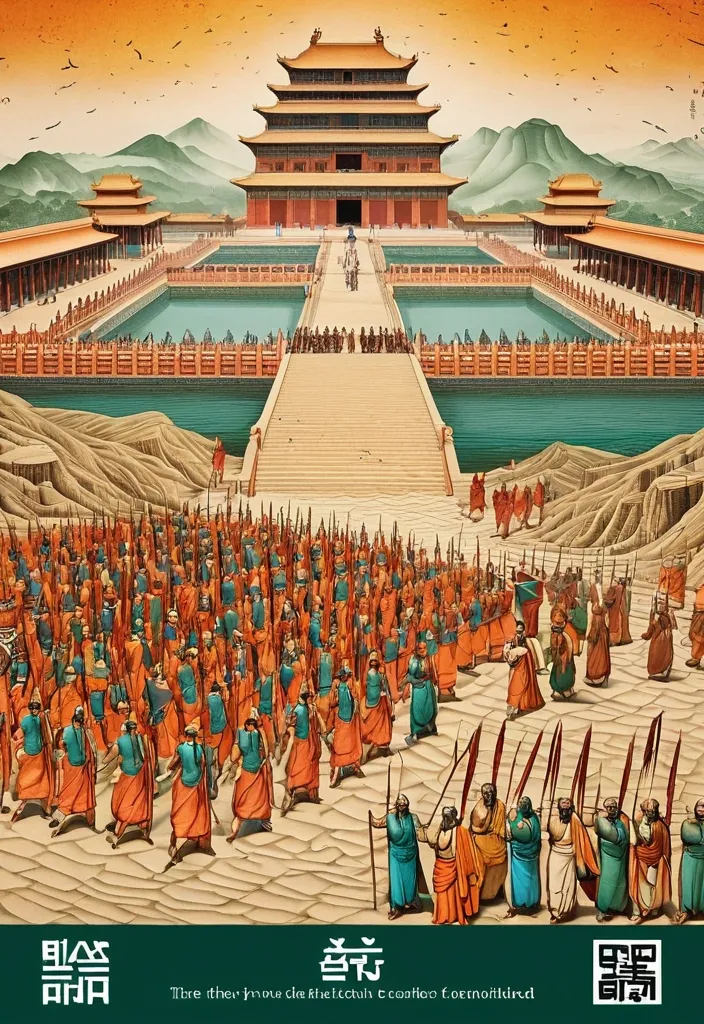
Theme: Ancient Water Conservancy Main palette: Sand path , sand , orange Structural method: another paper construction Micro scene: a tiny Walking march , performance Event details: 02 October , 05:30 am , Start Aspect ratio: 16:9 Design a historical and cultural poster with a modern Eastern editorial aesthetic , using "paper fibers + large color fields + micro-scenes" as the core visual language. Do not interpret traditional culture as stacking ancient architecture , calligraphy , auspicious clouds , or artifacts. Instead , first distill the Cultural Logic , then let large areas of handmade paper color fields directly carry structures , spaces , time , flow , order , or process relationships , so that viewers first see a strong and clear large form from afar , and only gradually discover the cultural narrative hidden within upon closer inspection. Use the dark green , sand style to establish 2–5 main paper color blocks of distinctly different sizes , maintaining low saturation but complete color intensity. All color blocks should have the authentic , rich texture of handmade paper , pulp , watercolor , or mineral pigments , with visible natural long and short fibers , pigment deposition , subtle impressions , large-scale natural color variations , and irregular torn paper edges. The overall effect should be matte , clean , and intact—avoid dirtiness , yellow spots , random speckles , cheap retro effects , or digital gradients. Based on the theme , let the color fields express the logic of system operations through folding , branching , interweaving , interlocking , offsetting , supporting , segmenting , enclosing , or negative space relationships , rather than simply serving as decorative backgrounds. Embed the Dadi march within the large color field structure , keeping figures and props at a very small scale , totaling about 3%–6% of the image area. Each scene must depict a clear action , with causal or temporal relationships between them , such as "entering → executing → recording → completing , " allowing the miniature figures to truly drive the narrative rather than just standing in poses. Figures' clothing in indian Freedom fighter style and artifacts should align with the theme's era and identity but remain restrained—avoid cinematic historical drama excess; scenes should only retain key props that illustrate systemic relationships , without cluttering with decorations or irrelevant cultural symbols. Typography should employ the editorial language of modern Eastern cultural institutions , museums , or archival exhibitions. The main title Dandi March should use refined Song typeface , publication-inspired Gujarati fonts , at a medium-small size that does not overpower the large color fields; supporting English text , dates , locations , and explanatory information should use even smaller sizes to create clear hierarchies. Subtle cinnabar seals , paper tags , archival labels , or node text may be added , but they must genuinely relate to the thematic logic—do not add them randomly just for a "Indian Freedom fighter style" feel. The overall reading order should be: large color field structures and color relationships → systemic or spatial logic → miniature figures' continuous narrative → main title and exhibition information. The final image should achieve a strong large form and visual impact from afar , revealing paper fibers , figure actions , and historical details up close , balancing design sensibility , narrative depth , and cultural completeness. Avoid book cover vibes , traditional Chinese illustration styles , screens full of ancient architecture , oversized titles , PPT-style rigid layouts , modern infographic arrows , meaningless English placeholders , element piling , commercial ad vibes , 3D CGI , glass textures , neon colors , logos , watermarks , numbering , and starburst decorations. ,

Theme: Ancient Water Conservancy Main palette: blue , dark green , orange Structural method: another paper construction Micro scene: a tiny Walking march , performance Event details: 02 October , venue , Start Aspect ratio: 9:16 Design a historical and cultural poster with a modern Eastern editorial aesthetic , using "paper fibers + large color fields + micro-scenes" as the core visual language. Do not interpret traditional culture as stacking ancient architecture , calligraphy , auspicious clouds , or artifacts. Instead , first distill the Cultural Logic , then let large areas of handmade paper color fields directly carry structures , spaces , time , flow , order , or process relationships , so that viewers first see a strong and clear large form from afar , and only gradually discover the cultural narrative hidden within upon closer inspection. Use the dark green , sand style to establish 2–5 main paper color blocks of distinctly different sizes , maintaining low saturation but complete color intensity. All color blocks should have the authentic , rich texture of handmade paper , pulp , watercolor , or mineral pigments , with visible natural long and short fibers , pigment deposition , subtle impressions , large-scale natural color variations , and irregular torn paper edges. The overall effect should be matte , clean , and intact—avoid dirtiness , yellow spots , random speckles , cheap retro effects , or digital gradients. Based on the theme , let the color fields express the logic of system operations through folding , branching , interweaving , interlocking , offsetting , supporting , segmenting , enclosing , or negative space relationships , rather than simply serving as decorative backgrounds. Embed the Dadi march within the large color field structure , keeping figures and props at a very small scale , totaling about 3%–6% of the image area. Each scene must depict a clear action , with causal or temporal relationships between them , such as "entering → executing → recording → completing , " allowing the miniature figures to truly drive the narrative rather than just standing in poses. Figures' clothing and artifacts should align with the theme's era and identity but remain restrained—avoid cinematic historical drama excess; scenes should only retain key props that illustrate systemic relationships , without cluttering with decorations or irrelevant cultural symbols. Typography should employ the editorial language of modern Eastern cultural institutions , museums , or archival exhibitions. The main title [Main Title] should use refined Song typeface , Ming-style , or publication-inspired Chinese fonts , at a medium-small size that does not overpower the large color fields; supporting English text , dates , locations , and explanatory information should use even smaller sizes to create clear hierarchies. Subtle cinnabar seals , paper tags , archival labels , or node text may be added , but they must genuinely relate to the thematic logic—do not add them randomly just for a "Chinese style" feel. The overall reading order should be: large color field structures and color relationships → systemic or spatial logic → miniature figures' continuous narrative → main title and exhibition information. The final image should achieve a strong large form and visual impact from afar , revealing paper fibers , figure actions , and historical details up close , balancing design sensibility , narrative depth , and cultural completeness. Avoid book cover vibes , traditional Chinese illustration styles , screens full of ancient architecture , oversized titles , PPT-style rigid layouts , modern infographic arrows , meaningless English placeholders , element piling , commercial ad vibes , 3D CGI , glass textures , neon colors , logos , watermarks , numbering , and starburst decorations. ,

THEME: Glacier city SERIES: Max0.5 DEPTH SYSTEM: nested frames PRIMARY COLOR: Orange ACCENT COLOR: gray A city of clear crystal built on a steep glacier face streets and towers locked in ice that is slowly moving downhill midday light hitting the glacier so every wall becomes a prism figures standing still inside colored beams residents with ice-hooks a surveyor marking the day’s shift children on the long stairs prism-ice noon sun-through realistic crystal ice glacier and figure texture cinematic lighting strong prism-beam versus white-ice contrast highly detailed striking composition coherent fantasy atmosphere. Place multiple human figures at different distances and heights within the same coherent perspective field. Their scale must change naturally with depth. Use one or two strong foreground figures , several smaller midground figures , and a few distant figures. Avoid evenly spaced people , grids , lineups , or team-photo compositions. ,


BRAND NAME: AKOTA SERIES: Max0.5 MAIN TITLE: Mastram DEPTH SYSTEM: layered slabs PRIMARY COLOR: Orange ACCENT COLOR: Gray ASPECT RATIO: 9:16 Create a high-end multi-person editorial campaign poster where depth and perspective become the main design system. Build the scene around one strong spatial structure , such as nested architectural frames , lines converging toward a vanishing point , irregular stacked platforms , or large horizontal layers. The architecture should immediately create a clear foreground , middle ground , and background. Place multiple adult figures at different distances and heights within the same coherent perspective field. Their scale must change naturally with depth. Use one or two strong foreground figures , several smaller midground figures , and a few distant figures. Avoid evenly spaced people , grids , lineups , or team-photo compositions. Make people and architecture physically overlap. Some figures should pass through frames , disappear behind walls , be partially hidden by platforms , appear between layers , or emerge from deeper spaces. The result should feel like one real photographed environment , not separate people pasted onto a layout. Integrate the main title into the architecture whenever possible. Let typography follow the perspective of a frame , wall , platform , or structural edge. It may change scale , become partially occluded , or stretch across several depth planes , but it should remain readable. Keep the environment minimal and sculptural. Use large geometric forms , controlled negative space , one dominant color system , realistic directional daylight , and consistent architectural shadows. The spatial idea should still read clearly at thumbnail size. Use realistic fashion photography for the cast: natural skin texture , believable anatomy , real hair , accurate hands and feet , natural fabric folds , varied poses , and subtle movement. Avoid duplicated figures , plastic skin , floating bodies , or overly staged model poses. Supporting typography should stay minimal and secondary. The final image should feel like a real contemporary fashion , cultural , or brand campaign where people , architecture , type , and perspective are all part of the same composition. ,

Create a vertical 9:16 poster series in English with a high-end editorial visual style , combining brutalist architecture , monumental perspective typography , realistic mature adult figures , and strong three-dimensional spatial design. The series should feel bold , clean , architectural , and visually sophisticated , with a deep cobalt-blue sky , warm raw-concrete gray , warm ivory typography , charcoal styling for the人物 , and safety orange as the only strong accent color. Use dramatic top-angle perspectives so the architecture , typography , human figure , and spatial structures all belong to the same perspective system. Keep the buildings monumental , simple , and geometric. Typography should be oversized , tall , condensed , and integrated into the composition rather than floating as flat overlay text. Human figures should look realistic , naturally posed , and scaled against the architecture. Add clean editorial microcopy , secondary headlines , and small annotations with strong hierarchy and controlled information density. Create a monumental glass wall with the word “RAJU” carved completely through the structure as real architectural openings. The inner surfaces of the carved letters should be safety orange , revealing strong physical depth. A realistic young man stands or steps naturally within the R-shaped opening. The image should feel architectural , clear , and conceptually striking. ,

TITLE: SPLASH MEDIUM: water drops SPATIAL MECHANISM: interference SUBJECT: small mature man MAIN COLOR: water splash FORMAT: 5:4 vertical poster The camera begins low near the surging ocean waves , close to the surface as water crashes violently against the jagged rocks. It then rises upward in a smooth cinematic motion along the rugged cliffside , revealing the dramatic height of the sunlit cliffs before tilting to frame Create a contemporary volumetric perspective typography poster where the main word exists through elements distributed across real three-dimensional space rather than on a defiantly at the edge , looking down at the roaring sea below. Build the word from the chosen medium: physical water drops , beams of light , another spatial system. Individual elements should appear fragmented or abstract from other viewpoints , but align into one bold , readable word from the intended camera position. Bright sunlight illuminates the scene with crisp , clear visibility , vivid natural colors , sparkling water , and sharply defined rock textures under a clear blue sky. The overall visual feels cinematic , expansive , and powerful , with dynamic movement and a dramatic sense of scale. A comet of living soil and roots tearing a green fire trail across a black sky cities of tiny lights already growing in its wake seed comet ember-garden fresco passage realistic soil root fire and night texture cinematic lighting strong central comet highly detailed striking composition ,