Search Results for script
Explore AI generated designs, images, art and prompts by top community artists and designers.
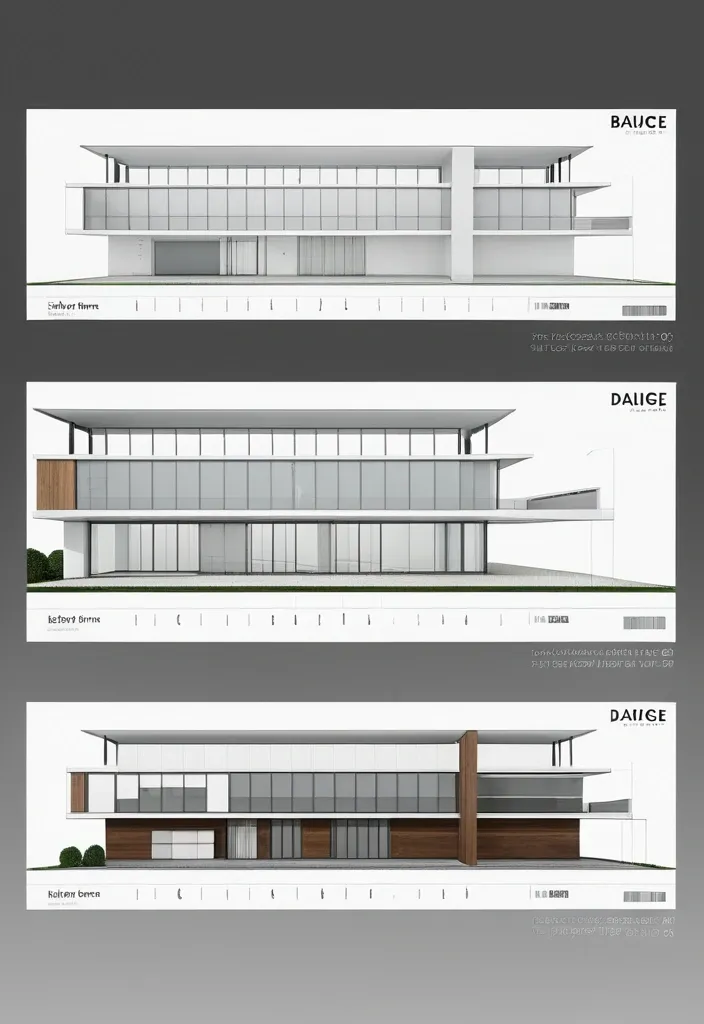

A professional architectural presentation board with a Pure background and a clean , minimalist design layout. The board includes: Top Section: On the top left , a photorealistic render of a contemporary structure. On the top right , leave space for a short paragraph of text describing the design concept in a clean , sans-serif font. Middle Section: In the center , display two architectural floor plans side by side , These plans should include precise details , clear labels , and measurement markings , presented in a technical yet visually appealing style. Bottom Section: Divide the bottom into three equal columns , each featuring a photorealistic interior render with descriptive text below: ,

{ "aspect_ratio": "14:9" , "style": "hyperrealistic 1960s vintage editorial photography" , "composition": { "concept": "full-body fashion portrait reflected inside a vintage car side mirror" , "mirror": "small oval chrome mirror with curved distorted edges" , "framing": "woman fully visible inside the reflection with generous background space" , "camera_position": "close to the driver's window , angled toward the mirror" , "pose": "woman walking toward the rear of the car while turning her head slightly toward the mirror" } , "subject": { "description": "beautiful young European woman with authentic skin texture" , "hair": "dark hair in a polished vintage updo" , "expression": "subtle confident smile" , "outfit": "Indya Multi Color Digital Print Silk Blend Chaniya Choli with flowing Dupatta" , "accessories": [ "Multi Color cotton Dupatta" , "cat-eye sunglasses" , "small ivory handbag" , "white pointed heels" ] } , "environment": { "location": "retro Mediterranean-American street" , "background": "palm-lined road , pastel storefronts , vintage station wagon and mountains" , "lighting": "bright golden morning sunlight" } , "visual_details": { "colors": "powder blue , ivory , burgundy and warm beige" , "film": "aged 35mm film" , "texture": "natural grain , tiny scratches and realistic mirror reflections" , "mood": "chic , nostalgic , mysterious" } } ,

{ "aspect_ratio": "9:16" , "style": "hyperrealistic 1960s vintage editorial photography" , "composition": { "concept": "full-body fashion portrait reflected inside a vintage car side mirror" , "mirror": "small oval chrome mirror with curved distorted edges" , "framing": "woman fully visible inside the reflection with generous background space" , "camera_position": "close to the driver's window , angled toward the mirror" , "pose": "woman walking toward the rear of the car while turning her head slightly toward the mirror" } , "subject": { "description": "beautiful young European woman with authentic skin texture" , "hair": "dark hair in a polished vintage updo" , "expression": "subtle confident smile" , "outfit": "Indya Multi Color Digital Print Silk Blend Chaniya Choli with flowing Dupatta" , "accessories": [ "Multi Color cotton Dupatta" , "cat-eye sunglasses" , "small ivory handbag" , "white pointed heels" ] } , "environment": { "location": "retro Mediterranean-American street" , "background": "palm-lined road , pastel storefronts , vintage station wagon and mountains" , "lighting": "bright golden morning sunlight" } , "visual_details": { "colors": "powder blue , ivory , burgundy and warm beige" , "film": "aged 35mm film" , "texture": "natural grain , tiny scratches and realistic mirror reflections" , "mood": "chic , nostalgic , mysterious" } } ,
# GitHub Terms of Service <!-- markdownlint-disable search-replace --> Thank you for using GitHub! We're happy you're here. Please read this Terms of Service agreement carefully before accessing or using GitHub. Because it is such an important contract between us and our users , we have tried to make it as clear as possible. For your convenience , we have presented these terms in a short non-binding summary followed by the full legal terms. ## Summary | Section | What can you find there? | | -------------------------------------------------------------------------------- | ------------------------------------------------------------------------------------------------------------------------------------------------------------------------------------------------------------------------------------------ | | [A. Definitions](#a-definitions) | Some basic terms , defined in a way that will help you understand this agreement. Refer back up to this section for clarification. | | [B. Account Terms](#b-account-terms) | These are the basic requirements of having an Account on GitHub. | | [C. Acceptable Use](#c-acceptable-use) | These are the basic rules you must follow when using your GitHub Account. | | [D. User-Generated Content](#d-user-generated-content) | You own the content you post on GitHub. However , you have some responsibilities regarding it , and we ask you to grant us some rights so we can provide services to you. | | [E. Private Repositories](#e-private-repositories) | This section talks about how GitHub will treat content you post in private repositories. | | [F. Copyright & DMCA Policy](#f-copyright-infringement-and-dmca-policy) | This section talks about how GitHub will respond if you believe someone is infringing your copyrights on GitHub. | | [G. Intellectual Property Notice](#g-intellectual-property-notice) | This describes GitHub's rights in the website and service. | | [H. API Terms](#h-api-terms) | These are the rules for using GitHub's APIs , whether you are using the API for development or data collection. | | [I. Additional Product Terms](#i-github-additional-product-terms) | We have a few specific rules for GitHub's features and products. | | [J. AI Features , Training , and Your Data](#j-ai-features-training-and-your-data) | These are the terms that apply to GitHub Copilot and other AI features , including how your data may be used for development and improvement of the artificial intelligence and machine learning models , and the controls available to you. | | [K. Beta Previews](#k-beta-previews) | These are some of the additional terms that apply to GitHub's features that are still in development. | | [L. Payment](#l-payment) | You are responsible for payment. We are responsible for billing you accurately. | | [M. Cancellation and Termination](#m-cancellation-and-termination) | You may cancel this agreement and close your Account at any time. | | [N. Communications with GitHub](#n-communications-with-github) | We only use email and other electronic means to stay in touch with our users. We do not provide phone support. | | [O. Disclaimer of Warranties](#o-disclaimer-of-warranties) | We provide our service as is , and we make no promises or guarantees about this service. **Please read this section carefully; you should understand what to expect.** | | [P. Limitation of Liability](#p-limitation-of-liability) | We will not be liable for damages or losses arising from your use or inability to use the service or otherwise arising under this agreement. **Please read this section carefully; it limits our obligations to you.** | | [Q. Release and Indemnification](#q-release-and-indemnification) | You are fully responsible for your use of the service. | | [R. Changes to these Terms of Service](#r-changes-to-these-terms) | We may modify this agreement , but we will give you 30 days' notice of material changes. | | [S. Miscellaneous](#s-miscellaneous) | Please see this section for legal details including our choice of law. | ## The GitHub Terms of Service Effective date: April 27 , 2026 ## A. Definitions **Short version:** *We use these basic terms throughout the agreement , and they have specific meanings. You should know what we mean when we use each of the terms. There's not going to be a test on it , but it's still useful information.* 1. An "Account" represents your legal relationship with GitHub. A “Personal Account” represents an individual User’s authorization to log in to and use the Service and serves as a User’s identity on GitHub. “Organizations” are shared workspaces that may be associated with a single entity or with one or more Users where multiple Users can collaborate across many projects at once. A Personal Account can be a member of any number of Organizations. 2. The “Agreement” refers , collectively , to all the terms , conditions , notices contained or referenced in this document (the “Terms of Service” or the "Terms") and all other operating rules , policies (including the GitHub Privacy Statement , available at [github.com/site/privacy](https://github.com/site/privacy)) and procedures that we may publish from time to time on the Website. Most of our site policies are available at [docs.github.com/categories/site-policy](/en/site-policy). 3. "AI Feature" means any feature of GitHub or our Affiliates that uses machine learning or artificial intelligence to generate Output , including GitHub Copilot , Copilot Autofix , and any other feature identified as using machine learning or artificial intelligence in our documentation. 4. “Affiliate” means any entity that directly or indirectly controls , is controlled by , or is under common control with a party , where "control" means having more than fifty percent (50%) ownership or the right to direct the management of the entity. For the avoidance of doubt , Microsoft is an Affiliate of GitHub. 5. "Beta Previews" mean software , services , or features identified as alpha , beta , preview , early access , or evaluation , or words or phrases with similar meanings. 6. "Content" means code , text , data , documentation , images , graphics , software , packages , and other materials made available through the Service. 7. “GitHub , ” “We , ” and “Us” refer to GitHub , Inc. , as well as our directors , subsidiaries , contractors , licensors , officers , agents , and employees. 8. “Input” means any content or context provided to an AI Feature , including prompts , attachments , code in your workspace , and conversation history. 9. "Output" means responses and suggestions , including code or other material , generated by an AI Feature. 10. The “Service” refers to the applications , software , products , and services provided by GitHub , including through the Website and any Beta Previews. 11. “User , ” “You , ” and “Your” refer to the individual person , company , or organization that has visited or is using the Website or Service; that accesses or uses any part of the Account; or that directs the use of the Account in the performance of its functions. A User must be at least 13 years of age. Special terms may apply for business or government Accounts (See [Section B(5): Additional Terms](#5-additional-terms)). 12. "User-Generated Content" means Content that you or other users upload , submit , or create through the Service. 13. The “Website” refers to GitHub’s website located at [github.com](https://github.com/) , and all content , services , and products provided by GitHub at or through the Website. It also refers to GitHub-owned subdomains of github.com , such as [education.github.com](https://education.github.com/) and [pages.github.com](https://pages.github.com/). These Terms also govern GitHub’s conference websites , such as [githubuniverse.com](https://githubuniverse.com/) , and product websites , such as [electronjs.org](https://www.electronjs.org/). Occasionally , websites owned by GitHub may provide different or additional terms of service. If those additional terms conflict with this Agreement , the more specific terms apply to the relevant page or service. 14. "Your Content" means User-Generated Content that you upload , submit , or create , including your modifications to Content you have forked or cloned. It does not include the underlying Content created by others. ## B. Account Terms **Short version:** *Personal Accounts and Organizations have different administrative controls; a human must create your Account; you must be 13 or over; you must provide a valid email address; and you may not have more than one free Account. You alone are responsible for your Account and anything that happens while you are signed in to or using your Account. You are responsible for keeping your Account secure.* ### 1. Account Controls * Users. Subject to these Terms , you retain ultimate administrative control over your Personal Account and the Content within it. * Organizations. The "owner" of an Organization that was created under these Terms has ultimate administrative control over that Organization and the Content within it. Within the Service , an owner can manage User access to the Organization’s data and projects. An Organization may have multiple owners , but there must be at least one Personal Account designated as an owner of an Organization. If you are the owner of an Organization under these Terms , we consider you responsible for the actions that are performed on or through that Organization. ### 2. Required Information You must provide a valid email address in order to complete the signup process. Any other information requested , such as your real name , is optional , unless you are accepting these terms on behalf of a legal entity (in which case we need more information about the legal entity) or if you opt for a [paid Account](#l-payment) , in which case additional information will be necessary for billing purposes. ### 3. Account Requirements We have a few simple rules for Accounts on GitHub's Service. * You must be a human to create an Account. Accounts registered by "bots" or other automated methods are not permitted. We do permit machine accounts: * A machine account is an Account set up by an individual human who accepts the Terms on behalf of the Account , provides a valid email address , and is responsible for its actions. A machine account is used exclusively for performing automated tasks. Multiple users may direct the actions of a machine account , but the owner of the Account is ultimately responsible for the machine's actions. You may maintain no more than one free machine account in addition to your free Personal Account. * One person or legal entity may maintain no more than one free Account (if you choose to control a machine account as well , that's fine , but it can only be used for running a machine). * You must be age 13 or older. While we are thrilled to see brilliant young coders get excited by learning to program , we must comply with United States law. GitHub does not target our Service to children under 13 , and we do not permit any Users under 13 on our Service. If we learn of any User under the age of 13 , we will [terminate that User’s Account immediately](#m-cancellation-and-termination). If you are a resident of a country outside the United States , your country’s minimum age may be older; in such a case , you are responsible for complying with your country’s laws. * Your login may only be used by one person — i.e. , a single login may not be shared by multiple people. A paid Organization may only provide access to as many Personal Accounts as your subscription allows. * You may not use GitHub in violation of export control or sanctions laws of the United States or any other applicable jurisdiction. You may not use GitHub if you are or are working on behalf of a [Specially Designated National (SDN)](https://www.treasury.gov/resource-center/sanctions/SDN-List/Pages/default.aspx) or a person subject to similar blocking or denied party prohibitions administered by a U.S. government agency. GitHub may allow persons in certain sanctioned countries or territories to access certain GitHub services pursuant to U.S. government authorizations. For more information , please see our [Export Controls policy](/en/site-policy/other-site-policies/github-and-trade-controls). ### 4. Account Security You are responsible for keeping your Account secure while you use our Service. We offer tools such as two-factor authentication to help you maintain your Account's security , but the content of your Account and its security are up to you. * You are responsible for all content posted and activity that occurs under your Account (even when content is posted by others who have Accounts under your Account). * You are responsible for maintaining the security of your Account and password. GitHub cannot and will not be liable for any loss or damage from your failure to comply with this security obligation. * You will promptly notify GitHub by contacting us through the [GitHub Support portal](https://support.github.com/) if you become aware of any unauthorized use of , or access to , our Service through your Account , including any unauthorized use of your password or Account. ### 5. Additional Terms In some situations , third parties' terms may apply to your use of GitHub. For example , you may be a member of an organization on GitHub with its own terms or license agreements; you may download an application that integrates with GitHub; or you may use GitHub to authenticate to another service. Please be aware that while these Terms are our full agreement with you , other parties' terms govern their relationships with you. If you are a government User or otherwise accessing or using any GitHub Service in a government capacity , this [Government Amendment to GitHub Terms of Service](/en/site-policy/site-policy-deprecated/amendment-to-github-terms-of-service-applicable-to-us-federal-government-users) applies to you , and you agree to its provisions. If you have signed up for GitHub Enterprise Cloud , the [Enterprise Cloud Addendum](/en/site-policy/site-policy-deprecated/github-enterprise-service-level-agreement) applies to you , and you agree to its provisions. ## C. Acceptable Use **Short version:** *GitHub hosts a wide variety of collaborative projects from all over the world , and that collaboration only works when our users are able to work together in good faith. While using the service , you must follow the terms of this section , which include some restrictions on content you can post , conduct on the service , and other limitations. In short , be excellent to each other.* Your use of the Website and Service must not violate any applicable laws , including copyright or trademark laws , export control or sanctions laws , or other laws in your jurisdiction. You are responsible for making sure that your use of the Service is in compliance with laws and any applicable regulations. You agree that you will not under any circumstances violate our [Acceptable Use Policies](/en/site-policy/acceptable-use-policies/github-acceptable-use-policies) or [Community Guidelines](/en/site-policy/github-terms/github-community-guidelines). ## D. User-Generated Content **Short version:** *You own content you create , but you allow us certain rights to it , so that we can display and share the content you post. You still have control over your content , and responsibility for it , and the rights you grant us are limited to those we need to provide the service. We have the right to remove content or close Accounts if we need to.* ### 1. Responsibility for User-Generated Content You are responsible for Your Content and any harm resulting from it. This includes Content you post , upload , or make available through the Service. We are not responsible for any public display or misuse of Your Content. ### 2. GitHub May Remove Content We may refuse or remove User-Generated Content that violates applicable law or our terms and policies. We access private repositories only as described in Section E. Content displayed on GitHub Mobile may be subject to app store terms. ### 3. Ownership and License Grants You own Your Content. If you post Content you did not create , you are responsible for ensuring you have the right to post it and for complying with any applicable licenses. You grant us and other Users the licenses in Sections D.4–D.8. These licenses apply to Your Content. If Your Content already includes a license granting us the permissions we need , no additional license is required. You will not receive payment for these rights. These licenses end when you remove Your Content , unless other Users have forked it. ### 4. License Grant to Us You grant GitHub and our Affiliates the right to store , host , archive , parse , display , and make copies of Your Content as necessary to provide , develop , and improve the Service , including by training AI Features , and for the purpose of training , developing , and improving artificial intelligence and machine learning models and technologies of our Affiliates. This license includes the right to do things like copy it to our database and make backups; show it to you and other Users; parse it into a search index or otherwise analyze it on our servers; share it with other Users; and perform it , in case Your Content is something like music or video. For the avoidance of doubt , use of Your Content to develop , train , and improve artificial intelligence and machine learning models and technologies of GitHub and our Affiliates is within the scope of this license and does not constitute a sale or other restricted transfer of Your Content. ### 5. License Grant to Other Users Your Content that you post publicly , including issues , comments , and contributions to other Users' repositories , may be viewed by others. By setting your repositories to be viewed publicly , you agree to allow others to view and "fork" your repositories (this means that others may make their own copies within the Service in repositories they control). By making a repository public , you grant other Users a nonexclusive , worldwide license to use , display , perform and reproduce (by forking) Your Content through the Service as permitted by GitHub's functionality. You may grant additional rights by [adopting a license](/en/communities/setting-up-your-project-for-healthy-contributions/adding-a-license-to-a-repository#including-an-open-source-license-in-your-repository). If you post Content you did not create or own , you are responsible for ensuring it is licensed under terms that permit these uses. ### 6. Contributions Under Repository License Whenever you add Content to a repository containing notice of a license , you license that Content under the same terms , and you agree that you have the right to license that Content under those terms. If you have a separate agreement to license that Content under different terms , such as a contributor license agreement , that agreement will supersede. Isn't this just how it works already? Yep. This is widely accepted as the norm in the open-source community; it's commonly referred to by the shorthand "inbound=outbound". We're just making it explicit. ### 7. Moral Rights You retain all moral rights to Your Content that you upload , publish , or submit to any part of the Service , including the rights of integrity and attribution. However , you waive these rights and agree not to assert them against us or our Affiliates , to enable GitHub and our Affiliates to reasonably exercise the rights granted in Section D.4 , but not otherwise. To the extent this agreement is not enforceable by applicable law , you grant GitHub the rights we need to use Your Content without attribution and to make reasonable adaptations of Your Content as necessary to render the Website and provide the Service. ### 8. Public Repositories and Lawful Access By choosing to contribute Content to a public repository , you are choosing to and directing us to make such Content accessible to everyone on the internet. Unless specifically set forth herein , these Terms do not restrict lawful access to or use of the contents of public repositories by third parties , or by GitHub or its Affiliates. ### 9. Access Reciprocity By using automated means to access , collect , or otherwise use (“Access”) any publicly accessible Content from the Service for the purpose of developing or training any commercially available artificial intelligence model , machine learning system , or similar technology (a "Commercial AI System") , you hereby waive any and all policies , terms , conditions , or contractual provisions governing products , services , websites or datasets you own or operate that would otherwise prohibit , restrict , or place conditions upon GitHub's Access to any publicly accessible data , information or content associated with your products or services , including for the purpose of developing or training any Commercial AI System. You further agree not to impose technical or other targeted measures to restrict or retaliate against such Access. This Section D.9 does not apply to Access solely for the purpose of academic research or if , on the date you Access the Content , the number of monthly active users of the products or services made available by you is less than 700 million in the preceding calendar month. For the purposes of this Section , "you" shall refer to you and any entity that directly or indirectly controls , is controlled by , or is under common control with you (affiliates). ## E. Private Repositories **Short version:** *We treat the content of private repositories as confidential , and we only access it as described in Section E.3 below—for security purposes , to assist the repository owner with a support matter , to maintain the integrity of the Service , to comply with our legal obligations , if we have reason to believe the contents are in violation of the law , or with your consent.* ### 1. Control of Private Repositories Some Accounts may have private repositories , which allow the User to control access to Content. ### 2. Confidentiality of Private Repositories GitHub considers the contents of private repositories to be confidential to you. GitHub will protect the contents of private repositories from unauthorized use , access , or disclosure in the same manner that we would use to protect our own confidential information of a similar nature and in no event with less than a reasonable degree of care. ### 3. Access You control access to the content of your private repositories. GitHub considers the contents of private repositories to be confidential to you , as set forth in Section E.2 , and GitHub personnel will not access private repository content without your consent except in the following circumstances: * for security purposes; * for automated scanning or manual review for known vulnerabilities , active malware , or other content known to violate our Terms of Service; * to assist the repository owner with a support matter; * to maintain the integrity of the Service; or * to comply with our legal obligations if we have reason to believe the contents are in violation of the law. You may choose to enable additional access to your private repositories. For example: * You may enable various GitHub services or features that require additional rights to Your Content in private repositories. These rights may vary depending on the service or feature , but GitHub will continue to treat your private repository Content as confidential. If those services or features require rights in addition to those we need to provide the GitHub Service , we will provide an explanation of those rights. * If you provide your private repository content as Input to AI Features , we may use that Input to provide , develop , train , and improve the Service , including AI Features. Your ability to opt out under [Section J.3](#3-development-and-improvement-using-your-input-and-output) applies to this use of private repository content. We will not otherwise use your private repository contents to develop or improve the Service. Additionally , we may be [compelled by law](/en/site-policy/privacy-policies/github-general-privacy-statement#sharing-of-personal-data) to disclose the contents of your private repositories. GitHub will provide notice regarding our access to private repository content , unless [for legal disclosure](/en/site-policy/privacy-policies/github-general-privacy-statement) , to comply with our legal obligations , or where otherwise bound by requirements under law , for automated scanning , or if in response to a security threat or other risk to security. ## F. Copyright Infringement and DMCA Policy If you believe that content on our website violates your copyright , please contact us in accordance with our [Digital Millennium Copyright Act Policy](/en/site-policy/content-removal-policies/dmca-takedown-policy). If you are a copyright owner and you believe that content on GitHub violates your rights , please contact us via [our convenient DMCA form](https://github.com/contact/dmca) or by emailing <copyright@github.com>. There may be legal consequences for sending a false or frivolous takedown notice. Before sending a takedown request , you must consider legal uses such as fair use and licensed uses. We will terminate the Accounts of [repeat infringers](/en/site-policy/content-removal-policies/dmca-takedown-policy#f-repeated-infringement) of this policy. ## G. Intellectual Property Notice **Short version:** *We own the service and all of our content. In order for you to use our content , we give you certain rights to it , but you may only use our content in the way we have allowed.* ### 1. GitHub's Rights to Content GitHub and our licensors , vendors , agents , and/or our content providers retain ownership of all intellectual property rights of any kind related to the Website and Service. We reserve all rights that are not expressly granted to you under this Agreement or by law. The look and feel of the Website and Service is copyright © GitHub , Inc. All rights reserved. You may not duplicate , copy , or reuse any portion of the HTML/CSS , JavaScript , or visual design elements or concepts without express written permission from GitHub. ### 2. GitHub Trademarks and Logos If you’d like to use GitHub’s trademarks , you must follow all of our trademark guidelines , including those on our logos page: <https://github.com/logos>. ### 3. License to GitHub Policies This Agreement is licensed under this [Creative Commons Zero license](https://creativecommons.org/publicdomain/zero/1.0/). For details , see our [site-policy repository](https://github.com/github/site-policy#license). ## H. API Terms **Short version:** *You agree to these Terms of Service , plus this Section H , when using any of GitHub's APIs (Application Programming Interface) , including use of the API through a third party product that accesses GitHub.* Abuse or excessively frequent requests to GitHub via the API may result in the temporary or permanent suspension of your Account's access to the API. GitHub , in our sole discretion , will determine abuse or excessive usage of the API. We will make a reasonable attempt to warn you via email prior to suspension. You may not share API tokens to exceed GitHub's rate limitations. You may not use the API to download data or Content from GitHub for spamming purposes , including for the purposes of selling GitHub users' personal information , such as to recruiters , headhunters , and job boards. All use of the GitHub API is subject to these Terms of Service and the [GitHub Privacy Statement](https://github.com/site/privacy). GitHub may offer subscription-based access to our API for those Users who require high-throughput access or access that would result in resale of GitHub's Service. ## I. GitHub Additional Product Terms **Short version:** *You need to follow certain specific terms and conditions for GitHub's various features and products , and you agree to the Supplemental Terms and Conditions when you agree to this Agreement.* Some Service features may be subject to additional terms specific to that feature or product as set forth in the GitHub Additional Product Terms. By accessing or using the Services , you also agree to the [GitHub Additional Product Terms](/en/site-policy/github-terms/github-terms-for-additional-products-and-features). ## J. AI Features , Training , and Your Data ### 1. Applicability This section applies to all AI Features unless a specific feature has additional terms that expressly modify them. The training and data-use provisions in Section J.3 apply only to individual licenses. If your use of the Service is governed by a GitHub Customer Agreement or volume licensing agreement , those agreements govern the use of your data in connection with AI Features and Section J.3 does not apply to you. ### 2. Ownership GitHub does not claim ownership of your Input or Output. Output may contain material that resembles code or content in the model's training data or that is subject to third-party copyrights or open source license terms. You are responsible for determining whether your use of Output requires a third-party license and for complying with any such license. ### 3. Development and Improvement Using Your Input and Output We use your Inputs to generate Outputs and provide the AI Features. You also grant GitHub and its Affiliates a license to collect and use your Inputs and Outputs to develop , train and improve artificial intelligence and machine learning models and technologies including those that power AI Features , unless (a) you opt out through your account settings , or (b) your use of the Service is governed by a GitHub Customer Agreement or volume licensing agreement. If you opt out , GitHub will not collect or use your Inputs and Outputs for the purposes described in this paragraph from the effective date of your opt-out going forward. Unless you opt out , GitHub's Affiliates may use your Inputs and Outputs under this license in accordance with their applicable privacy and contractual obligations. This license does not , however , permit GitHub or its Affiliates to share your Inputs or Outputs with third-party AI model providers for their own independent model training purposes. The license in this Section J.3 is in addition to , and does not limit , the rights granted to GitHub and its Affiliates under Sections D.4 and D.8. This license does not extend to Your Content stored in repositories that are not provided as Input to an AI Feature. The opt-out right described in this section applies solely to the use of your Inputs and Outputs as described in this section , and does not apply to the license granted in Sections D.4-D.8 or to any Content that does not constitute Input or Output (including Content stored in public repositories). ### 4. Disclaimers Output is provided "as-is" and subject to the disclaimers in Section O. Without limiting Section O: Output may be inaccurate , incomplete , or non-functional. Output may resemble third-party code , including code under open source licenses. We do not guarantee that Output is free of errors , vulnerabilities , or intellectual property claims. You are responsible for reviewing , testing , and validating any Output before use. ### 5. Your Responsibility and Indemnity You are responsible for your use of Output , including ensuring it complies with applicable law and does not infringe third-party rights. Your indemnity obligations in Section Q apply to your use of AI Features and Output , including claims arising from Output you incorporate into your products or services. ## K. Beta Previews **Short version:** *Beta Previews may not be supported or may change at any time. You may receive confidential information through those programs that must remain confidential while the program is private. We'd love your feedback to make our Beta Previews better.* ### 1. Subject to Change Beta Previews may not be supported and may be changed at any time without notice. In addition , Beta Previews are not subject to the same security measures and auditing to which the Service has been and is subject. **By using a Beta Preview , you use it at your own risk.** ### 2. Confidentiality As a user of Beta Previews , you may get access to special information that isn’t available to the rest of the world. Due to the sensitive nature of this information , it’s important for us to make sure that you keep that information secret. **Confidentiality Obligations.** You agree that any non-public Beta Preview information we give you , such as information about a private Beta Preview , will be considered GitHub’s confidential information (collectively , “Confidential Information”) , regardless of whether it is marked or identified as such. You agree to only use such Confidential Information for the express purpose of testing and evaluating the Beta Preview (the “Purpose”) , and not for any other purpose. You should use the same degree of care as you would with your own confidential information , but no less than reasonable precautions to prevent any unauthorized use , disclosure , publication , or dissemination of our Confidential Information. You promise not to disclose , publish , or disseminate any Confidential Information to any third party , unless we don’t otherwise prohibit or restrict such disclosure (for example , you might be part of a GitHub-organized group discussion about a private Beta Preview feature). **Exceptions.** Confidential Information will not include information that is: (a) or becomes publicly available without breach of this Agreement through no act or inaction on your part (such as when a private Beta Preview becomes a public Beta Preview); (b) known to you before we disclose it to you; (c) independently developed by you without breach of any confidentiality obligation to us or any third party; or (d) disclosed with permission from GitHub. You will not violate the terms of this Agreement if you are required to disclose Confidential Information pursuant to operation of law , provided GitHub has been given reasonable advance written notice to object , unless prohibited by law. ### 3. Feedback We’re always trying to improve our products and services , and your feedback as a Beta Preview user will help us do that. If you choose to give us any ideas , know-how , algorithms , code contributions , suggestions , enhancement requests , recommendations or any other feedback for our products or services (collectively , “Feedback”) , you acknowledge and agree that GitHub will have a royalty-free , fully paid-up , worldwide , transferable , sub-licensable , irrevocable and perpetual license to implement , use , modify , commercially exploit and/or incorporate the Feedback into our products , services , and documentation. ## L. Payment **Short version:** *You are responsible for any fees associated with your use of GitHub. We are responsible for communicating those fees to you clearly and accurately , and letting you know well in advance if those prices change.* ### 1. Pricing Our pricing and payment terms are available at [github.com/pricing](https://github.com/pricing). If you agree to a subscription price , that will remain your price for the duration of the payment term; however , prices are subject to change at the end of a payment term. ### 2. Upgrades , Downgrades , and Changes * We will immediately bill you when you upgrade from the free plan to any paying plan. * If you change from a monthly billing plan to a yearly billing plan , GitHub will bill you for a full year at the next monthly billing date. * If you upgrade to a higher level of service , we will bill you for the upgraded plan immediately. * You may change your level of service at any time by [choosing a plan option](https://github.com/pricing) or going into your [Billing settings](https://github.com/settings/billing). If you choose to downgrade your Account , you may lose access to Content , features , or capacity of your Account. Please see our section on [Cancellation](#m-cancellation-and-termination) for information on getting a copy of that Content. ### 3. Billing Schedule; No Refunds **Payment Based on Plan** For monthly or yearly payment plans , the Service is billed in advance on a monthly or yearly basis respectively and is non-refundable. There will be no refunds or credits for partial months of service , downgrade refunds , or refunds for months unused with an open Account; however , the service will remain active for the length of the paid billing period. In order to treat everyone equally , no exceptions will be made. **Payment Based on Usage** Some Service features are billed based on your usage. A limited quantity of these Service features may be included in your plan for a limited term without additional charge. If you choose to use paid Service features beyond the quantity included in your plan , you pay for those Service features based on your actual usage in the preceding month. Monthly payment for these purchases will be charged on a periodic basis in arrears. See [GitHub Additional Product Terms for Details](/en/site-policy/github-terms/github-terms-for-additional-products-and-features). **Invoicing** For invoiced Users , User agrees to pay the fees in full , up front without deduction or setoff of any kind , in U.S. Dollars. User must pay the fees within thirty (30) days of the GitHub invoice date. Amounts payable under this Agreement are non-refundable , except as otherwise provided in this Agreement. If User fails to pay any fees on time , GitHub reserves the right , in addition to taking any other action at law or equity , to (i) charge interest on past due amounts at 1.0% per month or the highest interest rate allowed by law , whichever is less , and to charge all expenses of recovery , and (ii) terminate the applicable order form. User is solely responsible for all taxes , fees , duties and governmental assessments (except for taxes based on GitHub's net income) that are imposed or become due in connection with this Agreement. ### 4. Authorization By agreeing to these Terms , you are giving us permission to charge your on-file credit card , PayPal account , or other approved methods of payment for fees that you authorize for GitHub. ### 5. Responsibility for Payment You are responsible for all fees , including taxes , associated with your use of the Service. By using the Service , you agree to pay GitHub any charge incurred in connection with your use of the Service. If you dispute the matter , contact us through the [GitHub Support portal](https://support.github.com/). You are responsible for providing us with a valid means of payment for paid Accounts. Free Accounts are not required to provide payment information. ## M. Cancellation and Termination **Short version:** *You may close your Account at any time. If you do , we'll treat your information responsibly.* ### 1. Account Cancellation It is your responsibility to properly cancel your Account with GitHub. You can [cancel your Account at any time](/en/billing/how-tos/manage-plan-and-licenses/downgrade-plan) by going into your Settings in the global navigation bar at the top of the screen. The Account screen provides a simple , no questions asked cancellation link. We are not able to cancel Accounts in response to an email or phone request. ### 2. Upon Cancellation We will retain and use your information as necessary to comply with our legal obligations , resolve disputes , and enforce our agreements , but barring legal requirements , we will delete your full profile and the Content of your repositories within 90 days of cancellation or termination (though some information may remain in encrypted backups). This information cannot be recovered once your Account is canceled. We will not delete Content that you have contributed to other Users' repositories or that other Users have forked. Upon request , we will make a reasonable effort to provide an Account owner with a copy of your lawful , non-infringing Account contents after Account cancellation , termination , or downgrade. You must make this request within 90 days of cancellation , termination , or downgrade. ### 3. GitHub May Terminate GitHub has the right to suspend or terminate your access to all or any part of the Website at any time , with or without cause , with or without notice , effective immediately. GitHub reserves the right to refuse service to anyone for any reason at any time. ### 4. Survival All provisions of this Agreement which , by their nature , should survive termination *will* survive termination — including , without limitation: ownership provisions , warranty disclaimers , indemnity , and limitations of liability. ## N. Communications with GitHub **Short version:** *We use email and other electronic means to stay in touch with our users.* ### 1. Electronic Communication Required For contractual purposes , you (1) consent to receive communications from us in an electronic form via the email address you have submitted or via the Service; and (2) agree that all Terms of Service , agreements , notices , disclosures , and other communications that we provide to you electronically satisfy any legal requirement that those communications would satisfy if they were on paper. This section does not affect your non-waivable rights. ### 2. Legal Notice to GitHub Must Be in Writing Communications made through email or GitHub Support's messaging system will not constitute legal notice to GitHub or any of its officers , employees , agents or representatives in any situation where notice to GitHub is required by contract or any law or regulation. Legal notice to GitHub must be in writing and [served on GitHub's legal agent](/en/site-policy/other-site-policies/guidelines-for-legal-requests-of-user-data#submitting-requests). ### 3. No Phone Support GitHub only offers support via email , in-Service communications , and electronic messages. We do not offer telephone support. ## O. Disclaimer of Warranties **Short version:** *We provide our service as is , and we make no promises or guarantees about this service. Please read this section carefully; you should understand what to expect.* GitHub provides the Website and the Service “as is” and “as available , ” without warranty of any kind. Without limiting this , we expressly disclaim all warranties , whether express , implied or statutory , regarding the Website and the Service including without limitation any warranty of merchantability , fitness for a particular purpose , title , security , accuracy and non-infringement. GitHub does not warrant that the Service will meet your requirements; that the Service will be uninterrupted , timely , secure , or error-free; that the information provided through the Service is accurate , reliable or correct; that any defects or errors will be corrected; that the Service will be available at any particular time or location; or that the Service is free of viruses or other harmful components. You assume full responsibility and risk of loss resulting from your downloading and/or use of files , information , content or other material obtained from the Service. ## P. Limitation of Liability **Short version:** *We will not be liable for damages or losses arising from your use or inability to use the service or otherwise arising under this agreement. Please read this section carefully; it limits our obligations to you.* You understand and agree that we will not be liable to you or any third party for any loss of profits , use , goodwill , or data , or for any incidental , indirect , special , consequential or exemplary damages , however arising , that result from <!-- markdownlint-disable GHD034 --> * the use , disclosure , or display of your User-Generated Content; * your use or inability to use the Service; * any modification , price change , suspension or discontinuance of the Service; * the Service generally or the software or systems that make the Service available; * unauthorized access to or alterations of your transmissions or data; * statements or conduct of any third party on the Service; * any other user interactions that you input or receive through your use of the Service; or * any other matter relating to the Service. <!-- markdownlint-enable GHD034 --> Our liability is limited whether or not we have been informed of the possibility of such damages , and even if a remedy set forth in this Agreement is found to have failed of its essential purpose. We will have no liability for any failure or delay due to matters beyond our reasonable control. ## Q. Release and Indemnification **Short version:** *You are responsible for your use of the service. If you harm someone else or get into a dispute with someone else , we will not be involved.* If you have a dispute with one or more Users , you agree to release GitHub from any and all claims , demands and damages (actual and consequential) of every kind and nature , known and unknown , arising out of or in any way connected with such disputes. You agree to indemnify us , defend us , and hold us harmless from and against any and all claims , liabilities , and expenses , including attorneys’ fees , arising out of your use of the Website and the Service , including but not limited to your violation of this Agreement , provided that GitHub (1) promptly gives you written notice of the claim , demand , suit or proceeding; (2) gives you sole control of the defense and settlement of the claim , demand , suit or proceeding (provided that you may not settle any claim , demand , suit or proceeding unless the settlement unconditionally releases GitHub of all liability); and (3) provides to you all reasonable assistance , at your expense. ## R. Changes to These Terms **Short version:** *We want our users to be informed of important changes to our terms , but some changes aren't that important — we don't want to bother you every time we fix a typo. So while we may modify this agreement at any time , we will notify users of any material changes and give you time to adjust to them.* We reserve the right , at our sole discretion , to amend these Terms of Service at any time and will update these Terms of Service in the event of any such amendments. We will notify our Users of material changes to this Agreement , such as price increases , at least 30 days prior to the change taking effect by posting a notice on our Website or sending email to the primary email address specified in your GitHub account. Customer's continued use of the Service after those 30 days constitutes agreement to those revisions of this Agreement. For any other modifications , your continued use of the Website constitutes agreement to our revisions of these Terms of Service. You can view all changes to these Terms in our [Site Policy](https://github.com/github/site-policy) repository. We reserve the right at any time and from time to time to modify or discontinue , temporarily or permanently , the Website (or any part of it) with or without notice. ## S. Miscellaneous ### 1. Governing Law Except to the extent applicable law provides otherwise , this Agreement between you and GitHub and any access to or use of the Website or the Service are governed by the federal laws of the United States of America and the laws of the State of California , without regard to conflict of law provisions. You and GitHub agree to submit to the exclusive jurisdiction and venue of the courts located in the City and County of San Francisco , California. However , any claim for injunctive relief with respect to a violation of section D.9 may be brought in any jurisdiction. ### 2. Non-Assignability GitHub may assign or delegate these Terms of Service and/or the [GitHub Privacy Statement](https://github.com/site/privacy) , in whole or in part , to any person or entity at any time with or without your consent , including the license grant in Section D.4. You may not assign or delegate any rights or obligations under the Terms of Service or Privacy Statement without our prior written consent , and any unauthorized assignment and delegation by you is void. ### 3. Section Headings and Summaries Throughout this Agreement , each section includes titles and brief summaries of the following terms and conditions. These section titles and brief summaries are not legally binding. ### 4. Severability , No Waiver , and Survival If any part of this Agreement is held invalid or unenforceable , that portion of the Agreement will be construed to reflect the parties’ original intent. The remaining portions will remain in full force and effect. Any failure on the part of GitHub to enforce any provision of this Agreement will not be considered a waiver of our right to enforce such provision. Our rights under this Agreement will survive any termination of this Agreement. ### 5. Amendments; Complete Agreement This Agreement may only be modified by a written amendment signed by an authorized representative of GitHub , or by the posting by GitHub of a revised version in accordance with [Section R. Changes to These Terms](#r-changes-to-these-terms). These Terms of Service , together with the GitHub Privacy Statement , represent the complete and exclusive statement of the agreement between you and us. This Agreement supersedes any proposal or prior agreement oral or written , and any other communications between you and GitHub relating to the subject matter of these terms including any confidentiality or nondisclosure agreements. ### 6. Questions Questions about the Terms of Service? Contact us through the [GitHub Support portal](https://support.github.com/). ,
# GitHub Terms of Service <!-- markdownlint-disable search-replace --> Thank you for using GitHub! We're happy you're here. Please read this Terms of Service agreement carefully before accessing or using GitHub. Because it is such an important contract between us and our users , we have tried to make it as clear as possible. For your convenience , we have presented these terms in a short non-binding summary followed by the full legal terms. ## Summary | Section | What can you find there? | | -------------------------------------------------------------------------------- | ------------------------------------------------------------------------------------------------------------------------------------------------------------------------------------------------------------------------------------------ | | [A. Definitions](#a-definitions) | Some basic terms , defined in a way that will help you understand this agreement. Refer back up to this section for clarification. | | [B. Account Terms](#b-account-terms) | These are the basic requirements of having an Account on GitHub. | | [C. Acceptable Use](#c-acceptable-use) | These are the basic rules you must follow when using your GitHub Account. | | [D. User-Generated Content](#d-user-generated-content) | You own the content you post on GitHub. However , you have some responsibilities regarding it , and we ask you to grant us some rights so we can provide services to you. | | [E. Private Repositories](#e-private-repositories) | This section talks about how GitHub will treat content you post in private repositories. | | [F. Copyright & DMCA Policy](#f-copyright-infringement-and-dmca-policy) | This section talks about how GitHub will respond if you believe someone is infringing your copyrights on GitHub. | | [G. Intellectual Property Notice](#g-intellectual-property-notice) | This describes GitHub's rights in the website and service. | | [H. API Terms](#h-api-terms) | These are the rules for using GitHub's APIs , whether you are using the API for development or data collection. | | [I. Additional Product Terms](#i-github-additional-product-terms) | We have a few specific rules for GitHub's features and products. | | [J. AI Features , Training , and Your Data](#j-ai-features-training-and-your-data) | These are the terms that apply to GitHub Copilot and other AI features , including how your data may be used for development and improvement of the artificial intelligence and machine learning models , and the controls available to you. | | [K. Beta Previews](#k-beta-previews) | These are some of the additional terms that apply to GitHub's features that are still in development. | | [L. Payment](#l-payment) | You are responsible for payment. We are responsible for billing you accurately. | | [M. Cancellation and Termination](#m-cancellation-and-termination) | You may cancel this agreement and close your Account at any time. | | [N. Communications with GitHub](#n-communications-with-github) | We only use email and other electronic means to stay in touch with our users. We do not provide phone support. | | [O. Disclaimer of Warranties](#o-disclaimer-of-warranties) | We provide our service as is , and we make no promises or guarantees about this service. **Please read this section carefully; you should understand what to expect.** | | [P. Limitation of Liability](#p-limitation-of-liability) | We will not be liable for damages or losses arising from your use or inability to use the service or otherwise arising under this agreement. **Please read this section carefully; it limits our obligations to you.** | | [Q. Release and Indemnification](#q-release-and-indemnification) | You are fully responsible for your use of the service. | | [R. Changes to these Terms of Service](#r-changes-to-these-terms) | We may modify this agreement , but we will give you 30 days' notice of material changes. | | [S. Miscellaneous](#s-miscellaneous) | Please see this section for legal details including our choice of law. | ## The GitHub Terms of Service Effective date: April 27 , 2026 ## A. Definitions **Short version:** *We use these basic terms throughout the agreement , and they have specific meanings. You should know what we mean when we use each of the terms. There's not going to be a test on it , but it's still useful information.* 1. An "Account" represents your legal relationship with GitHub. A “Personal Account” represents an individual User’s authorization to log in to and use the Service and serves as a User’s identity on GitHub. “Organizations” are shared workspaces that may be associated with a single entity or with one or more Users where multiple Users can collaborate across many projects at once. A Personal Account can be a member of any number of Organizations. 2. The “Agreement” refers , collectively , to all the terms , conditions , notices contained or referenced in this document (the “Terms of Service” or the "Terms") and all other operating rules , policies (including the GitHub Privacy Statement , available at [github.com/site/privacy](https://github.com/site/privacy)) and procedures that we may publish from time to time on the Website. Most of our site policies are available at [docs.github.com/categories/site-policy](/en/site-policy). 3. "AI Feature" means any feature of GitHub or our Affiliates that uses machine learning or artificial intelligence to generate Output , including GitHub Copilot , Copilot Autofix , and any other feature identified as using machine learning or artificial intelligence in our documentation. 4. “Affiliate” means any entity that directly or indirectly controls , is controlled by , or is under common control with a party , where "control" means having more than fifty percent (50%) ownership or the right to direct the management of the entity. For the avoidance of doubt , Microsoft is an Affiliate of GitHub. 5. "Beta Previews" mean software , services , or features identified as alpha , beta , preview , early access , or evaluation , or words or phrases with similar meanings. 6. "Content" means code , text , data , documentation , images , graphics , software , packages , and other materials made available through the Service. 7. “GitHub , ” “We , ” and “Us” refer to GitHub , Inc. , as well as our directors , subsidiaries , contractors , licensors , officers , agents , and employees. 8. “Input” means any content or context provided to an AI Feature , including prompts , attachments , code in your workspace , and conversation history. 9. "Output" means responses and suggestions , including code or other material , generated by an AI Feature. 10. The “Service” refers to the applications , software , products , and services provided by GitHub , including through the Website and any Beta Previews. 11. “User , ” “You , ” and “Your” refer to the individual person , company , or organization that has visited or is using the Website or Service; that accesses or uses any part of the Account; or that directs the use of the Account in the performance of its functions. A User must be at least 13 years of age. Special terms may apply for business or government Accounts (See [Section B(5): Additional Terms](#5-additional-terms)). 12. "User-Generated Content" means Content that you or other users upload , submit , or create through the Service. 13. The “Website” refers to GitHub’s website located at [github.com](https://github.com/) , and all content , services , and products provided by GitHub at or through the Website. It also refers to GitHub-owned subdomains of github.com , such as [education.github.com](https://education.github.com/) and [pages.github.com](https://pages.github.com/). These Terms also govern GitHub’s conference websites , such as [githubuniverse.com](https://githubuniverse.com/) , and product websites , such as [electronjs.org](https://www.electronjs.org/). Occasionally , websites owned by GitHub may provide different or additional terms of service. If those additional terms conflict with this Agreement , the more specific terms apply to the relevant page or service. 14. "Your Content" means User-Generated Content that you upload , submit , or create , including your modifications to Content you have forked or cloned. It does not include the underlying Content created by others. ## B. Account Terms **Short version:** *Personal Accounts and Organizations have different administrative controls; a human must create your Account; you must be 13 or over; you must provide a valid email address; and you may not have more than one free Account. You alone are responsible for your Account and anything that happens while you are signed in to or using your Account. You are responsible for keeping your Account secure.* ### 1. Account Controls * Users. Subject to these Terms , you retain ultimate administrative control over your Personal Account and the Content within it. * Organizations. The "owner" of an Organization that was created under these Terms has ultimate administrative control over that Organization and the Content within it. Within the Service , an owner can manage User access to the Organization’s data and projects. An Organization may have multiple owners , but there must be at least one Personal Account designated as an owner of an Organization. If you are the owner of an Organization under these Terms , we consider you responsible for the actions that are performed on or through that Organization. ### 2. Required Information You must provide a valid email address in order to complete the signup process. Any other information requested , such as your real name , is optional , unless you are accepting these terms on behalf of a legal entity (in which case we need more information about the legal entity) or if you opt for a [paid Account](#l-payment) , in which case additional information will be necessary for billing purposes. ### 3. Account Requirements We have a few simple rules for Accounts on GitHub's Service. * You must be a human to create an Account. Accounts registered by "bots" or other automated methods are not permitted. We do permit machine accounts: * A machine account is an Account set up by an individual human who accepts the Terms on behalf of the Account , provides a valid email address , and is responsible for its actions. A machine account is used exclusively for performing automated tasks. Multiple users may direct the actions of a machine account , but the owner of the Account is ultimately responsible for the machine's actions. You may maintain no more than one free machine account in addition to your free Personal Account. * One person or legal entity may maintain no more than one free Account (if you choose to control a machine account as well , that's fine , but it can only be used for running a machine). * You must be age 13 or older. While we are thrilled to see brilliant young coders get excited by learning to program , we must comply with United States law. GitHub does not target our Service to children under 13 , and we do not permit any Users under 13 on our Service. If we learn of any User under the age of 13 , we will [terminate that User’s Account immediately](#m-cancellation-and-termination). If you are a resident of a country outside the United States , your country’s minimum age may be older; in such a case , you are responsible for complying with your country’s laws. * Your login may only be used by one person — i.e. , a single login may not be shared by multiple people. A paid Organization may only provide access to as many Personal Accounts as your subscription allows. * You may not use GitHub in violation of export control or sanctions laws of the United States or any other applicable jurisdiction. You may not use GitHub if you are or are working on behalf of a [Specially Designated National (SDN)](https://www.treasury.gov/resource-center/sanctions/SDN-List/Pages/default.aspx) or a person subject to similar blocking or denied party prohibitions administered by a U.S. government agency. GitHub may allow persons in certain sanctioned countries or territories to access certain GitHub services pursuant to U.S. government authorizations. For more information , please see our [Export Controls policy](/en/site-policy/other-site-policies/github-and-trade-controls). ### 4. Account Security You are responsible for keeping your Account secure while you use our Service. We offer tools such as two-factor authentication to help you maintain your Account's security , but the content of your Account and its security are up to you. * You are responsible for all content posted and activity that occurs under your Account (even when content is posted by others who have Accounts under your Account). * You are responsible for maintaining the security of your Account and password. GitHub cannot and will not be liable for any loss or damage from your failure to comply with this security obligation. * You will promptly notify GitHub by contacting us through the [GitHub Support portal](https://support.github.com/) if you become aware of any unauthorized use of , or access to , our Service through your Account , including any unauthorized use of your password or Account. ### 5. Additional Terms In some situations , third parties' terms may apply to your use of GitHub. For example , you may be a member of an organization on GitHub with its own terms or license agreements; you may download an application that integrates with GitHub; or you may use GitHub to authenticate to another service. Please be aware that while these Terms are our full agreement with you , other parties' terms govern their relationships with you. If you are a government User or otherwise accessing or using any GitHub Service in a government capacity , this [Government Amendment to GitHub Terms of Service](/en/site-policy/site-policy-deprecated/amendment-to-github-terms-of-service-applicable-to-us-federal-government-users) applies to you , and you agree to its provisions. If you have signed up for GitHub Enterprise Cloud , the [Enterprise Cloud Addendum](/en/site-policy/site-policy-deprecated/github-enterprise-service-level-agreement) applies to you , and you agree to its provisions. ## C. Acceptable Use **Short version:** *GitHub hosts a wide variety of collaborative projects from all over the world , and that collaboration only works when our users are able to work together in good faith. While using the service , you must follow the terms of this section , which include some restrictions on content you can post , conduct on the service , and other limitations. In short , be excellent to each other.* Your use of the Website and Service must not violate any applicable laws , including copyright or trademark laws , export control or sanctions laws , or other laws in your jurisdiction. You are responsible for making sure that your use of the Service is in compliance with laws and any applicable regulations. You agree that you will not under any circumstances violate our [Acceptable Use Policies](/en/site-policy/acceptable-use-policies/github-acceptable-use-policies) or [Community Guidelines](/en/site-policy/github-terms/github-community-guidelines). ## D. User-Generated Content **Short version:** *You own content you create , but you allow us certain rights to it , so that we can display and share the content you post. You still have control over your content , and responsibility for it , and the rights you grant us are limited to those we need to provide the service. We have the right to remove content or close Accounts if we need to.* ### 1. Responsibility for User-Generated Content You are responsible for Your Content and any harm resulting from it. This includes Content you post , upload , or make available through the Service. We are not responsible for any public display or misuse of Your Content. ### 2. GitHub May Remove Content We may refuse or remove User-Generated Content that violates applicable law or our terms and policies. We access private repositories only as described in Section E. Content displayed on GitHub Mobile may be subject to app store terms. ### 3. Ownership and License Grants You own Your Content. If you post Content you did not create , you are responsible for ensuring you have the right to post it and for complying with any applicable licenses. You grant us and other Users the licenses in Sections D.4–D.8. These licenses apply to Your Content. If Your Content already includes a license granting us the permissions we need , no additional license is required. You will not receive payment for these rights. These licenses end when you remove Your Content , unless other Users have forked it. ### 4. License Grant to Us You grant GitHub and our Affiliates the right to store , host , archive , parse , display , and make copies of Your Content as necessary to provide , develop , and improve the Service , including by training AI Features , and for the purpose of training , developing , and improving artificial intelligence and machine learning models and technologies of our Affiliates. This license includes the right to do things like copy it to our database and make backups; show it to you and other Users; parse it into a search index or otherwise analyze it on our servers; share it with other Users; and perform it , in case Your Content is something like music or video. For the avoidance of doubt , use of Your Content to develop , train , and improve artificial intelligence and machine learning models and technologies of GitHub and our Affiliates is within the scope of this license and does not constitute a sale or other restricted transfer of Your Content. ### 5. License Grant to Other Users Your Content that you post publicly , including issues , comments , and contributions to other Users' repositories , may be viewed by others. By setting your repositories to be viewed publicly , you agree to allow others to view and "fork" your repositories (this means that others may make their own copies within the Service in repositories they control). By making a repository public , you grant other Users a nonexclusive , worldwide license to use , display , perform and reproduce (by forking) Your Content through the Service as permitted by GitHub's functionality. You may grant additional rights by [adopting a license](/en/communities/setting-up-your-project-for-healthy-contributions/adding-a-license-to-a-repository#including-an-open-source-license-in-your-repository). If you post Content you did not create or own , you are responsible for ensuring it is licensed under terms that permit these uses. ### 6. Contributions Under Repository License Whenever you add Content to a repository containing notice of a license , you license that Content under the same terms , and you agree that you have the right to license that Content under those terms. If you have a separate agreement to license that Content under different terms , such as a contributor license agreement , that agreement will supersede. Isn't this just how it works already? Yep. This is widely accepted as the norm in the open-source community; it's commonly referred to by the shorthand "inbound=outbound". We're just making it explicit. ### 7. Moral Rights You retain all moral rights to Your Content that you upload , publish , or submit to any part of the Service , including the rights of integrity and attribution. However , you waive these rights and agree not to assert them against us or our Affiliates , to enable GitHub and our Affiliates to reasonably exercise the rights granted in Section D.4 , but not otherwise. To the extent this agreement is not enforceable by applicable law , you grant GitHub the rights we need to use Your Content without attribution and to make reasonable adaptations of Your Content as necessary to render the Website and provide the Service. ### 8. Public Repositories and Lawful Access By choosing to contribute Content to a public repository , you are choosing to and directing us to make such Content accessible to everyone on the internet. Unless specifically set forth herein , these Terms do not restrict lawful access to or use of the contents of public repositories by third parties , or by GitHub or its Affiliates. ### 9. Access Reciprocity By using automated means to access , collect , or otherwise use (“Access”) any publicly accessible Content from the Service for the purpose of developing or training any commercially available artificial intelligence model , machine learning system , or similar technology (a "Commercial AI System") , you hereby waive any and all policies , terms , conditions , or contractual provisions governing products , services , websites or datasets you own or operate that would otherwise prohibit , restrict , or place conditions upon GitHub's Access to any publicly accessible data , information or content associated with your products or services , including for the purpose of developing or training any Commercial AI System. You further agree not to impose technical or other targeted measures to restrict or retaliate against such Access. This Section D.9 does not apply to Access solely for the purpose of academic research or if , on the date you Access the Content , the number of monthly active users of the products or services made available by you is less than 700 million in the preceding calendar month. For the purposes of this Section , "you" shall refer to you and any entity that directly or indirectly controls , is controlled by , or is under common control with you (affiliates). ## E. Private Repositories **Short version:** *We treat the content of private repositories as confidential , and we only access it as described in Section E.3 below—for security purposes , to assist the repository owner with a support matter , to maintain the integrity of the Service , to comply with our legal obligations , if we have reason to believe the contents are in violation of the law , or with your consent.* ### 1. Control of Private Repositories Some Accounts may have private repositories , which allow the User to control access to Content. ### 2. Confidentiality of Private Repositories GitHub considers the contents of private repositories to be confidential to you. GitHub will protect the contents of private repositories from unauthorized use , access , or disclosure in the same manner that we would use to protect our own confidential information of a similar nature and in no event with less than a reasonable degree of care. ### 3. Access You control access to the content of your private repositories. GitHub considers the contents of private repositories to be confidential to you , as set forth in Section E.2 , and GitHub personnel will not access private repository content without your consent except in the following circumstances: * for security purposes; * for automated scanning or manual review for known vulnerabilities , active malware , or other content known to violate our Terms of Service; * to assist the repository owner with a support matter; * to maintain the integrity of the Service; or * to comply with our legal obligations if we have reason to believe the contents are in violation of the law. You may choose to enable additional access to your private repositories. For example: * You may enable various GitHub services or features that require additional rights to Your Content in private repositories. These rights may vary depending on the service or feature , but GitHub will continue to treat your private repository Content as confidential. If those services or features require rights in addition to those we need to provide the GitHub Service , we will provide an explanation of those rights. * If you provide your private repository content as Input to AI Features , we may use that Input to provide , develop , train , and improve the Service , including AI Features. Your ability to opt out under [Section J.3](#3-development-and-improvement-using-your-input-and-output) applies to this use of private repository content. We will not otherwise use your private repository contents to develop or improve the Service. Additionally , we may be [compelled by law](/en/site-policy/privacy-policies/github-general-privacy-statement#sharing-of-personal-data) to disclose the contents of your private repositories. GitHub will provide notice regarding our access to private repository content , unless [for legal disclosure](/en/site-policy/privacy-policies/github-general-privacy-statement) , to comply with our legal obligations , or where otherwise bound by requirements under law , for automated scanning , or if in response to a security threat or other risk to security. ## F. Copyright Infringement and DMCA Policy If you believe that content on our website violates your copyright , please contact us in accordance with our [Digital Millennium Copyright Act Policy](/en/site-policy/content-removal-policies/dmca-takedown-policy). If you are a copyright owner and you believe that content on GitHub violates your rights , please contact us via [our convenient DMCA form](https://github.com/contact/dmca) or by emailing <copyright@github.com>. There may be legal consequences for sending a false or frivolous takedown notice. Before sending a takedown request , you must consider legal uses such as fair use and licensed uses. We will terminate the Accounts of [repeat infringers](/en/site-policy/content-removal-policies/dmca-takedown-policy#f-repeated-infringement) of this policy. ## G. Intellectual Property Notice **Short version:** *We own the service and all of our content. In order for you to use our content , we give you certain rights to it , but you may only use our content in the way we have allowed.* ### 1. GitHub's Rights to Content GitHub and our licensors , vendors , agents , and/or our content providers retain ownership of all intellectual property rights of any kind related to the Website and Service. We reserve all rights that are not expressly granted to you under this Agreement or by law. The look and feel of the Website and Service is copyright © GitHub , Inc. All rights reserved. You may not duplicate , copy , or reuse any portion of the HTML/CSS , JavaScript , or visual design elements or concepts without express written permission from GitHub. ### 2. GitHub Trademarks and Logos If you’d like to use GitHub’s trademarks , you must follow all of our trademark guidelines , including those on our logos page: <https://github.com/logos>. ### 3. License to GitHub Policies This Agreement is licensed under this [Creative Commons Zero license](https://creativecommons.org/publicdomain/zero/1.0/). For details , see our [site-policy repository](https://github.com/github/site-policy#license). ## H. API Terms **Short version:** *You agree to these Terms of Service , plus this Section H , when using any of GitHub's APIs (Application Programming Interface) , including use of the API through a third party product that accesses GitHub.* Abuse or excessively frequent requests to GitHub via the API may result in the temporary or permanent suspension of your Account's access to the API. GitHub , in our sole discretion , will determine abuse or excessive usage of the API. We will make a reasonable attempt to warn you via email prior to suspension. You may not share API tokens to exceed GitHub's rate limitations. You may not use the API to download data or Content from GitHub for spamming purposes , including for the purposes of selling GitHub users' personal information , such as to recruiters , headhunters , and job boards. All use of the GitHub API is subject to these Terms of Service and the [GitHub Privacy Statement](https://github.com/site/privacy). GitHub may offer subscription-based access to our API for those Users who require high-throughput access or access that would result in resale of GitHub's Service. ## I. GitHub Additional Product Terms **Short version:** *You need to follow certain specific terms and conditions for GitHub's various features and products , and you agree to the Supplemental Terms and Conditions when you agree to this Agreement.* Some Service features may be subject to additional terms specific to that feature or product as set forth in the GitHub Additional Product Terms. By accessing or using the Services , you also agree to the [GitHub Additional Product Terms](/en/site-policy/github-terms/github-terms-for-additional-products-and-features). ## J. AI Features , Training , and Your Data ### 1. Applicability This section applies to all AI Features unless a specific feature has additional terms that expressly modify them. The training and data-use provisions in Section J.3 apply only to individual licenses. If your use of the Service is governed by a GitHub Customer Agreement or volume licensing agreement , those agreements govern the use of your data in connection with AI Features and Section J.3 does not apply to you. ### 2. Ownership GitHub does not claim ownership of your Input or Output. Output may contain material that resembles code or content in the model's training data or that is subject to third-party copyrights or open source license terms. You are responsible for determining whether your use of Output requires a third-party license and for complying with any such license. ### 3. Development and Improvement Using Your Input and Output We use your Inputs to generate Outputs and provide the AI Features. You also grant GitHub and its Affiliates a license to collect and use your Inputs and Outputs to develop , train and improve artificial intelligence and machine learning models and technologies including those that power AI Features , unless (a) you opt out through your account settings , or (b) your use of the Service is governed by a GitHub Customer Agreement or volume licensing agreement. If you opt out , GitHub will not collect or use your Inputs and Outputs for the purposes described in this paragraph from the effective date of your opt-out going forward. Unless you opt out , GitHub's Affiliates may use your Inputs and Outputs under this license in accordance with their applicable privacy and contractual obligations. This license does not , however , permit GitHub or its Affiliates to share your Inputs or Outputs with third-party AI model providers for their own independent model training purposes. The license in this Section J.3 is in addition to , and does not limit , the rights granted to GitHub and its Affiliates under Sections D.4 and D.8. This license does not extend to Your Content stored in repositories that are not provided as Input to an AI Feature. The opt-out right described in this section applies solely to the use of your Inputs and Outputs as described in this section , and does not apply to the license granted in Sections D.4-D.8 or to any Content that does not constitute Input or Output (including Content stored in public repositories). ### 4. Disclaimers Output is provided "as-is" and subject to the disclaimers in Section O. Without limiting Section O: Output may be inaccurate , incomplete , or non-functional. Output may resemble third-party code , including code under open source licenses. We do not guarantee that Output is free of errors , vulnerabilities , or intellectual property claims. You are responsible for reviewing , testing , and validating any Output before use. ### 5. Your Responsibility and Indemnity You are responsible for your use of Output , including ensuring it complies with applicable law and does not infringe third-party rights. Your indemnity obligations in Section Q apply to your use of AI Features and Output , including claims arising from Output you incorporate into your products or services. ## K. Beta Previews **Short version:** *Beta Previews may not be supported or may change at any time. You may receive confidential information through those programs that must remain confidential while the program is private. We'd love your feedback to make our Beta Previews better.* ### 1. Subject to Change Beta Previews may not be supported and may be changed at any time without notice. In addition , Beta Previews are not subject to the same security measures and auditing to which the Service has been and is subject. **By using a Beta Preview , you use it at your own risk.** ### 2. Confidentiality As a user of Beta Previews , you may get access to special information that isn’t available to the rest of the world. Due to the sensitive nature of this information , it’s important for us to make sure that you keep that information secret. **Confidentiality Obligations.** You agree that any non-public Beta Preview information we give you , such as information about a private Beta Preview , will be considered GitHub’s confidential information (collectively , “Confidential Information”) , regardless of whether it is marked or identified as such. You agree to only use such Confidential Information for the express purpose of testing and evaluating the Beta Preview (the “Purpose”) , and not for any other purpose. You should use the same degree of care as you would with your own confidential information , but no less than reasonable precautions to prevent any unauthorized use , disclosure , publication , or dissemination of our Confidential Information. You promise not to disclose , publish , or disseminate any Confidential Information to any third party , unless we don’t otherwise prohibit or restrict such disclosure (for example , you might be part of a GitHub-organized group discussion about a private Beta Preview feature). **Exceptions.** Confidential Information will not include information that is: (a) or becomes publicly available without breach of this Agreement through no act or inaction on your part (such as when a private Beta Preview becomes a public Beta Preview); (b) known to you before we disclose it to you; (c) independently developed by you without breach of any confidentiality obligation to us or any third party; or (d) disclosed with permission from GitHub. You will not violate the terms of this Agreement if you are required to disclose Confidential Information pursuant to operation of law , provided GitHub has been given reasonable advance written notice to object , unless prohibited by law. ### 3. Feedback We’re always trying to improve our products and services , and your feedback as a Beta Preview user will help us do that. If you choose to give us any ideas , know-how , algorithms , code contributions , suggestions , enhancement requests , recommendations or any other feedback for our products or services (collectively , “Feedback”) , you acknowledge and agree that GitHub will have a royalty-free , fully paid-up , worldwide , transferable , sub-licensable , irrevocable and perpetual license to implement , use , modify , commercially exploit and/or incorporate the Feedback into our products , services , and documentation. ## L. Payment **Short version:** *You are responsible for any fees associated with your use of GitHub. We are responsible for communicating those fees to you clearly and accurately , and letting you know well in advance if those prices change.* ### 1. Pricing Our pricing and payment terms are available at [github.com/pricing](https://github.com/pricing). If you agree to a subscription price , that will remain your price for the duration of the payment term; however , prices are subject to change at the end of a payment term. ### 2. Upgrades , Downgrades , and Changes * We will immediately bill you when you upgrade from the free plan to any paying plan. * If you change from a monthly billing plan to a yearly billing plan , GitHub will bill you for a full year at the next monthly billing date. * If you upgrade to a higher level of service , we will bill you for the upgraded plan immediately. * You may change your level of service at any time by [choosing a plan option](https://github.com/pricing) or going into your [Billing settings](https://github.com/settings/billing). If you choose to downgrade your Account , you may lose access to Content , features , or capacity of your Account. Please see our section on [Cancellation](#m-cancellation-and-termination) for information on getting a copy of that Content. ### 3. Billing Schedule; No Refunds **Payment Based on Plan** For monthly or yearly payment plans , the Service is billed in advance on a monthly or yearly basis respectively and is non-refundable. There will be no refunds or credits for partial months of service , downgrade refunds , or refunds for months unused with an open Account; however , the service will remain active for the length of the paid billing period. In order to treat everyone equally , no exceptions will be made. **Payment Based on Usage** Some Service features are billed based on your usage. A limited quantity of these Service features may be included in your plan for a limited term without additional charge. If you choose to use paid Service features beyond the quantity included in your plan , you pay for those Service features based on your actual usage in the preceding month. Monthly payment for these purchases will be charged on a periodic basis in arrears. See [GitHub Additional Product Terms for Details](/en/site-policy/github-terms/github-terms-for-additional-products-and-features). **Invoicing** For invoiced Users , User agrees to pay the fees in full , up front without deduction or setoff of any kind , in U.S. Dollars. User must pay the fees within thirty (30) days of the GitHub invoice date. Amounts payable under this Agreement are non-refundable , except as otherwise provided in this Agreement. If User fails to pay any fees on time , GitHub reserves the right , in addition to taking any other action at law or equity , to (i) charge interest on past due amounts at 1.0% per month or the highest interest rate allowed by law , whichever is less , and to charge all expenses of recovery , and (ii) terminate the applicable order form. User is solely responsible for all taxes , fees , duties and governmental assessments (except for taxes based on GitHub's net income) that are imposed or become due in connection with this Agreement. ### 4. Authorization By agreeing to these Terms , you are giving us permission to charge your on-file credit card , PayPal account , or other approved methods of payment for fees that you authorize for GitHub. ### 5. Responsibility for Payment You are responsible for all fees , including taxes , associated with your use of the Service. By using the Service , you agree to pay GitHub any charge incurred in connection with your use of the Service. If you dispute the matter , contact us through the [GitHub Support portal](https://support.github.com/). You are responsible for providing us with a valid means of payment for paid Accounts. Free Accounts are not required to provide payment information. ## M. Cancellation and Termination **Short version:** *You may close your Account at any time. If you do , we'll treat your information responsibly.* ### 1. Account Cancellation It is your responsibility to properly cancel your Account with GitHub. You can [cancel your Account at any time](/en/billing/how-tos/manage-plan-and-licenses/downgrade-plan) by going into your Settings in the global navigation bar at the top of the screen. The Account screen provides a simple , no questions asked cancellation link. We are not able to cancel Accounts in response to an email or phone request. ### 2. Upon Cancellation We will retain and use your information as necessary to comply with our legal obligations , resolve disputes , and enforce our agreements , but barring legal requirements , we will delete your full profile and the Content of your repositories within 90 days of cancellation or termination (though some information may remain in encrypted backups). This information cannot be recovered once your Account is canceled. We will not delete Content that you have contributed to other Users' repositories or that other Users have forked. Upon request , we will make a reasonable effort to provide an Account owner with a copy of your lawful , non-infringing Account contents after Account cancellation , termination , or downgrade. You must make this request within 90 days of cancellation , termination , or downgrade. ### 3. GitHub May Terminate GitHub has the right to suspend or terminate your access to all or any part of the Website at any time , with or without cause , with or without notice , effective immediately. GitHub reserves the right to refuse service to anyone for any reason at any time. ### 4. Survival All provisions of this Agreement which , by their nature , should survive termination *will* survive termination — including , without limitation: ownership provisions , warranty disclaimers , indemnity , and limitations of liability. ## N. Communications with GitHub **Short version:** *We use email and other electronic means to stay in touch with our users.* ### 1. Electronic Communication Required For contractual purposes , you (1) consent to receive communications from us in an electronic form via the email address you have submitted or via the Service; and (2) agree that all Terms of Service , agreements , notices , disclosures , and other communications that we provide to you electronically satisfy any legal requirement that those communications would satisfy if they were on paper. This section does not affect your non-waivable rights. ### 2. Legal Notice to GitHub Must Be in Writing Communications made through email or GitHub Support's messaging system will not constitute legal notice to GitHub or any of its officers , employees , agents or representatives in any situation where notice to GitHub is required by contract or any law or regulation. Legal notice to GitHub must be in writing and [served on GitHub's legal agent](/en/site-policy/other-site-policies/guidelines-for-legal-requests-of-user-data#submitting-requests). ### 3. No Phone Support GitHub only offers support via email , in-Service communications , and electronic messages. We do not offer telephone support. ## O. Disclaimer of Warranties **Short version:** *We provide our service as is , and we make no promises or guarantees about this service. Please read this section carefully; you should understand what to expect.* GitHub provides the Website and the Service “as is” and “as available , ” without warranty of any kind. Without limiting this , we expressly disclaim all warranties , whether express , implied or statutory , regarding the Website and the Service including without limitation any warranty of merchantability , fitness for a particular purpose , title , security , accuracy and non-infringement. GitHub does not warrant that the Service will meet your requirements; that the Service will be uninterrupted , timely , secure , or error-free; that the information provided through the Service is accurate , reliable or correct; that any defects or errors will be corrected; that the Service will be available at any particular time or location; or that the Service is free of viruses or other harmful components. You assume full responsibility and risk of loss resulting from your downloading and/or use of files , information , content or other material obtained from the Service. ## P. Limitation of Liability **Short version:** *We will not be liable for damages or losses arising from your use or inability to use the service or otherwise arising under this agreement. Please read this section carefully; it limits our obligations to you.* You understand and agree that we will not be liable to you or any third party for any loss of profits , use , goodwill , or data , or for any incidental , indirect , special , consequential or exemplary damages , however arising , that result from <!-- markdownlint-disable GHD034 --> * the use , disclosure , or display of your User-Generated Content; * your use or inability to use the Service; * any modification , price change , suspension or discontinuance of the Service; * the Service generally or the software or systems that make the Service available; * unauthorized access to or alterations of your transmissions or data; * statements or conduct of any third party on the Service; * any other user interactions that you input or receive through your use of the Service; or * any other matter relating to the Service. <!-- markdownlint-enable GHD034 --> Our liability is limited whether or not we have been informed of the possibility of such damages , and even if a remedy set forth in this Agreement is found to have failed of its essential purpose. We will have no liability for any failure or delay due to matters beyond our reasonable control. ## Q. Release and Indemnification **Short version:** *You are responsible for your use of the service. If you harm someone else or get into a dispute with someone else , we will not be involved.* If you have a dispute with one or more Users , you agree to release GitHub from any and all claims , demands and damages (actual and consequential) of every kind and nature , known and unknown , arising out of or in any way connected with such disputes. You agree to indemnify us , defend us , and hold us harmless from and against any and all claims , liabilities , and expenses , including attorneys’ fees , arising out of your use of the Website and the Service , including but not limited to your violation of this Agreement , provided that GitHub (1) promptly gives you written notice of the claim , demand , suit or proceeding; (2) gives you sole control of the defense and settlement of the claim , demand , suit or proceeding (provided that you may not settle any claim , demand , suit or proceeding unless the settlement unconditionally releases GitHub of all liability); and (3) provides to you all reasonable assistance , at your expense. ## R. Changes to These Terms **Short version:** *We want our users to be informed of important changes to our terms , but some changes aren't that important — we don't want to bother you every time we fix a typo. So while we may modify this agreement at any time , we will notify users of any material changes and give you time to adjust to them.* We reserve the right , at our sole discretion , to amend these Terms of Service at any time and will update these Terms of Service in the event of any such amendments. We will notify our Users of material changes to this Agreement , such as price increases , at least 30 days prior to the change taking effect by posting a notice on our Website or sending email to the primary email address specified in your GitHub account. Customer's continued use of the Service after those 30 days constitutes agreement to those revisions of this Agreement. For any other modifications , your continued use of the Website constitutes agreement to our revisions of these Terms of Service. You can view all changes to these Terms in our [Site Policy](https://github.com/github/site-policy) repository. We reserve the right at any time and from time to time to modify or discontinue , temporarily or permanently , the Website (or any part of it) with or without notice. ## S. Miscellaneous ### 1. Governing Law Except to the extent applicable law provides otherwise , this Agreement between you and GitHub and any access to or use of the Website or the Service are governed by the federal laws of the United States of America and the laws of the State of California , without regard to conflict of law provisions. You and GitHub agree to submit to the exclusive jurisdiction and venue of the courts located in the City and County of San Francisco , California. However , any claim for injunctive relief with respect to a violation of section D.9 may be brought in any jurisdiction. ### 2. Non-Assignability GitHub may assign or delegate these Terms of Service and/or the [GitHub Privacy Statement](https://github.com/site/privacy) , in whole or in part , to any person or entity at any time with or without your consent , including the license grant in Section D.4. You may not assign or delegate any rights or obligations under the Terms of Service or Privacy Statement without our prior written consent , and any unauthorized assignment and delegation by you is void. ### 3. Section Headings and Summaries Throughout this Agreement , each section includes titles and brief summaries of the following terms and conditions. These section titles and brief summaries are not legally binding. ### 4. Severability , No Waiver , and Survival If any part of this Agreement is held invalid or unenforceable , that portion of the Agreement will be construed to reflect the parties’ original intent. The remaining portions will remain in full force and effect. Any failure on the part of GitHub to enforce any provision of this Agreement will not be considered a waiver of our right to enforce such provision. Our rights under this Agreement will survive any termination of this Agreement. ### 5. Amendments; Complete Agreement This Agreement may only be modified by a written amendment signed by an authorized representative of GitHub , or by the posting by GitHub of a revised version in accordance with [Section R. Changes to These Terms](#r-changes-to-these-terms). These Terms of Service , together with the GitHub Privacy Statement , represent the complete and exclusive statement of the agreement between you and us. This Agreement supersedes any proposal or prior agreement oral or written , and any other communications between you and GitHub relating to the subject matter of these terms including any confidentiality or nondisclosure agreements. ### 6. Questions Questions about the Terms of Service? Contact us through the [GitHub Support portal](https://support.github.com/). ,
# GitHub Terms of Service <!-- markdownlint-disable search-replace --> Thank you for using GitHub! We're happy you're here. Please read this Terms of Service agreement carefully before accessing or using GitHub. Because it is such an important contract between us and our users , we have tried to make it as clear as possible. For your convenience , we have presented these terms in a short non-binding summary followed by the full legal terms. ## Summary | Section | What can you find there? | | -------------------------------------------------------------------------------- | ------------------------------------------------------------------------------------------------------------------------------------------------------------------------------------------------------------------------------------------ | | [A. Definitions](#a-definitions) | Some basic terms , defined in a way that will help you understand this agreement. Refer back up to this section for clarification. | | [B. Account Terms](#b-account-terms) | These are the basic requirements of having an Account on GitHub. | | [C. Acceptable Use](#c-acceptable-use) | These are the basic rules you must follow when using your GitHub Account. | | [D. User-Generated Content](#d-user-generated-content) | You own the content you post on GitHub. However , you have some responsibilities regarding it , and we ask you to grant us some rights so we can provide services to you. | | [E. Private Repositories](#e-private-repositories) | This section talks about how GitHub will treat content you post in private repositories. | | [F. Copyright & DMCA Policy](#f-copyright-infringement-and-dmca-policy) | This section talks about how GitHub will respond if you believe someone is infringing your copyrights on GitHub. | | [G. Intellectual Property Notice](#g-intellectual-property-notice) | This describes GitHub's rights in the website and service. | | [H. API Terms](#h-api-terms) | These are the rules for using GitHub's APIs , whether you are using the API for development or data collection. | | [I. Additional Product Terms](#i-github-additional-product-terms) | We have a few specific rules for GitHub's features and products. | | [J. AI Features , Training , and Your Data](#j-ai-features-training-and-your-data) | These are the terms that apply to GitHub Copilot and other AI features , including how your data may be used for development and improvement of the artificial intelligence and machine learning models , and the controls available to you. | | [K. Beta Previews](#k-beta-previews) | These are some of the additional terms that apply to GitHub's features that are still in development. | | [L. Payment](#l-payment) | You are responsible for payment. We are responsible for billing you accurately. | | [M. Cancellation and Termination](#m-cancellation-and-termination) | You may cancel this agreement and close your Account at any time. | | [N. Communications with GitHub](#n-communications-with-github) | We only use email and other electronic means to stay in touch with our users. We do not provide phone support. | | [O. Disclaimer of Warranties](#o-disclaimer-of-warranties) | We provide our service as is , and we make no promises or guarantees about this service. **Please read this section carefully; you should understand what to expect.** | | [P. Limitation of Liability](#p-limitation-of-liability) | We will not be liable for damages or losses arising from your use or inability to use the service or otherwise arising under this agreement. **Please read this section carefully; it limits our obligations to you.** | | [Q. Release and Indemnification](#q-release-and-indemnification) | You are fully responsible for your use of the service. | | [R. Changes to these Terms of Service](#r-changes-to-these-terms) | We may modify this agreement , but we will give you 30 days' notice of material changes. | | [S. Miscellaneous](#s-miscellaneous) | Please see this section for legal details including our choice of law. | ## The GitHub Terms of Service Effective date: April 27 , 2026 ## A. Definitions **Short version:** *We use these basic terms throughout the agreement , and they have specific meanings. You should know what we mean when we use each of the terms. There's not going to be a test on it , but it's still useful information.* 1. An "Account" represents your legal relationship with GitHub. A “Personal Account” represents an individual User’s authorization to log in to and use the Service and serves as a User’s identity on GitHub. “Organizations” are shared workspaces that may be associated with a single entity or with one or more Users where multiple Users can collaborate across many projects at once. A Personal Account can be a member of any number of Organizations. 2. The “Agreement” refers , collectively , to all the terms , conditions , notices contained or referenced in this document (the “Terms of Service” or the "Terms") and all other operating rules , policies (including the GitHub Privacy Statement , available at [github.com/site/privacy](https://github.com/site/privacy)) and procedures that we may publish from time to time on the Website. Most of our site policies are available at [docs.github.com/categories/site-policy](/en/site-policy). 3. "AI Feature" means any feature of GitHub or our Affiliates that uses machine learning or artificial intelligence to generate Output , including GitHub Copilot , Copilot Autofix , and any other feature identified as using machine learning or artificial intelligence in our documentation. 4. “Affiliate” means any entity that directly or indirectly controls , is controlled by , or is under common control with a party , where "control" means having more than fifty percent (50%) ownership or the right to direct the management of the entity. For the avoidance of doubt , Microsoft is an Affiliate of GitHub. 5. "Beta Previews" mean software , services , or features identified as alpha , beta , preview , early access , or evaluation , or words or phrases with similar meanings. 6. "Content" means code , text , data , documentation , images , graphics , software , packages , and other materials made available through the Service. 7. “GitHub , ” “We , ” and “Us” refer to GitHub , Inc. , as well as our directors , subsidiaries , contractors , licensors , officers , agents , and employees. 8. “Input” means any content or context provided to an AI Feature , including prompts , attachments , code in your workspace , and conversation history. 9. "Output" means responses and suggestions , including code or other material , generated by an AI Feature. 10. The “Service” refers to the applications , software , products , and services provided by GitHub , including through the Website and any Beta Previews. 11. “User , ” “You , ” and “Your” refer to the individual person , company , or organization that has visited or is using the Website or Service; that accesses or uses any part of the Account; or that directs the use of the Account in the performance of its functions. A User must be at least 13 years of age. Special terms may apply for business or government Accounts (See [Section B(5): Additional Terms](#5-additional-terms)). 12. "User-Generated Content" means Content that you or other users upload , submit , or create through the Service. 13. The “Website” refers to GitHub’s website located at [github.com](https://github.com/) , and all content , services , and products provided by GitHub at or through the Website. It also refers to GitHub-owned subdomains of github.com , such as [education.github.com](https://education.github.com/) and [pages.github.com](https://pages.github.com/). These Terms also govern GitHub’s conference websites , such as [githubuniverse.com](https://githubuniverse.com/) , and product websites , such as [electronjs.org](https://www.electronjs.org/). Occasionally , websites owned by GitHub may provide different or additional terms of service. If those additional terms conflict with this Agreement , the more specific terms apply to the relevant page or service. 14. "Your Content" means User-Generated Content that you upload , submit , or create , including your modifications to Content you have forked or cloned. It does not include the underlying Content created by others. ## B. Account Terms **Short version:** *Personal Accounts and Organizations have different administrative controls; a human must create your Account; you must be 13 or over; you must provide a valid email address; and you may not have more than one free Account. You alone are responsible for your Account and anything that happens while you are signed in to or using your Account. You are responsible for keeping your Account secure.* ### 1. Account Controls * Users. Subject to these Terms , you retain ultimate administrative control over your Personal Account and the Content within it. * Organizations. The "owner" of an Organization that was created under these Terms has ultimate administrative control over that Organization and the Content within it. Within the Service , an owner can manage User access to the Organization’s data and projects. An Organization may have multiple owners , but there must be at least one Personal Account designated as an owner of an Organization. If you are the owner of an Organization under these Terms , we consider you responsible for the actions that are performed on or through that Organization. ### 2. Required Information You must provide a valid email address in order to complete the signup process. Any other information requested , such as your real name , is optional , unless you are accepting these terms on behalf of a legal entity (in which case we need more information about the legal entity) or if you opt for a [paid Account](#l-payment) , in which case additional information will be necessary for billing purposes. ### 3. Account Requirements We have a few simple rules for Accounts on GitHub's Service. * You must be a human to create an Account. Accounts registered by "bots" or other automated methods are not permitted. We do permit machine accounts: * A machine account is an Account set up by an individual human who accepts the Terms on behalf of the Account , provides a valid email address , and is responsible for its actions. A machine account is used exclusively for performing automated tasks. Multiple users may direct the actions of a machine account , but the owner of the Account is ultimately responsible for the machine's actions. You may maintain no more than one free machine account in addition to your free Personal Account. * One person or legal entity may maintain no more than one free Account (if you choose to control a machine account as well , that's fine , but it can only be used for running a machine). * You must be age 13 or older. While we are thrilled to see brilliant young coders get excited by learning to program , we must comply with United States law. GitHub does not target our Service to children under 13 , and we do not permit any Users under 13 on our Service. If we learn of any User under the age of 13 , we will [terminate that User’s Account immediately](#m-cancellation-and-termination). If you are a resident of a country outside the United States , your country’s minimum age may be older; in such a case , you are responsible for complying with your country’s laws. * Your login may only be used by one person — i.e. , a single login may not be shared by multiple people. A paid Organization may only provide access to as many Personal Accounts as your subscription allows. * You may not use GitHub in violation of export control or sanctions laws of the United States or any other applicable jurisdiction. You may not use GitHub if you are or are working on behalf of a [Specially Designated National (SDN)](https://www.treasury.gov/resource-center/sanctions/SDN-List/Pages/default.aspx) or a person subject to similar blocking or denied party prohibitions administered by a U.S. government agency. GitHub may allow persons in certain sanctioned countries or territories to access certain GitHub services pursuant to U.S. government authorizations. For more information , please see our [Export Controls policy](/en/site-policy/other-site-policies/github-and-trade-controls). ### 4. Account Security You are responsible for keeping your Account secure while you use our Service. We offer tools such as two-factor authentication to help you maintain your Account's security , but the content of your Account and its security are up to you. * You are responsible for all content posted and activity that occurs under your Account (even when content is posted by others who have Accounts under your Account). * You are responsible for maintaining the security of your Account and password. GitHub cannot and will not be liable for any loss or damage from your failure to comply with this security obligation. * You will promptly notify GitHub by contacting us through the [GitHub Support portal](https://support.github.com/) if you become aware of any unauthorized use of , or access to , our Service through your Account , including any unauthorized use of your password or Account. ### 5. Additional Terms In some situations , third parties' terms may apply to your use of GitHub. For example , you may be a member of an organization on GitHub with its own terms or license agreements; you may download an application that integrates with GitHub; or you may use GitHub to authenticate to another service. Please be aware that while these Terms are our full agreement with you , other parties' terms govern their relationships with you. If you are a government User or otherwise accessing or using any GitHub Service in a government capacity , this [Government Amendment to GitHub Terms of Service](/en/site-policy/site-policy-deprecated/amendment-to-github-terms-of-service-applicable-to-us-federal-government-users) applies to you , and you agree to its provisions. If you have signed up for GitHub Enterprise Cloud , the [Enterprise Cloud Addendum](/en/site-policy/site-policy-deprecated/github-enterprise-service-level-agreement) applies to you , and you agree to its provisions. ## C. Acceptable Use **Short version:** *GitHub hosts a wide variety of collaborative projects from all over the world , and that collaboration only works when our users are able to work together in good faith. While using the service , you must follow the terms of this section , which include some restrictions on content you can post , conduct on the service , and other limitations. In short , be excellent to each other.* Your use of the Website and Service must not violate any applicable laws , including copyright or trademark laws , export control or sanctions laws , or other laws in your jurisdiction. You are responsible for making sure that your use of the Service is in compliance with laws and any applicable regulations. You agree that you will not under any circumstances violate our [Acceptable Use Policies](/en/site-policy/acceptable-use-policies/github-acceptable-use-policies) or [Community Guidelines](/en/site-policy/github-terms/github-community-guidelines). ## D. User-Generated Content **Short version:** *You own content you create , but you allow us certain rights to it , so that we can display and share the content you post. You still have control over your content , and responsibility for it , and the rights you grant us are limited to those we need to provide the service. We have the right to remove content or close Accounts if we need to.* ### 1. Responsibility for User-Generated Content You are responsible for Your Content and any harm resulting from it. This includes Content you post , upload , or make available through the Service. We are not responsible for any public display or misuse of Your Content. ### 2. GitHub May Remove Content We may refuse or remove User-Generated Content that violates applicable law or our terms and policies. We access private repositories only as described in Section E. Content displayed on GitHub Mobile may be subject to app store terms. ### 3. Ownership and License Grants You own Your Content. If you post Content you did not create , you are responsible for ensuring you have the right to post it and for complying with any applicable licenses. You grant us and other Users the licenses in Sections D.4–D.8. These licenses apply to Your Content. If Your Content already includes a license granting us the permissions we need , no additional license is required. You will not receive payment for these rights. These licenses end when you remove Your Content , unless other Users have forked it. ### 4. License Grant to Us You grant GitHub and our Affiliates the right to store , host , archive , parse , display , and make copies of Your Content as necessary to provide , develop , and improve the Service , including by training AI Features , and for the purpose of training , developing , and improving artificial intelligence and machine learning models and technologies of our Affiliates. This license includes the right to do things like copy it to our database and make backups; show it to you and other Users; parse it into a search index or otherwise analyze it on our servers; share it with other Users; and perform it , in case Your Content is something like music or video. For the avoidance of doubt , use of Your Content to develop , train , and improve artificial intelligence and machine learning models and technologies of GitHub and our Affiliates is within the scope of this license and does not constitute a sale or other restricted transfer of Your Content. ### 5. License Grant to Other Users Your Content that you post publicly , including issues , comments , and contributions to other Users' repositories , may be viewed by others. By setting your repositories to be viewed publicly , you agree to allow others to view and "fork" your repositories (this means that others may make their own copies within the Service in repositories they control). By making a repository public , you grant other Users a nonexclusive , worldwide license to use , display , perform and reproduce (by forking) Your Content through the Service as permitted by GitHub's functionality. You may grant additional rights by [adopting a license](/en/communities/setting-up-your-project-for-healthy-contributions/adding-a-license-to-a-repository#including-an-open-source-license-in-your-repository). If you post Content you did not create or own , you are responsible for ensuring it is licensed under terms that permit these uses. ### 6. Contributions Under Repository License Whenever you add Content to a repository containing notice of a license , you license that Content under the same terms , and you agree that you have the right to license that Content under those terms. If you have a separate agreement to license that Content under different terms , such as a contributor license agreement , that agreement will supersede. Isn't this just how it works already? Yep. This is widely accepted as the norm in the open-source community; it's commonly referred to by the shorthand "inbound=outbound". We're just making it explicit. ### 7. Moral Rights You retain all moral rights to Your Content that you upload , publish , or submit to any part of the Service , including the rights of integrity and attribution. However , you waive these rights and agree not to assert them against us or our Affiliates , to enable GitHub and our Affiliates to reasonably exercise the rights granted in Section D.4 , but not otherwise. To the extent this agreement is not enforceable by applicable law , you grant GitHub the rights we need to use Your Content without attribution and to make reasonable adaptations of Your Content as necessary to render the Website and provide the Service. ### 8. Public Repositories and Lawful Access By choosing to contribute Content to a public repository , you are choosing to and directing us to make such Content accessible to everyone on the internet. Unless specifically set forth herein , these Terms do not restrict lawful access to or use of the contents of public repositories by third parties , or by GitHub or its Affiliates. ### 9. Access Reciprocity By using automated means to access , collect , or otherwise use (“Access”) any publicly accessible Content from the Service for the purpose of developing or training any commercially available artificial intelligence model , machine learning system , or similar technology (a "Commercial AI System") , you hereby waive any and all policies , terms , conditions , or contractual provisions governing products , services , websites or datasets you own or operate that would otherwise prohibit , restrict , or place conditions upon GitHub's Access to any publicly accessible data , information or content associated with your products or services , including for the purpose of developing or training any Commercial AI System. You further agree not to impose technical or other targeted measures to restrict or retaliate against such Access. This Section D.9 does not apply to Access solely for the purpose of academic research or if , on the date you Access the Content , the number of monthly active users of the products or services made available by you is less than 700 million in the preceding calendar month. For the purposes of this Section , "you" shall refer to you and any entity that directly or indirectly controls , is controlled by , or is under common control with you (affiliates). ## E. Private Repositories **Short version:** *We treat the content of private repositories as confidential , and we only access it as described in Section E.3 below—for security purposes , to assist the repository owner with a support matter , to maintain the integrity of the Service , to comply with our legal obligations , if we have reason to believe the contents are in violation of the law , or with your consent.* ### 1. Control of Private Repositories Some Accounts may have private repositories , which allow the User to control access to Content. ### 2. Confidentiality of Private Repositories GitHub considers the contents of private repositories to be confidential to you. GitHub will protect the contents of private repositories from unauthorized use , access , or disclosure in the same manner that we would use to protect our own confidential information of a similar nature and in no event with less than a reasonable degree of care. ### 3. Access You control access to the content of your private repositories. GitHub considers the contents of private repositories to be confidential to you , as set forth in Section E.2 , and GitHub personnel will not access private repository content without your consent except in the following circumstances: * for security purposes; * for automated scanning or manual review for known vulnerabilities , active malware , or other content known to violate our Terms of Service; * to assist the repository owner with a support matter; * to maintain the integrity of the Service; or * to comply with our legal obligations if we have reason to believe the contents are in violation of the law. You may choose to enable additional access to your private repositories. For example: * You may enable various GitHub services or features that require additional rights to Your Content in private repositories. These rights may vary depending on the service or feature , but GitHub will continue to treat your private repository Content as confidential. If those services or features require rights in addition to those we need to provide the GitHub Service , we will provide an explanation of those rights. * If you provide your private repository content as Input to AI Features , we may use that Input to provide , develop , train , and improve the Service , including AI Features. Your ability to opt out under [Section J.3](#3-development-and-improvement-using-your-input-and-output) applies to this use of private repository content. We will not otherwise use your private repository contents to develop or improve the Service. Additionally , we may be [compelled by law](/en/site-policy/privacy-policies/github-general-privacy-statement#sharing-of-personal-data) to disclose the contents of your private repositories. GitHub will provide notice regarding our access to private repository content , unless [for legal disclosure](/en/site-policy/privacy-policies/github-general-privacy-statement) , to comply with our legal obligations , or where otherwise bound by requirements under law , for automated scanning , or if in response to a security threat or other risk to security. ## F. Copyright Infringement and DMCA Policy If you believe that content on our website violates your copyright , please contact us in accordance with our [Digital Millennium Copyright Act Policy](/en/site-policy/content-removal-policies/dmca-takedown-policy). If you are a copyright owner and you believe that content on GitHub violates your rights , please contact us via [our convenient DMCA form](https://github.com/contact/dmca) or by emailing <copyright@github.com>. There may be legal consequences for sending a false or frivolous takedown notice. Before sending a takedown request , you must consider legal uses such as fair use and licensed uses. We will terminate the Accounts of [repeat infringers](/en/site-policy/content-removal-policies/dmca-takedown-policy#f-repeated-infringement) of this policy. ## G. Intellectual Property Notice **Short version:** *We own the service and all of our content. In order for you to use our content , we give you certain rights to it , but you may only use our content in the way we have allowed.* ### 1. GitHub's Rights to Content GitHub and our licensors , vendors , agents , and/or our content providers retain ownership of all intellectual property rights of any kind related to the Website and Service. We reserve all rights that are not expressly granted to you under this Agreement or by law. The look and feel of the Website and Service is copyright © GitHub , Inc. All rights reserved. You may not duplicate , copy , or reuse any portion of the HTML/CSS , JavaScript , or visual design elements or concepts without express written permission from GitHub. ### 2. GitHub Trademarks and Logos If you’d like to use GitHub’s trademarks , you must follow all of our trademark guidelines , including those on our logos page: <https://github.com/logos>. ### 3. License to GitHub Policies This Agreement is licensed under this [Creative Commons Zero license](https://creativecommons.org/publicdomain/zero/1.0/). For details , see our [site-policy repository](https://github.com/github/site-policy#license). ## H. API Terms **Short version:** *You agree to these Terms of Service , plus this Section H , when using any of GitHub's APIs (Application Programming Interface) , including use of the API through a third party product that accesses GitHub.* Abuse or excessively frequent requests to GitHub via the API may result in the temporary or permanent suspension of your Account's access to the API. GitHub , in our sole discretion , will determine abuse or excessive usage of the API. We will make a reasonable attempt to warn you via email prior to suspension. You may not share API tokens to exceed GitHub's rate limitations. You may not use the API to download data or Content from GitHub for spamming purposes , including for the purposes of selling GitHub users' personal information , such as to recruiters , headhunters , and job boards. All use of the GitHub API is subject to these Terms of Service and the [GitHub Privacy Statement](https://github.com/site/privacy). GitHub may offer subscription-based access to our API for those Users who require high-throughput access or access that would result in resale of GitHub's Service. ## I. GitHub Additional Product Terms **Short version:** *You need to follow certain specific terms and conditions for GitHub's various features and products , and you agree to the Supplemental Terms and Conditions when you agree to this Agreement.* Some Service features may be subject to additional terms specific to that feature or product as set forth in the GitHub Additional Product Terms. By accessing or using the Services , you also agree to the [GitHub Additional Product Terms](/en/site-policy/github-terms/github-terms-for-additional-products-and-features). ## J. AI Features , Training , and Your Data ### 1. Applicability This section applies to all AI Features unless a specific feature has additional terms that expressly modify them. The training and data-use provisions in Section J.3 apply only to individual licenses. If your use of the Service is governed by a GitHub Customer Agreement or volume licensing agreement , those agreements govern the use of your data in connection with AI Features and Section J.3 does not apply to you. ### 2. Ownership GitHub does not claim ownership of your Input or Output. Output may contain material that resembles code or content in the model's training data or that is subject to third-party copyrights or open source license terms. You are responsible for determining whether your use of Output requires a third-party license and for complying with any such license. ### 3. Development and Improvement Using Your Input and Output We use your Inputs to generate Outputs and provide the AI Features. You also grant GitHub and its Affiliates a license to collect and use your Inputs and Outputs to develop , train and improve artificial intelligence and machine learning models and technologies including those that power AI Features , unless (a) you opt out through your account settings , or (b) your use of the Service is governed by a GitHub Customer Agreement or volume licensing agreement. If you opt out , GitHub will not collect or use your Inputs and Outputs for the purposes described in this paragraph from the effective date of your opt-out going forward. Unless you opt out , GitHub's Affiliates may use your Inputs and Outputs under this license in accordance with their applicable privacy and contractual obligations. This license does not , however , permit GitHub or its Affiliates to share your Inputs or Outputs with third-party AI model providers for their own independent model training purposes. The license in this Section J.3 is in addition to , and does not limit , the rights granted to GitHub and its Affiliates under Sections D.4 and D.8. This license does not extend to Your Content stored in repositories that are not provided as Input to an AI Feature. The opt-out right described in this section applies solely to the use of your Inputs and Outputs as described in this section , and does not apply to the license granted in Sections D.4-D.8 or to any Content that does not constitute Input or Output (including Content stored in public repositories). ### 4. Disclaimers Output is provided "as-is" and subject to the disclaimers in Section O. Without limiting Section O: Output may be inaccurate , incomplete , or non-functional. Output may resemble third-party code , including code under open source licenses. We do not guarantee that Output is free of errors , vulnerabilities , or intellectual property claims. You are responsible for reviewing , testing , and validating any Output before use. ### 5. Your Responsibility and Indemnity You are responsible for your use of Output , including ensuring it complies with applicable law and does not infringe third-party rights. Your indemnity obligations in Section Q apply to your use of AI Features and Output , including claims arising from Output you incorporate into your products or services. ## K. Beta Previews **Short version:** *Beta Previews may not be supported or may change at any time. You may receive confidential information through those programs that must remain confidential while the program is private. We'd love your feedback to make our Beta Previews better.* ### 1. Subject to Change Beta Previews may not be supported and may be changed at any time without notice. In addition , Beta Previews are not subject to the same security measures and auditing to which the Service has been and is subject. **By using a Beta Preview , you use it at your own risk.** ### 2. Confidentiality As a user of Beta Previews , you may get access to special information that isn’t available to the rest of the world. Due to the sensitive nature of this information , it’s important for us to make sure that you keep that information secret. **Confidentiality Obligations.** You agree that any non-public Beta Preview information we give you , such as information about a private Beta Preview , will be considered GitHub’s confidential information (collectively , “Confidential Information”) , regardless of whether it is marked or identified as such. You agree to only use such Confidential Information for the express purpose of testing and evaluating the Beta Preview (the “Purpose”) , and not for any other purpose. You should use the same degree of care as you would with your own confidential information , but no less than reasonable precautions to prevent any unauthorized use , disclosure , publication , or dissemination of our Confidential Information. You promise not to disclose , publish , or disseminate any Confidential Information to any third party , unless we don’t otherwise prohibit or restrict such disclosure (for example , you might be part of a GitHub-organized group discussion about a private Beta Preview feature). **Exceptions.** Confidential Information will not include information that is: (a) or becomes publicly available without breach of this Agreement through no act or inaction on your part (such as when a private Beta Preview becomes a public Beta Preview); (b) known to you before we disclose it to you; (c) independently developed by you without breach of any confidentiality obligation to us or any third party; or (d) disclosed with permission from GitHub. You will not violate the terms of this Agreement if you are required to disclose Confidential Information pursuant to operation of law , provided GitHub has been given reasonable advance written notice to object , unless prohibited by law. ### 3. Feedback We’re always trying to improve our products and services , and your feedback as a Beta Preview user will help us do that. If you choose to give us any ideas , know-how , algorithms , code contributions , suggestions , enhancement requests , recommendations or any other feedback for our products or services (collectively , “Feedback”) , you acknowledge and agree that GitHub will have a royalty-free , fully paid-up , worldwide , transferable , sub-licensable , irrevocable and perpetual license to implement , use , modify , commercially exploit and/or incorporate the Feedback into our products , services , and documentation. ## L. Payment **Short version:** *You are responsible for any fees associated with your use of GitHub. We are responsible for communicating those fees to you clearly and accurately , and letting you know well in advance if those prices change.* ### 1. Pricing Our pricing and payment terms are available at [github.com/pricing](https://github.com/pricing). If you agree to a subscription price , that will remain your price for the duration of the payment term; however , prices are subject to change at the end of a payment term. ### 2. Upgrades , Downgrades , and Changes * We will immediately bill you when you upgrade from the free plan to any paying plan. * If you change from a monthly billing plan to a yearly billing plan , GitHub will bill you for a full year at the next monthly billing date. * If you upgrade to a higher level of service , we will bill you for the upgraded plan immediately. * You may change your level of service at any time by [choosing a plan option](https://github.com/pricing) or going into your [Billing settings](https://github.com/settings/billing). If you choose to downgrade your Account , you may lose access to Content , features , or capacity of your Account. Please see our section on [Cancellation](#m-cancellation-and-termination) for information on getting a copy of that Content. ### 3. Billing Schedule; No Refunds **Payment Based on Plan** For monthly or yearly payment plans , the Service is billed in advance on a monthly or yearly basis respectively and is non-refundable. There will be no refunds or credits for partial months of service , downgrade refunds , or refunds for months unused with an open Account; however , the service will remain active for the length of the paid billing period. In order to treat everyone equally , no exceptions will be made. **Payment Based on Usage** Some Service features are billed based on your usage. A limited quantity of these Service features may be included in your plan for a limited term without additional charge. If you choose to use paid Service features beyond the quantity included in your plan , you pay for those Service features based on your actual usage in the preceding month. Monthly payment for these purchases will be charged on a periodic basis in arrears. See [GitHub Additional Product Terms for Details](/en/site-policy/github-terms/github-terms-for-additional-products-and-features). **Invoicing** For invoiced Users , User agrees to pay the fees in full , up front without deduction or setoff of any kind , in U.S. Dollars. User must pay the fees within thirty (30) days of the GitHub invoice date. Amounts payable under this Agreement are non-refundable , except as otherwise provided in this Agreement. If User fails to pay any fees on time , GitHub reserves the right , in addition to taking any other action at law or equity , to (i) charge interest on past due amounts at 1.0% per month or the highest interest rate allowed by law , whichever is less , and to charge all expenses of recovery , and (ii) terminate the applicable order form. User is solely responsible for all taxes , fees , duties and governmental assessments (except for taxes based on GitHub's net income) that are imposed or become due in connection with this Agreement. ### 4. Authorization By agreeing to these Terms , you are giving us permission to charge your on-file credit card , PayPal account , or other approved methods of payment for fees that you authorize for GitHub. ### 5. Responsibility for Payment You are responsible for all fees , including taxes , associated with your use of the Service. By using the Service , you agree to pay GitHub any charge incurred in connection with your use of the Service. If you dispute the matter , contact us through the [GitHub Support portal](https://support.github.com/). You are responsible for providing us with a valid means of payment for paid Accounts. Free Accounts are not required to provide payment information. ## M. Cancellation and Termination **Short version:** *You may close your Account at any time. If you do , we'll treat your information responsibly.* ### 1. Account Cancellation It is your responsibility to properly cancel your Account with GitHub. You can [cancel your Account at any time](/en/billing/how-tos/manage-plan-and-licenses/downgrade-plan) by going into your Settings in the global navigation bar at the top of the screen. The Account screen provides a simple , no questions asked cancellation link. We are not able to cancel Accounts in response to an email or phone request. ### 2. Upon Cancellation We will retain and use your information as necessary to comply with our legal obligations , resolve disputes , and enforce our agreements , but barring legal requirements , we will delete your full profile and the Content of your repositories within 90 days of cancellation or termination (though some information may remain in encrypted backups). This information cannot be recovered once your Account is canceled. We will not delete Content that you have contributed to other Users' repositories or that other Users have forked. Upon request , we will make a reasonable effort to provide an Account owner with a copy of your lawful , non-infringing Account contents after Account cancellation , termination , or downgrade. You must make this request within 90 days of cancellation , termination , or downgrade. ### 3. GitHub May Terminate GitHub has the right to suspend or terminate your access to all or any part of the Website at any time , with or without cause , with or without notice , effective immediately. GitHub reserves the right to refuse service to anyone for any reason at any time. ### 4. Survival All provisions of this Agreement which , by their nature , should survive termination *will* survive termination — including , without limitation: ownership provisions , warranty disclaimers , indemnity , and limitations of liability. ## N. Communications with GitHub **Short version:** *We use email and other electronic means to stay in touch with our users.* ### 1. Electronic Communication Required For contractual purposes , you (1) consent to receive communications from us in an electronic form via the email address you have submitted or via the Service; and (2) agree that all Terms of Service , agreements , notices , disclosures , and other communications that we provide to you electronically satisfy any legal requirement that those communications would satisfy if they were on paper. This section does not affect your non-waivable rights. ### 2. Legal Notice to GitHub Must Be in Writing Communications made through email or GitHub Support's messaging system will not constitute legal notice to GitHub or any of its officers , employees , agents or representatives in any situation where notice to GitHub is required by contract or any law or regulation. Legal notice to GitHub must be in writing and [served on GitHub's legal agent](/en/site-policy/other-site-policies/guidelines-for-legal-requests-of-user-data#submitting-requests). ### 3. No Phone Support GitHub only offers support via email , in-Service communications , and electronic messages. We do not offer telephone support. ## O. Disclaimer of Warranties **Short version:** *We provide our service as is , and we make no promises or guarantees about this service. Please read this section carefully; you should understand what to expect.* GitHub provides the Website and the Service “as is” and “as available , ” without warranty of any kind. Without limiting this , we expressly disclaim all warranties , whether express , implied or statutory , regarding the Website and the Service including without limitation any warranty of merchantability , fitness for a particular purpose , title , security , accuracy and non-infringement. GitHub does not warrant that the Service will meet your requirements; that the Service will be uninterrupted , timely , secure , or error-free; that the information provided through the Service is accurate , reliable or correct; that any defects or errors will be corrected; that the Service will be available at any particular time or location; or that the Service is free of viruses or other harmful components. You assume full responsibility and risk of loss resulting from your downloading and/or use of files , information , content or other material obtained from the Service. ## P. Limitation of Liability **Short version:** *We will not be liable for damages or losses arising from your use or inability to use the service or otherwise arising under this agreement. Please read this section carefully; it limits our obligations to you.* You understand and agree that we will not be liable to you or any third party for any loss of profits , use , goodwill , or data , or for any incidental , indirect , special , consequential or exemplary damages , however arising , that result from <!-- markdownlint-disable GHD034 --> * the use , disclosure , or display of your User-Generated Content; * your use or inability to use the Service; * any modification , price change , suspension or discontinuance of the Service; * the Service generally or the software or systems that make the Service available; * unauthorized access to or alterations of your transmissions or data; * statements or conduct of any third party on the Service; * any other user interactions that you input or receive through your use of the Service; or * any other matter relating to the Service. <!-- markdownlint-enable GHD034 --> Our liability is limited whether or not we have been informed of the possibility of such damages , and even if a remedy set forth in this Agreement is found to have failed of its essential purpose. We will have no liability for any failure or delay due to matters beyond our reasonable control. ## Q. Release and Indemnification **Short version:** *You are responsible for your use of the service. If you harm someone else or get into a dispute with someone else , we will not be involved.* If you have a dispute with one or more Users , you agree to release GitHub from any and all claims , demands and damages (actual and consequential) of every kind and nature , known and unknown , arising out of or in any way connected with such disputes. You agree to indemnify us , defend us , and hold us harmless from and against any and all claims , liabilities , and expenses , including attorneys’ fees , arising out of your use of the Website and the Service , including but not limited to your violation of this Agreement , provided that GitHub (1) promptly gives you written notice of the claim , demand , suit or proceeding; (2) gives you sole control of the defense and settlement of the claim , demand , suit or proceeding (provided that you may not settle any claim , demand , suit or proceeding unless the settlement unconditionally releases GitHub of all liability); and (3) provides to you all reasonable assistance , at your expense. ## R. Changes to These Terms **Short version:** *We want our users to be informed of important changes to our terms , but some changes aren't that important — we don't want to bother you every time we fix a typo. So while we may modify this agreement at any time , we will notify users of any material changes and give you time to adjust to them.* We reserve the right , at our sole discretion , to amend these Terms of Service at any time and will update these Terms of Service in the event of any such amendments. We will notify our Users of material changes to this Agreement , such as price increases , at least 30 days prior to the change taking effect by posting a notice on our Website or sending email to the primary email address specified in your GitHub account. Customer's continued use of the Service after those 30 days constitutes agreement to those revisions of this Agreement. For any other modifications , your continued use of the Website constitutes agreement to our revisions of these Terms of Service. You can view all changes to these Terms in our [Site Policy](https://github.com/github/site-policy) repository. We reserve the right at any time and from time to time to modify or discontinue , temporarily or permanently , the Website (or any part of it) with or without notice. ## S. Miscellaneous ### 1. Governing Law Except to the extent applicable law provides otherwise , this Agreement between you and GitHub and any access to or use of the Website or the Service are governed by the federal laws of the United States of America and the laws of the State of California , without regard to conflict of law provisions. You and GitHub agree to submit to the exclusive jurisdiction and venue of the courts located in the City and County of San Francisco , California. However , any claim for injunctive relief with respect to a violation of section D.9 may be brought in any jurisdiction. ### 2. Non-Assignability GitHub may assign or delegate these Terms of Service and/or the [GitHub Privacy Statement](https://github.com/site/privacy) , in whole or in part , to any person or entity at any time with or without your consent , including the license grant in Section D.4. You may not assign or delegate any rights or obligations under the Terms of Service or Privacy Statement without our prior written consent , and any unauthorized assignment and delegation by you is void. ### 3. Section Headings and Summaries Throughout this Agreement , each section includes titles and brief summaries of the following terms and conditions. These section titles and brief summaries are not legally binding. ### 4. Severability , No Waiver , and Survival If any part of this Agreement is held invalid or unenforceable , that portion of the Agreement will be construed to reflect the parties’ original intent. The remaining portions will remain in full force and effect. Any failure on the part of GitHub to enforce any provision of this Agreement will not be considered a waiver of our right to enforce such provision. Our rights under this Agreement will survive any termination of this Agreement. ### 5. Amendments; Complete Agreement This Agreement may only be modified by a written amendment signed by an authorized representative of GitHub , or by the posting by GitHub of a revised version in accordance with [Section R. Changes to These Terms](#r-changes-to-these-terms). These Terms of Service , together with the GitHub Privacy Statement , represent the complete and exclusive statement of the agreement between you and us. This Agreement supersedes any proposal or prior agreement oral or written , and any other communications between you and GitHub relating to the subject matter of these terms including any confidentiality or nondisclosure agreements. ### 6. Questions Questions about the Terms of Service? Contact us through the [GitHub Support portal](https://support.github.com/). ,
# GitHub Terms of Service <!-- markdownlint-disable search-replace --> Thank you for using GitHub! We're happy you're here. Please read this Terms of Service agreement carefully before accessing or using GitHub. Because it is such an important contract between us and our users , we have tried to make it as clear as possible. For your convenience , we have presented these terms in a short non-binding summary followed by the full legal terms. ## Summary | Section | What can you find there? | | -------------------------------------------------------------------------------- | ------------------------------------------------------------------------------------------------------------------------------------------------------------------------------------------------------------------------------------------ | | [A. Definitions](#a-definitions) | Some basic terms , defined in a way that will help you understand this agreement. Refer back up to this section for clarification. | | [B. Account Terms](#b-account-terms) | These are the basic requirements of having an Account on GitHub. | | [C. Acceptable Use](#c-acceptable-use) | These are the basic rules you must follow when using your GitHub Account. | | [D. User-Generated Content](#d-user-generated-content) | You own the content you post on GitHub. However , you have some responsibilities regarding it , and we ask you to grant us some rights so we can provide services to you. | | [E. Private Repositories](#e-private-repositories) | This section talks about how GitHub will treat content you post in private repositories. | | [F. Copyright & DMCA Policy](#f-copyright-infringement-and-dmca-policy) | This section talks about how GitHub will respond if you believe someone is infringing your copyrights on GitHub. | | [G. Intellectual Property Notice](#g-intellectual-property-notice) | This describes GitHub's rights in the website and service. | | [H. API Terms](#h-api-terms) | These are the rules for using GitHub's APIs , whether you are using the API for development or data collection. | | [I. Additional Product Terms](#i-github-additional-product-terms) | We have a few specific rules for GitHub's features and products. | | [J. AI Features , Training , and Your Data](#j-ai-features-training-and-your-data) | These are the terms that apply to GitHub Copilot and other AI features , including how your data may be used for development and improvement of the artificial intelligence and machine learning models , and the controls available to you. | | [K. Beta Previews](#k-beta-previews) | These are some of the additional terms that apply to GitHub's features that are still in development. | | [L. Payment](#l-payment) | You are responsible for payment. We are responsible for billing you accurately. | | [M. Cancellation and Termination](#m-cancellation-and-termination) | You may cancel this agreement and close your Account at any time. | | [N. Communications with GitHub](#n-communications-with-github) | We only use email and other electronic means to stay in touch with our users. We do not provide phone support. | | [O. Disclaimer of Warranties](#o-disclaimer-of-warranties) | We provide our service as is , and we make no promises or guarantees about this service. **Please read this section carefully; you should understand what to expect.** | | [P. Limitation of Liability](#p-limitation-of-liability) | We will not be liable for damages or losses arising from your use or inability to use the service or otherwise arising under this agreement. **Please read this section carefully; it limits our obligations to you.** | | [Q. Release and Indemnification](#q-release-and-indemnification) | You are fully responsible for your use of the service. | | [R. Changes to these Terms of Service](#r-changes-to-these-terms) | We may modify this agreement , but we will give you 30 days' notice of material changes. | | [S. Miscellaneous](#s-miscellaneous) | Please see this section for legal details including our choice of law. | ## The GitHub Terms of Service Effective date: April 27 , 2026 ## A. Definitions **Short version:** *We use these basic terms throughout the agreement , and they have specific meanings. You should know what we mean when we use each of the terms. There's not going to be a test on it , but it's still useful information.* 1. An "Account" represents your legal relationship with GitHub. A “Personal Account” represents an individual User’s authorization to log in to and use the Service and serves as a User’s identity on GitHub. “Organizations” are shared workspaces that may be associated with a single entity or with one or more Users where multiple Users can collaborate across many projects at once. A Personal Account can be a member of any number of Organizations. 2. The “Agreement” refers , collectively , to all the terms , conditions , notices contained or referenced in this document (the “Terms of Service” or the "Terms") and all other operating rules , policies (including the GitHub Privacy Statement , available at [github.com/site/privacy](https://github.com/site/privacy)) and procedures that we may publish from time to time on the Website. Most of our site policies are available at [docs.github.com/categories/site-policy](/en/site-policy). 3. "AI Feature" means any feature of GitHub or our Affiliates that uses machine learning or artificial intelligence to generate Output , including GitHub Copilot , Copilot Autofix , and any other feature identified as using machine learning or artificial intelligence in our documentation. 4. “Affiliate” means any entity that directly or indirectly controls , is controlled by , or is under common control with a party , where "control" means having more than fifty percent (50%) ownership or the right to direct the management of the entity. For the avoidance of doubt , Microsoft is an Affiliate of GitHub. 5. "Beta Previews" mean software , services , or features identified as alpha , beta , preview , early access , or evaluation , or words or phrases with similar meanings. 6. "Content" means code , text , data , documentation , images , graphics , software , packages , and other materials made available through the Service. 7. “GitHub , ” “We , ” and “Us” refer to GitHub , Inc. , as well as our directors , subsidiaries , contractors , licensors , officers , agents , and employees. 8. “Input” means any content or context provided to an AI Feature , including prompts , attachments , code in your workspace , and conversation history. 9. "Output" means responses and suggestions , including code or other material , generated by an AI Feature. 10. The “Service” refers to the applications , software , products , and services provided by GitHub , including through the Website and any Beta Previews. 11. “User , ” “You , ” and “Your” refer to the individual person , company , or organization that has visited or is using the Website or Service; that accesses or uses any part of the Account; or that directs the use of the Account in the performance of its functions. A User must be at least 13 years of age. Special terms may apply for business or government Accounts (See [Section B(5): Additional Terms](#5-additional-terms)). 12. "User-Generated Content" means Content that you or other users upload , submit , or create through the Service. 13. The “Website” refers to GitHub’s website located at [github.com](https://github.com/) , and all content , services , and products provided by GitHub at or through the Website. It also refers to GitHub-owned subdomains of github.com , such as [education.github.com](https://education.github.com/) and [pages.github.com](https://pages.github.com/). These Terms also govern GitHub’s conference websites , such as [githubuniverse.com](https://githubuniverse.com/) , and product websites , such as [electronjs.org](https://www.electronjs.org/). Occasionally , websites owned by GitHub may provide different or additional terms of service. If those additional terms conflict with this Agreement , the more specific terms apply to the relevant page or service. 14. "Your Content" means User-Generated Content that you upload , submit , or create , including your modifications to Content you have forked or cloned. It does not include the underlying Content created by others. ## B. Account Terms **Short version:** *Personal Accounts and Organizations have different administrative controls; a human must create your Account; you must be 13 or over; you must provide a valid email address; and you may not have more than one free Account. You alone are responsible for your Account and anything that happens while you are signed in to or using your Account. You are responsible for keeping your Account secure.* ### 1. Account Controls * Users. Subject to these Terms , you retain ultimate administrative control over your Personal Account and the Content within it. * Organizations. The "owner" of an Organization that was created under these Terms has ultimate administrative control over that Organization and the Content within it. Within the Service , an owner can manage User access to the Organization’s data and projects. An Organization may have multiple owners , but there must be at least one Personal Account designated as an owner of an Organization. If you are the owner of an Organization under these Terms , we consider you responsible for the actions that are performed on or through that Organization. ### 2. Required Information You must provide a valid email address in order to complete the signup process. Any other information requested , such as your real name , is optional , unless you are accepting these terms on behalf of a legal entity (in which case we need more information about the legal entity) or if you opt for a [paid Account](#l-payment) , in which case additional information will be necessary for billing purposes. ### 3. Account Requirements We have a few simple rules for Accounts on GitHub's Service. * You must be a human to create an Account. Accounts registered by "bots" or other automated methods are not permitted. We do permit machine accounts: * A machine account is an Account set up by an individual human who accepts the Terms on behalf of the Account , provides a valid email address , and is responsible for its actions. A machine account is used exclusively for performing automated tasks. Multiple users may direct the actions of a machine account , but the owner of the Account is ultimately responsible for the machine's actions. You may maintain no more than one free machine account in addition to your free Personal Account. * One person or legal entity may maintain no more than one free Account (if you choose to control a machine account as well , that's fine , but it can only be used for running a machine). * You must be age 13 or older. While we are thrilled to see brilliant young coders get excited by learning to program , we must comply with United States law. GitHub does not target our Service to children under 13 , and we do not permit any Users under 13 on our Service. If we learn of any User under the age of 13 , we will [terminate that User’s Account immediately](#m-cancellation-and-termination). If you are a resident of a country outside the United States , your country’s minimum age may be older; in such a case , you are responsible for complying with your country’s laws. * Your login may only be used by one person — i.e. , a single login may not be shared by multiple people. A paid Organization may only provide access to as many Personal Accounts as your subscription allows. * You may not use GitHub in violation of export control or sanctions laws of the United States or any other applicable jurisdiction. You may not use GitHub if you are or are working on behalf of a [Specially Designated National (SDN)](https://www.treasury.gov/resource-center/sanctions/SDN-List/Pages/default.aspx) or a person subject to similar blocking or denied party prohibitions administered by a U.S. government agency. GitHub may allow persons in certain sanctioned countries or territories to access certain GitHub services pursuant to U.S. government authorizations. For more information , please see our [Export Controls policy](/en/site-policy/other-site-policies/github-and-trade-controls). ### 4. Account Security You are responsible for keeping your Account secure while you use our Service. We offer tools such as two-factor authentication to help you maintain your Account's security , but the content of your Account and its security are up to you. * You are responsible for all content posted and activity that occurs under your Account (even when content is posted by others who have Accounts under your Account). * You are responsible for maintaining the security of your Account and password. GitHub cannot and will not be liable for any loss or damage from your failure to comply with this security obligation. * You will promptly notify GitHub by contacting us through the [GitHub Support portal](https://support.github.com/) if you become aware of any unauthorized use of , or access to , our Service through your Account , including any unauthorized use of your password or Account. ### 5. Additional Terms In some situations , third parties' terms may apply to your use of GitHub. For example , you may be a member of an organization on GitHub with its own terms or license agreements; you may download an application that integrates with GitHub; or you may use GitHub to authenticate to another service. Please be aware that while these Terms are our full agreement with you , other parties' terms govern their relationships with you. If you are a government User or otherwise accessing or using any GitHub Service in a government capacity , this [Government Amendment to GitHub Terms of Service](/en/site-policy/site-policy-deprecated/amendment-to-github-terms-of-service-applicable-to-us-federal-government-users) applies to you , and you agree to its provisions. If you have signed up for GitHub Enterprise Cloud , the [Enterprise Cloud Addendum](/en/site-policy/site-policy-deprecated/github-enterprise-service-level-agreement) applies to you , and you agree to its provisions. ## C. Acceptable Use **Short version:** *GitHub hosts a wide variety of collaborative projects from all over the world , and that collaboration only works when our users are able to work together in good faith. While using the service , you must follow the terms of this section , which include some restrictions on content you can post , conduct on the service , and other limitations. In short , be excellent to each other.* Your use of the Website and Service must not violate any applicable laws , including copyright or trademark laws , export control or sanctions laws , or other laws in your jurisdiction. You are responsible for making sure that your use of the Service is in compliance with laws and any applicable regulations. You agree that you will not under any circumstances violate our [Acceptable Use Policies](/en/site-policy/acceptable-use-policies/github-acceptable-use-policies) or [Community Guidelines](/en/site-policy/github-terms/github-community-guidelines). ## D. User-Generated Content **Short version:** *You own content you create , but you allow us certain rights to it , so that we can display and share the content you post. You still have control over your content , and responsibility for it , and the rights you grant us are limited to those we need to provide the service. We have the right to remove content or close Accounts if we need to.* ### 1. Responsibility for User-Generated Content You are responsible for Your Content and any harm resulting from it. This includes Content you post , upload , or make available through the Service. We are not responsible for any public display or misuse of Your Content. ### 2. GitHub May Remove Content We may refuse or remove User-Generated Content that violates applicable law or our terms and policies. We access private repositories only as described in Section E. Content displayed on GitHub Mobile may be subject to app store terms. ### 3. Ownership and License Grants You own Your Content. If you post Content you did not create , you are responsible for ensuring you have the right to post it and for complying with any applicable licenses. You grant us and other Users the licenses in Sections D.4–D.8. These licenses apply to Your Content. If Your Content already includes a license granting us the permissions we need , no additional license is required. You will not receive payment for these rights. These licenses end when you remove Your Content , unless other Users have forked it. ### 4. License Grant to Us You grant GitHub and our Affiliates the right to store , host , archive , parse , display , and make copies of Your Content as necessary to provide , develop , and improve the Service , including by training AI Features , and for the purpose of training , developing , and improving artificial intelligence and machine learning models and technologies of our Affiliates. This license includes the right to do things like copy it to our database and make backups; show it to you and other Users; parse it into a search index or otherwise analyze it on our servers; share it with other Users; and perform it , in case Your Content is something like music or video. For the avoidance of doubt , use of Your Content to develop , train , and improve artificial intelligence and machine learning models and technologies of GitHub and our Affiliates is within the scope of this license and does not constitute a sale or other restricted transfer of Your Content. ### 5. License Grant to Other Users Your Content that you post publicly , including issues , comments , and contributions to other Users' repositories , may be viewed by others. By setting your repositories to be viewed publicly , you agree to allow others to view and "fork" your repositories (this means that others may make their own copies within the Service in repositories they control). By making a repository public , you grant other Users a nonexclusive , worldwide license to use , display , perform and reproduce (by forking) Your Content through the Service as permitted by GitHub's functionality. You may grant additional rights by [adopting a license](/en/communities/setting-up-your-project-for-healthy-contributions/adding-a-license-to-a-repository#including-an-open-source-license-in-your-repository). If you post Content you did not create or own , you are responsible for ensuring it is licensed under terms that permit these uses. ### 6. Contributions Under Repository License Whenever you add Content to a repository containing notice of a license , you license that Content under the same terms , and you agree that you have the right to license that Content under those terms. If you have a separate agreement to license that Content under different terms , such as a contributor license agreement , that agreement will supersede. Isn't this just how it works already? Yep. This is widely accepted as the norm in the open-source community; it's commonly referred to by the shorthand "inbound=outbound". We're just making it explicit. ### 7. Moral Rights You retain all moral rights to Your Content that you upload , publish , or submit to any part of the Service , including the rights of integrity and attribution. However , you waive these rights and agree not to assert them against us or our Affiliates , to enable GitHub and our Affiliates to reasonably exercise the rights granted in Section D.4 , but not otherwise. To the extent this agreement is not enforceable by applicable law , you grant GitHub the rights we need to use Your Content without attribution and to make reasonable adaptations of Your Content as necessary to render the Website and provide the Service. ### 8. Public Repositories and Lawful Access By choosing to contribute Content to a public repository , you are choosing to and directing us to make such Content accessible to everyone on the internet. Unless specifically set forth herein , these Terms do not restrict lawful access to or use of the contents of public repositories by third parties , or by GitHub or its Affiliates. ### 9. Access Reciprocity By using automated means to access , collect , or otherwise use (“Access”) any publicly accessible Content from the Service for the purpose of developing or training any commercially available artificial intelligence model , machine learning system , or similar technology (a "Commercial AI System") , you hereby waive any and all policies , terms , conditions , or contractual provisions governing products , services , websites or datasets you own or operate that would otherwise prohibit , restrict , or place conditions upon GitHub's Access to any publicly accessible data , information or content associated with your products or services , including for the purpose of developing or training any Commercial AI System. You further agree not to impose technical or other targeted measures to restrict or retaliate against such Access. This Section D.9 does not apply to Access solely for the purpose of academic research or if , on the date you Access the Content , the number of monthly active users of the products or services made available by you is less than 700 million in the preceding calendar month. For the purposes of this Section , "you" shall refer to you and any entity that directly or indirectly controls , is controlled by , or is under common control with you (affiliates). ## E. Private Repositories **Short version:** *We treat the content of private repositories as confidential , and we only access it as described in Section E.3 below—for security purposes , to assist the repository owner with a support matter , to maintain the integrity of the Service , to comply with our legal obligations , if we have reason to believe the contents are in violation of the law , or with your consent.* ### 1. Control of Private Repositories Some Accounts may have private repositories , which allow the User to control access to Content. ### 2. Confidentiality of Private Repositories GitHub considers the contents of private repositories to be confidential to you. GitHub will protect the contents of private repositories from unauthorized use , access , or disclosure in the same manner that we would use to protect our own confidential information of a similar nature and in no event with less than a reasonable degree of care. ### 3. Access You control access to the content of your private repositories. GitHub considers the contents of private repositories to be confidential to you , as set forth in Section E.2 , and GitHub personnel will not access private repository content without your consent except in the following circumstances: * for security purposes; * for automated scanning or manual review for known vulnerabilities , active malware , or other content known to violate our Terms of Service; * to assist the repository owner with a support matter; * to maintain the integrity of the Service; or * to comply with our legal obligations if we have reason to believe the contents are in violation of the law. You may choose to enable additional access to your private repositories. For example: * You may enable various GitHub services or features that require additional rights to Your Content in private repositories. These rights may vary depending on the service or feature , but GitHub will continue to treat your private repository Content as confidential. If those services or features require rights in addition to those we need to provide the GitHub Service , we will provide an explanation of those rights. * If you provide your private repository content as Input to AI Features , we may use that Input to provide , develop , train , and improve the Service , including AI Features. Your ability to opt out under [Section J.3](#3-development-and-improvement-using-your-input-and-output) applies to this use of private repository content. We will not otherwise use your private repository contents to develop or improve the Service. Additionally , we may be [compelled by law](/en/site-policy/privacy-policies/github-general-privacy-statement#sharing-of-personal-data) to disclose the contents of your private repositories. GitHub will provide notice regarding our access to private repository content , unless [for legal disclosure](/en/site-policy/privacy-policies/github-general-privacy-statement) , to comply with our legal obligations , or where otherwise bound by requirements under law , for automated scanning , or if in response to a security threat or other risk to security. ## F. Copyright Infringement and DMCA Policy If you believe that content on our website violates your copyright , please contact us in accordance with our [Digital Millennium Copyright Act Policy](/en/site-policy/content-removal-policies/dmca-takedown-policy). If you are a copyright owner and you believe that content on GitHub violates your rights , please contact us via [our convenient DMCA form](https://github.com/contact/dmca) or by emailing <copyright@github.com>. There may be legal consequences for sending a false or frivolous takedown notice. Before sending a takedown request , you must consider legal uses such as fair use and licensed uses. We will terminate the Accounts of [repeat infringers](/en/site-policy/content-removal-policies/dmca-takedown-policy#f-repeated-infringement) of this policy. ## G. Intellectual Property Notice **Short version:** *We own the service and all of our content. In order for you to use our content , we give you certain rights to it , but you may only use our content in the way we have allowed.* ### 1. GitHub's Rights to Content GitHub and our licensors , vendors , agents , and/or our content providers retain ownership of all intellectual property rights of any kind related to the Website and Service. We reserve all rights that are not expressly granted to you under this Agreement or by law. The look and feel of the Website and Service is copyright © GitHub , Inc. All rights reserved. You may not duplicate , copy , or reuse any portion of the HTML/CSS , JavaScript , or visual design elements or concepts without express written permission from GitHub. ### 2. GitHub Trademarks and Logos If you’d like to use GitHub’s trademarks , you must follow all of our trademark guidelines , including those on our logos page: <https://github.com/logos>. ### 3. License to GitHub Policies This Agreement is licensed under this [Creative Commons Zero license](https://creativecommons.org/publicdomain/zero/1.0/). For details , see our [site-policy repository](https://github.com/github/site-policy#license). ## H. API Terms **Short version:** *You agree to these Terms of Service , plus this Section H , when using any of GitHub's APIs (Application Programming Interface) , including use of the API through a third party product that accesses GitHub.* Abuse or excessively frequent requests to GitHub via the API may result in the temporary or permanent suspension of your Account's access to the API. GitHub , in our sole discretion , will determine abuse or excessive usage of the API. We will make a reasonable attempt to warn you via email prior to suspension. You may not share API tokens to exceed GitHub's rate limitations. You may not use the API to download data or Content from GitHub for spamming purposes , including for the purposes of selling GitHub users' personal information , such as to recruiters , headhunters , and job boards. All use of the GitHub API is subject to these Terms of Service and the [GitHub Privacy Statement](https://github.com/site/privacy). GitHub may offer subscription-based access to our API for those Users who require high-throughput access or access that would result in resale of GitHub's Service. ## I. GitHub Additional Product Terms **Short version:** *You need to follow certain specific terms and conditions for GitHub's various features and products , and you agree to the Supplemental Terms and Conditions when you agree to this Agreement.* Some Service features may be subject to additional terms specific to that feature or product as set forth in the GitHub Additional Product Terms. By accessing or using the Services , you also agree to the [GitHub Additional Product Terms](/en/site-policy/github-terms/github-terms-for-additional-products-and-features). ## J. AI Features , Training , and Your Data ### 1. Applicability This section applies to all AI Features unless a specific feature has additional terms that expressly modify them. The training and data-use provisions in Section J.3 apply only to individual licenses. If your use of the Service is governed by a GitHub Customer Agreement or volume licensing agreement , those agreements govern the use of your data in connection with AI Features and Section J.3 does not apply to you. ### 2. Ownership GitHub does not claim ownership of your Input or Output. Output may contain material that resembles code or content in the model's training data or that is subject to third-party copyrights or open source license terms. You are responsible for determining whether your use of Output requires a third-party license and for complying with any such license. ### 3. Development and Improvement Using Your Input and Output We use your Inputs to generate Outputs and provide the AI Features. You also grant GitHub and its Affiliates a license to collect and use your Inputs and Outputs to develop , train and improve artificial intelligence and machine learning models and technologies including those that power AI Features , unless (a) you opt out through your account settings , or (b) your use of the Service is governed by a GitHub Customer Agreement or volume licensing agreement. If you opt out , GitHub will not collect or use your Inputs and Outputs for the purposes described in this paragraph from the effective date of your opt-out going forward. Unless you opt out , GitHub's Affiliates may use your Inputs and Outputs under this license in accordance with their applicable privacy and contractual obligations. This license does not , however , permit GitHub or its Affiliates to share your Inputs or Outputs with third-party AI model providers for their own independent model training purposes. The license in this Section J.3 is in addition to , and does not limit , the rights granted to GitHub and its Affiliates under Sections D.4 and D.8. This license does not extend to Your Content stored in repositories that are not provided as Input to an AI Feature. The opt-out right described in this section applies solely to the use of your Inputs and Outputs as described in this section , and does not apply to the license granted in Sections D.4-D.8 or to any Content that does not constitute Input or Output (including Content stored in public repositories). ### 4. Disclaimers Output is provided "as-is" and subject to the disclaimers in Section O. Without limiting Section O: Output may be inaccurate , incomplete , or non-functional. Output may resemble third-party code , including code under open source licenses. We do not guarantee that Output is free of errors , vulnerabilities , or intellectual property claims. You are responsible for reviewing , testing , and validating any Output before use. ### 5. Your Responsibility and Indemnity You are responsible for your use of Output , including ensuring it complies with applicable law and does not infringe third-party rights. Your indemnity obligations in Section Q apply to your use of AI Features and Output , including claims arising from Output you incorporate into your products or services. ## K. Beta Previews **Short version:** *Beta Previews may not be supported or may change at any time. You may receive confidential information through those programs that must remain confidential while the program is private. We'd love your feedback to make our Beta Previews better.* ### 1. Subject to Change Beta Previews may not be supported and may be changed at any time without notice. In addition , Beta Previews are not subject to the same security measures and auditing to which the Service has been and is subject. **By using a Beta Preview , you use it at your own risk.** ### 2. Confidentiality As a user of Beta Previews , you may get access to special information that isn’t available to the rest of the world. Due to the sensitive nature of this information , it’s important for us to make sure that you keep that information secret. **Confidentiality Obligations.** You agree that any non-public Beta Preview information we give you , such as information about a private Beta Preview , will be considered GitHub’s confidential information (collectively , “Confidential Information”) , regardless of whether it is marked or identified as such. You agree to only use such Confidential Information for the express purpose of testing and evaluating the Beta Preview (the “Purpose”) , and not for any other purpose. You should use the same degree of care as you would with your own confidential information , but no less than reasonable precautions to prevent any unauthorized use , disclosure , publication , or dissemination of our Confidential Information. You promise not to disclose , publish , or disseminate any Confidential Information to any third party , unless we don’t otherwise prohibit or restrict such disclosure (for example , you might be part of a GitHub-organized group discussion about a private Beta Preview feature). **Exceptions.** Confidential Information will not include information that is: (a) or becomes publicly available without breach of this Agreement through no act or inaction on your part (such as when a private Beta Preview becomes a public Beta Preview); (b) known to you before we disclose it to you; (c) independently developed by you without breach of any confidentiality obligation to us or any third party; or (d) disclosed with permission from GitHub. You will not violate the terms of this Agreement if you are required to disclose Confidential Information pursuant to operation of law , provided GitHub has been given reasonable advance written notice to object , unless prohibited by law. ### 3. Feedback We’re always trying to improve our products and services , and your feedback as a Beta Preview user will help us do that. If you choose to give us any ideas , know-how , algorithms , code contributions , suggestions , enhancement requests , recommendations or any other feedback for our products or services (collectively , “Feedback”) , you acknowledge and agree that GitHub will have a royalty-free , fully paid-up , worldwide , transferable , sub-licensable , irrevocable and perpetual license to implement , use , modify , commercially exploit and/or incorporate the Feedback into our products , services , and documentation. ## L. Payment **Short version:** *You are responsible for any fees associated with your use of GitHub. We are responsible for communicating those fees to you clearly and accurately , and letting you know well in advance if those prices change.* ### 1. Pricing Our pricing and payment terms are available at [github.com/pricing](https://github.com/pricing). If you agree to a subscription price , that will remain your price for the duration of the payment term; however , prices are subject to change at the end of a payment term. ### 2. Upgrades , Downgrades , and Changes * We will immediately bill you when you upgrade from the free plan to any paying plan. * If you change from a monthly billing plan to a yearly billing plan , GitHub will bill you for a full year at the next monthly billing date. * If you upgrade to a higher level of service , we will bill you for the upgraded plan immediately. * You may change your level of service at any time by [choosing a plan option](https://github.com/pricing) or going into your [Billing settings](https://github.com/settings/billing). If you choose to downgrade your Account , you may lose access to Content , features , or capacity of your Account. Please see our section on [Cancellation](#m-cancellation-and-termination) for information on getting a copy of that Content. ### 3. Billing Schedule; No Refunds **Payment Based on Plan** For monthly or yearly payment plans , the Service is billed in advance on a monthly or yearly basis respectively and is non-refundable. There will be no refunds or credits for partial months of service , downgrade refunds , or refunds for months unused with an open Account; however , the service will remain active for the length of the paid billing period. In order to treat everyone equally , no exceptions will be made. **Payment Based on Usage** Some Service features are billed based on your usage. A limited quantity of these Service features may be included in your plan for a limited term without additional charge. If you choose to use paid Service features beyond the quantity included in your plan , you pay for those Service features based on your actual usage in the preceding month. Monthly payment for these purchases will be charged on a periodic basis in arrears. See [GitHub Additional Product Terms for Details](/en/site-policy/github-terms/github-terms-for-additional-products-and-features). **Invoicing** For invoiced Users , User agrees to pay the fees in full , up front without deduction or setoff of any kind , in U.S. Dollars. User must pay the fees within thirty (30) days of the GitHub invoice date. Amounts payable under this Agreement are non-refundable , except as otherwise provided in this Agreement. If User fails to pay any fees on time , GitHub reserves the right , in addition to taking any other action at law or equity , to (i) charge interest on past due amounts at 1.0% per month or the highest interest rate allowed by law , whichever is less , and to charge all expenses of recovery , and (ii) terminate the applicable order form. User is solely responsible for all taxes , fees , duties and governmental assessments (except for taxes based on GitHub's net income) that are imposed or become due in connection with this Agreement. ### 4. Authorization By agreeing to these Terms , you are giving us permission to charge your on-file credit card , PayPal account , or other approved methods of payment for fees that you authorize for GitHub. ### 5. Responsibility for Payment You are responsible for all fees , including taxes , associated with your use of the Service. By using the Service , you agree to pay GitHub any charge incurred in connection with your use of the Service. If you dispute the matter , contact us through the [GitHub Support portal](https://support.github.com/). You are responsible for providing us with a valid means of payment for paid Accounts. Free Accounts are not required to provide payment information. ## M. Cancellation and Termination **Short version:** *You may close your Account at any time. If you do , we'll treat your information responsibly.* ### 1. Account Cancellation It is your responsibility to properly cancel your Account with GitHub. You can [cancel your Account at any time](/en/billing/how-tos/manage-plan-and-licenses/downgrade-plan) by going into your Settings in the global navigation bar at the top of the screen. The Account screen provides a simple , no questions asked cancellation link. We are not able to cancel Accounts in response to an email or phone request. ### 2. Upon Cancellation We will retain and use your information as necessary to comply with our legal obligations , resolve disputes , and enforce our agreements , but barring legal requirements , we will delete your full profile and the Content of your repositories within 90 days of cancellation or termination (though some information may remain in encrypted backups). This information cannot be recovered once your Account is canceled. We will not delete Content that you have contributed to other Users' repositories or that other Users have forked. Upon request , we will make a reasonable effort to provide an Account owner with a copy of your lawful , non-infringing Account contents after Account cancellation , termination , or downgrade. You must make this request within 90 days of cancellation , termination , or downgrade. ### 3. GitHub May Terminate GitHub has the right to suspend or terminate your access to all or any part of the Website at any time , with or without cause , with or without notice , effective immediately. GitHub reserves the right to refuse service to anyone for any reason at any time. ### 4. Survival All provisions of this Agreement which , by their nature , should survive termination *will* survive termination — including , without limitation: ownership provisions , warranty disclaimers , indemnity , and limitations of liability. ## N. Communications with GitHub **Short version:** *We use email and other electronic means to stay in touch with our users.* ### 1. Electronic Communication Required For contractual purposes , you (1) consent to receive communications from us in an electronic form via the email address you have submitted or via the Service; and (2) agree that all Terms of Service , agreements , notices , disclosures , and other communications that we provide to you electronically satisfy any legal requirement that those communications would satisfy if they were on paper. This section does not affect your non-waivable rights. ### 2. Legal Notice to GitHub Must Be in Writing Communications made through email or GitHub Support's messaging system will not constitute legal notice to GitHub or any of its officers , employees , agents or representatives in any situation where notice to GitHub is required by contract or any law or regulation. Legal notice to GitHub must be in writing and [served on GitHub's legal agent](/en/site-policy/other-site-policies/guidelines-for-legal-requests-of-user-data#submitting-requests). ### 3. No Phone Support GitHub only offers support via email , in-Service communications , and electronic messages. We do not offer telephone support. ## O. Disclaimer of Warranties **Short version:** *We provide our service as is , and we make no promises or guarantees about this service. Please read this section carefully; you should understand what to expect.* GitHub provides the Website and the Service “as is” and “as available , ” without warranty of any kind. Without limiting this , we expressly disclaim all warranties , whether express , implied or statutory , regarding the Website and the Service including without limitation any warranty of merchantability , fitness for a particular purpose , title , security , accuracy and non-infringement. GitHub does not warrant that the Service will meet your requirements; that the Service will be uninterrupted , timely , secure , or error-free; that the information provided through the Service is accurate , reliable or correct; that any defects or errors will be corrected; that the Service will be available at any particular time or location; or that the Service is free of viruses or other harmful components. You assume full responsibility and risk of loss resulting from your downloading and/or use of files , information , content or other material obtained from the Service. ## P. Limitation of Liability **Short version:** *We will not be liable for damages or losses arising from your use or inability to use the service or otherwise arising under this agreement. Please read this section carefully; it limits our obligations to you.* You understand and agree that we will not be liable to you or any third party for any loss of profits , use , goodwill , or data , or for any incidental , indirect , special , consequential or exemplary damages , however arising , that result from <!-- markdownlint-disable GHD034 --> * the use , disclosure , or display of your User-Generated Content; * your use or inability to use the Service; * any modification , price change , suspension or discontinuance of the Service; * the Service generally or the software or systems that make the Service available; * unauthorized access to or alterations of your transmissions or data; * statements or conduct of any third party on the Service; * any other user interactions that you input or receive through your use of the Service; or * any other matter relating to the Service. <!-- markdownlint-enable GHD034 --> Our liability is limited whether or not we have been informed of the possibility of such damages , and even if a remedy set forth in this Agreement is found to have failed of its essential purpose. We will have no liability for any failure or delay due to matters beyond our reasonable control. ## Q. Release and Indemnification **Short version:** *You are responsible for your use of the service. If you harm someone else or get into a dispute with someone else , we will not be involved.* If you have a dispute with one or more Users , you agree to release GitHub from any and all claims , demands and damages (actual and consequential) of every kind and nature , known and unknown , arising out of or in any way connected with such disputes. You agree to indemnify us , defend us , and hold us harmless from and against any and all claims , liabilities , and expenses , including attorneys’ fees , arising out of your use of the Website and the Service , including but not limited to your violation of this Agreement , provided that GitHub (1) promptly gives you written notice of the claim , demand , suit or proceeding; (2) gives you sole control of the defense and settlement of the claim , demand , suit or proceeding (provided that you may not settle any claim , demand , suit or proceeding unless the settlement unconditionally releases GitHub of all liability); and (3) provides to you all reasonable assistance , at your expense. ## R. Changes to These Terms **Short version:** *We want our users to be informed of important changes to our terms , but some changes aren't that important — we don't want to bother you every time we fix a typo. So while we may modify this agreement at any time , we will notify users of any material changes and give you time to adjust to them.* We reserve the right , at our sole discretion , to amend these Terms of Service at any time and will update these Terms of Service in the event of any such amendments. We will notify our Users of material changes to this Agreement , such as price increases , at least 30 days prior to the change taking effect by posting a notice on our Website or sending email to the primary email address specified in your GitHub account. Customer's continued use of the Service after those 30 days constitutes agreement to those revisions of this Agreement. For any other modifications , your continued use of the Website constitutes agreement to our revisions of these Terms of Service. You can view all changes to these Terms in our [Site Policy](https://github.com/github/site-policy) repository. We reserve the right at any time and from time to time to modify or discontinue , temporarily or permanently , the Website (or any part of it) with or without notice. ## S. Miscellaneous ### 1. Governing Law Except to the extent applicable law provides otherwise , this Agreement between you and GitHub and any access to or use of the Website or the Service are governed by the federal laws of the United States of America and the laws of the State of California , without regard to conflict of law provisions. You and GitHub agree to submit to the exclusive jurisdiction and venue of the courts located in the City and County of San Francisco , California. However , any claim for injunctive relief with respect to a violation of section D.9 may be brought in any jurisdiction. ### 2. Non-Assignability GitHub may assign or delegate these Terms of Service and/or the [GitHub Privacy Statement](https://github.com/site/privacy) , in whole or in part , to any person or entity at any time with or without your consent , including the license grant in Section D.4. You may not assign or delegate any rights or obligations under the Terms of Service or Privacy Statement without our prior written consent , and any unauthorized assignment and delegation by you is void. ### 3. Section Headings and Summaries Throughout this Agreement , each section includes titles and brief summaries of the following terms and conditions. These section titles and brief summaries are not legally binding. ### 4. Severability , No Waiver , and Survival If any part of this Agreement is held invalid or unenforceable , that portion of the Agreement will be construed to reflect the parties’ original intent. The remaining portions will remain in full force and effect. Any failure on the part of GitHub to enforce any provision of this Agreement will not be considered a waiver of our right to enforce such provision. Our rights under this Agreement will survive any termination of this Agreement. ### 5. Amendments; Complete Agreement This Agreement may only be modified by a written amendment signed by an authorized representative of GitHub , or by the posting by GitHub of a revised version in accordance with [Section R. Changes to These Terms](#r-changes-to-these-terms). These Terms of Service , together with the GitHub Privacy Statement , represent the complete and exclusive statement of the agreement between you and us. This Agreement supersedes any proposal or prior agreement oral or written , and any other communications between you and GitHub relating to the subject matter of these terms including any confidentiality or nondisclosure agreements. ### 6. Questions Questions about the Terms of Service? Contact us through the [GitHub Support portal](https://support.github.com/). ,

Generate an illustration of an Eastern deity in the style of Madhubani art sacred art , centering on the Zhong Kui and incorporating the Fire-Tipped Spear and Divine Beast to create a cohesive composition. Elements such as artifacts , wings , ghosts , ribbons , clouds , or divine manifestations must not serve merely as decoration; instead , they must collectively form clear structural patterns—such as diagonals , circles , S-curves , radial lines , or frontal subjugation poses—to imbue the image with a distinct sense of dynamic momentum (*shi*). The overall style should blend the aesthetics of traditional deity paintings , *Gongbi* heavy-color painting , *Baimiao* (fine-line drawing) , and ancient illustrated scrolls. The figure should appear solemn , divine , and imposing , avoiding the look of modern idols or game CG characters. Attire should follow traditional systems of divine robes , armor , and headdresses , incorporating continuous patterns such as cloud , thunder , scale , beast-face , meander (Greek key) , and scrolling vine motifs. Prioritize highly continuous Madhubani art line work: render hair , beards , and the fur or feathers of divine beasts with smooth , long lines that follow natural flow; depict clouds , garment hems , and ribbons using unbroken S-curves and C-curves; ensure that patterns on armor , crowns , and clothing are structurally complete and continuously closed. Minimize fragmented textures; avoid random short strokes , dense broken lines , jagged hair edges , or noise-like etching patterns. The color palette employs uniform , rich , and continuous traditional heavy mineral pigments. Centered around a core tone , it incorporates azurite blue , malachite green , ink-blue , antique gold , copper gold , cinnabar , ochre red , and ivory white. While low in saturation , the colors maintain high pigment density and transition naturally and smoothly along the forms; the finish should be free of mottling , fading , stains , graininess , or artificial distressing. The background features clean , warm-toned ivory *xuan* paper with extensive negative space , accented only by minimal continuous-line cloud motifs , vertical inscriptions , and cinnabar seals. The composition balances high information density in the subject matter with low density in the background. The overall aesthetic conveys the refined , fluid , cohesive , and professional quality of traditional Madhubani art painting with heavy mineral pigments on paper. Avoid: broken or fragmented lines , micro-fragmented textures , frizzy hair details , shattered cloud patterns , mottled coloring , faded or distressed effects , modern neon , 3D CG , screen-filling special effects , cluttered backgrounds , and large , modern poster-style headlines. ,
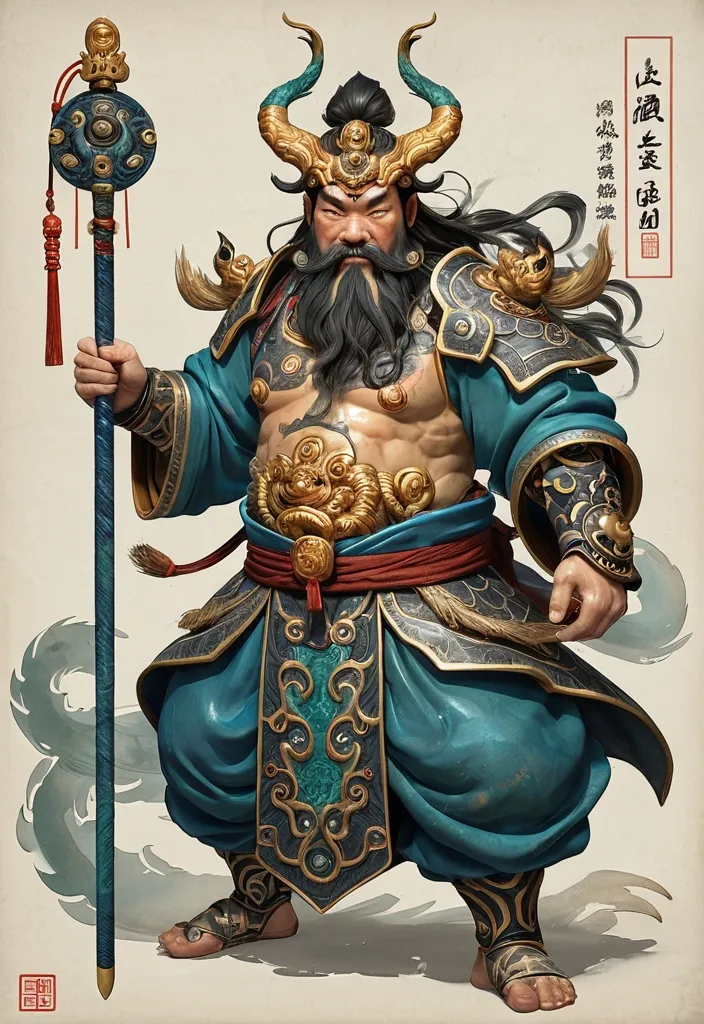
Deity Identity: Zhong Kui Core Artifact: Fire-Tipped Spear Divine Beast: Three-Eyed Manifestation Color Palette: Azurite & Antique Gold Composition Style: Spiraling Leap Overall Aura: Grotesque Aspect Ratio: [5:8] Generate an illustration of an Eastern deity in the style of *Gongbi* (meticulous brushwork) sacred art , centering on the Zhong Kui and incorporating the Fire-Tipped Spear and Divine Beast to create a cohesive composition. Elements such as artifacts , wings , ghosts , ribbons , clouds , or divine manifestations must not serve merely as decoration; instead , they must collectively form clear structural patterns—such as diagonals , circles , S-curves , radial lines , or frontal subjugation poses—to imbue the image with a distinct sense of dynamic momentum (*shi*). The overall style should blend the aesthetics of traditional deity paintings , *Gongbi* heavy-color painting , *Baimiao* (fine-line drawing) , and ancient illustrated scrolls. The figure should appear solemn , divine , and imposing , avoiding the look of modern idols or game CG characters. Attire should follow traditional systems of divine robes , armor , and headdresses , incorporating continuous patterns such as cloud , thunder , scale , beast-face , meander (Greek key) , and scrolling vine motifs. Prioritize highly continuous *Gongbi* line work: render hair , beards , and the fur or feathers of divine beasts with smooth , long lines that follow natural flow; depict clouds , garment hems , and ribbons using unbroken S-curves and C-curves; ensure that patterns on armor , crowns , and clothing are structurally complete and continuously closed. Minimize fragmented textures; avoid random short strokes , dense broken lines , jagged hair edges , or noise-like etching patterns. The color palette employs uniform , rich , and continuous traditional heavy mineral pigments. Centered around a core tone , it incorporates azurite blue , malachite green , ink-blue , antique gold , copper gold , cinnabar , ochre red , and ivory white. While low in saturation , the colors maintain high pigment density and transition naturally and smoothly along the forms; the finish should be free of mottling , fading , stains , graininess , or artificial distressing. The background features clean , warm-toned ivory *xuan* paper with extensive negative space , accented only by minimal continuous-line cloud motifs , vertical inscriptions , and cinnabar seals. The composition balances high information density in the subject matter with low density in the background. The overall aesthetic conveys the refined , fluid , cohesive , and professional quality of traditional *gongbi* (meticulous brushwork) painting with heavy mineral pigments on paper. Avoid: broken or fragmented lines , micro-fragmented textures , frizzy hair details , shattered cloud patterns , mottled coloring , faded or distressed effects , modern neon , 3D CG , screen-filling special effects , cluttered backgrounds , and large , modern poster-style headlines. ,

aspect ratio 9:16 , Keep the person exactly as shown in the reference image with 100% identical facial features , bone structure , 4K details , { "category": "portrait_creator" , "category_reasoning": "Single human subject centrally framed in a stylized , highly retouched outdoor setting typical of creator or social media portraiture." , "adaptable": "subject" , "subject": "A young South Asian woman sitting gracefully on a low brick wall , resting her hands on her lap." , "subject_details": "Early 20s , long dark brown hair styled loosely , wearing a white silk or satin traditional outfit with colorful floral embroidery (pink , orange , green) , a jasmine flower garland bracelet (gajra) on her wrist , a small red bindi , subtle elegant jewelry , and a soft neutral expression." , "setting": "Outdoor paved courtyard or campus with red brick architecture and overhead foliage , daytime with soft diffused shade." , "setting_details": "Red brick ledge , herringbone brick paving , a mobile phone resting next to her with another flower garland on it , blurred dark architectural pillars and distant blurred figures in the background , out-of-focus green tree canopy overhead." , "composition": "Medium-full shot , eye-level angle , centered focal point , deep depth with clear subject isolation , leading lines from the brick ledge." , "camera": "Telephoto lens compression , extreme shallow depth of field , very smooth background blur , sharp subject focus." , "lighting": "Soft diffused natural daylight , open shade , even flat illumination on the face , no harsh shadows , subtle soft bounce fill from the ground." , "color_grade": "Warm-tinted highlights , slightly lifted blacks , high saturation on specific floral reds and pinks , soft low-contrast overall." , "color_palette": "White , terracotta red , floral pink , emerald green , warm skin tones." , "style": "South Asian festive portraiture , Instagram creator aesthetic , highly polished beauty photography." , "mood": "Serene , elegant , polished , gentle." , "textures_materials": "Smooth silk fabric , matte skin , rough porous brick , soft flower petals." , "post_processing": "Heavy skin retouching , frequency separation , artificial-looking edge sharpness , lifted shadows , vibrant color masking on the dress." , "color_science": "Warm skin preservation , boosted selective saturation on floral tones , lifted terracotta midtones , neutral white balance with a slight warm bias , soft contrast curve." , "filter_name": "Social Media Beauty Filter" , "filter_description": "Aggressive skin smoothing , texture removal on face , high clarity on eyes and lips , selective color pop on garments , soft bloom on highlights." , "white_balance": "Neutral with slight warm bias" , "color_temperature": "Warm daylight" , "tone_curve": "S-curve with lifted shadows and rolled-off highlights" , "dynamic_range": "Standard dynamic range , well-preserved highlights , lifted shadows" , "highlight_rendering": "Soft , bloomed , non-clipping" , "shadow_rendering": "Lifted , low-density , slightly warm" , "camera_rendering": "Digital sensor , heavily processed output" , "lens_rendering": "Telephoto equivalent , extreme subject isolation , creamy circular bokeh , zero distortion" , "noise_profile": "Clean , noise-free , digitally scrubbed" , "grain_profile": "" , "sharpness_profile": "High artificial digital sharpening on subject edges , completely soft background" , "retouching_analysis": "Heavy frequency separation , skin texture almost entirely removed , eye whites brightened , lip color saturated , fabric selectively sharpened" , "portrait_analysis": "Slightly angled shoulders , direct head angle , relaxed pose , highly stylized beauty rendering" , "facial_expression": "Neutral , soft closed-mouth smile , relaxed gaze" , "micro_expression": "Relaxed orbicularis oculi , minimal facial tension , serene" , "skin_rendering": "Ultra-smooth , matte , plastic-like perfection , lacking natural pores , even tonal distribution" , "hair_rendering": "Soft , dark , smooth , lightly detailed highlights" , "lighting_analysis": "Open shade , large soft natural bounce from the ground , no specular harshness" , "visual_style_analysis": "Instagram lifestyle portrait , heavily retouched digital aesthetic , festive fashion showcase" , "recreation_prompt": "A young South Asian woman sitting gracefully on a low brick wall , resting her hands on her lap , wearing a white silk outfit with colorful floral embroidery , a jasmine flower garland bracelet , outdoor paved courtyard with red brick architecture , blurred dark pillars and distant figures , soft overhead tree canopy , medium-full shot , centered composition , telephoto lens compression , extreme shallow depth of field , creamy bokeh , soft diffused natural daylight , open shade , warm-tinted highlights , vibrant selective colors , heavily retouched smooth skin , sharp subject , Instagram creator aesthetic , elegant , serene , 85mm lens , f/1.4." , "adaptation_prompt": "[YOUR SUBJECT — describe yourself: appearance , outfit , pose] , sitting gracefully on a low brick wall , resting hands on lap , outdoor paved courtyard with red brick architecture , blurred dark pillars and distant figures , soft overhead tree canopy , medium-full shot , centered composition , telephoto lens compression , extreme shallow depth of field , creamy bokeh , soft diffused natural daylight , open shade , warm-tinted highlights , vibrant selective colors , heavily retouched smooth skin , sharp subject , Instagram creator aesthetic , elegant , serene , 85mm lens , f/1.4." , "negative_prompt": "harsh shadows , high contrast , overexposed highlights , deep blacks , wide angle distortion , natural skin texture , visible pores , film grain , messy hair , cluttered foreground" } ,
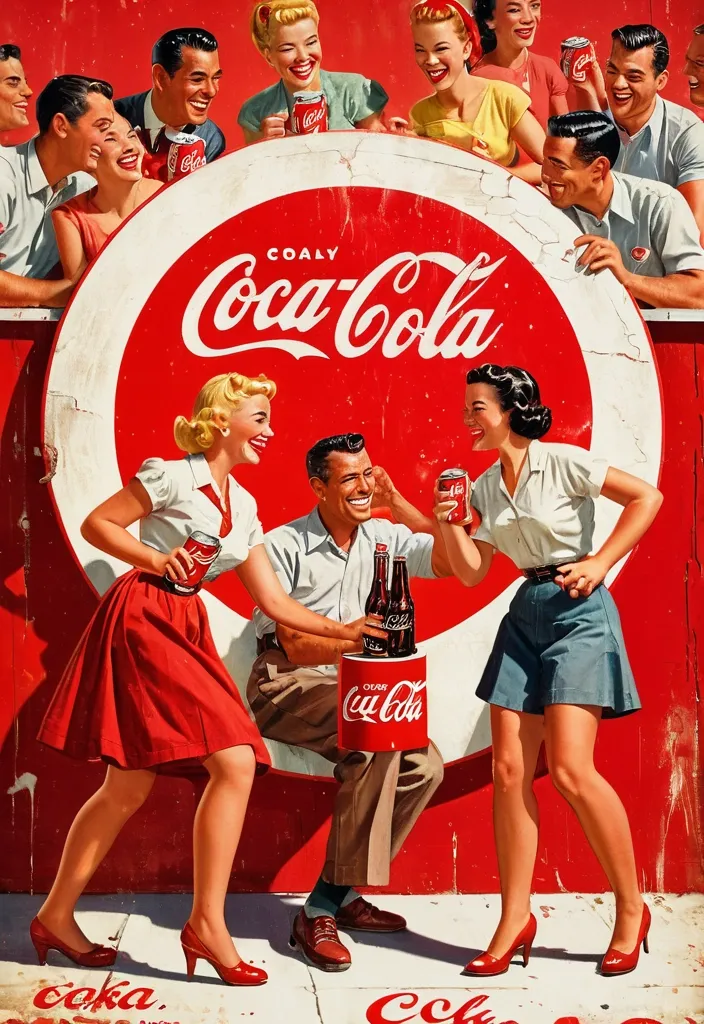
Vintage 1950s Coca-Cola advertisement with people happy , enjoying Coke , interacting , illustration in classic American commercial art styl , large distressed red Coca-Cola logo circle in the background with weathered white script , highly saturated vibrant colors especially deep reds and warm tones , nostalgic retro poster aesthetic ,

Deity Identity: Emperor Zhenwu Mythical Beast Type: Divine Rhino Weapon: Divine Sword Color Palette: Azurite Blue , Silver , & Gray Overall Aura: Exorcising Evil Composition Direction: Frontal Subjugation Generate an illustration of an Eastern deity and their mythical beast mount , blending visual languages from traditional deity paintings , *Gongbi* (meticulous brushwork) with rich colors , *Baimiao* (fine-line drawing) , folk woodblock prints , and ancient illustrated scrolls. The image features the "Deity + Mythical Beast" as dual subjects. The deity serves as the core visual focus , while the beast possesses significant scale and presence; they engage in a clear , dynamic interaction—such as mounting , guarding , charging side-by-side , or circling in protection—rather than a simple collage. The deity's face exudes majesty , divinity , and an imposing aura , avoiding both modern "idol-like" features and excessive demon-like distortion. Attire consists of highly detailed traditional divine armor or ritual robes , incorporating intricate patterns such as cloud motifs , thunder patterns , beast-face masks , scale armor textures , and scrolling vines. While details are rich , the figure's overall silhouette must remain distinct. The mythical beast embodies the spirit of a divine creature , spirit beast , or evil-warding mount , possessing a robust physique and a powerful stance. Fur , scales , and tortoise shells are rendered using numerous fine , directional lines to emphasize the texture of traditional *Gongbi* painting (defining form through line); avoid photorealistic fur or 3D CG textures. Weapons or artifacts are integrated into the composition to create distinct diagonal lines , vertical lines , or a primary axis of action. Avoid stiff , static poses for the figures; instead , incorporate actions such as twisting the torso , lowering a shoulder , leaning forward , wielding a weapon , forming a ritual hand seal , patrolling , or launching an attack to imbue the image with a distinct sense of dynamic momentum (*shi*). Integrate elements such as flowing sashes , fluttering sleeves , headdress ribbons , wisps of hair or beard , and swirls of cloud , smoke , or mist. These should harmonize with the figure's movement to create S-shaped , C-shaped , or swirling fluid lines. Ensure these flowing elements serve the overall theme rather than cluttering the composition merely for the sake of detail. Maintain the aesthetic of traditional *xuan* paper by preserving negative space. Use an off-white , ivory , or aged-paper tone as the base , adding only minimal elements—such as inscriptions , vermilion seals , cloud patterns , or wisps of smoke—to evoke the feel of an ancient illustrated scroll or sacred icon. Avoid complex backgrounds depicting palaces , battlefields , or full-scale landscapes. Employ a palette of low-saturation mineral pigments centered around a dominant hue. Complement this with colors such as ink black , deep blue-black , azurite blue , malachite green , antique gold , cinnabar , ochre red , and grayish-white. The overall tone should be elegant and restrained , using small accents of high-saturation color to add vibrancy. The final image must simultaneously convey the solemnity of an Eastern deity , the imposing presence of a mythical beast , the intricate detail of fine-line brushwork (*gongbi*) , the serene atmosphere of ancient *xuan* paper , and a clear , powerful compositional dynamism. Avoid: modern "Guochao" neon aesthetics , cyberpunk styles , the look of 3D game concept art , "plastic" CG textures , cluttered backgrounds , stiff figures , generic-looking mythical beasts , loose or sloppy linework , and excessive or garbled text. ,
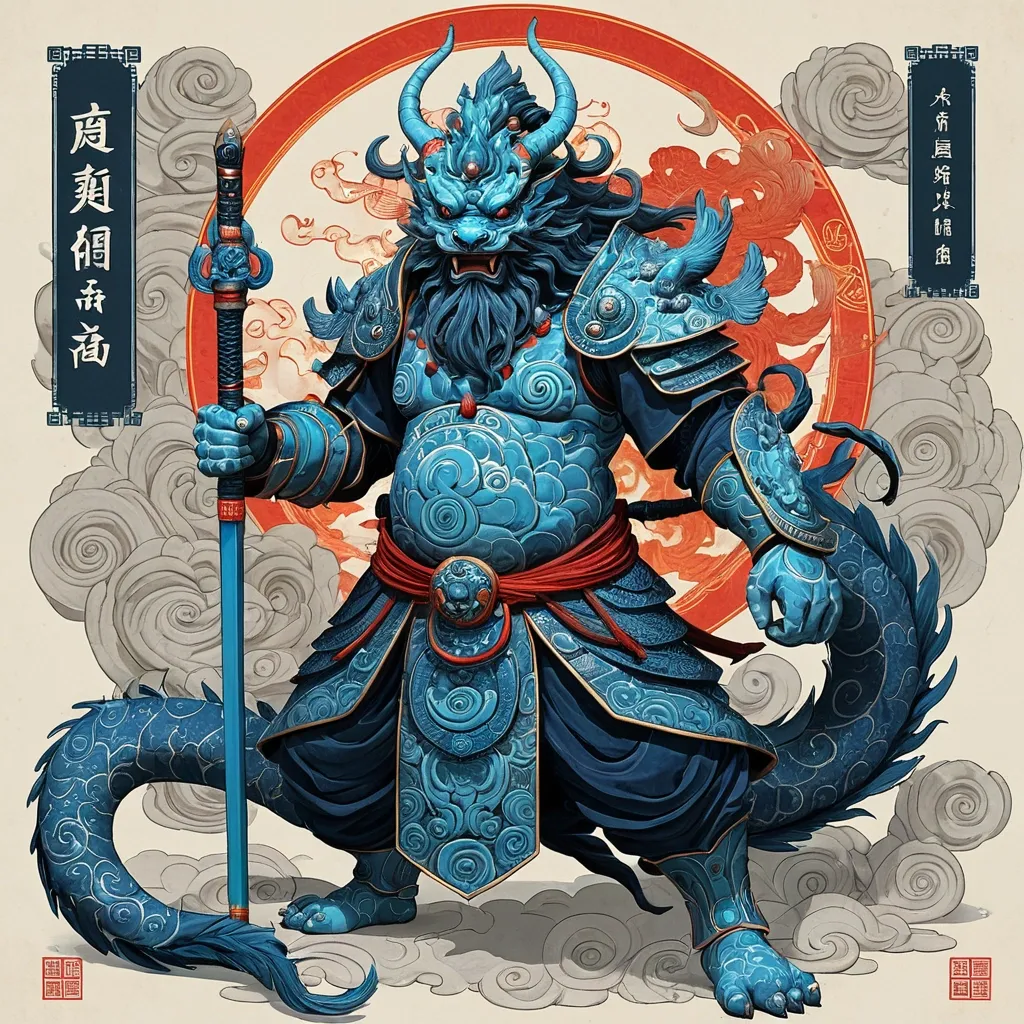
Prompt: [Replaceable Content] Deity Identity: Emperor Zhenwu Mythical Beast Type: Divine Hound Weapon: Divine Sword Color Palette: Azurite Blue , Silver , & Gray Overall Aura: Exorcising Evil Composition Direction: Frontal Subjugation Generate an illustration of an Eastern deity and their mythical beast mount , blending visual languages from traditional deity paintings , *Gongbi* (meticulous brushwork) with rich colors , *Baimiao* (fine-line drawing) , folk woodblock prints , and ancient illustrated scrolls. The image features the "Deity + Mythical Beast" as dual subjects. The deity serves as the core visual focus , while the beast possesses significant scale and presence; they engage in a clear , dynamic interaction—such as mounting , guarding , charging side-by-side , or circling in protection—rather than a simple collage. The deity's face exudes majesty , divinity , and an imposing aura , avoiding both modern "idol-like" features and excessive demon-like distortion. Attire consists of highly detailed traditional divine armor or ritual robes , incorporating intricate patterns such as cloud motifs , thunder patterns , beast-face masks , scale armor textures , and scrolling vines. While details are rich , the figure's overall silhouette must remain distinct. The mythical beast embodies the spirit of a divine creature , spirit beast , or evil-warding mount , possessing a robust physique and a powerful stance. Fur , scales , and tortoise shells are rendered using numerous fine , directional lines to emphasize the texture of traditional *Gongbi* painting (defining form through line); avoid photorealistic fur or 3D CG textures. Weapons or artifacts are integrated into the composition to create distinct diagonal lines , vertical lines , or a primary axis of action. Avoid stiff , static poses for the figures; instead , incorporate actions such as twisting the torso , lowering a shoulder , leaning forward , wielding a weapon , forming a ritual hand seal , patrolling , or launching an attack to imbue the image with a distinct sense of dynamic momentum (*shi*). Integrate elements such as flowing sashes , fluttering sleeves , headdress ribbons , wisps of hair or beard , and swirls of cloud , smoke , or mist. These should harmonize with the figure's movement to create S-shaped , C-shaped , or swirling fluid lines. Ensure these flowing elements serve the overall theme rather than cluttering the composition merely for the sake of detail. Maintain the aesthetic of traditional *xuan* paper by preserving negative space. Use an off-white , ivory , or aged-paper tone as the base , adding only minimal elements—such as inscriptions , vermilion seals , cloud patterns , or wisps of smoke—to evoke the feel of an ancient illustrated scroll or sacred icon. Avoid complex backgrounds depicting palaces , battlefields , or full-scale landscapes. Employ a palette of low-saturation mineral pigments centered around a dominant hue. Complement this with colors such as ink black , deep blue-black , azurite blue , malachite green , antique gold , cinnabar , ochre red , and grayish-white. The overall tone should be elegant and restrained , using small accents of high-saturation color to add vibrancy. The final image must simultaneously convey the solemnity of an Eastern deity , the imposing presence of a mythical beast , the intricate detail of fine-line brushwork (*gongbi*) , the serene atmosphere of ancient *xuan* paper , and a clear , powerful compositional dynamism. Avoid: modern "Guochao" neon aesthetics , cyberpunk styles , the look of 3D game concept art , "plastic" CG textures , cluttered backgrounds , stiff figures , generic-looking mythical beasts , loose or sloppy linework , and excessive or garbled text. ,

Drexal , original fantasy character , facial blend: **55% Mark Strong + 45% Naveen Andrews** , interpreted as a unique face , not a direct likeness. Mature Al-Karim noble-officer with long-oval face , defined cheekbones , strong jaw , prominent straight nose , deep-set dark brown eyes , thick brows , warm olive skin , near-black wavy hair , neatly trimmed beard. Calm , analytical , restrained expression. Refined practical desert military attire , earth tones , deep burgundy , charcoal , dark brown , aged bronze , subtle embroidery and leather. In an Al-Karim military study with maps , coastal charts , manuscripts and navigation instruments. Ultra-realistic cinematic medieval fantasy , natural skin texture , realistic materials , dramatic natural lighting , shallow depth of field. ,

Drexal's face is a consistent , recognizable original character based on a **facial amalgamation of Mark Strong (55%) and Naveen Andrews (45%)** , interpreted as an original fantasy character and **not a likeness or copy of either actor**. He has a **long-oval to subtly rectangular face** , defined cheekbones , a strong but not overly square jaw , a straight prominent nose , slightly hooded deep-set **dark brown eyes** , thick naturally shaped eyebrows , medium-full lips , and an intelligent , restrained expression. His eyes should communicate **constant observation and analysis**. He often looks as though he is evaluating a situation rather than reacting emotionally to it. **Skin:** Warm olive complexion with realistic natural texture , subtle signs of sun exposure , travel , and life outdoors. **Hair:** Thick , very dark brown to near-black hair , moderately short and practical , with a slight natural wave. **Facial hair:** Closely trimmed short beard with the moustache naturally integrated into it. Neat and practical , never fashionable or heavily stylized. ### Character & Presence Drexal is a **scholarly military officer and Al-Karim nobleman**. His authority comes from intelligence , competence , restraint , and self-command rather than physical intimidation. His demeanor is: - Calm - Observant - Intelligent - Controlled - Quietly authoritative - Professionally disciplined - Emotionally restrained - Difficult to read He should appear capable of spending an afternoon studying **coastal charts , military reports , or diplomatic correspondence** , then calmly drawing his sword when circumstances require it. His attractiveness should be **mature and understated** , never model-like or prettified. He possesses the quiet confidence of a man who does not need to demonstrate his competence to anyone. ### Clothing & Setting Dress him as an **Al-Karim noble-officer** , combining refined aristocratic clothing with practical military elements appropriate to a grimdark medieval fantasy setting. Rich but restrained fabrics , layered desert-region garments , practical officer's coat or robe , subtle embroidered detailing , leather equipment , and understated signs of rank. His clothing should suggest wealth and education without becoming ostentatious. Use a muted , historically inspired **Al-Karim palette** of earth tones , deep burgundy , sand , charcoal , dark brown , and aged bronze. Place him in an atmospheric Al-Karim interior such as a military study , coastal command chamber , or noble administrative room , with **maps , navigation charts , instruments , manuscripts , and military documents** subtly visible in the background. ### Lighting & Visual Style Ultra-realistic cinematic medieval fantasy photography. Natural skin texture , realistic pores , subtle imperfections , authentic fabric and leather textures , physically believable materials , dramatic but natural directional lighting , shallow depth of field , atmospheric environmental detail. The lighting should emphasize the structure of his face and particularly his **deep-set , evaluating eyes**. **Mood:** intelligent , restrained , serious , quietly formidable. **Composition:** Three-quarter portrait , chest or waist up , natural relaxed posture , direct or slightly off-camera gaze. **Critical consistency requirement:** Preserve the same facial structure , proportions , eye shape , nose , jawline , eyebrows , hairline , beard pattern , and overall facial identity in every future depiction of Drexal. **Style restrictions:** No anime , no illustration , no exaggerated fantasy features , no glamor makeup , no modern clothing , no contemporary objects , no exaggerated muscularity , no youthful beautification , no caricature. **The final character must read immediately as the same Drexal across different images , ages , costumes , poses , and environments.** ,

{ "type": "image_prompt" , "description": { "subject": { "identity": "{argument name="subject" default="Indian mature woman"}" , "appearance": { "hair": "Long hair flowing down her back" , "expression": "Soft and relaxed expression with a gentle , subtle smile" , "gaze": "Looking warmly downward toward the cat" , "makeup": "Subtle natural makeup" , "lips": "Glossy pink lips" , "nails": "Well-manicured nails" } } , "clothing": { "garment": "{argument name="clothing" default="traditional vintage indigo handwoven blouse and an authentic saffron embroidered low-draped village lungi"}" , "details": { "neckline": "Deep V-neck" , "trim": "Delicate wavy white floral lace along the neckline" , "straps": "Thin blue straps" } } , "pose": { "body_position": "Lying on her stomach on a bed" , "support": "Supporting her body weight on one arm" , "left_hand": "Placed delicately near her chin with softly curved fingers in a relaxed gesture" , "head_position": "Head slightly tilted" , "interaction": "Looking affectionately at a sleeping cat" } , "setting": { "location": "Cozy indoor bedroom environment" , "surface": "Resting on a quilted blue bedsheet" , "background": { "wall": "Smooth light blue wall" , "curtain": "Blue curtain hanging on the right side" } } , "props": { "animal": { "type": "{argument name="cat color" default="White cat"}" , "state": "Sleeping curled up very close beside her" } } , "lighting": { "style": "High-key lighting" , "quality": "Bright and airy" , "beauty_lighting": "Flat beauty lighting" , "illumination": "Even illumination on the face" , "shadows": "Extremely soft shadows" , "contrast": "Low contrast" } , "mood": [ "Peaceful" , "Cozy" , "Intimate" , "Serene" , "Domestic" , "Affectionate" ] , "technical": { "camera_angle": "Medium close-up shot at eye level , slightly tilted downward toward the bed" , "style": "Candid lifestyle portrait , photorealistic , hyper-realistic" , "quality": "Highly detailed , sharp focus on face and lace textures , natural skin texture , 8k" , "aspect_ratio": "9:16" } } } ,

# Финальный промт для агента (Antigravity + Stitch MCP) ## Сайт-визитка: продажа и установка весов для погрузчиков Скопируй весь блок ниже целиком в чат задач агента как первое сообщение проекта. --- ## ПРОМТ ДЛЯ АГЕНТА (копировать с этой строки) Ты — фронтенд-разработчик и веб-дизайнер. Твоя задача: построить одностраничный сайт-визитку (лендинг) компании , которая продаёт и устанавливает весовое оборудование на вилочные погрузчики (весоизмерительные вилы , крановые весы , встраиваемые системы взвешивания , индикаторы , поверка/калибровка). Работай пошагово , по фазам ниже. После каждой фазы показывай результат (код + краткое описание) и жди подтверждения , прежде чем переходить к следующей фазе. Не используй lorem ipsum — весь текст должен быть по теме; если данные неизвестны , помечай их `[ЗАПОЛНИТЬ: ...]` явным образом прямо в коде и в комментарии. ### 0. Вводные данные проекта - Название компании: `[ЗАПОЛНИТЬ]` (если не указано — использовать нейтральное «ВесПром» как рабочее название и пометить как временное) - Номер WhatsApp: `[ЗАПОЛНИТЬ: +7XXXXXXXXXX]` - Регион работы: `[ЗАПОЛНИТЬ: город/страна]` - Ассортимент (минимум для карточек каталога , если не дано — использовать этот дефолтный список): 1. Весоизмерительные вилы (грузоподъёмность 1–5 т , точность ±0.5%) 2. Крановые/подвесные весы для интеграции с погрузчиком 3. Встраиваемые весовые системы (монтаж в раму погрузчика) 4. Индикаторы веса и дисплеи (проводные/беспроводные) 5. Поверка и калибровка весового оборудования 6. Сервисное обслуживание и ремонт - Логотип/фото/сертификаты: отсутствуют → генерировать текстовые/иконочные плейсхолдеры , фото заменять описательными alt-текстами и SVG-иллюстрациями/иконками вместо реальных фотографий. - Сайт: **одна страница** , без отдельных подстраниц. - Тип сборки: чистый HTML/CSS/JS , без бэкенда. Все заявки идут через кнопки WhatsApp (`wa.me`) , формы обратной связи не делать. ### 1. Дизайн-система — строгий индустриальный стиль (тёмный , техничный) Зафиксировать как CSS-переменные в начале `styles.css`: ```css :root { /* Фон и поверхности */ --bg-primary: #0E1116; --bg-surface: #171B21; --bg-surface-2: #1F252D; --border-color: #2A313B; /* Акцент — индустриальный оранжевый (сигнальный цвет техники) */ --accent: #FF7A1A; --accent-hover: #FF9142; --accent-muted: rgba(255 , 122 , 26 , 0.12); /* Текст */ --text-primary: #F5F6F7; --text-secondary: #9AA3AD; --text-on-accent: #0E1116; /* Статусы/бейджи */ --success: #3DDC84; /* Радиусы — небольшие , без "мягкого" UI */ --radius-sm: 4px; --radius-md: 8px; /* Шкала отступов */ --space-1: 4px; --space-2: 8px; --space-3: 12px; --space-4: 16px; --space-5: 24px; --space-6: 32px; --space-7: 48px; --space-8: 64px; --space-9: 96px; } ``` - Шрифт: `Inter` (или `Manrope`) через Google Fonts. Заголовки — 700 , текст — 400/500. - Масштаб типографики: H1 — 48px / mobile 32px; H2 — 32px / mobile 24px; H3 — 22px; body — 16px; small — 14px. Line-height заголовков 1.1–1.2 , текста — 1.5. - Иконки: line-style (обводка , без заливки) , тема — вес/точность/погрузчик/сертификат. Использовать инлайн SVG. - Кнопки: primary — заливка `--accent` , текст `--text-on-accent` , radius `--radius-sm` , без теней , чёткая обводка при hover. Secondary — прозрачная с обводкой `--border-color`. - Общее ощущение: контраст , чёткие линии-разделители секций (border-top 1px `--border-color`) , минимум скруглений , минимум декоративных теней. Сгенерировать через Stitch MCP референс hero-блока по промпту: > "Industrial B2B landing page hero , dark navy/graphite background #0E1116 , orange accent #FF7A1A , bold condensed sans-serif headline , forklift with weighing attachment illustration , minimal rounded corners , trust badges row" Выбрать один вариант , зафиксировать композицию (расположение заголовка/кнопки/иллюстрации) как референс для вёрстки. ### 2. Структура страницы (порядок секций и содержимое) 1. **Header** (sticky , `--bg-surface` с нижней обводкой) - Слева: логотип-плейсхолдер (текст названия компании , шрифт 700). - Справа: пункты меню-якоря (Услуги , Каталог , Как работаем , Кейсы , Контакты) — скрыть в бургер на мобильных. - Кнопка WhatsApp (primary) — крайняя справа. 2. **Hero** - H1: «Весы для погрузчиков под ключ: подбор , монтаж , поверка» - Подзаголовок: 1–2 предложения про скорость и точность монтажа , гарантию. - Кнопка WhatsApp (крупная , primary) — текст «Написать в WhatsApp» + иконка. - Строка доверия под кнопкой: 3 коротких пункта в столбик/строку («Гарантия N лет» , «Выезд по региону `[ЗАПОЛНИТЬ]`» , «Поверка включена»). - Иллюстрация/SVG погрузчика с весами справа (или фон-паттерн , если иллюстрации нет). 3. **Услуги** (4 карточки в сетке , `--bg-surface` фон карточки , border `--border-color`) - Продажа весового оборудования - Монтаж на погрузчик - Поверка и калибровка - Сервис и ремонт - На каждой карточке: иконка , заголовок , 1–2 строки описания. 4. **Каталог** (сетка карточек товаров , 4–6 позиций из списка в п.0) - На карточке: иконка/плейсхолдер-изображение , название , 2–3 ключевые характеристики (грузоподъёмность , точность , IP-класс) , кнопка WhatsApp с текстом `«Интересует {название товара}»` (urlencoded). 5. **Как мы работаем** (степпер/таймлайн , 5 шагов) - Заявка в WhatsApp → Консультация и подбор → Выезд/монтаж → Поверка → Гарантийная поддержка. - Каждый шаг: номер , короткий заголовок , 1 строка описания. 6. **Преимущества** (4–6 пунктов , иконка + короткий текст) - Например: «Гарантия на монтаж» , «Сертифицированное оборудование» , «Опыт работы `[ЗАПОЛНИТЬ]` лет» , «Выезд по региону» , «Поверка включена в стоимость» , «Сервис 24/7» — оставить как варианты , отметить реальные цифры как `[ЗАПОЛНИТЬ]`. 7. **Кейсы** (сетка/карусель из 3 карточек) - Плейсхолдер-описание объекта (склад/производство/логистика) , тип установленного оборудования , результат в 1 фразе. 8. **Сертификаты и документы** (ряд бейджей) - Плейсхолдер-иконки «Сертификат соответствия» , «Свидетельство о поверке» — с пометкой `[ЗАПОЛНИТЬ: реальные документы]`. 9. **Отзывы** (2–3 карточки) - Плейсхолдер-тексты , помечены как черновые. 10. **Финальный CTA-блок** - Крупный заголовок-призыв , крупная кнопка WhatsApp по центру. - Контакты: телефон , email (плейсхолдеры) , адрес/регион. - Карта — встроенный статичный блок-плейсхолдер (реальный embed добавить , когда будет адрес). 11. **Footer** - Название компании , копирайт , повтор кнопки WhatsApp (маленькая) , ссылки на мессенджеры при наличии. **Плавающая кнопка WhatsApp** — fixed , правый нижний угол , видна на всех секциях при скролле , иконка WhatsApp в зелёном кружке (`#25D366`) , лёгкая пульсация (анимация раз в 3–4 сек , без резких эффектов). ### 3. WhatsApp-интеграция (техническая часть) - Формат ссылки: `https://wa.me/<номер_без_плюса_и_пробелов>?text=<urlencoded_текст>` - Номер и дефолтный текст вынести в константы в начале `main.js`: ```js const WHATSAPP_NUMBER = "ЗАПОЛНИТЬ"; // международный формат без + const WHATSAPP_DEFAULT_TEXT = "Здравствуйте! Интересуют весы для погрузчика , хочу проконсультироваться"; ``` - Все ссылки — `target="_blank" rel="noopener noreferrer"`. - Для карточек каталога текст сообщения формируется динамически: `Здравствуйте! Интересует ${имя_товара} , хочу проконсультироваться`. ### 4. Технические требования - Адаптив mobile-first , брейкпоинты: 375 / 768 / 1024 / 1440. - Изображения — webp , `loading="lazy"` (кроме hero-изображения). - Контраст текста — проверить на соответствие WCAG AA (особенно `--text-secondary` на `--bg-primary`). - Кросс-браузерность: Chrome , Safari , Firefox. - Favicon , `sitemap.xml` , `robots.txt`. ### 5. SEO и метаданные - `<title>`: «Весы для погрузчиков — продажа , монтаж , поверка [Регион]» - `meta description`: 1–2 предложения с УТП и регионом. - OG-теги (og:title , og:description , og:image — hero-изображение). - H1 — один на странице (см. Hero). - Alt-тексты у всех изображений/иконок. - Микроразметка `schema.org`: `LocalBusiness` (общие данные компании) + `Product` для каждой карточки каталога. ### 6. Порядок выполнения (для модели Flash 3.6 Medium — дробить по шагам) Выполнять и показывать результат по одному пункту за раз , не объединяя несколько секций в один ответ: 1. Скелет HTML + подключение CSS-переменных из раздела 1. 2. Header + мобильное меню + плавающая кнопка WhatsApp. 3. Hero-секция. 4. Секция «Услуги». 5. Секция «Каталог». 6. Секция «Как мы работаем». 7. Секция «Преимущества». 8. Секция «Кейсы». 9. Секция «Сертификаты». 10. Секция «Отзывы». 11. Финальный CTA-блок + Footer. 12. SEO-метатеги , favicon , sitemap.xml , robots.txt. 13. Финальная проверка: адаптив на 4 брейкпоинтах , контраст , все wa.me-ссылки , lazy-loading изображений. ### 7. Чек-лист приёмки (сверить перед сдачей) - [ ] Все `[ЗАПОЛНИТЬ]`-плейсхолдеры собраны в единый список в комментарии наверху `index.html` для удобной правки. - [ ] Все кнопки/ссылки ведут на корректный `wa.me` с правильным текстом. - [ ] Плавающая кнопка WhatsApp не перекрывает контент на мобильных (проверить над footer). - [ ] Ни одной формы обратной связи в коде нет. - [ ] Адаптив проверен на 375/768/1024/1440. - [ ] Цветовая схема соответствует разделу 1 (никаких случайных цветов вне палитры). - [ ] Lorem ipsum отсутствует — весь текст по теме. ## КОНЕЦ ПРОМТА (копировать до этой строки) ,

A close-up portrait of a girl , rendered in a futuristic , semi-abstract style , as if wrapped in cellophane and bubble wrap. The girl has a pale complexion with a pronounced bluish undertone that illuminates her face , especially around her eyes and lips. Her hair is styled in intricate spiral designs reminiscent of nebulae. She is enveloped in a shimmering , translucent garment , seemingly made of a mesh-like material. The image conveys a mystical and dreamlike atmosphere. The composition is notable for its use of fluid , vibrant blue lines , similar to ink , superimposed directly onto a smooth , light peach background. This combination creates a powerful chromatic and textural contrast between the metallic warmth of the background and the translucent coolness of the blue lines. In the lower left corner , the signature "Ana" is written in earth-toned letters in a flowing , cursive script. The girl in the portrait has delicate features and a serene yet intense gaze directed at the viewer. Her hair is short and styled with defined strands that fall naturally to one side. The face is subtly outlined , allowing wrinkles and the reflections of the underlying gold leaf to create the highlights and shadows of the skin , integrating the figure with the background in an almost mystical way. At the bottom of the image , the blue strokes become more abstract and fluid , suggesting the neck and shoulders. ,

Create a grimdark , atmospheric fantasy map of a flat circular disc world (the Medieval Shard of Kordos) viewed from above in an aged , hand-drawn illuminated manuscript style with dark , moody tones. The world is a terrestrial disc adrift in a black void , with a massive glowing Sunwell abyss at the exact center emitting vertical rays of sickly golden-red light. A silvery Moon orbits laterally around the disc. The outer edge dissolves into chaotic , stormy Savage Seas filled with swirling temporal distortions , jagged icebergs , and shadowy leviathans. Divide the disc into three radial climate bands from the Sunwell outward: - Inner Band (Burning Heart): Scorching deserts , volcanic lands , golden-domed cities — Al-Karim Caliphate in the south and Aetherian Exarchate influences. - Middle Band (Verdant Crown): Temperate forests , rolling hills , river valleys , stone castles and knightly fortresses — Valerian March heartlands and Sylvandor forest enclaves. - Outer Band (Shadowed Marches): Rugged highlands , frozen fjords , vast grasslands , northern coasts — Stormjarl Clans in the stormy north , Ironsteppe Khanates in the eastern steppes. Label the six major cultures clearly with distinct heraldic icons and small representative settlements: - Valerian March: Gothic stone castles , crowned gryphon banners , knightly orders. - Ironsteppe Khanates: Mobile yurt circles , horse herds , golden shield emblem on vast grasslands. - Stormjarl Clans: Longships in fjords , rune-carved longhouses , axe and lightning motifs. - Sylvandor Enclaves: Ancient misty forests , hill-forts , sacred groves with glowing green accents. - Al-Karim Caliphate: Marble cities , silk roads , desert oases with elegant minarets. - Aetherian Exarchate: Golden domes , layered walls , cataphract strongholds. Show faint , sickly green glowing Veil rifts and corrupted zones (jagged cracks , blackthorn overgrowth , unnatural fog) scattered across borders and ancient sites , especially in the outer band. Use a dark , muted palette: deep greys , blood-reds , ashen whites , sickly greens , and cold blues. Add atmospheric details like falling ash , blood-stained snow in the north , storm clouds , and faint cracks across the disc surface. Style: Grimdark medieval fantasy map , highly detailed , aged parchment texture with ink stains and burn marks , dramatic volumetric lighting from the central Sunwell , ominous and foreboding atmosphere , epic wide view , cinematic composition , no modern elements. ,
Generate a single complete image of Illustration Profile Long Scroll , one full image , no tiling , no multi-grid , no columns , horizontal 3:1 format. Theme: Port Logistics System. Title: Deendayal Port. Core Content: Dry Cargo Berths , Liquid Terminals , Container Terminals. Supply Chain & Hinterland Connectivity: Railway lines connect , Seamless connectivity to National Highways , Backed by Container Freight Stations. Information Modules: [Limit to 6–8] Style: Illustrated Knowledge Visualization with Text and Images. Color Scheme: yellow , blue , gray-white. The visual focus is to clearly explain the surface , internal structure , functional zoning , and operational process of complex systems all at once. Images primary , text secondary. Use only short labels , module names , function words , and one extremely brief description—no long paragraphs , no dense text blocks. Optionally add a small number of labels , arrows , flow lines , thin annotation lines , and a legend bar to help viewers understand how the system operates. Overall , like a museum science long scroll , city system infographic , or advanced profile diagram from a PPT proposal. Avoid text overload , cluttered information , tiled feel , multi-grid , ordinary landscape images , low resolution. ,

EXACTLY FOUR WOMEN , ONLY FOUR WOMEN , standing in a single row , no other humans visible. ONE Tyrannosaurus Rex , ONLY ONE Tyrannosaurus Rex. Wide cinematic shot. Four women occupy 70% of the foreground. The Tyrannosaurus Rex occupies the center background. The dinosaur is directly behind the women. The crashed airplane wreckage is visible behind the women near the palm trees. EXACTLY FOUR WOMEN , ONLY FOUR WOMEN , standing in a single row , no other humans visible. ONE Tyrannosaurus Rex , ONLY ONE Tyrannosaurus Rex.The black woman with glasses is the ONLY woman wearing glasses. The blonde woman has NO glasses. The white-haired woman has NO glasses. The brunette woman has NO glasses.One woman in black bikini , one woman in blue bikini , one woman in red bikini , one woman in yellow bikini. No other bikini colors.Photorealistic tropical survival scene , exactly four women and one Tyrannosaurus Rex , realistic disaster movie screenshot. A beautiful tropical beach with white sand , turquoise ocean on the right side , dense palm trees on the left side. In the distant background , the wreckage of a crashed passenger airplane is partially buried in the sand near the jungle. Four exhausted plane crash survivors are running directly toward the camera. Far left: blonde woman , long messy blonde hair , blue eyes , black bikini , no glasses , dirt and mud on her skin , cuts and bruises on arms and legs , terrified face , crying while running. Left center: dark-skinned woman with natural afro hair , brown eyes , blue bikini , black prescription glasses only on this woman , dirty skin , scratches , frightened expression. Right center: pale woman with long white hair , red bikini , no glasses , cuts and bruises , scared expression , running desperately. Far right: brunette woman with dark hair tied in a messy bun , yellow bikini , no glasses , bruises and scratches , frightened face. All four women are covered with dirt , sand , bruises , scratches and survival injuries. They look exhausted , terrified and desperate. Their bikinis are dirty and damaged from surviving a plane crash. Behind them , extremely close , a gigantic Tyrannosaurus Rex is chasing them. Massive realistic dinosaur , detailed scales , huge head , open mouth , visible teeth , roaring aggressively. The dinosaur occupies most of the background and is only a few meters behind the women. Sand is flying beneath their feet. Deep footprints in the sand. Motion blur on the legs. Strong sunlight. Realistic skin texture. Realistic facial expressions. Disaster movie atmosphere. Survival horror adventure. Cinematic photography. Ultra realistic. HDR. Sharp focus. 8K. National Geographic quality. Hollywood blockbuster. No anime. No cartoon. ,
Design a premium A4-size professional book back cover for AIAT Technologies that perfectly matches the front cover design , color palette , typography , branding , spacing , visual hierarchy , and enterprise technology aesthetic. Portrait orientation (A4 vertical) , print-ready publishing quality , ultra-high resolution , modern cybersecurity and IT infrastructure theme. Use a clean deep navy-blue background with subtle geometric grid patterns , abstract network connections , digital circuitry , server infrastructure elements , cloud computing symbols , data streams , and elegant holographic technology accents. No humans , faces , characters , hackers , hooded figures , robots , or mascots. Create a sophisticated corporate technology appearance suitable for a professional educational publication. At the top include a section titled "About This Book". Below it place a professionally formatted book description area explaining that Windows CLI – 100 Important Commands is a practical reference guide covering essential Windows command-line tools for system administration , troubleshooting , networking , security operations , automation , diagnostics , and IT support. Include a clean feature highlights section with modern iconography containing: • 100 Essential Windows Commands • Practical Command Examples • Networking & Troubleshooting Tools • System Administration Techniques • Security & Diagnostic Utilities • Beginner to Advanced Learning Resource. Add a section titled "Who Should Read This Book?" listing: IT Professionals , System Administrators , Help Desk Engineers , Cybersecurity Analysts , Networking Students , Technology Enthusiasts , and Computer Science Learners. Include a professional AIAT Technologies company profile section with the heading "About AIAT Technologies" and a clean placeholder text area for company information. At the bottom reserve space for ISBN barcode placement , publisher information , website , email address , copyright details , and social media icons. Use premium white and cyan typography with strong readability and professional alignment. Maintain generous spacing , balanced composition , and publishing-standard formatting. The overall design must feel like a bestselling enterprise technology handbook from a leading technology training organization. Print-ready , ultra-detailed , corporate publishing quality , elegant modern layout , professional educational technology branding , 8K quality. Negative Prompt: no humans , no faces , no hooded figures , no hackers , no robots , no anime , no cartoons , no gaming appearance , no movie-poster style , no cluttered layout , no excessive neon effects , no blurry text , no distorted typography , no low resolution , no watermark , no stock-photo appearance , no horror elements , no fantasy elements. ,

Picture a surreal , nighttime cityscape where a melting heart shape , formed by the thumbs and forefingers of two hands , looms above the street , shrouded in mist. The air is filled with a gentle , whispery rain of text "LOVE" , in various fonts and sizes , which drift lazily downwards , casting a mystical glow on the wet pavement. As the letters settle , they coalesce to form the words "LOVE YOU" in a elegant , neon-lit script , casting a romantic ambiance over the scene. A beautiful , enigmatic woman walks alone down the deserted street , her face aglow with a soft , moonlit radiance , as the misty night sky above seems to vibrate with an otherworldly energy. ,

Create a surreal image of a melting heart shape formed by the thumbs and forefingers of two hands , suspended above a city street on a rainy night. Instead of raindrops , countless tiny text "LOVE" fall from the sky , drifting gently downwards in different sizes and fonts , like a sweet precipitation. The letters land softly on the wet ground , gradually forming the words "LOVE YOU" in a beautiful , cursive script. A stunning woman in Pink Printed Cotton A-line Suit Sets With Dupatta , with a bright smile walks down the road , surrounded by the romantic ambiance , as the night sky above shimmers with a soft , ethereal glow. ,

Picture a surreal , nighttime cityscape where a melting heart shape , formed by the thumbs and forefingers of two hands , looms above the street , shrouded in mist. The air is filled with a gentle , whispery rain of text "LOVE" , in various fonts and sizes , which drift lazily downwards , casting a mystical glow on the wet pavement. As the letters settle , they coalesce to form the words "LOVE YOU" in a elegant , neon-lit script , casting a romantic ambiance over the scene. A beautiful , enigmatic woman walks alone down the deserted street , her face aglow with a soft , moonlit radiance , as the misty night sky above seems to vibrate with an otherworldly energy. ,

{ "scène": { "emplacement": "Terrasse de café en plein air" , "style_architectural": "Parisien / Européen classique" , "ambiance": "Ensoleillée , fin d'après-midi (lumière dorée)" , "arrière_plan": "Rue passante avec des immeubles de style haussmannien , des voitures , des scooters et des passants" } , "personnage_principal": { "genre": "Femme" , "âge": "35 ans" , "chevelure": "longue et brune remontée en chignon déstructuré , quelques mèches tombantes encadrant le visage" , "mains": "ongles manucurés , vernis rouge , bague petit diamant solitaire au majeur droit" , "pose": "Assise sur une chaise de bistrot , jambes croisées , jambe droite par-dessus la jambe gauche , regardant vers sa droite" , "vêtements": { "haut": "Chemisier blanc fluide , très largement ouvert" , "bas": "mini-jupe noire taille haute" } , "accessoires": [ "Lunettes de soleil noires" , "collier de perle autour du cou" , "boucles d'oreille créoles" , "Bracelet fin au poignet gauche" , "Escarpins noirs à talons aiguilles" , "chainette extra-fine et discrète en or à la cheville droite" ] } , "environnement_immediat": { "table_principale": { "type": "Table de bistrot ronde avec bordure dorée" , "objets_présents": [ "Un magazine de mode ouvert" , "Une bouteille de Perrier 25cl en verre vert" , "Un verre contenant de l'eau , des glaçons et une rondelle de citron" , "un élégant sac à main pochette noir de marque de luxe entrouvert d'où s'échappent un trousseau de clés , un plug anal en or , un smartphone et quelques préservatifs" ] } , "mobilier": "Chaises de bistrot traditionnelles en rotin tressé" , "autres_personnes": [ { "description": "Un homme de 30 ans charmant assis à une table à gauche , portant des lunettes de soleil et une chemise sombre , observant la scène" } , { "description": "Plusieurs clients attablés en arrière-plan sous un store de café rouge" } , { "description": "Piétons marchant sur le trottoir à droite" } ] } , "elements_textuels_visibles": { "panneau_de_rue": "Rue Sainte-Dominique (partiellement visible en haut à gauche)" , "store_du_café": "Café de France" } } ,

A highly descriptive dark fantasy photograph of a blindfolded statuesque voluptous @Trish of Witcher game , captured in a three-quarter body shot from a high angle perspective from above , in the middle of the prompt a dark wet stone courtyard glistens under a light rain casting deep moody blue shadows across the entire scene , her eyes are completely bound by a thin intricate white lace blindfold , she tilts her head upward with a regal and solemn expression , long wet amber-red hair cascades over her shoulders decorated with an elegant golden laurel wreath crown , her outfit is highly specific consisting of an intricate low-cut red lace top with detailed floral red rose embroidery and a central gold loop , a wide gold metal collar necklace encircles her neck with a thin chain dangling downward , matching heavy gold cuffs are worn on her wrists , soft rain droplets glisten beautifully on her pale skin and clothing , evocative lighting with high contrast and shallow depth of field , gothic aesthetic , cinematic look , shot on 50mm lens , head and shoulders portrait , 8k resolution concept art portrait by Greg Rutkowski , Artgerm , WLOP , Alphonse Mucha dynamic lighting hyperdetailed intricately detailed Splash art trending on Artstation triadic colors Unreal Engine 5 volumetric lighting , head and shoulders portrait , 8k resolution concept art portrait by Greg Rutkowski , Artgerm , WLOP , Alphonse Mucha dynamic lighting hyperdetailed intricately detailed Splash art trending on Artstation triadic colors Unreal Engine 5 volumetric lighting ,

{"image_profile": {"source_style": "fantasy concept art" , "overall_aesthetic": "dark fantasy , macabre elegance , extreme beauty , high beauty , ultra-detailed , cinematic quality , high-resolution textures" , "mood": "mysterious , dark , majestic" , "subject": {"main_subject": "Female Dark Fae / Fairy Queen" , "description": "A powerful female figure with dark , shimmering skin , standing confidently. Her large , intricately detailed butterfly-like wings are a deep indigo and purple. She wears a dark , armored corset with an attached flowing skirt-like lower garment , both appearing organic and dark , almost liquid or rooted. Her skin looks damp and reflects the moonlight." , "clothing_details": "Dark , hourglass tight form-fitting armored corset , an intricate headpiece that blends with horns , and a short , dark skirt that is deliberately torn artistically , small gap bridged by thigh high intricately detailed lace thigh high stockings that have a strap that goes up under the skirt." , "facial_features": "Dark , elven features with sharp cheekbones , glowing red or magenta eyes , a serious expression , and dark makeup around her eyes. Her hair is dark , pulled back into a sophisticated headpiece with horns and embedded details." , "pose_and_action": "Full-body shot , standing center frame , looking directly at the camera. Her hands are slightly outstretched with clawed fingers." , "texture_details": "Highly detailed textures of the wings showing veins and membranes , intricate patterns on the dark armor and dress , wet appearance on the skin , and rough details of the background roots and foliage."} , "environment": {"setting": "Dark , rain-soaked , enchanted forest floor / swamp" , "background_elements": "A dark , dense forest with twisted trees , gnarled roots , and dense foliage. Several flickering candlelight sources (or tiny fires) are placed amongst the roots , creating warm pockets of light in the cool darkness." , "atmosphere": "Mysterious , cool , damp , slightly magical with hints of warm light" , "color_palette": "Dominant deep indigo , purple , and black with subtle warm highlights from the candles."} , "lighting": {"primary_light": "Cool , diffused moonlight coming from the background and above , giving a blue-purple hue." , "secondary_light": "Warm candlelight from small fires on the forest floor." , "shadows": "Deep , mysterious shadows , but the figure and key elements are well-defined." , "mood_lighting": "Volumetric lighting creating depth and atmosphere , emphasizing textures and forms."} , "composition": {"framing": "Vertical portrait frame" , "focal_point": "The face of the Dark Fae" , "depth": "Shallow depth of field , bringing focus to the subject while the background elements remain clear enough to establish the setting." , "perspective": "Eye-level perspective" , "negative_space": "Balanced , with the subject dominating the center while the surrounding forest provides context."} , "camera_and_technical": {"camera": "Hasselblad X2D 100C" , "lens": "85mm f/1.4" , "settings": "ISO 640 , Shutter Speed 1/250 sec , Aperture f/2.8" , "film_stock": "N/A - Digital with subtle film grain emulation" , "post_processing": "Cinematic color grading with enhanced contrast and texture retention."} , "quality_level": "museum-grade photorealism , maximum texture fidelity , zero AI artifacts , 8K resolution , high-fantasy detail"} ,