Search Results for board
Explore AI generated designs, images, art and prompts by top community artists and designers.
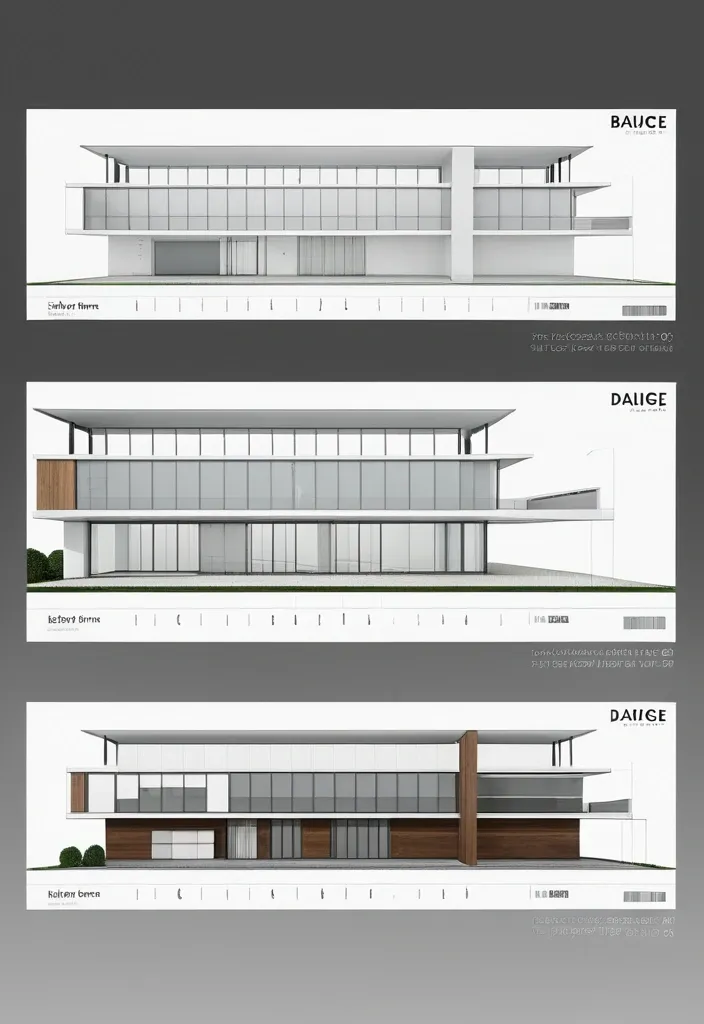

A professional architectural presentation board with a Pure background and a clean , minimalist design layout. The board includes: Top Section: On the top left , a photorealistic render of a contemporary structure. On the top right , leave space for a short paragraph of text describing the design concept in a clean , sans-serif font. Middle Section: In the center , display two architectural floor plans side by side , These plans should include precise details , clear labels , and measurement markings , presented in a technical yet visually appealing style. Bottom Section: Divide the bottom into three equal columns , each featuring a photorealistic interior render with descriptive text below: ,

A holographic projection of a belly dancer , paint in light blue and light green paints , scanning artifacts , rotating projection rings beneath the figure , against a stark black canvas , Each delicate filament is illuminated , radiating a soft glow. Thin , liquid green dotted form the hair and black dress , pulsating with liquid. The overall feel is reminiscent of fluorescent chalk art on a blackboard , focusing on sharp details and vibrant contrast. ar 9:16. ,

A single , tiny mermaid in left dissolves into dark blue waves at its rear. Bare fish spread across the opened mermaid. 3D Rendered in luminous blue and pale purple against a stark black canvas. Each delicate filament is illuminated , radiating a soft glow. Thin , electric green dotted-lines form the hair and yellow fish. The overall feel is reminiscent of fluorescent chalk art on a blackboard , focusing on sharp details and vibrant contrast. ,

A warm , cozy coffee shop interior scene , side three-quarter view of a seated person at a wooden bar counter. The foreground shows a person with long wavy brown hair tied back in a loose ponytail , wearing an olive knit sweater and dark pants , sitting upright on a dark metal chair with a relaxed posture and a wide smile while holding a small drink cup with both hands. On the wooden counter in front of them: a round white plate with two pastries , a small sliced fruit portion , and a fork; scattered small ceramic cups and condiment containers; a paper napkin dispenser; and a touchscreen POS terminal on the right edge. Background: a chalkboard menu wall with faint handwritten text , shelves with bottles and cups , hanging warm pendant lights , and several out-of-focus customers and bar staff behind the counter. Composition: medium shot with shallow depth of field; subject in sharp focus while the background is softly blurred. Lighting: soft warm interior light with bright window glow on the left. Colors and materials: honey-toned wood counter , dark metal chair and fixtures , earthy clothing tones , glassware and ceramic cups , matte chalkboard texture. Style: photorealistic lifestyle photography , natural candid moment , cinematic bokeh , slight lens compression , no visible text recreation. ,


A closely portrait shows a person in a layered traditional Saree beside a worn plaster wall. Their face is outside the frame. Dark strands of hair fall near the top edge , while gathered fabric and rose petals spill over one raised thigh. A Mehndi design covers the lifted foot and leg; the other foot rests on dark wooden floorboards below. A small , dark window occupies the upper left corner. Soft light picks out the traditional delicate patterns against the rough wall , with the Saree's Duppata trailing down to the floor on the right. Aspect Ratio 9:16 , ,


Create a finished sports-editorial campaign poster , 9:16 , full bleed. Lifelike action photography , monumental condensed typography , warm stone palette. One clear athletic moment becomes a sculptural focal point: a real body mid-action , directional hard light , deep sculpted shadow , believable skin , fabric and equipment texture. One headline in massive , heavy , ultra-narrow all-caps sans-serif , bone white. The type is a structural shape in the scene , not a caption: split , stacked or broken by the action. The athlete and headline physically interact: passing through , slicing between or overlapping the letters. Every character stays readable. Palette: warm taupe , stone , greige , bone white , charcoal shadow , with small rust-orange accents only. Strong scale contrast between body and type , with open color fields for breathing room. Headline: TAKE FLIGHT · board as underline · concrete skate bowl Skater at the peak of a high aerial above the bowl , cream windbreaker and dark trousers; the bowl's curved lip echoes the baseline. Type interaction: the board slices between TAKE and FLIGHT like a moving underline. No other text , no logos or brand marks , no watermark , no pseudo-lettering , no neon , no plastic skin , no fake distressed print , no effects that hide the action. ,
# GitHub Terms of Service <!-- markdownlint-disable search-replace --> Thank you for using GitHub! We're happy you're here. Please read this Terms of Service agreement carefully before accessing or using GitHub. Because it is such an important contract between us and our users , we have tried to make it as clear as possible. For your convenience , we have presented these terms in a short non-binding summary followed by the full legal terms. ## Summary | Section | What can you find there? | | -------------------------------------------------------------------------------- | ------------------------------------------------------------------------------------------------------------------------------------------------------------------------------------------------------------------------------------------ | | [A. Definitions](#a-definitions) | Some basic terms , defined in a way that will help you understand this agreement. Refer back up to this section for clarification. | | [B. Account Terms](#b-account-terms) | These are the basic requirements of having an Account on GitHub. | | [C. Acceptable Use](#c-acceptable-use) | These are the basic rules you must follow when using your GitHub Account. | | [D. User-Generated Content](#d-user-generated-content) | You own the content you post on GitHub. However , you have some responsibilities regarding it , and we ask you to grant us some rights so we can provide services to you. | | [E. Private Repositories](#e-private-repositories) | This section talks about how GitHub will treat content you post in private repositories. | | [F. Copyright & DMCA Policy](#f-copyright-infringement-and-dmca-policy) | This section talks about how GitHub will respond if you believe someone is infringing your copyrights on GitHub. | | [G. Intellectual Property Notice](#g-intellectual-property-notice) | This describes GitHub's rights in the website and service. | | [H. API Terms](#h-api-terms) | These are the rules for using GitHub's APIs , whether you are using the API for development or data collection. | | [I. Additional Product Terms](#i-github-additional-product-terms) | We have a few specific rules for GitHub's features and products. | | [J. AI Features , Training , and Your Data](#j-ai-features-training-and-your-data) | These are the terms that apply to GitHub Copilot and other AI features , including how your data may be used for development and improvement of the artificial intelligence and machine learning models , and the controls available to you. | | [K. Beta Previews](#k-beta-previews) | These are some of the additional terms that apply to GitHub's features that are still in development. | | [L. Payment](#l-payment) | You are responsible for payment. We are responsible for billing you accurately. | | [M. Cancellation and Termination](#m-cancellation-and-termination) | You may cancel this agreement and close your Account at any time. | | [N. Communications with GitHub](#n-communications-with-github) | We only use email and other electronic means to stay in touch with our users. We do not provide phone support. | | [O. Disclaimer of Warranties](#o-disclaimer-of-warranties) | We provide our service as is , and we make no promises or guarantees about this service. **Please read this section carefully; you should understand what to expect.** | | [P. Limitation of Liability](#p-limitation-of-liability) | We will not be liable for damages or losses arising from your use or inability to use the service or otherwise arising under this agreement. **Please read this section carefully; it limits our obligations to you.** | | [Q. Release and Indemnification](#q-release-and-indemnification) | You are fully responsible for your use of the service. | | [R. Changes to these Terms of Service](#r-changes-to-these-terms) | We may modify this agreement , but we will give you 30 days' notice of material changes. | | [S. Miscellaneous](#s-miscellaneous) | Please see this section for legal details including our choice of law. | ## The GitHub Terms of Service Effective date: April 27 , 2026 ## A. Definitions **Short version:** *We use these basic terms throughout the agreement , and they have specific meanings. You should know what we mean when we use each of the terms. There's not going to be a test on it , but it's still useful information.* 1. An "Account" represents your legal relationship with GitHub. A “Personal Account” represents an individual User’s authorization to log in to and use the Service and serves as a User’s identity on GitHub. “Organizations” are shared workspaces that may be associated with a single entity or with one or more Users where multiple Users can collaborate across many projects at once. A Personal Account can be a member of any number of Organizations. 2. The “Agreement” refers , collectively , to all the terms , conditions , notices contained or referenced in this document (the “Terms of Service” or the "Terms") and all other operating rules , policies (including the GitHub Privacy Statement , available at [github.com/site/privacy](https://github.com/site/privacy)) and procedures that we may publish from time to time on the Website. Most of our site policies are available at [docs.github.com/categories/site-policy](/en/site-policy). 3. "AI Feature" means any feature of GitHub or our Affiliates that uses machine learning or artificial intelligence to generate Output , including GitHub Copilot , Copilot Autofix , and any other feature identified as using machine learning or artificial intelligence in our documentation. 4. “Affiliate” means any entity that directly or indirectly controls , is controlled by , or is under common control with a party , where "control" means having more than fifty percent (50%) ownership or the right to direct the management of the entity. For the avoidance of doubt , Microsoft is an Affiliate of GitHub. 5. "Beta Previews" mean software , services , or features identified as alpha , beta , preview , early access , or evaluation , or words or phrases with similar meanings. 6. "Content" means code , text , data , documentation , images , graphics , software , packages , and other materials made available through the Service. 7. “GitHub , ” “We , ” and “Us” refer to GitHub , Inc. , as well as our directors , subsidiaries , contractors , licensors , officers , agents , and employees. 8. “Input” means any content or context provided to an AI Feature , including prompts , attachments , code in your workspace , and conversation history. 9. "Output" means responses and suggestions , including code or other material , generated by an AI Feature. 10. The “Service” refers to the applications , software , products , and services provided by GitHub , including through the Website and any Beta Previews. 11. “User , ” “You , ” and “Your” refer to the individual person , company , or organization that has visited or is using the Website or Service; that accesses or uses any part of the Account; or that directs the use of the Account in the performance of its functions. A User must be at least 13 years of age. Special terms may apply for business or government Accounts (See [Section B(5): Additional Terms](#5-additional-terms)). 12. "User-Generated Content" means Content that you or other users upload , submit , or create through the Service. 13. The “Website” refers to GitHub’s website located at [github.com](https://github.com/) , and all content , services , and products provided by GitHub at or through the Website. It also refers to GitHub-owned subdomains of github.com , such as [education.github.com](https://education.github.com/) and [pages.github.com](https://pages.github.com/). These Terms also govern GitHub’s conference websites , such as [githubuniverse.com](https://githubuniverse.com/) , and product websites , such as [electronjs.org](https://www.electronjs.org/). Occasionally , websites owned by GitHub may provide different or additional terms of service. If those additional terms conflict with this Agreement , the more specific terms apply to the relevant page or service. 14. "Your Content" means User-Generated Content that you upload , submit , or create , including your modifications to Content you have forked or cloned. It does not include the underlying Content created by others. ## B. Account Terms **Short version:** *Personal Accounts and Organizations have different administrative controls; a human must create your Account; you must be 13 or over; you must provide a valid email address; and you may not have more than one free Account. You alone are responsible for your Account and anything that happens while you are signed in to or using your Account. You are responsible for keeping your Account secure.* ### 1. Account Controls * Users. Subject to these Terms , you retain ultimate administrative control over your Personal Account and the Content within it. * Organizations. The "owner" of an Organization that was created under these Terms has ultimate administrative control over that Organization and the Content within it. Within the Service , an owner can manage User access to the Organization’s data and projects. An Organization may have multiple owners , but there must be at least one Personal Account designated as an owner of an Organization. If you are the owner of an Organization under these Terms , we consider you responsible for the actions that are performed on or through that Organization. ### 2. Required Information You must provide a valid email address in order to complete the signup process. Any other information requested , such as your real name , is optional , unless you are accepting these terms on behalf of a legal entity (in which case we need more information about the legal entity) or if you opt for a [paid Account](#l-payment) , in which case additional information will be necessary for billing purposes. ### 3. Account Requirements We have a few simple rules for Accounts on GitHub's Service. * You must be a human to create an Account. Accounts registered by "bots" or other automated methods are not permitted. We do permit machine accounts: * A machine account is an Account set up by an individual human who accepts the Terms on behalf of the Account , provides a valid email address , and is responsible for its actions. A machine account is used exclusively for performing automated tasks. Multiple users may direct the actions of a machine account , but the owner of the Account is ultimately responsible for the machine's actions. You may maintain no more than one free machine account in addition to your free Personal Account. * One person or legal entity may maintain no more than one free Account (if you choose to control a machine account as well , that's fine , but it can only be used for running a machine). * You must be age 13 or older. While we are thrilled to see brilliant young coders get excited by learning to program , we must comply with United States law. GitHub does not target our Service to children under 13 , and we do not permit any Users under 13 on our Service. If we learn of any User under the age of 13 , we will [terminate that User’s Account immediately](#m-cancellation-and-termination). If you are a resident of a country outside the United States , your country’s minimum age may be older; in such a case , you are responsible for complying with your country’s laws. * Your login may only be used by one person — i.e. , a single login may not be shared by multiple people. A paid Organization may only provide access to as many Personal Accounts as your subscription allows. * You may not use GitHub in violation of export control or sanctions laws of the United States or any other applicable jurisdiction. You may not use GitHub if you are or are working on behalf of a [Specially Designated National (SDN)](https://www.treasury.gov/resource-center/sanctions/SDN-List/Pages/default.aspx) or a person subject to similar blocking or denied party prohibitions administered by a U.S. government agency. GitHub may allow persons in certain sanctioned countries or territories to access certain GitHub services pursuant to U.S. government authorizations. For more information , please see our [Export Controls policy](/en/site-policy/other-site-policies/github-and-trade-controls). ### 4. Account Security You are responsible for keeping your Account secure while you use our Service. We offer tools such as two-factor authentication to help you maintain your Account's security , but the content of your Account and its security are up to you. * You are responsible for all content posted and activity that occurs under your Account (even when content is posted by others who have Accounts under your Account). * You are responsible for maintaining the security of your Account and password. GitHub cannot and will not be liable for any loss or damage from your failure to comply with this security obligation. * You will promptly notify GitHub by contacting us through the [GitHub Support portal](https://support.github.com/) if you become aware of any unauthorized use of , or access to , our Service through your Account , including any unauthorized use of your password or Account. ### 5. Additional Terms In some situations , third parties' terms may apply to your use of GitHub. For example , you may be a member of an organization on GitHub with its own terms or license agreements; you may download an application that integrates with GitHub; or you may use GitHub to authenticate to another service. Please be aware that while these Terms are our full agreement with you , other parties' terms govern their relationships with you. If you are a government User or otherwise accessing or using any GitHub Service in a government capacity , this [Government Amendment to GitHub Terms of Service](/en/site-policy/site-policy-deprecated/amendment-to-github-terms-of-service-applicable-to-us-federal-government-users) applies to you , and you agree to its provisions. If you have signed up for GitHub Enterprise Cloud , the [Enterprise Cloud Addendum](/en/site-policy/site-policy-deprecated/github-enterprise-service-level-agreement) applies to you , and you agree to its provisions. ## C. Acceptable Use **Short version:** *GitHub hosts a wide variety of collaborative projects from all over the world , and that collaboration only works when our users are able to work together in good faith. While using the service , you must follow the terms of this section , which include some restrictions on content you can post , conduct on the service , and other limitations. In short , be excellent to each other.* Your use of the Website and Service must not violate any applicable laws , including copyright or trademark laws , export control or sanctions laws , or other laws in your jurisdiction. You are responsible for making sure that your use of the Service is in compliance with laws and any applicable regulations. You agree that you will not under any circumstances violate our [Acceptable Use Policies](/en/site-policy/acceptable-use-policies/github-acceptable-use-policies) or [Community Guidelines](/en/site-policy/github-terms/github-community-guidelines). ## D. User-Generated Content **Short version:** *You own content you create , but you allow us certain rights to it , so that we can display and share the content you post. You still have control over your content , and responsibility for it , and the rights you grant us are limited to those we need to provide the service. We have the right to remove content or close Accounts if we need to.* ### 1. Responsibility for User-Generated Content You are responsible for Your Content and any harm resulting from it. This includes Content you post , upload , or make available through the Service. We are not responsible for any public display or misuse of Your Content. ### 2. GitHub May Remove Content We may refuse or remove User-Generated Content that violates applicable law or our terms and policies. We access private repositories only as described in Section E. Content displayed on GitHub Mobile may be subject to app store terms. ### 3. Ownership and License Grants You own Your Content. If you post Content you did not create , you are responsible for ensuring you have the right to post it and for complying with any applicable licenses. You grant us and other Users the licenses in Sections D.4–D.8. These licenses apply to Your Content. If Your Content already includes a license granting us the permissions we need , no additional license is required. You will not receive payment for these rights. These licenses end when you remove Your Content , unless other Users have forked it. ### 4. License Grant to Us You grant GitHub and our Affiliates the right to store , host , archive , parse , display , and make copies of Your Content as necessary to provide , develop , and improve the Service , including by training AI Features , and for the purpose of training , developing , and improving artificial intelligence and machine learning models and technologies of our Affiliates. This license includes the right to do things like copy it to our database and make backups; show it to you and other Users; parse it into a search index or otherwise analyze it on our servers; share it with other Users; and perform it , in case Your Content is something like music or video. For the avoidance of doubt , use of Your Content to develop , train , and improve artificial intelligence and machine learning models and technologies of GitHub and our Affiliates is within the scope of this license and does not constitute a sale or other restricted transfer of Your Content. ### 5. License Grant to Other Users Your Content that you post publicly , including issues , comments , and contributions to other Users' repositories , may be viewed by others. By setting your repositories to be viewed publicly , you agree to allow others to view and "fork" your repositories (this means that others may make their own copies within the Service in repositories they control). By making a repository public , you grant other Users a nonexclusive , worldwide license to use , display , perform and reproduce (by forking) Your Content through the Service as permitted by GitHub's functionality. You may grant additional rights by [adopting a license](/en/communities/setting-up-your-project-for-healthy-contributions/adding-a-license-to-a-repository#including-an-open-source-license-in-your-repository). If you post Content you did not create or own , you are responsible for ensuring it is licensed under terms that permit these uses. ### 6. Contributions Under Repository License Whenever you add Content to a repository containing notice of a license , you license that Content under the same terms , and you agree that you have the right to license that Content under those terms. If you have a separate agreement to license that Content under different terms , such as a contributor license agreement , that agreement will supersede. Isn't this just how it works already? Yep. This is widely accepted as the norm in the open-source community; it's commonly referred to by the shorthand "inbound=outbound". We're just making it explicit. ### 7. Moral Rights You retain all moral rights to Your Content that you upload , publish , or submit to any part of the Service , including the rights of integrity and attribution. However , you waive these rights and agree not to assert them against us or our Affiliates , to enable GitHub and our Affiliates to reasonably exercise the rights granted in Section D.4 , but not otherwise. To the extent this agreement is not enforceable by applicable law , you grant GitHub the rights we need to use Your Content without attribution and to make reasonable adaptations of Your Content as necessary to render the Website and provide the Service. ### 8. Public Repositories and Lawful Access By choosing to contribute Content to a public repository , you are choosing to and directing us to make such Content accessible to everyone on the internet. Unless specifically set forth herein , these Terms do not restrict lawful access to or use of the contents of public repositories by third parties , or by GitHub or its Affiliates. ### 9. Access Reciprocity By using automated means to access , collect , or otherwise use (“Access”) any publicly accessible Content from the Service for the purpose of developing or training any commercially available artificial intelligence model , machine learning system , or similar technology (a "Commercial AI System") , you hereby waive any and all policies , terms , conditions , or contractual provisions governing products , services , websites or datasets you own or operate that would otherwise prohibit , restrict , or place conditions upon GitHub's Access to any publicly accessible data , information or content associated with your products or services , including for the purpose of developing or training any Commercial AI System. You further agree not to impose technical or other targeted measures to restrict or retaliate against such Access. This Section D.9 does not apply to Access solely for the purpose of academic research or if , on the date you Access the Content , the number of monthly active users of the products or services made available by you is less than 700 million in the preceding calendar month. For the purposes of this Section , "you" shall refer to you and any entity that directly or indirectly controls , is controlled by , or is under common control with you (affiliates). ## E. Private Repositories **Short version:** *We treat the content of private repositories as confidential , and we only access it as described in Section E.3 below—for security purposes , to assist the repository owner with a support matter , to maintain the integrity of the Service , to comply with our legal obligations , if we have reason to believe the contents are in violation of the law , or with your consent.* ### 1. Control of Private Repositories Some Accounts may have private repositories , which allow the User to control access to Content. ### 2. Confidentiality of Private Repositories GitHub considers the contents of private repositories to be confidential to you. GitHub will protect the contents of private repositories from unauthorized use , access , or disclosure in the same manner that we would use to protect our own confidential information of a similar nature and in no event with less than a reasonable degree of care. ### 3. Access You control access to the content of your private repositories. GitHub considers the contents of private repositories to be confidential to you , as set forth in Section E.2 , and GitHub personnel will not access private repository content without your consent except in the following circumstances: * for security purposes; * for automated scanning or manual review for known vulnerabilities , active malware , or other content known to violate our Terms of Service; * to assist the repository owner with a support matter; * to maintain the integrity of the Service; or * to comply with our legal obligations if we have reason to believe the contents are in violation of the law. You may choose to enable additional access to your private repositories. For example: * You may enable various GitHub services or features that require additional rights to Your Content in private repositories. These rights may vary depending on the service or feature , but GitHub will continue to treat your private repository Content as confidential. If those services or features require rights in addition to those we need to provide the GitHub Service , we will provide an explanation of those rights. * If you provide your private repository content as Input to AI Features , we may use that Input to provide , develop , train , and improve the Service , including AI Features. Your ability to opt out under [Section J.3](#3-development-and-improvement-using-your-input-and-output) applies to this use of private repository content. We will not otherwise use your private repository contents to develop or improve the Service. Additionally , we may be [compelled by law](/en/site-policy/privacy-policies/github-general-privacy-statement#sharing-of-personal-data) to disclose the contents of your private repositories. GitHub will provide notice regarding our access to private repository content , unless [for legal disclosure](/en/site-policy/privacy-policies/github-general-privacy-statement) , to comply with our legal obligations , or where otherwise bound by requirements under law , for automated scanning , or if in response to a security threat or other risk to security. ## F. Copyright Infringement and DMCA Policy If you believe that content on our website violates your copyright , please contact us in accordance with our [Digital Millennium Copyright Act Policy](/en/site-policy/content-removal-policies/dmca-takedown-policy). If you are a copyright owner and you believe that content on GitHub violates your rights , please contact us via [our convenient DMCA form](https://github.com/contact/dmca) or by emailing <copyright@github.com>. There may be legal consequences for sending a false or frivolous takedown notice. Before sending a takedown request , you must consider legal uses such as fair use and licensed uses. We will terminate the Accounts of [repeat infringers](/en/site-policy/content-removal-policies/dmca-takedown-policy#f-repeated-infringement) of this policy. ## G. Intellectual Property Notice **Short version:** *We own the service and all of our content. In order for you to use our content , we give you certain rights to it , but you may only use our content in the way we have allowed.* ### 1. GitHub's Rights to Content GitHub and our licensors , vendors , agents , and/or our content providers retain ownership of all intellectual property rights of any kind related to the Website and Service. We reserve all rights that are not expressly granted to you under this Agreement or by law. The look and feel of the Website and Service is copyright © GitHub , Inc. All rights reserved. You may not duplicate , copy , or reuse any portion of the HTML/CSS , JavaScript , or visual design elements or concepts without express written permission from GitHub. ### 2. GitHub Trademarks and Logos If you’d like to use GitHub’s trademarks , you must follow all of our trademark guidelines , including those on our logos page: <https://github.com/logos>. ### 3. License to GitHub Policies This Agreement is licensed under this [Creative Commons Zero license](https://creativecommons.org/publicdomain/zero/1.0/). For details , see our [site-policy repository](https://github.com/github/site-policy#license). ## H. API Terms **Short version:** *You agree to these Terms of Service , plus this Section H , when using any of GitHub's APIs (Application Programming Interface) , including use of the API through a third party product that accesses GitHub.* Abuse or excessively frequent requests to GitHub via the API may result in the temporary or permanent suspension of your Account's access to the API. GitHub , in our sole discretion , will determine abuse or excessive usage of the API. We will make a reasonable attempt to warn you via email prior to suspension. You may not share API tokens to exceed GitHub's rate limitations. You may not use the API to download data or Content from GitHub for spamming purposes , including for the purposes of selling GitHub users' personal information , such as to recruiters , headhunters , and job boards. All use of the GitHub API is subject to these Terms of Service and the [GitHub Privacy Statement](https://github.com/site/privacy). GitHub may offer subscription-based access to our API for those Users who require high-throughput access or access that would result in resale of GitHub's Service. ## I. GitHub Additional Product Terms **Short version:** *You need to follow certain specific terms and conditions for GitHub's various features and products , and you agree to the Supplemental Terms and Conditions when you agree to this Agreement.* Some Service features may be subject to additional terms specific to that feature or product as set forth in the GitHub Additional Product Terms. By accessing or using the Services , you also agree to the [GitHub Additional Product Terms](/en/site-policy/github-terms/github-terms-for-additional-products-and-features). ## J. AI Features , Training , and Your Data ### 1. Applicability This section applies to all AI Features unless a specific feature has additional terms that expressly modify them. The training and data-use provisions in Section J.3 apply only to individual licenses. If your use of the Service is governed by a GitHub Customer Agreement or volume licensing agreement , those agreements govern the use of your data in connection with AI Features and Section J.3 does not apply to you. ### 2. Ownership GitHub does not claim ownership of your Input or Output. Output may contain material that resembles code or content in the model's training data or that is subject to third-party copyrights or open source license terms. You are responsible for determining whether your use of Output requires a third-party license and for complying with any such license. ### 3. Development and Improvement Using Your Input and Output We use your Inputs to generate Outputs and provide the AI Features. You also grant GitHub and its Affiliates a license to collect and use your Inputs and Outputs to develop , train and improve artificial intelligence and machine learning models and technologies including those that power AI Features , unless (a) you opt out through your account settings , or (b) your use of the Service is governed by a GitHub Customer Agreement or volume licensing agreement. If you opt out , GitHub will not collect or use your Inputs and Outputs for the purposes described in this paragraph from the effective date of your opt-out going forward. Unless you opt out , GitHub's Affiliates may use your Inputs and Outputs under this license in accordance with their applicable privacy and contractual obligations. This license does not , however , permit GitHub or its Affiliates to share your Inputs or Outputs with third-party AI model providers for their own independent model training purposes. The license in this Section J.3 is in addition to , and does not limit , the rights granted to GitHub and its Affiliates under Sections D.4 and D.8. This license does not extend to Your Content stored in repositories that are not provided as Input to an AI Feature. The opt-out right described in this section applies solely to the use of your Inputs and Outputs as described in this section , and does not apply to the license granted in Sections D.4-D.8 or to any Content that does not constitute Input or Output (including Content stored in public repositories). ### 4. Disclaimers Output is provided "as-is" and subject to the disclaimers in Section O. Without limiting Section O: Output may be inaccurate , incomplete , or non-functional. Output may resemble third-party code , including code under open source licenses. We do not guarantee that Output is free of errors , vulnerabilities , or intellectual property claims. You are responsible for reviewing , testing , and validating any Output before use. ### 5. Your Responsibility and Indemnity You are responsible for your use of Output , including ensuring it complies with applicable law and does not infringe third-party rights. Your indemnity obligations in Section Q apply to your use of AI Features and Output , including claims arising from Output you incorporate into your products or services. ## K. Beta Previews **Short version:** *Beta Previews may not be supported or may change at any time. You may receive confidential information through those programs that must remain confidential while the program is private. We'd love your feedback to make our Beta Previews better.* ### 1. Subject to Change Beta Previews may not be supported and may be changed at any time without notice. In addition , Beta Previews are not subject to the same security measures and auditing to which the Service has been and is subject. **By using a Beta Preview , you use it at your own risk.** ### 2. Confidentiality As a user of Beta Previews , you may get access to special information that isn’t available to the rest of the world. Due to the sensitive nature of this information , it’s important for us to make sure that you keep that information secret. **Confidentiality Obligations.** You agree that any non-public Beta Preview information we give you , such as information about a private Beta Preview , will be considered GitHub’s confidential information (collectively , “Confidential Information”) , regardless of whether it is marked or identified as such. You agree to only use such Confidential Information for the express purpose of testing and evaluating the Beta Preview (the “Purpose”) , and not for any other purpose. You should use the same degree of care as you would with your own confidential information , but no less than reasonable precautions to prevent any unauthorized use , disclosure , publication , or dissemination of our Confidential Information. You promise not to disclose , publish , or disseminate any Confidential Information to any third party , unless we don’t otherwise prohibit or restrict such disclosure (for example , you might be part of a GitHub-organized group discussion about a private Beta Preview feature). **Exceptions.** Confidential Information will not include information that is: (a) or becomes publicly available without breach of this Agreement through no act or inaction on your part (such as when a private Beta Preview becomes a public Beta Preview); (b) known to you before we disclose it to you; (c) independently developed by you without breach of any confidentiality obligation to us or any third party; or (d) disclosed with permission from GitHub. You will not violate the terms of this Agreement if you are required to disclose Confidential Information pursuant to operation of law , provided GitHub has been given reasonable advance written notice to object , unless prohibited by law. ### 3. Feedback We’re always trying to improve our products and services , and your feedback as a Beta Preview user will help us do that. If you choose to give us any ideas , know-how , algorithms , code contributions , suggestions , enhancement requests , recommendations or any other feedback for our products or services (collectively , “Feedback”) , you acknowledge and agree that GitHub will have a royalty-free , fully paid-up , worldwide , transferable , sub-licensable , irrevocable and perpetual license to implement , use , modify , commercially exploit and/or incorporate the Feedback into our products , services , and documentation. ## L. Payment **Short version:** *You are responsible for any fees associated with your use of GitHub. We are responsible for communicating those fees to you clearly and accurately , and letting you know well in advance if those prices change.* ### 1. Pricing Our pricing and payment terms are available at [github.com/pricing](https://github.com/pricing). If you agree to a subscription price , that will remain your price for the duration of the payment term; however , prices are subject to change at the end of a payment term. ### 2. Upgrades , Downgrades , and Changes * We will immediately bill you when you upgrade from the free plan to any paying plan. * If you change from a monthly billing plan to a yearly billing plan , GitHub will bill you for a full year at the next monthly billing date. * If you upgrade to a higher level of service , we will bill you for the upgraded plan immediately. * You may change your level of service at any time by [choosing a plan option](https://github.com/pricing) or going into your [Billing settings](https://github.com/settings/billing). If you choose to downgrade your Account , you may lose access to Content , features , or capacity of your Account. Please see our section on [Cancellation](#m-cancellation-and-termination) for information on getting a copy of that Content. ### 3. Billing Schedule; No Refunds **Payment Based on Plan** For monthly or yearly payment plans , the Service is billed in advance on a monthly or yearly basis respectively and is non-refundable. There will be no refunds or credits for partial months of service , downgrade refunds , or refunds for months unused with an open Account; however , the service will remain active for the length of the paid billing period. In order to treat everyone equally , no exceptions will be made. **Payment Based on Usage** Some Service features are billed based on your usage. A limited quantity of these Service features may be included in your plan for a limited term without additional charge. If you choose to use paid Service features beyond the quantity included in your plan , you pay for those Service features based on your actual usage in the preceding month. Monthly payment for these purchases will be charged on a periodic basis in arrears. See [GitHub Additional Product Terms for Details](/en/site-policy/github-terms/github-terms-for-additional-products-and-features). **Invoicing** For invoiced Users , User agrees to pay the fees in full , up front without deduction or setoff of any kind , in U.S. Dollars. User must pay the fees within thirty (30) days of the GitHub invoice date. Amounts payable under this Agreement are non-refundable , except as otherwise provided in this Agreement. If User fails to pay any fees on time , GitHub reserves the right , in addition to taking any other action at law or equity , to (i) charge interest on past due amounts at 1.0% per month or the highest interest rate allowed by law , whichever is less , and to charge all expenses of recovery , and (ii) terminate the applicable order form. User is solely responsible for all taxes , fees , duties and governmental assessments (except for taxes based on GitHub's net income) that are imposed or become due in connection with this Agreement. ### 4. Authorization By agreeing to these Terms , you are giving us permission to charge your on-file credit card , PayPal account , or other approved methods of payment for fees that you authorize for GitHub. ### 5. Responsibility for Payment You are responsible for all fees , including taxes , associated with your use of the Service. By using the Service , you agree to pay GitHub any charge incurred in connection with your use of the Service. If you dispute the matter , contact us through the [GitHub Support portal](https://support.github.com/). You are responsible for providing us with a valid means of payment for paid Accounts. Free Accounts are not required to provide payment information. ## M. Cancellation and Termination **Short version:** *You may close your Account at any time. If you do , we'll treat your information responsibly.* ### 1. Account Cancellation It is your responsibility to properly cancel your Account with GitHub. You can [cancel your Account at any time](/en/billing/how-tos/manage-plan-and-licenses/downgrade-plan) by going into your Settings in the global navigation bar at the top of the screen. The Account screen provides a simple , no questions asked cancellation link. We are not able to cancel Accounts in response to an email or phone request. ### 2. Upon Cancellation We will retain and use your information as necessary to comply with our legal obligations , resolve disputes , and enforce our agreements , but barring legal requirements , we will delete your full profile and the Content of your repositories within 90 days of cancellation or termination (though some information may remain in encrypted backups). This information cannot be recovered once your Account is canceled. We will not delete Content that you have contributed to other Users' repositories or that other Users have forked. Upon request , we will make a reasonable effort to provide an Account owner with a copy of your lawful , non-infringing Account contents after Account cancellation , termination , or downgrade. You must make this request within 90 days of cancellation , termination , or downgrade. ### 3. GitHub May Terminate GitHub has the right to suspend or terminate your access to all or any part of the Website at any time , with or without cause , with or without notice , effective immediately. GitHub reserves the right to refuse service to anyone for any reason at any time. ### 4. Survival All provisions of this Agreement which , by their nature , should survive termination *will* survive termination — including , without limitation: ownership provisions , warranty disclaimers , indemnity , and limitations of liability. ## N. Communications with GitHub **Short version:** *We use email and other electronic means to stay in touch with our users.* ### 1. Electronic Communication Required For contractual purposes , you (1) consent to receive communications from us in an electronic form via the email address you have submitted or via the Service; and (2) agree that all Terms of Service , agreements , notices , disclosures , and other communications that we provide to you electronically satisfy any legal requirement that those communications would satisfy if they were on paper. This section does not affect your non-waivable rights. ### 2. Legal Notice to GitHub Must Be in Writing Communications made through email or GitHub Support's messaging system will not constitute legal notice to GitHub or any of its officers , employees , agents or representatives in any situation where notice to GitHub is required by contract or any law or regulation. Legal notice to GitHub must be in writing and [served on GitHub's legal agent](/en/site-policy/other-site-policies/guidelines-for-legal-requests-of-user-data#submitting-requests). ### 3. No Phone Support GitHub only offers support via email , in-Service communications , and electronic messages. We do not offer telephone support. ## O. Disclaimer of Warranties **Short version:** *We provide our service as is , and we make no promises or guarantees about this service. Please read this section carefully; you should understand what to expect.* GitHub provides the Website and the Service “as is” and “as available , ” without warranty of any kind. Without limiting this , we expressly disclaim all warranties , whether express , implied or statutory , regarding the Website and the Service including without limitation any warranty of merchantability , fitness for a particular purpose , title , security , accuracy and non-infringement. GitHub does not warrant that the Service will meet your requirements; that the Service will be uninterrupted , timely , secure , or error-free; that the information provided through the Service is accurate , reliable or correct; that any defects or errors will be corrected; that the Service will be available at any particular time or location; or that the Service is free of viruses or other harmful components. You assume full responsibility and risk of loss resulting from your downloading and/or use of files , information , content or other material obtained from the Service. ## P. Limitation of Liability **Short version:** *We will not be liable for damages or losses arising from your use or inability to use the service or otherwise arising under this agreement. Please read this section carefully; it limits our obligations to you.* You understand and agree that we will not be liable to you or any third party for any loss of profits , use , goodwill , or data , or for any incidental , indirect , special , consequential or exemplary damages , however arising , that result from <!-- markdownlint-disable GHD034 --> * the use , disclosure , or display of your User-Generated Content; * your use or inability to use the Service; * any modification , price change , suspension or discontinuance of the Service; * the Service generally or the software or systems that make the Service available; * unauthorized access to or alterations of your transmissions or data; * statements or conduct of any third party on the Service; * any other user interactions that you input or receive through your use of the Service; or * any other matter relating to the Service. <!-- markdownlint-enable GHD034 --> Our liability is limited whether or not we have been informed of the possibility of such damages , and even if a remedy set forth in this Agreement is found to have failed of its essential purpose. We will have no liability for any failure or delay due to matters beyond our reasonable control. ## Q. Release and Indemnification **Short version:** *You are responsible for your use of the service. If you harm someone else or get into a dispute with someone else , we will not be involved.* If you have a dispute with one or more Users , you agree to release GitHub from any and all claims , demands and damages (actual and consequential) of every kind and nature , known and unknown , arising out of or in any way connected with such disputes. You agree to indemnify us , defend us , and hold us harmless from and against any and all claims , liabilities , and expenses , including attorneys’ fees , arising out of your use of the Website and the Service , including but not limited to your violation of this Agreement , provided that GitHub (1) promptly gives you written notice of the claim , demand , suit or proceeding; (2) gives you sole control of the defense and settlement of the claim , demand , suit or proceeding (provided that you may not settle any claim , demand , suit or proceeding unless the settlement unconditionally releases GitHub of all liability); and (3) provides to you all reasonable assistance , at your expense. ## R. Changes to These Terms **Short version:** *We want our users to be informed of important changes to our terms , but some changes aren't that important — we don't want to bother you every time we fix a typo. So while we may modify this agreement at any time , we will notify users of any material changes and give you time to adjust to them.* We reserve the right , at our sole discretion , to amend these Terms of Service at any time and will update these Terms of Service in the event of any such amendments. We will notify our Users of material changes to this Agreement , such as price increases , at least 30 days prior to the change taking effect by posting a notice on our Website or sending email to the primary email address specified in your GitHub account. Customer's continued use of the Service after those 30 days constitutes agreement to those revisions of this Agreement. For any other modifications , your continued use of the Website constitutes agreement to our revisions of these Terms of Service. You can view all changes to these Terms in our [Site Policy](https://github.com/github/site-policy) repository. We reserve the right at any time and from time to time to modify or discontinue , temporarily or permanently , the Website (or any part of it) with or without notice. ## S. Miscellaneous ### 1. Governing Law Except to the extent applicable law provides otherwise , this Agreement between you and GitHub and any access to or use of the Website or the Service are governed by the federal laws of the United States of America and the laws of the State of California , without regard to conflict of law provisions. You and GitHub agree to submit to the exclusive jurisdiction and venue of the courts located in the City and County of San Francisco , California. However , any claim for injunctive relief with respect to a violation of section D.9 may be brought in any jurisdiction. ### 2. Non-Assignability GitHub may assign or delegate these Terms of Service and/or the [GitHub Privacy Statement](https://github.com/site/privacy) , in whole or in part , to any person or entity at any time with or without your consent , including the license grant in Section D.4. You may not assign or delegate any rights or obligations under the Terms of Service or Privacy Statement without our prior written consent , and any unauthorized assignment and delegation by you is void. ### 3. Section Headings and Summaries Throughout this Agreement , each section includes titles and brief summaries of the following terms and conditions. These section titles and brief summaries are not legally binding. ### 4. Severability , No Waiver , and Survival If any part of this Agreement is held invalid or unenforceable , that portion of the Agreement will be construed to reflect the parties’ original intent. The remaining portions will remain in full force and effect. Any failure on the part of GitHub to enforce any provision of this Agreement will not be considered a waiver of our right to enforce such provision. Our rights under this Agreement will survive any termination of this Agreement. ### 5. Amendments; Complete Agreement This Agreement may only be modified by a written amendment signed by an authorized representative of GitHub , or by the posting by GitHub of a revised version in accordance with [Section R. Changes to These Terms](#r-changes-to-these-terms). These Terms of Service , together with the GitHub Privacy Statement , represent the complete and exclusive statement of the agreement between you and us. This Agreement supersedes any proposal or prior agreement oral or written , and any other communications between you and GitHub relating to the subject matter of these terms including any confidentiality or nondisclosure agreements. ### 6. Questions Questions about the Terms of Service? Contact us through the [GitHub Support portal](https://support.github.com/). ,
# GitHub Terms of Service <!-- markdownlint-disable search-replace --> Thank you for using GitHub! We're happy you're here. Please read this Terms of Service agreement carefully before accessing or using GitHub. Because it is such an important contract between us and our users , we have tried to make it as clear as possible. For your convenience , we have presented these terms in a short non-binding summary followed by the full legal terms. ## Summary | Section | What can you find there? | | -------------------------------------------------------------------------------- | ------------------------------------------------------------------------------------------------------------------------------------------------------------------------------------------------------------------------------------------ | | [A. Definitions](#a-definitions) | Some basic terms , defined in a way that will help you understand this agreement. Refer back up to this section for clarification. | | [B. Account Terms](#b-account-terms) | These are the basic requirements of having an Account on GitHub. | | [C. Acceptable Use](#c-acceptable-use) | These are the basic rules you must follow when using your GitHub Account. | | [D. User-Generated Content](#d-user-generated-content) | You own the content you post on GitHub. However , you have some responsibilities regarding it , and we ask you to grant us some rights so we can provide services to you. | | [E. Private Repositories](#e-private-repositories) | This section talks about how GitHub will treat content you post in private repositories. | | [F. Copyright & DMCA Policy](#f-copyright-infringement-and-dmca-policy) | This section talks about how GitHub will respond if you believe someone is infringing your copyrights on GitHub. | | [G. Intellectual Property Notice](#g-intellectual-property-notice) | This describes GitHub's rights in the website and service. | | [H. API Terms](#h-api-terms) | These are the rules for using GitHub's APIs , whether you are using the API for development or data collection. | | [I. Additional Product Terms](#i-github-additional-product-terms) | We have a few specific rules for GitHub's features and products. | | [J. AI Features , Training , and Your Data](#j-ai-features-training-and-your-data) | These are the terms that apply to GitHub Copilot and other AI features , including how your data may be used for development and improvement of the artificial intelligence and machine learning models , and the controls available to you. | | [K. Beta Previews](#k-beta-previews) | These are some of the additional terms that apply to GitHub's features that are still in development. | | [L. Payment](#l-payment) | You are responsible for payment. We are responsible for billing you accurately. | | [M. Cancellation and Termination](#m-cancellation-and-termination) | You may cancel this agreement and close your Account at any time. | | [N. Communications with GitHub](#n-communications-with-github) | We only use email and other electronic means to stay in touch with our users. We do not provide phone support. | | [O. Disclaimer of Warranties](#o-disclaimer-of-warranties) | We provide our service as is , and we make no promises or guarantees about this service. **Please read this section carefully; you should understand what to expect.** | | [P. Limitation of Liability](#p-limitation-of-liability) | We will not be liable for damages or losses arising from your use or inability to use the service or otherwise arising under this agreement. **Please read this section carefully; it limits our obligations to you.** | | [Q. Release and Indemnification](#q-release-and-indemnification) | You are fully responsible for your use of the service. | | [R. Changes to these Terms of Service](#r-changes-to-these-terms) | We may modify this agreement , but we will give you 30 days' notice of material changes. | | [S. Miscellaneous](#s-miscellaneous) | Please see this section for legal details including our choice of law. | ## The GitHub Terms of Service Effective date: April 27 , 2026 ## A. Definitions **Short version:** *We use these basic terms throughout the agreement , and they have specific meanings. You should know what we mean when we use each of the terms. There's not going to be a test on it , but it's still useful information.* 1. An "Account" represents your legal relationship with GitHub. A “Personal Account” represents an individual User’s authorization to log in to and use the Service and serves as a User’s identity on GitHub. “Organizations” are shared workspaces that may be associated with a single entity or with one or more Users where multiple Users can collaborate across many projects at once. A Personal Account can be a member of any number of Organizations. 2. The “Agreement” refers , collectively , to all the terms , conditions , notices contained or referenced in this document (the “Terms of Service” or the "Terms") and all other operating rules , policies (including the GitHub Privacy Statement , available at [github.com/site/privacy](https://github.com/site/privacy)) and procedures that we may publish from time to time on the Website. Most of our site policies are available at [docs.github.com/categories/site-policy](/en/site-policy). 3. "AI Feature" means any feature of GitHub or our Affiliates that uses machine learning or artificial intelligence to generate Output , including GitHub Copilot , Copilot Autofix , and any other feature identified as using machine learning or artificial intelligence in our documentation. 4. “Affiliate” means any entity that directly or indirectly controls , is controlled by , or is under common control with a party , where "control" means having more than fifty percent (50%) ownership or the right to direct the management of the entity. For the avoidance of doubt , Microsoft is an Affiliate of GitHub. 5. "Beta Previews" mean software , services , or features identified as alpha , beta , preview , early access , or evaluation , or words or phrases with similar meanings. 6. "Content" means code , text , data , documentation , images , graphics , software , packages , and other materials made available through the Service. 7. “GitHub , ” “We , ” and “Us” refer to GitHub , Inc. , as well as our directors , subsidiaries , contractors , licensors , officers , agents , and employees. 8. “Input” means any content or context provided to an AI Feature , including prompts , attachments , code in your workspace , and conversation history. 9. "Output" means responses and suggestions , including code or other material , generated by an AI Feature. 10. The “Service” refers to the applications , software , products , and services provided by GitHub , including through the Website and any Beta Previews. 11. “User , ” “You , ” and “Your” refer to the individual person , company , or organization that has visited or is using the Website or Service; that accesses or uses any part of the Account; or that directs the use of the Account in the performance of its functions. A User must be at least 13 years of age. Special terms may apply for business or government Accounts (See [Section B(5): Additional Terms](#5-additional-terms)). 12. "User-Generated Content" means Content that you or other users upload , submit , or create through the Service. 13. The “Website” refers to GitHub’s website located at [github.com](https://github.com/) , and all content , services , and products provided by GitHub at or through the Website. It also refers to GitHub-owned subdomains of github.com , such as [education.github.com](https://education.github.com/) and [pages.github.com](https://pages.github.com/). These Terms also govern GitHub’s conference websites , such as [githubuniverse.com](https://githubuniverse.com/) , and product websites , such as [electronjs.org](https://www.electronjs.org/). Occasionally , websites owned by GitHub may provide different or additional terms of service. If those additional terms conflict with this Agreement , the more specific terms apply to the relevant page or service. 14. "Your Content" means User-Generated Content that you upload , submit , or create , including your modifications to Content you have forked or cloned. It does not include the underlying Content created by others. ## B. Account Terms **Short version:** *Personal Accounts and Organizations have different administrative controls; a human must create your Account; you must be 13 or over; you must provide a valid email address; and you may not have more than one free Account. You alone are responsible for your Account and anything that happens while you are signed in to or using your Account. You are responsible for keeping your Account secure.* ### 1. Account Controls * Users. Subject to these Terms , you retain ultimate administrative control over your Personal Account and the Content within it. * Organizations. The "owner" of an Organization that was created under these Terms has ultimate administrative control over that Organization and the Content within it. Within the Service , an owner can manage User access to the Organization’s data and projects. An Organization may have multiple owners , but there must be at least one Personal Account designated as an owner of an Organization. If you are the owner of an Organization under these Terms , we consider you responsible for the actions that are performed on or through that Organization. ### 2. Required Information You must provide a valid email address in order to complete the signup process. Any other information requested , such as your real name , is optional , unless you are accepting these terms on behalf of a legal entity (in which case we need more information about the legal entity) or if you opt for a [paid Account](#l-payment) , in which case additional information will be necessary for billing purposes. ### 3. Account Requirements We have a few simple rules for Accounts on GitHub's Service. * You must be a human to create an Account. Accounts registered by "bots" or other automated methods are not permitted. We do permit machine accounts: * A machine account is an Account set up by an individual human who accepts the Terms on behalf of the Account , provides a valid email address , and is responsible for its actions. A machine account is used exclusively for performing automated tasks. Multiple users may direct the actions of a machine account , but the owner of the Account is ultimately responsible for the machine's actions. You may maintain no more than one free machine account in addition to your free Personal Account. * One person or legal entity may maintain no more than one free Account (if you choose to control a machine account as well , that's fine , but it can only be used for running a machine). * You must be age 13 or older. While we are thrilled to see brilliant young coders get excited by learning to program , we must comply with United States law. GitHub does not target our Service to children under 13 , and we do not permit any Users under 13 on our Service. If we learn of any User under the age of 13 , we will [terminate that User’s Account immediately](#m-cancellation-and-termination). If you are a resident of a country outside the United States , your country’s minimum age may be older; in such a case , you are responsible for complying with your country’s laws. * Your login may only be used by one person — i.e. , a single login may not be shared by multiple people. A paid Organization may only provide access to as many Personal Accounts as your subscription allows. * You may not use GitHub in violation of export control or sanctions laws of the United States or any other applicable jurisdiction. You may not use GitHub if you are or are working on behalf of a [Specially Designated National (SDN)](https://www.treasury.gov/resource-center/sanctions/SDN-List/Pages/default.aspx) or a person subject to similar blocking or denied party prohibitions administered by a U.S. government agency. GitHub may allow persons in certain sanctioned countries or territories to access certain GitHub services pursuant to U.S. government authorizations. For more information , please see our [Export Controls policy](/en/site-policy/other-site-policies/github-and-trade-controls). ### 4. Account Security You are responsible for keeping your Account secure while you use our Service. We offer tools such as two-factor authentication to help you maintain your Account's security , but the content of your Account and its security are up to you. * You are responsible for all content posted and activity that occurs under your Account (even when content is posted by others who have Accounts under your Account). * You are responsible for maintaining the security of your Account and password. GitHub cannot and will not be liable for any loss or damage from your failure to comply with this security obligation. * You will promptly notify GitHub by contacting us through the [GitHub Support portal](https://support.github.com/) if you become aware of any unauthorized use of , or access to , our Service through your Account , including any unauthorized use of your password or Account. ### 5. Additional Terms In some situations , third parties' terms may apply to your use of GitHub. For example , you may be a member of an organization on GitHub with its own terms or license agreements; you may download an application that integrates with GitHub; or you may use GitHub to authenticate to another service. Please be aware that while these Terms are our full agreement with you , other parties' terms govern their relationships with you. If you are a government User or otherwise accessing or using any GitHub Service in a government capacity , this [Government Amendment to GitHub Terms of Service](/en/site-policy/site-policy-deprecated/amendment-to-github-terms-of-service-applicable-to-us-federal-government-users) applies to you , and you agree to its provisions. If you have signed up for GitHub Enterprise Cloud , the [Enterprise Cloud Addendum](/en/site-policy/site-policy-deprecated/github-enterprise-service-level-agreement) applies to you , and you agree to its provisions. ## C. Acceptable Use **Short version:** *GitHub hosts a wide variety of collaborative projects from all over the world , and that collaboration only works when our users are able to work together in good faith. While using the service , you must follow the terms of this section , which include some restrictions on content you can post , conduct on the service , and other limitations. In short , be excellent to each other.* Your use of the Website and Service must not violate any applicable laws , including copyright or trademark laws , export control or sanctions laws , or other laws in your jurisdiction. You are responsible for making sure that your use of the Service is in compliance with laws and any applicable regulations. You agree that you will not under any circumstances violate our [Acceptable Use Policies](/en/site-policy/acceptable-use-policies/github-acceptable-use-policies) or [Community Guidelines](/en/site-policy/github-terms/github-community-guidelines). ## D. User-Generated Content **Short version:** *You own content you create , but you allow us certain rights to it , so that we can display and share the content you post. You still have control over your content , and responsibility for it , and the rights you grant us are limited to those we need to provide the service. We have the right to remove content or close Accounts if we need to.* ### 1. Responsibility for User-Generated Content You are responsible for Your Content and any harm resulting from it. This includes Content you post , upload , or make available through the Service. We are not responsible for any public display or misuse of Your Content. ### 2. GitHub May Remove Content We may refuse or remove User-Generated Content that violates applicable law or our terms and policies. We access private repositories only as described in Section E. Content displayed on GitHub Mobile may be subject to app store terms. ### 3. Ownership and License Grants You own Your Content. If you post Content you did not create , you are responsible for ensuring you have the right to post it and for complying with any applicable licenses. You grant us and other Users the licenses in Sections D.4–D.8. These licenses apply to Your Content. If Your Content already includes a license granting us the permissions we need , no additional license is required. You will not receive payment for these rights. These licenses end when you remove Your Content , unless other Users have forked it. ### 4. License Grant to Us You grant GitHub and our Affiliates the right to store , host , archive , parse , display , and make copies of Your Content as necessary to provide , develop , and improve the Service , including by training AI Features , and for the purpose of training , developing , and improving artificial intelligence and machine learning models and technologies of our Affiliates. This license includes the right to do things like copy it to our database and make backups; show it to you and other Users; parse it into a search index or otherwise analyze it on our servers; share it with other Users; and perform it , in case Your Content is something like music or video. For the avoidance of doubt , use of Your Content to develop , train , and improve artificial intelligence and machine learning models and technologies of GitHub and our Affiliates is within the scope of this license and does not constitute a sale or other restricted transfer of Your Content. ### 5. License Grant to Other Users Your Content that you post publicly , including issues , comments , and contributions to other Users' repositories , may be viewed by others. By setting your repositories to be viewed publicly , you agree to allow others to view and "fork" your repositories (this means that others may make their own copies within the Service in repositories they control). By making a repository public , you grant other Users a nonexclusive , worldwide license to use , display , perform and reproduce (by forking) Your Content through the Service as permitted by GitHub's functionality. You may grant additional rights by [adopting a license](/en/communities/setting-up-your-project-for-healthy-contributions/adding-a-license-to-a-repository#including-an-open-source-license-in-your-repository). If you post Content you did not create or own , you are responsible for ensuring it is licensed under terms that permit these uses. ### 6. Contributions Under Repository License Whenever you add Content to a repository containing notice of a license , you license that Content under the same terms , and you agree that you have the right to license that Content under those terms. If you have a separate agreement to license that Content under different terms , such as a contributor license agreement , that agreement will supersede. Isn't this just how it works already? Yep. This is widely accepted as the norm in the open-source community; it's commonly referred to by the shorthand "inbound=outbound". We're just making it explicit. ### 7. Moral Rights You retain all moral rights to Your Content that you upload , publish , or submit to any part of the Service , including the rights of integrity and attribution. However , you waive these rights and agree not to assert them against us or our Affiliates , to enable GitHub and our Affiliates to reasonably exercise the rights granted in Section D.4 , but not otherwise. To the extent this agreement is not enforceable by applicable law , you grant GitHub the rights we need to use Your Content without attribution and to make reasonable adaptations of Your Content as necessary to render the Website and provide the Service. ### 8. Public Repositories and Lawful Access By choosing to contribute Content to a public repository , you are choosing to and directing us to make such Content accessible to everyone on the internet. Unless specifically set forth herein , these Terms do not restrict lawful access to or use of the contents of public repositories by third parties , or by GitHub or its Affiliates. ### 9. Access Reciprocity By using automated means to access , collect , or otherwise use (“Access”) any publicly accessible Content from the Service for the purpose of developing or training any commercially available artificial intelligence model , machine learning system , or similar technology (a "Commercial AI System") , you hereby waive any and all policies , terms , conditions , or contractual provisions governing products , services , websites or datasets you own or operate that would otherwise prohibit , restrict , or place conditions upon GitHub's Access to any publicly accessible data , information or content associated with your products or services , including for the purpose of developing or training any Commercial AI System. You further agree not to impose technical or other targeted measures to restrict or retaliate against such Access. This Section D.9 does not apply to Access solely for the purpose of academic research or if , on the date you Access the Content , the number of monthly active users of the products or services made available by you is less than 700 million in the preceding calendar month. For the purposes of this Section , "you" shall refer to you and any entity that directly or indirectly controls , is controlled by , or is under common control with you (affiliates). ## E. Private Repositories **Short version:** *We treat the content of private repositories as confidential , and we only access it as described in Section E.3 below—for security purposes , to assist the repository owner with a support matter , to maintain the integrity of the Service , to comply with our legal obligations , if we have reason to believe the contents are in violation of the law , or with your consent.* ### 1. Control of Private Repositories Some Accounts may have private repositories , which allow the User to control access to Content. ### 2. Confidentiality of Private Repositories GitHub considers the contents of private repositories to be confidential to you. GitHub will protect the contents of private repositories from unauthorized use , access , or disclosure in the same manner that we would use to protect our own confidential information of a similar nature and in no event with less than a reasonable degree of care. ### 3. Access You control access to the content of your private repositories. GitHub considers the contents of private repositories to be confidential to you , as set forth in Section E.2 , and GitHub personnel will not access private repository content without your consent except in the following circumstances: * for security purposes; * for automated scanning or manual review for known vulnerabilities , active malware , or other content known to violate our Terms of Service; * to assist the repository owner with a support matter; * to maintain the integrity of the Service; or * to comply with our legal obligations if we have reason to believe the contents are in violation of the law. You may choose to enable additional access to your private repositories. For example: * You may enable various GitHub services or features that require additional rights to Your Content in private repositories. These rights may vary depending on the service or feature , but GitHub will continue to treat your private repository Content as confidential. If those services or features require rights in addition to those we need to provide the GitHub Service , we will provide an explanation of those rights. * If you provide your private repository content as Input to AI Features , we may use that Input to provide , develop , train , and improve the Service , including AI Features. Your ability to opt out under [Section J.3](#3-development-and-improvement-using-your-input-and-output) applies to this use of private repository content. We will not otherwise use your private repository contents to develop or improve the Service. Additionally , we may be [compelled by law](/en/site-policy/privacy-policies/github-general-privacy-statement#sharing-of-personal-data) to disclose the contents of your private repositories. GitHub will provide notice regarding our access to private repository content , unless [for legal disclosure](/en/site-policy/privacy-policies/github-general-privacy-statement) , to comply with our legal obligations , or where otherwise bound by requirements under law , for automated scanning , or if in response to a security threat or other risk to security. ## F. Copyright Infringement and DMCA Policy If you believe that content on our website violates your copyright , please contact us in accordance with our [Digital Millennium Copyright Act Policy](/en/site-policy/content-removal-policies/dmca-takedown-policy). If you are a copyright owner and you believe that content on GitHub violates your rights , please contact us via [our convenient DMCA form](https://github.com/contact/dmca) or by emailing <copyright@github.com>. There may be legal consequences for sending a false or frivolous takedown notice. Before sending a takedown request , you must consider legal uses such as fair use and licensed uses. We will terminate the Accounts of [repeat infringers](/en/site-policy/content-removal-policies/dmca-takedown-policy#f-repeated-infringement) of this policy. ## G. Intellectual Property Notice **Short version:** *We own the service and all of our content. In order for you to use our content , we give you certain rights to it , but you may only use our content in the way we have allowed.* ### 1. GitHub's Rights to Content GitHub and our licensors , vendors , agents , and/or our content providers retain ownership of all intellectual property rights of any kind related to the Website and Service. We reserve all rights that are not expressly granted to you under this Agreement or by law. The look and feel of the Website and Service is copyright © GitHub , Inc. All rights reserved. You may not duplicate , copy , or reuse any portion of the HTML/CSS , JavaScript , or visual design elements or concepts without express written permission from GitHub. ### 2. GitHub Trademarks and Logos If you’d like to use GitHub’s trademarks , you must follow all of our trademark guidelines , including those on our logos page: <https://github.com/logos>. ### 3. License to GitHub Policies This Agreement is licensed under this [Creative Commons Zero license](https://creativecommons.org/publicdomain/zero/1.0/). For details , see our [site-policy repository](https://github.com/github/site-policy#license). ## H. API Terms **Short version:** *You agree to these Terms of Service , plus this Section H , when using any of GitHub's APIs (Application Programming Interface) , including use of the API through a third party product that accesses GitHub.* Abuse or excessively frequent requests to GitHub via the API may result in the temporary or permanent suspension of your Account's access to the API. GitHub , in our sole discretion , will determine abuse or excessive usage of the API. We will make a reasonable attempt to warn you via email prior to suspension. You may not share API tokens to exceed GitHub's rate limitations. You may not use the API to download data or Content from GitHub for spamming purposes , including for the purposes of selling GitHub users' personal information , such as to recruiters , headhunters , and job boards. All use of the GitHub API is subject to these Terms of Service and the [GitHub Privacy Statement](https://github.com/site/privacy). GitHub may offer subscription-based access to our API for those Users who require high-throughput access or access that would result in resale of GitHub's Service. ## I. GitHub Additional Product Terms **Short version:** *You need to follow certain specific terms and conditions for GitHub's various features and products , and you agree to the Supplemental Terms and Conditions when you agree to this Agreement.* Some Service features may be subject to additional terms specific to that feature or product as set forth in the GitHub Additional Product Terms. By accessing or using the Services , you also agree to the [GitHub Additional Product Terms](/en/site-policy/github-terms/github-terms-for-additional-products-and-features). ## J. AI Features , Training , and Your Data ### 1. Applicability This section applies to all AI Features unless a specific feature has additional terms that expressly modify them. The training and data-use provisions in Section J.3 apply only to individual licenses. If your use of the Service is governed by a GitHub Customer Agreement or volume licensing agreement , those agreements govern the use of your data in connection with AI Features and Section J.3 does not apply to you. ### 2. Ownership GitHub does not claim ownership of your Input or Output. Output may contain material that resembles code or content in the model's training data or that is subject to third-party copyrights or open source license terms. You are responsible for determining whether your use of Output requires a third-party license and for complying with any such license. ### 3. Development and Improvement Using Your Input and Output We use your Inputs to generate Outputs and provide the AI Features. You also grant GitHub and its Affiliates a license to collect and use your Inputs and Outputs to develop , train and improve artificial intelligence and machine learning models and technologies including those that power AI Features , unless (a) you opt out through your account settings , or (b) your use of the Service is governed by a GitHub Customer Agreement or volume licensing agreement. If you opt out , GitHub will not collect or use your Inputs and Outputs for the purposes described in this paragraph from the effective date of your opt-out going forward. Unless you opt out , GitHub's Affiliates may use your Inputs and Outputs under this license in accordance with their applicable privacy and contractual obligations. This license does not , however , permit GitHub or its Affiliates to share your Inputs or Outputs with third-party AI model providers for their own independent model training purposes. The license in this Section J.3 is in addition to , and does not limit , the rights granted to GitHub and its Affiliates under Sections D.4 and D.8. This license does not extend to Your Content stored in repositories that are not provided as Input to an AI Feature. The opt-out right described in this section applies solely to the use of your Inputs and Outputs as described in this section , and does not apply to the license granted in Sections D.4-D.8 or to any Content that does not constitute Input or Output (including Content stored in public repositories). ### 4. Disclaimers Output is provided "as-is" and subject to the disclaimers in Section O. Without limiting Section O: Output may be inaccurate , incomplete , or non-functional. Output may resemble third-party code , including code under open source licenses. We do not guarantee that Output is free of errors , vulnerabilities , or intellectual property claims. You are responsible for reviewing , testing , and validating any Output before use. ### 5. Your Responsibility and Indemnity You are responsible for your use of Output , including ensuring it complies with applicable law and does not infringe third-party rights. Your indemnity obligations in Section Q apply to your use of AI Features and Output , including claims arising from Output you incorporate into your products or services. ## K. Beta Previews **Short version:** *Beta Previews may not be supported or may change at any time. You may receive confidential information through those programs that must remain confidential while the program is private. We'd love your feedback to make our Beta Previews better.* ### 1. Subject to Change Beta Previews may not be supported and may be changed at any time without notice. In addition , Beta Previews are not subject to the same security measures and auditing to which the Service has been and is subject. **By using a Beta Preview , you use it at your own risk.** ### 2. Confidentiality As a user of Beta Previews , you may get access to special information that isn’t available to the rest of the world. Due to the sensitive nature of this information , it’s important for us to make sure that you keep that information secret. **Confidentiality Obligations.** You agree that any non-public Beta Preview information we give you , such as information about a private Beta Preview , will be considered GitHub’s confidential information (collectively , “Confidential Information”) , regardless of whether it is marked or identified as such. You agree to only use such Confidential Information for the express purpose of testing and evaluating the Beta Preview (the “Purpose”) , and not for any other purpose. You should use the same degree of care as you would with your own confidential information , but no less than reasonable precautions to prevent any unauthorized use , disclosure , publication , or dissemination of our Confidential Information. You promise not to disclose , publish , or disseminate any Confidential Information to any third party , unless we don’t otherwise prohibit or restrict such disclosure (for example , you might be part of a GitHub-organized group discussion about a private Beta Preview feature). **Exceptions.** Confidential Information will not include information that is: (a) or becomes publicly available without breach of this Agreement through no act or inaction on your part (such as when a private Beta Preview becomes a public Beta Preview); (b) known to you before we disclose it to you; (c) independently developed by you without breach of any confidentiality obligation to us or any third party; or (d) disclosed with permission from GitHub. You will not violate the terms of this Agreement if you are required to disclose Confidential Information pursuant to operation of law , provided GitHub has been given reasonable advance written notice to object , unless prohibited by law. ### 3. Feedback We’re always trying to improve our products and services , and your feedback as a Beta Preview user will help us do that. If you choose to give us any ideas , know-how , algorithms , code contributions , suggestions , enhancement requests , recommendations or any other feedback for our products or services (collectively , “Feedback”) , you acknowledge and agree that GitHub will have a royalty-free , fully paid-up , worldwide , transferable , sub-licensable , irrevocable and perpetual license to implement , use , modify , commercially exploit and/or incorporate the Feedback into our products , services , and documentation. ## L. Payment **Short version:** *You are responsible for any fees associated with your use of GitHub. We are responsible for communicating those fees to you clearly and accurately , and letting you know well in advance if those prices change.* ### 1. Pricing Our pricing and payment terms are available at [github.com/pricing](https://github.com/pricing). If you agree to a subscription price , that will remain your price for the duration of the payment term; however , prices are subject to change at the end of a payment term. ### 2. Upgrades , Downgrades , and Changes * We will immediately bill you when you upgrade from the free plan to any paying plan. * If you change from a monthly billing plan to a yearly billing plan , GitHub will bill you for a full year at the next monthly billing date. * If you upgrade to a higher level of service , we will bill you for the upgraded plan immediately. * You may change your level of service at any time by [choosing a plan option](https://github.com/pricing) or going into your [Billing settings](https://github.com/settings/billing). If you choose to downgrade your Account , you may lose access to Content , features , or capacity of your Account. Please see our section on [Cancellation](#m-cancellation-and-termination) for information on getting a copy of that Content. ### 3. Billing Schedule; No Refunds **Payment Based on Plan** For monthly or yearly payment plans , the Service is billed in advance on a monthly or yearly basis respectively and is non-refundable. There will be no refunds or credits for partial months of service , downgrade refunds , or refunds for months unused with an open Account; however , the service will remain active for the length of the paid billing period. In order to treat everyone equally , no exceptions will be made. **Payment Based on Usage** Some Service features are billed based on your usage. A limited quantity of these Service features may be included in your plan for a limited term without additional charge. If you choose to use paid Service features beyond the quantity included in your plan , you pay for those Service features based on your actual usage in the preceding month. Monthly payment for these purchases will be charged on a periodic basis in arrears. See [GitHub Additional Product Terms for Details](/en/site-policy/github-terms/github-terms-for-additional-products-and-features). **Invoicing** For invoiced Users , User agrees to pay the fees in full , up front without deduction or setoff of any kind , in U.S. Dollars. User must pay the fees within thirty (30) days of the GitHub invoice date. Amounts payable under this Agreement are non-refundable , except as otherwise provided in this Agreement. If User fails to pay any fees on time , GitHub reserves the right , in addition to taking any other action at law or equity , to (i) charge interest on past due amounts at 1.0% per month or the highest interest rate allowed by law , whichever is less , and to charge all expenses of recovery , and (ii) terminate the applicable order form. User is solely responsible for all taxes , fees , duties and governmental assessments (except for taxes based on GitHub's net income) that are imposed or become due in connection with this Agreement. ### 4. Authorization By agreeing to these Terms , you are giving us permission to charge your on-file credit card , PayPal account , or other approved methods of payment for fees that you authorize for GitHub. ### 5. Responsibility for Payment You are responsible for all fees , including taxes , associated with your use of the Service. By using the Service , you agree to pay GitHub any charge incurred in connection with your use of the Service. If you dispute the matter , contact us through the [GitHub Support portal](https://support.github.com/). You are responsible for providing us with a valid means of payment for paid Accounts. Free Accounts are not required to provide payment information. ## M. Cancellation and Termination **Short version:** *You may close your Account at any time. If you do , we'll treat your information responsibly.* ### 1. Account Cancellation It is your responsibility to properly cancel your Account with GitHub. You can [cancel your Account at any time](/en/billing/how-tos/manage-plan-and-licenses/downgrade-plan) by going into your Settings in the global navigation bar at the top of the screen. The Account screen provides a simple , no questions asked cancellation link. We are not able to cancel Accounts in response to an email or phone request. ### 2. Upon Cancellation We will retain and use your information as necessary to comply with our legal obligations , resolve disputes , and enforce our agreements , but barring legal requirements , we will delete your full profile and the Content of your repositories within 90 days of cancellation or termination (though some information may remain in encrypted backups). This information cannot be recovered once your Account is canceled. We will not delete Content that you have contributed to other Users' repositories or that other Users have forked. Upon request , we will make a reasonable effort to provide an Account owner with a copy of your lawful , non-infringing Account contents after Account cancellation , termination , or downgrade. You must make this request within 90 days of cancellation , termination , or downgrade. ### 3. GitHub May Terminate GitHub has the right to suspend or terminate your access to all or any part of the Website at any time , with or without cause , with or without notice , effective immediately. GitHub reserves the right to refuse service to anyone for any reason at any time. ### 4. Survival All provisions of this Agreement which , by their nature , should survive termination *will* survive termination — including , without limitation: ownership provisions , warranty disclaimers , indemnity , and limitations of liability. ## N. Communications with GitHub **Short version:** *We use email and other electronic means to stay in touch with our users.* ### 1. Electronic Communication Required For contractual purposes , you (1) consent to receive communications from us in an electronic form via the email address you have submitted or via the Service; and (2) agree that all Terms of Service , agreements , notices , disclosures , and other communications that we provide to you electronically satisfy any legal requirement that those communications would satisfy if they were on paper. This section does not affect your non-waivable rights. ### 2. Legal Notice to GitHub Must Be in Writing Communications made through email or GitHub Support's messaging system will not constitute legal notice to GitHub or any of its officers , employees , agents or representatives in any situation where notice to GitHub is required by contract or any law or regulation. Legal notice to GitHub must be in writing and [served on GitHub's legal agent](/en/site-policy/other-site-policies/guidelines-for-legal-requests-of-user-data#submitting-requests). ### 3. No Phone Support GitHub only offers support via email , in-Service communications , and electronic messages. We do not offer telephone support. ## O. Disclaimer of Warranties **Short version:** *We provide our service as is , and we make no promises or guarantees about this service. Please read this section carefully; you should understand what to expect.* GitHub provides the Website and the Service “as is” and “as available , ” without warranty of any kind. Without limiting this , we expressly disclaim all warranties , whether express , implied or statutory , regarding the Website and the Service including without limitation any warranty of merchantability , fitness for a particular purpose , title , security , accuracy and non-infringement. GitHub does not warrant that the Service will meet your requirements; that the Service will be uninterrupted , timely , secure , or error-free; that the information provided through the Service is accurate , reliable or correct; that any defects or errors will be corrected; that the Service will be available at any particular time or location; or that the Service is free of viruses or other harmful components. You assume full responsibility and risk of loss resulting from your downloading and/or use of files , information , content or other material obtained from the Service. ## P. Limitation of Liability **Short version:** *We will not be liable for damages or losses arising from your use or inability to use the service or otherwise arising under this agreement. Please read this section carefully; it limits our obligations to you.* You understand and agree that we will not be liable to you or any third party for any loss of profits , use , goodwill , or data , or for any incidental , indirect , special , consequential or exemplary damages , however arising , that result from <!-- markdownlint-disable GHD034 --> * the use , disclosure , or display of your User-Generated Content; * your use or inability to use the Service; * any modification , price change , suspension or discontinuance of the Service; * the Service generally or the software or systems that make the Service available; * unauthorized access to or alterations of your transmissions or data; * statements or conduct of any third party on the Service; * any other user interactions that you input or receive through your use of the Service; or * any other matter relating to the Service. <!-- markdownlint-enable GHD034 --> Our liability is limited whether or not we have been informed of the possibility of such damages , and even if a remedy set forth in this Agreement is found to have failed of its essential purpose. We will have no liability for any failure or delay due to matters beyond our reasonable control. ## Q. Release and Indemnification **Short version:** *You are responsible for your use of the service. If you harm someone else or get into a dispute with someone else , we will not be involved.* If you have a dispute with one or more Users , you agree to release GitHub from any and all claims , demands and damages (actual and consequential) of every kind and nature , known and unknown , arising out of or in any way connected with such disputes. You agree to indemnify us , defend us , and hold us harmless from and against any and all claims , liabilities , and expenses , including attorneys’ fees , arising out of your use of the Website and the Service , including but not limited to your violation of this Agreement , provided that GitHub (1) promptly gives you written notice of the claim , demand , suit or proceeding; (2) gives you sole control of the defense and settlement of the claim , demand , suit or proceeding (provided that you may not settle any claim , demand , suit or proceeding unless the settlement unconditionally releases GitHub of all liability); and (3) provides to you all reasonable assistance , at your expense. ## R. Changes to These Terms **Short version:** *We want our users to be informed of important changes to our terms , but some changes aren't that important — we don't want to bother you every time we fix a typo. So while we may modify this agreement at any time , we will notify users of any material changes and give you time to adjust to them.* We reserve the right , at our sole discretion , to amend these Terms of Service at any time and will update these Terms of Service in the event of any such amendments. We will notify our Users of material changes to this Agreement , such as price increases , at least 30 days prior to the change taking effect by posting a notice on our Website or sending email to the primary email address specified in your GitHub account. Customer's continued use of the Service after those 30 days constitutes agreement to those revisions of this Agreement. For any other modifications , your continued use of the Website constitutes agreement to our revisions of these Terms of Service. You can view all changes to these Terms in our [Site Policy](https://github.com/github/site-policy) repository. We reserve the right at any time and from time to time to modify or discontinue , temporarily or permanently , the Website (or any part of it) with or without notice. ## S. Miscellaneous ### 1. Governing Law Except to the extent applicable law provides otherwise , this Agreement between you and GitHub and any access to or use of the Website or the Service are governed by the federal laws of the United States of America and the laws of the State of California , without regard to conflict of law provisions. You and GitHub agree to submit to the exclusive jurisdiction and venue of the courts located in the City and County of San Francisco , California. However , any claim for injunctive relief with respect to a violation of section D.9 may be brought in any jurisdiction. ### 2. Non-Assignability GitHub may assign or delegate these Terms of Service and/or the [GitHub Privacy Statement](https://github.com/site/privacy) , in whole or in part , to any person or entity at any time with or without your consent , including the license grant in Section D.4. You may not assign or delegate any rights or obligations under the Terms of Service or Privacy Statement without our prior written consent , and any unauthorized assignment and delegation by you is void. ### 3. Section Headings and Summaries Throughout this Agreement , each section includes titles and brief summaries of the following terms and conditions. These section titles and brief summaries are not legally binding. ### 4. Severability , No Waiver , and Survival If any part of this Agreement is held invalid or unenforceable , that portion of the Agreement will be construed to reflect the parties’ original intent. The remaining portions will remain in full force and effect. Any failure on the part of GitHub to enforce any provision of this Agreement will not be considered a waiver of our right to enforce such provision. Our rights under this Agreement will survive any termination of this Agreement. ### 5. Amendments; Complete Agreement This Agreement may only be modified by a written amendment signed by an authorized representative of GitHub , or by the posting by GitHub of a revised version in accordance with [Section R. Changes to These Terms](#r-changes-to-these-terms). These Terms of Service , together with the GitHub Privacy Statement , represent the complete and exclusive statement of the agreement between you and us. This Agreement supersedes any proposal or prior agreement oral or written , and any other communications between you and GitHub relating to the subject matter of these terms including any confidentiality or nondisclosure agreements. ### 6. Questions Questions about the Terms of Service? Contact us through the [GitHub Support portal](https://support.github.com/). ,
# GitHub Terms of Service <!-- markdownlint-disable search-replace --> Thank you for using GitHub! We're happy you're here. Please read this Terms of Service agreement carefully before accessing or using GitHub. Because it is such an important contract between us and our users , we have tried to make it as clear as possible. For your convenience , we have presented these terms in a short non-binding summary followed by the full legal terms. ## Summary | Section | What can you find there? | | -------------------------------------------------------------------------------- | ------------------------------------------------------------------------------------------------------------------------------------------------------------------------------------------------------------------------------------------ | | [A. Definitions](#a-definitions) | Some basic terms , defined in a way that will help you understand this agreement. Refer back up to this section for clarification. | | [B. Account Terms](#b-account-terms) | These are the basic requirements of having an Account on GitHub. | | [C. Acceptable Use](#c-acceptable-use) | These are the basic rules you must follow when using your GitHub Account. | | [D. User-Generated Content](#d-user-generated-content) | You own the content you post on GitHub. However , you have some responsibilities regarding it , and we ask you to grant us some rights so we can provide services to you. | | [E. Private Repositories](#e-private-repositories) | This section talks about how GitHub will treat content you post in private repositories. | | [F. Copyright & DMCA Policy](#f-copyright-infringement-and-dmca-policy) | This section talks about how GitHub will respond if you believe someone is infringing your copyrights on GitHub. | | [G. Intellectual Property Notice](#g-intellectual-property-notice) | This describes GitHub's rights in the website and service. | | [H. API Terms](#h-api-terms) | These are the rules for using GitHub's APIs , whether you are using the API for development or data collection. | | [I. Additional Product Terms](#i-github-additional-product-terms) | We have a few specific rules for GitHub's features and products. | | [J. AI Features , Training , and Your Data](#j-ai-features-training-and-your-data) | These are the terms that apply to GitHub Copilot and other AI features , including how your data may be used for development and improvement of the artificial intelligence and machine learning models , and the controls available to you. | | [K. Beta Previews](#k-beta-previews) | These are some of the additional terms that apply to GitHub's features that are still in development. | | [L. Payment](#l-payment) | You are responsible for payment. We are responsible for billing you accurately. | | [M. Cancellation and Termination](#m-cancellation-and-termination) | You may cancel this agreement and close your Account at any time. | | [N. Communications with GitHub](#n-communications-with-github) | We only use email and other electronic means to stay in touch with our users. We do not provide phone support. | | [O. Disclaimer of Warranties](#o-disclaimer-of-warranties) | We provide our service as is , and we make no promises or guarantees about this service. **Please read this section carefully; you should understand what to expect.** | | [P. Limitation of Liability](#p-limitation-of-liability) | We will not be liable for damages or losses arising from your use or inability to use the service or otherwise arising under this agreement. **Please read this section carefully; it limits our obligations to you.** | | [Q. Release and Indemnification](#q-release-and-indemnification) | You are fully responsible for your use of the service. | | [R. Changes to these Terms of Service](#r-changes-to-these-terms) | We may modify this agreement , but we will give you 30 days' notice of material changes. | | [S. Miscellaneous](#s-miscellaneous) | Please see this section for legal details including our choice of law. | ## The GitHub Terms of Service Effective date: April 27 , 2026 ## A. Definitions **Short version:** *We use these basic terms throughout the agreement , and they have specific meanings. You should know what we mean when we use each of the terms. There's not going to be a test on it , but it's still useful information.* 1. An "Account" represents your legal relationship with GitHub. A “Personal Account” represents an individual User’s authorization to log in to and use the Service and serves as a User’s identity on GitHub. “Organizations” are shared workspaces that may be associated with a single entity or with one or more Users where multiple Users can collaborate across many projects at once. A Personal Account can be a member of any number of Organizations. 2. The “Agreement” refers , collectively , to all the terms , conditions , notices contained or referenced in this document (the “Terms of Service” or the "Terms") and all other operating rules , policies (including the GitHub Privacy Statement , available at [github.com/site/privacy](https://github.com/site/privacy)) and procedures that we may publish from time to time on the Website. Most of our site policies are available at [docs.github.com/categories/site-policy](/en/site-policy). 3. "AI Feature" means any feature of GitHub or our Affiliates that uses machine learning or artificial intelligence to generate Output , including GitHub Copilot , Copilot Autofix , and any other feature identified as using machine learning or artificial intelligence in our documentation. 4. “Affiliate” means any entity that directly or indirectly controls , is controlled by , or is under common control with a party , where "control" means having more than fifty percent (50%) ownership or the right to direct the management of the entity. For the avoidance of doubt , Microsoft is an Affiliate of GitHub. 5. "Beta Previews" mean software , services , or features identified as alpha , beta , preview , early access , or evaluation , or words or phrases with similar meanings. 6. "Content" means code , text , data , documentation , images , graphics , software , packages , and other materials made available through the Service. 7. “GitHub , ” “We , ” and “Us” refer to GitHub , Inc. , as well as our directors , subsidiaries , contractors , licensors , officers , agents , and employees. 8. “Input” means any content or context provided to an AI Feature , including prompts , attachments , code in your workspace , and conversation history. 9. "Output" means responses and suggestions , including code or other material , generated by an AI Feature. 10. The “Service” refers to the applications , software , products , and services provided by GitHub , including through the Website and any Beta Previews. 11. “User , ” “You , ” and “Your” refer to the individual person , company , or organization that has visited or is using the Website or Service; that accesses or uses any part of the Account; or that directs the use of the Account in the performance of its functions. A User must be at least 13 years of age. Special terms may apply for business or government Accounts (See [Section B(5): Additional Terms](#5-additional-terms)). 12. "User-Generated Content" means Content that you or other users upload , submit , or create through the Service. 13. The “Website” refers to GitHub’s website located at [github.com](https://github.com/) , and all content , services , and products provided by GitHub at or through the Website. It also refers to GitHub-owned subdomains of github.com , such as [education.github.com](https://education.github.com/) and [pages.github.com](https://pages.github.com/). These Terms also govern GitHub’s conference websites , such as [githubuniverse.com](https://githubuniverse.com/) , and product websites , such as [electronjs.org](https://www.electronjs.org/). Occasionally , websites owned by GitHub may provide different or additional terms of service. If those additional terms conflict with this Agreement , the more specific terms apply to the relevant page or service. 14. "Your Content" means User-Generated Content that you upload , submit , or create , including your modifications to Content you have forked or cloned. It does not include the underlying Content created by others. ## B. Account Terms **Short version:** *Personal Accounts and Organizations have different administrative controls; a human must create your Account; you must be 13 or over; you must provide a valid email address; and you may not have more than one free Account. You alone are responsible for your Account and anything that happens while you are signed in to or using your Account. You are responsible for keeping your Account secure.* ### 1. Account Controls * Users. Subject to these Terms , you retain ultimate administrative control over your Personal Account and the Content within it. * Organizations. The "owner" of an Organization that was created under these Terms has ultimate administrative control over that Organization and the Content within it. Within the Service , an owner can manage User access to the Organization’s data and projects. An Organization may have multiple owners , but there must be at least one Personal Account designated as an owner of an Organization. If you are the owner of an Organization under these Terms , we consider you responsible for the actions that are performed on or through that Organization. ### 2. Required Information You must provide a valid email address in order to complete the signup process. Any other information requested , such as your real name , is optional , unless you are accepting these terms on behalf of a legal entity (in which case we need more information about the legal entity) or if you opt for a [paid Account](#l-payment) , in which case additional information will be necessary for billing purposes. ### 3. Account Requirements We have a few simple rules for Accounts on GitHub's Service. * You must be a human to create an Account. Accounts registered by "bots" or other automated methods are not permitted. We do permit machine accounts: * A machine account is an Account set up by an individual human who accepts the Terms on behalf of the Account , provides a valid email address , and is responsible for its actions. A machine account is used exclusively for performing automated tasks. Multiple users may direct the actions of a machine account , but the owner of the Account is ultimately responsible for the machine's actions. You may maintain no more than one free machine account in addition to your free Personal Account. * One person or legal entity may maintain no more than one free Account (if you choose to control a machine account as well , that's fine , but it can only be used for running a machine). * You must be age 13 or older. While we are thrilled to see brilliant young coders get excited by learning to program , we must comply with United States law. GitHub does not target our Service to children under 13 , and we do not permit any Users under 13 on our Service. If we learn of any User under the age of 13 , we will [terminate that User’s Account immediately](#m-cancellation-and-termination). If you are a resident of a country outside the United States , your country’s minimum age may be older; in such a case , you are responsible for complying with your country’s laws. * Your login may only be used by one person — i.e. , a single login may not be shared by multiple people. A paid Organization may only provide access to as many Personal Accounts as your subscription allows. * You may not use GitHub in violation of export control or sanctions laws of the United States or any other applicable jurisdiction. You may not use GitHub if you are or are working on behalf of a [Specially Designated National (SDN)](https://www.treasury.gov/resource-center/sanctions/SDN-List/Pages/default.aspx) or a person subject to similar blocking or denied party prohibitions administered by a U.S. government agency. GitHub may allow persons in certain sanctioned countries or territories to access certain GitHub services pursuant to U.S. government authorizations. For more information , please see our [Export Controls policy](/en/site-policy/other-site-policies/github-and-trade-controls). ### 4. Account Security You are responsible for keeping your Account secure while you use our Service. We offer tools such as two-factor authentication to help you maintain your Account's security , but the content of your Account and its security are up to you. * You are responsible for all content posted and activity that occurs under your Account (even when content is posted by others who have Accounts under your Account). * You are responsible for maintaining the security of your Account and password. GitHub cannot and will not be liable for any loss or damage from your failure to comply with this security obligation. * You will promptly notify GitHub by contacting us through the [GitHub Support portal](https://support.github.com/) if you become aware of any unauthorized use of , or access to , our Service through your Account , including any unauthorized use of your password or Account. ### 5. Additional Terms In some situations , third parties' terms may apply to your use of GitHub. For example , you may be a member of an organization on GitHub with its own terms or license agreements; you may download an application that integrates with GitHub; or you may use GitHub to authenticate to another service. Please be aware that while these Terms are our full agreement with you , other parties' terms govern their relationships with you. If you are a government User or otherwise accessing or using any GitHub Service in a government capacity , this [Government Amendment to GitHub Terms of Service](/en/site-policy/site-policy-deprecated/amendment-to-github-terms-of-service-applicable-to-us-federal-government-users) applies to you , and you agree to its provisions. If you have signed up for GitHub Enterprise Cloud , the [Enterprise Cloud Addendum](/en/site-policy/site-policy-deprecated/github-enterprise-service-level-agreement) applies to you , and you agree to its provisions. ## C. Acceptable Use **Short version:** *GitHub hosts a wide variety of collaborative projects from all over the world , and that collaboration only works when our users are able to work together in good faith. While using the service , you must follow the terms of this section , which include some restrictions on content you can post , conduct on the service , and other limitations. In short , be excellent to each other.* Your use of the Website and Service must not violate any applicable laws , including copyright or trademark laws , export control or sanctions laws , or other laws in your jurisdiction. You are responsible for making sure that your use of the Service is in compliance with laws and any applicable regulations. You agree that you will not under any circumstances violate our [Acceptable Use Policies](/en/site-policy/acceptable-use-policies/github-acceptable-use-policies) or [Community Guidelines](/en/site-policy/github-terms/github-community-guidelines). ## D. User-Generated Content **Short version:** *You own content you create , but you allow us certain rights to it , so that we can display and share the content you post. You still have control over your content , and responsibility for it , and the rights you grant us are limited to those we need to provide the service. We have the right to remove content or close Accounts if we need to.* ### 1. Responsibility for User-Generated Content You are responsible for Your Content and any harm resulting from it. This includes Content you post , upload , or make available through the Service. We are not responsible for any public display or misuse of Your Content. ### 2. GitHub May Remove Content We may refuse or remove User-Generated Content that violates applicable law or our terms and policies. We access private repositories only as described in Section E. Content displayed on GitHub Mobile may be subject to app store terms. ### 3. Ownership and License Grants You own Your Content. If you post Content you did not create , you are responsible for ensuring you have the right to post it and for complying with any applicable licenses. You grant us and other Users the licenses in Sections D.4–D.8. These licenses apply to Your Content. If Your Content already includes a license granting us the permissions we need , no additional license is required. You will not receive payment for these rights. These licenses end when you remove Your Content , unless other Users have forked it. ### 4. License Grant to Us You grant GitHub and our Affiliates the right to store , host , archive , parse , display , and make copies of Your Content as necessary to provide , develop , and improve the Service , including by training AI Features , and for the purpose of training , developing , and improving artificial intelligence and machine learning models and technologies of our Affiliates. This license includes the right to do things like copy it to our database and make backups; show it to you and other Users; parse it into a search index or otherwise analyze it on our servers; share it with other Users; and perform it , in case Your Content is something like music or video. For the avoidance of doubt , use of Your Content to develop , train , and improve artificial intelligence and machine learning models and technologies of GitHub and our Affiliates is within the scope of this license and does not constitute a sale or other restricted transfer of Your Content. ### 5. License Grant to Other Users Your Content that you post publicly , including issues , comments , and contributions to other Users' repositories , may be viewed by others. By setting your repositories to be viewed publicly , you agree to allow others to view and "fork" your repositories (this means that others may make their own copies within the Service in repositories they control). By making a repository public , you grant other Users a nonexclusive , worldwide license to use , display , perform and reproduce (by forking) Your Content through the Service as permitted by GitHub's functionality. You may grant additional rights by [adopting a license](/en/communities/setting-up-your-project-for-healthy-contributions/adding-a-license-to-a-repository#including-an-open-source-license-in-your-repository). If you post Content you did not create or own , you are responsible for ensuring it is licensed under terms that permit these uses. ### 6. Contributions Under Repository License Whenever you add Content to a repository containing notice of a license , you license that Content under the same terms , and you agree that you have the right to license that Content under those terms. If you have a separate agreement to license that Content under different terms , such as a contributor license agreement , that agreement will supersede. Isn't this just how it works already? Yep. This is widely accepted as the norm in the open-source community; it's commonly referred to by the shorthand "inbound=outbound". We're just making it explicit. ### 7. Moral Rights You retain all moral rights to Your Content that you upload , publish , or submit to any part of the Service , including the rights of integrity and attribution. However , you waive these rights and agree not to assert them against us or our Affiliates , to enable GitHub and our Affiliates to reasonably exercise the rights granted in Section D.4 , but not otherwise. To the extent this agreement is not enforceable by applicable law , you grant GitHub the rights we need to use Your Content without attribution and to make reasonable adaptations of Your Content as necessary to render the Website and provide the Service. ### 8. Public Repositories and Lawful Access By choosing to contribute Content to a public repository , you are choosing to and directing us to make such Content accessible to everyone on the internet. Unless specifically set forth herein , these Terms do not restrict lawful access to or use of the contents of public repositories by third parties , or by GitHub or its Affiliates. ### 9. Access Reciprocity By using automated means to access , collect , or otherwise use (“Access”) any publicly accessible Content from the Service for the purpose of developing or training any commercially available artificial intelligence model , machine learning system , or similar technology (a "Commercial AI System") , you hereby waive any and all policies , terms , conditions , or contractual provisions governing products , services , websites or datasets you own or operate that would otherwise prohibit , restrict , or place conditions upon GitHub's Access to any publicly accessible data , information or content associated with your products or services , including for the purpose of developing or training any Commercial AI System. You further agree not to impose technical or other targeted measures to restrict or retaliate against such Access. This Section D.9 does not apply to Access solely for the purpose of academic research or if , on the date you Access the Content , the number of monthly active users of the products or services made available by you is less than 700 million in the preceding calendar month. For the purposes of this Section , "you" shall refer to you and any entity that directly or indirectly controls , is controlled by , or is under common control with you (affiliates). ## E. Private Repositories **Short version:** *We treat the content of private repositories as confidential , and we only access it as described in Section E.3 below—for security purposes , to assist the repository owner with a support matter , to maintain the integrity of the Service , to comply with our legal obligations , if we have reason to believe the contents are in violation of the law , or with your consent.* ### 1. Control of Private Repositories Some Accounts may have private repositories , which allow the User to control access to Content. ### 2. Confidentiality of Private Repositories GitHub considers the contents of private repositories to be confidential to you. GitHub will protect the contents of private repositories from unauthorized use , access , or disclosure in the same manner that we would use to protect our own confidential information of a similar nature and in no event with less than a reasonable degree of care. ### 3. Access You control access to the content of your private repositories. GitHub considers the contents of private repositories to be confidential to you , as set forth in Section E.2 , and GitHub personnel will not access private repository content without your consent except in the following circumstances: * for security purposes; * for automated scanning or manual review for known vulnerabilities , active malware , or other content known to violate our Terms of Service; * to assist the repository owner with a support matter; * to maintain the integrity of the Service; or * to comply with our legal obligations if we have reason to believe the contents are in violation of the law. You may choose to enable additional access to your private repositories. For example: * You may enable various GitHub services or features that require additional rights to Your Content in private repositories. These rights may vary depending on the service or feature , but GitHub will continue to treat your private repository Content as confidential. If those services or features require rights in addition to those we need to provide the GitHub Service , we will provide an explanation of those rights. * If you provide your private repository content as Input to AI Features , we may use that Input to provide , develop , train , and improve the Service , including AI Features. Your ability to opt out under [Section J.3](#3-development-and-improvement-using-your-input-and-output) applies to this use of private repository content. We will not otherwise use your private repository contents to develop or improve the Service. Additionally , we may be [compelled by law](/en/site-policy/privacy-policies/github-general-privacy-statement#sharing-of-personal-data) to disclose the contents of your private repositories. GitHub will provide notice regarding our access to private repository content , unless [for legal disclosure](/en/site-policy/privacy-policies/github-general-privacy-statement) , to comply with our legal obligations , or where otherwise bound by requirements under law , for automated scanning , or if in response to a security threat or other risk to security. ## F. Copyright Infringement and DMCA Policy If you believe that content on our website violates your copyright , please contact us in accordance with our [Digital Millennium Copyright Act Policy](/en/site-policy/content-removal-policies/dmca-takedown-policy). If you are a copyright owner and you believe that content on GitHub violates your rights , please contact us via [our convenient DMCA form](https://github.com/contact/dmca) or by emailing <copyright@github.com>. There may be legal consequences for sending a false or frivolous takedown notice. Before sending a takedown request , you must consider legal uses such as fair use and licensed uses. We will terminate the Accounts of [repeat infringers](/en/site-policy/content-removal-policies/dmca-takedown-policy#f-repeated-infringement) of this policy. ## G. Intellectual Property Notice **Short version:** *We own the service and all of our content. In order for you to use our content , we give you certain rights to it , but you may only use our content in the way we have allowed.* ### 1. GitHub's Rights to Content GitHub and our licensors , vendors , agents , and/or our content providers retain ownership of all intellectual property rights of any kind related to the Website and Service. We reserve all rights that are not expressly granted to you under this Agreement or by law. The look and feel of the Website and Service is copyright © GitHub , Inc. All rights reserved. You may not duplicate , copy , or reuse any portion of the HTML/CSS , JavaScript , or visual design elements or concepts without express written permission from GitHub. ### 2. GitHub Trademarks and Logos If you’d like to use GitHub’s trademarks , you must follow all of our trademark guidelines , including those on our logos page: <https://github.com/logos>. ### 3. License to GitHub Policies This Agreement is licensed under this [Creative Commons Zero license](https://creativecommons.org/publicdomain/zero/1.0/). For details , see our [site-policy repository](https://github.com/github/site-policy#license). ## H. API Terms **Short version:** *You agree to these Terms of Service , plus this Section H , when using any of GitHub's APIs (Application Programming Interface) , including use of the API through a third party product that accesses GitHub.* Abuse or excessively frequent requests to GitHub via the API may result in the temporary or permanent suspension of your Account's access to the API. GitHub , in our sole discretion , will determine abuse or excessive usage of the API. We will make a reasonable attempt to warn you via email prior to suspension. You may not share API tokens to exceed GitHub's rate limitations. You may not use the API to download data or Content from GitHub for spamming purposes , including for the purposes of selling GitHub users' personal information , such as to recruiters , headhunters , and job boards. All use of the GitHub API is subject to these Terms of Service and the [GitHub Privacy Statement](https://github.com/site/privacy). GitHub may offer subscription-based access to our API for those Users who require high-throughput access or access that would result in resale of GitHub's Service. ## I. GitHub Additional Product Terms **Short version:** *You need to follow certain specific terms and conditions for GitHub's various features and products , and you agree to the Supplemental Terms and Conditions when you agree to this Agreement.* Some Service features may be subject to additional terms specific to that feature or product as set forth in the GitHub Additional Product Terms. By accessing or using the Services , you also agree to the [GitHub Additional Product Terms](/en/site-policy/github-terms/github-terms-for-additional-products-and-features). ## J. AI Features , Training , and Your Data ### 1. Applicability This section applies to all AI Features unless a specific feature has additional terms that expressly modify them. The training and data-use provisions in Section J.3 apply only to individual licenses. If your use of the Service is governed by a GitHub Customer Agreement or volume licensing agreement , those agreements govern the use of your data in connection with AI Features and Section J.3 does not apply to you. ### 2. Ownership GitHub does not claim ownership of your Input or Output. Output may contain material that resembles code or content in the model's training data or that is subject to third-party copyrights or open source license terms. You are responsible for determining whether your use of Output requires a third-party license and for complying with any such license. ### 3. Development and Improvement Using Your Input and Output We use your Inputs to generate Outputs and provide the AI Features. You also grant GitHub and its Affiliates a license to collect and use your Inputs and Outputs to develop , train and improve artificial intelligence and machine learning models and technologies including those that power AI Features , unless (a) you opt out through your account settings , or (b) your use of the Service is governed by a GitHub Customer Agreement or volume licensing agreement. If you opt out , GitHub will not collect or use your Inputs and Outputs for the purposes described in this paragraph from the effective date of your opt-out going forward. Unless you opt out , GitHub's Affiliates may use your Inputs and Outputs under this license in accordance with their applicable privacy and contractual obligations. This license does not , however , permit GitHub or its Affiliates to share your Inputs or Outputs with third-party AI model providers for their own independent model training purposes. The license in this Section J.3 is in addition to , and does not limit , the rights granted to GitHub and its Affiliates under Sections D.4 and D.8. This license does not extend to Your Content stored in repositories that are not provided as Input to an AI Feature. The opt-out right described in this section applies solely to the use of your Inputs and Outputs as described in this section , and does not apply to the license granted in Sections D.4-D.8 or to any Content that does not constitute Input or Output (including Content stored in public repositories). ### 4. Disclaimers Output is provided "as-is" and subject to the disclaimers in Section O. Without limiting Section O: Output may be inaccurate , incomplete , or non-functional. Output may resemble third-party code , including code under open source licenses. We do not guarantee that Output is free of errors , vulnerabilities , or intellectual property claims. You are responsible for reviewing , testing , and validating any Output before use. ### 5. Your Responsibility and Indemnity You are responsible for your use of Output , including ensuring it complies with applicable law and does not infringe third-party rights. Your indemnity obligations in Section Q apply to your use of AI Features and Output , including claims arising from Output you incorporate into your products or services. ## K. Beta Previews **Short version:** *Beta Previews may not be supported or may change at any time. You may receive confidential information through those programs that must remain confidential while the program is private. We'd love your feedback to make our Beta Previews better.* ### 1. Subject to Change Beta Previews may not be supported and may be changed at any time without notice. In addition , Beta Previews are not subject to the same security measures and auditing to which the Service has been and is subject. **By using a Beta Preview , you use it at your own risk.** ### 2. Confidentiality As a user of Beta Previews , you may get access to special information that isn’t available to the rest of the world. Due to the sensitive nature of this information , it’s important for us to make sure that you keep that information secret. **Confidentiality Obligations.** You agree that any non-public Beta Preview information we give you , such as information about a private Beta Preview , will be considered GitHub’s confidential information (collectively , “Confidential Information”) , regardless of whether it is marked or identified as such. You agree to only use such Confidential Information for the express purpose of testing and evaluating the Beta Preview (the “Purpose”) , and not for any other purpose. You should use the same degree of care as you would with your own confidential information , but no less than reasonable precautions to prevent any unauthorized use , disclosure , publication , or dissemination of our Confidential Information. You promise not to disclose , publish , or disseminate any Confidential Information to any third party , unless we don’t otherwise prohibit or restrict such disclosure (for example , you might be part of a GitHub-organized group discussion about a private Beta Preview feature). **Exceptions.** Confidential Information will not include information that is: (a) or becomes publicly available without breach of this Agreement through no act or inaction on your part (such as when a private Beta Preview becomes a public Beta Preview); (b) known to you before we disclose it to you; (c) independently developed by you without breach of any confidentiality obligation to us or any third party; or (d) disclosed with permission from GitHub. You will not violate the terms of this Agreement if you are required to disclose Confidential Information pursuant to operation of law , provided GitHub has been given reasonable advance written notice to object , unless prohibited by law. ### 3. Feedback We’re always trying to improve our products and services , and your feedback as a Beta Preview user will help us do that. If you choose to give us any ideas , know-how , algorithms , code contributions , suggestions , enhancement requests , recommendations or any other feedback for our products or services (collectively , “Feedback”) , you acknowledge and agree that GitHub will have a royalty-free , fully paid-up , worldwide , transferable , sub-licensable , irrevocable and perpetual license to implement , use , modify , commercially exploit and/or incorporate the Feedback into our products , services , and documentation. ## L. Payment **Short version:** *You are responsible for any fees associated with your use of GitHub. We are responsible for communicating those fees to you clearly and accurately , and letting you know well in advance if those prices change.* ### 1. Pricing Our pricing and payment terms are available at [github.com/pricing](https://github.com/pricing). If you agree to a subscription price , that will remain your price for the duration of the payment term; however , prices are subject to change at the end of a payment term. ### 2. Upgrades , Downgrades , and Changes * We will immediately bill you when you upgrade from the free plan to any paying plan. * If you change from a monthly billing plan to a yearly billing plan , GitHub will bill you for a full year at the next monthly billing date. * If you upgrade to a higher level of service , we will bill you for the upgraded plan immediately. * You may change your level of service at any time by [choosing a plan option](https://github.com/pricing) or going into your [Billing settings](https://github.com/settings/billing). If you choose to downgrade your Account , you may lose access to Content , features , or capacity of your Account. Please see our section on [Cancellation](#m-cancellation-and-termination) for information on getting a copy of that Content. ### 3. Billing Schedule; No Refunds **Payment Based on Plan** For monthly or yearly payment plans , the Service is billed in advance on a monthly or yearly basis respectively and is non-refundable. There will be no refunds or credits for partial months of service , downgrade refunds , or refunds for months unused with an open Account; however , the service will remain active for the length of the paid billing period. In order to treat everyone equally , no exceptions will be made. **Payment Based on Usage** Some Service features are billed based on your usage. A limited quantity of these Service features may be included in your plan for a limited term without additional charge. If you choose to use paid Service features beyond the quantity included in your plan , you pay for those Service features based on your actual usage in the preceding month. Monthly payment for these purchases will be charged on a periodic basis in arrears. See [GitHub Additional Product Terms for Details](/en/site-policy/github-terms/github-terms-for-additional-products-and-features). **Invoicing** For invoiced Users , User agrees to pay the fees in full , up front without deduction or setoff of any kind , in U.S. Dollars. User must pay the fees within thirty (30) days of the GitHub invoice date. Amounts payable under this Agreement are non-refundable , except as otherwise provided in this Agreement. If User fails to pay any fees on time , GitHub reserves the right , in addition to taking any other action at law or equity , to (i) charge interest on past due amounts at 1.0% per month or the highest interest rate allowed by law , whichever is less , and to charge all expenses of recovery , and (ii) terminate the applicable order form. User is solely responsible for all taxes , fees , duties and governmental assessments (except for taxes based on GitHub's net income) that are imposed or become due in connection with this Agreement. ### 4. Authorization By agreeing to these Terms , you are giving us permission to charge your on-file credit card , PayPal account , or other approved methods of payment for fees that you authorize for GitHub. ### 5. Responsibility for Payment You are responsible for all fees , including taxes , associated with your use of the Service. By using the Service , you agree to pay GitHub any charge incurred in connection with your use of the Service. If you dispute the matter , contact us through the [GitHub Support portal](https://support.github.com/). You are responsible for providing us with a valid means of payment for paid Accounts. Free Accounts are not required to provide payment information. ## M. Cancellation and Termination **Short version:** *You may close your Account at any time. If you do , we'll treat your information responsibly.* ### 1. Account Cancellation It is your responsibility to properly cancel your Account with GitHub. You can [cancel your Account at any time](/en/billing/how-tos/manage-plan-and-licenses/downgrade-plan) by going into your Settings in the global navigation bar at the top of the screen. The Account screen provides a simple , no questions asked cancellation link. We are not able to cancel Accounts in response to an email or phone request. ### 2. Upon Cancellation We will retain and use your information as necessary to comply with our legal obligations , resolve disputes , and enforce our agreements , but barring legal requirements , we will delete your full profile and the Content of your repositories within 90 days of cancellation or termination (though some information may remain in encrypted backups). This information cannot be recovered once your Account is canceled. We will not delete Content that you have contributed to other Users' repositories or that other Users have forked. Upon request , we will make a reasonable effort to provide an Account owner with a copy of your lawful , non-infringing Account contents after Account cancellation , termination , or downgrade. You must make this request within 90 days of cancellation , termination , or downgrade. ### 3. GitHub May Terminate GitHub has the right to suspend or terminate your access to all or any part of the Website at any time , with or without cause , with or without notice , effective immediately. GitHub reserves the right to refuse service to anyone for any reason at any time. ### 4. Survival All provisions of this Agreement which , by their nature , should survive termination *will* survive termination — including , without limitation: ownership provisions , warranty disclaimers , indemnity , and limitations of liability. ## N. Communications with GitHub **Short version:** *We use email and other electronic means to stay in touch with our users.* ### 1. Electronic Communication Required For contractual purposes , you (1) consent to receive communications from us in an electronic form via the email address you have submitted or via the Service; and (2) agree that all Terms of Service , agreements , notices , disclosures , and other communications that we provide to you electronically satisfy any legal requirement that those communications would satisfy if they were on paper. This section does not affect your non-waivable rights. ### 2. Legal Notice to GitHub Must Be in Writing Communications made through email or GitHub Support's messaging system will not constitute legal notice to GitHub or any of its officers , employees , agents or representatives in any situation where notice to GitHub is required by contract or any law or regulation. Legal notice to GitHub must be in writing and [served on GitHub's legal agent](/en/site-policy/other-site-policies/guidelines-for-legal-requests-of-user-data#submitting-requests). ### 3. No Phone Support GitHub only offers support via email , in-Service communications , and electronic messages. We do not offer telephone support. ## O. Disclaimer of Warranties **Short version:** *We provide our service as is , and we make no promises or guarantees about this service. Please read this section carefully; you should understand what to expect.* GitHub provides the Website and the Service “as is” and “as available , ” without warranty of any kind. Without limiting this , we expressly disclaim all warranties , whether express , implied or statutory , regarding the Website and the Service including without limitation any warranty of merchantability , fitness for a particular purpose , title , security , accuracy and non-infringement. GitHub does not warrant that the Service will meet your requirements; that the Service will be uninterrupted , timely , secure , or error-free; that the information provided through the Service is accurate , reliable or correct; that any defects or errors will be corrected; that the Service will be available at any particular time or location; or that the Service is free of viruses or other harmful components. You assume full responsibility and risk of loss resulting from your downloading and/or use of files , information , content or other material obtained from the Service. ## P. Limitation of Liability **Short version:** *We will not be liable for damages or losses arising from your use or inability to use the service or otherwise arising under this agreement. Please read this section carefully; it limits our obligations to you.* You understand and agree that we will not be liable to you or any third party for any loss of profits , use , goodwill , or data , or for any incidental , indirect , special , consequential or exemplary damages , however arising , that result from <!-- markdownlint-disable GHD034 --> * the use , disclosure , or display of your User-Generated Content; * your use or inability to use the Service; * any modification , price change , suspension or discontinuance of the Service; * the Service generally or the software or systems that make the Service available; * unauthorized access to or alterations of your transmissions or data; * statements or conduct of any third party on the Service; * any other user interactions that you input or receive through your use of the Service; or * any other matter relating to the Service. <!-- markdownlint-enable GHD034 --> Our liability is limited whether or not we have been informed of the possibility of such damages , and even if a remedy set forth in this Agreement is found to have failed of its essential purpose. We will have no liability for any failure or delay due to matters beyond our reasonable control. ## Q. Release and Indemnification **Short version:** *You are responsible for your use of the service. If you harm someone else or get into a dispute with someone else , we will not be involved.* If you have a dispute with one or more Users , you agree to release GitHub from any and all claims , demands and damages (actual and consequential) of every kind and nature , known and unknown , arising out of or in any way connected with such disputes. You agree to indemnify us , defend us , and hold us harmless from and against any and all claims , liabilities , and expenses , including attorneys’ fees , arising out of your use of the Website and the Service , including but not limited to your violation of this Agreement , provided that GitHub (1) promptly gives you written notice of the claim , demand , suit or proceeding; (2) gives you sole control of the defense and settlement of the claim , demand , suit or proceeding (provided that you may not settle any claim , demand , suit or proceeding unless the settlement unconditionally releases GitHub of all liability); and (3) provides to you all reasonable assistance , at your expense. ## R. Changes to These Terms **Short version:** *We want our users to be informed of important changes to our terms , but some changes aren't that important — we don't want to bother you every time we fix a typo. So while we may modify this agreement at any time , we will notify users of any material changes and give you time to adjust to them.* We reserve the right , at our sole discretion , to amend these Terms of Service at any time and will update these Terms of Service in the event of any such amendments. We will notify our Users of material changes to this Agreement , such as price increases , at least 30 days prior to the change taking effect by posting a notice on our Website or sending email to the primary email address specified in your GitHub account. Customer's continued use of the Service after those 30 days constitutes agreement to those revisions of this Agreement. For any other modifications , your continued use of the Website constitutes agreement to our revisions of these Terms of Service. You can view all changes to these Terms in our [Site Policy](https://github.com/github/site-policy) repository. We reserve the right at any time and from time to time to modify or discontinue , temporarily or permanently , the Website (or any part of it) with or without notice. ## S. Miscellaneous ### 1. Governing Law Except to the extent applicable law provides otherwise , this Agreement between you and GitHub and any access to or use of the Website or the Service are governed by the federal laws of the United States of America and the laws of the State of California , without regard to conflict of law provisions. You and GitHub agree to submit to the exclusive jurisdiction and venue of the courts located in the City and County of San Francisco , California. However , any claim for injunctive relief with respect to a violation of section D.9 may be brought in any jurisdiction. ### 2. Non-Assignability GitHub may assign or delegate these Terms of Service and/or the [GitHub Privacy Statement](https://github.com/site/privacy) , in whole or in part , to any person or entity at any time with or without your consent , including the license grant in Section D.4. You may not assign or delegate any rights or obligations under the Terms of Service or Privacy Statement without our prior written consent , and any unauthorized assignment and delegation by you is void. ### 3. Section Headings and Summaries Throughout this Agreement , each section includes titles and brief summaries of the following terms and conditions. These section titles and brief summaries are not legally binding. ### 4. Severability , No Waiver , and Survival If any part of this Agreement is held invalid or unenforceable , that portion of the Agreement will be construed to reflect the parties’ original intent. The remaining portions will remain in full force and effect. Any failure on the part of GitHub to enforce any provision of this Agreement will not be considered a waiver of our right to enforce such provision. Our rights under this Agreement will survive any termination of this Agreement. ### 5. Amendments; Complete Agreement This Agreement may only be modified by a written amendment signed by an authorized representative of GitHub , or by the posting by GitHub of a revised version in accordance with [Section R. Changes to These Terms](#r-changes-to-these-terms). These Terms of Service , together with the GitHub Privacy Statement , represent the complete and exclusive statement of the agreement between you and us. This Agreement supersedes any proposal or prior agreement oral or written , and any other communications between you and GitHub relating to the subject matter of these terms including any confidentiality or nondisclosure agreements. ### 6. Questions Questions about the Terms of Service? Contact us through the [GitHub Support portal](https://support.github.com/). ,
# GitHub Terms of Service <!-- markdownlint-disable search-replace --> Thank you for using GitHub! We're happy you're here. Please read this Terms of Service agreement carefully before accessing or using GitHub. Because it is such an important contract between us and our users , we have tried to make it as clear as possible. For your convenience , we have presented these terms in a short non-binding summary followed by the full legal terms. ## Summary | Section | What can you find there? | | -------------------------------------------------------------------------------- | ------------------------------------------------------------------------------------------------------------------------------------------------------------------------------------------------------------------------------------------ | | [A. Definitions](#a-definitions) | Some basic terms , defined in a way that will help you understand this agreement. Refer back up to this section for clarification. | | [B. Account Terms](#b-account-terms) | These are the basic requirements of having an Account on GitHub. | | [C. Acceptable Use](#c-acceptable-use) | These are the basic rules you must follow when using your GitHub Account. | | [D. User-Generated Content](#d-user-generated-content) | You own the content you post on GitHub. However , you have some responsibilities regarding it , and we ask you to grant us some rights so we can provide services to you. | | [E. Private Repositories](#e-private-repositories) | This section talks about how GitHub will treat content you post in private repositories. | | [F. Copyright & DMCA Policy](#f-copyright-infringement-and-dmca-policy) | This section talks about how GitHub will respond if you believe someone is infringing your copyrights on GitHub. | | [G. Intellectual Property Notice](#g-intellectual-property-notice) | This describes GitHub's rights in the website and service. | | [H. API Terms](#h-api-terms) | These are the rules for using GitHub's APIs , whether you are using the API for development or data collection. | | [I. Additional Product Terms](#i-github-additional-product-terms) | We have a few specific rules for GitHub's features and products. | | [J. AI Features , Training , and Your Data](#j-ai-features-training-and-your-data) | These are the terms that apply to GitHub Copilot and other AI features , including how your data may be used for development and improvement of the artificial intelligence and machine learning models , and the controls available to you. | | [K. Beta Previews](#k-beta-previews) | These are some of the additional terms that apply to GitHub's features that are still in development. | | [L. Payment](#l-payment) | You are responsible for payment. We are responsible for billing you accurately. | | [M. Cancellation and Termination](#m-cancellation-and-termination) | You may cancel this agreement and close your Account at any time. | | [N. Communications with GitHub](#n-communications-with-github) | We only use email and other electronic means to stay in touch with our users. We do not provide phone support. | | [O. Disclaimer of Warranties](#o-disclaimer-of-warranties) | We provide our service as is , and we make no promises or guarantees about this service. **Please read this section carefully; you should understand what to expect.** | | [P. Limitation of Liability](#p-limitation-of-liability) | We will not be liable for damages or losses arising from your use or inability to use the service or otherwise arising under this agreement. **Please read this section carefully; it limits our obligations to you.** | | [Q. Release and Indemnification](#q-release-and-indemnification) | You are fully responsible for your use of the service. | | [R. Changes to these Terms of Service](#r-changes-to-these-terms) | We may modify this agreement , but we will give you 30 days' notice of material changes. | | [S. Miscellaneous](#s-miscellaneous) | Please see this section for legal details including our choice of law. | ## The GitHub Terms of Service Effective date: April 27 , 2026 ## A. Definitions **Short version:** *We use these basic terms throughout the agreement , and they have specific meanings. You should know what we mean when we use each of the terms. There's not going to be a test on it , but it's still useful information.* 1. An "Account" represents your legal relationship with GitHub. A “Personal Account” represents an individual User’s authorization to log in to and use the Service and serves as a User’s identity on GitHub. “Organizations” are shared workspaces that may be associated with a single entity or with one or more Users where multiple Users can collaborate across many projects at once. A Personal Account can be a member of any number of Organizations. 2. The “Agreement” refers , collectively , to all the terms , conditions , notices contained or referenced in this document (the “Terms of Service” or the "Terms") and all other operating rules , policies (including the GitHub Privacy Statement , available at [github.com/site/privacy](https://github.com/site/privacy)) and procedures that we may publish from time to time on the Website. Most of our site policies are available at [docs.github.com/categories/site-policy](/en/site-policy). 3. "AI Feature" means any feature of GitHub or our Affiliates that uses machine learning or artificial intelligence to generate Output , including GitHub Copilot , Copilot Autofix , and any other feature identified as using machine learning or artificial intelligence in our documentation. 4. “Affiliate” means any entity that directly or indirectly controls , is controlled by , or is under common control with a party , where "control" means having more than fifty percent (50%) ownership or the right to direct the management of the entity. For the avoidance of doubt , Microsoft is an Affiliate of GitHub. 5. "Beta Previews" mean software , services , or features identified as alpha , beta , preview , early access , or evaluation , or words or phrases with similar meanings. 6. "Content" means code , text , data , documentation , images , graphics , software , packages , and other materials made available through the Service. 7. “GitHub , ” “We , ” and “Us” refer to GitHub , Inc. , as well as our directors , subsidiaries , contractors , licensors , officers , agents , and employees. 8. “Input” means any content or context provided to an AI Feature , including prompts , attachments , code in your workspace , and conversation history. 9. "Output" means responses and suggestions , including code or other material , generated by an AI Feature. 10. The “Service” refers to the applications , software , products , and services provided by GitHub , including through the Website and any Beta Previews. 11. “User , ” “You , ” and “Your” refer to the individual person , company , or organization that has visited or is using the Website or Service; that accesses or uses any part of the Account; or that directs the use of the Account in the performance of its functions. A User must be at least 13 years of age. Special terms may apply for business or government Accounts (See [Section B(5): Additional Terms](#5-additional-terms)). 12. "User-Generated Content" means Content that you or other users upload , submit , or create through the Service. 13. The “Website” refers to GitHub’s website located at [github.com](https://github.com/) , and all content , services , and products provided by GitHub at or through the Website. It also refers to GitHub-owned subdomains of github.com , such as [education.github.com](https://education.github.com/) and [pages.github.com](https://pages.github.com/). These Terms also govern GitHub’s conference websites , such as [githubuniverse.com](https://githubuniverse.com/) , and product websites , such as [electronjs.org](https://www.electronjs.org/). Occasionally , websites owned by GitHub may provide different or additional terms of service. If those additional terms conflict with this Agreement , the more specific terms apply to the relevant page or service. 14. "Your Content" means User-Generated Content that you upload , submit , or create , including your modifications to Content you have forked or cloned. It does not include the underlying Content created by others. ## B. Account Terms **Short version:** *Personal Accounts and Organizations have different administrative controls; a human must create your Account; you must be 13 or over; you must provide a valid email address; and you may not have more than one free Account. You alone are responsible for your Account and anything that happens while you are signed in to or using your Account. You are responsible for keeping your Account secure.* ### 1. Account Controls * Users. Subject to these Terms , you retain ultimate administrative control over your Personal Account and the Content within it. * Organizations. The "owner" of an Organization that was created under these Terms has ultimate administrative control over that Organization and the Content within it. Within the Service , an owner can manage User access to the Organization’s data and projects. An Organization may have multiple owners , but there must be at least one Personal Account designated as an owner of an Organization. If you are the owner of an Organization under these Terms , we consider you responsible for the actions that are performed on or through that Organization. ### 2. Required Information You must provide a valid email address in order to complete the signup process. Any other information requested , such as your real name , is optional , unless you are accepting these terms on behalf of a legal entity (in which case we need more information about the legal entity) or if you opt for a [paid Account](#l-payment) , in which case additional information will be necessary for billing purposes. ### 3. Account Requirements We have a few simple rules for Accounts on GitHub's Service. * You must be a human to create an Account. Accounts registered by "bots" or other automated methods are not permitted. We do permit machine accounts: * A machine account is an Account set up by an individual human who accepts the Terms on behalf of the Account , provides a valid email address , and is responsible for its actions. A machine account is used exclusively for performing automated tasks. Multiple users may direct the actions of a machine account , but the owner of the Account is ultimately responsible for the machine's actions. You may maintain no more than one free machine account in addition to your free Personal Account. * One person or legal entity may maintain no more than one free Account (if you choose to control a machine account as well , that's fine , but it can only be used for running a machine). * You must be age 13 or older. While we are thrilled to see brilliant young coders get excited by learning to program , we must comply with United States law. GitHub does not target our Service to children under 13 , and we do not permit any Users under 13 on our Service. If we learn of any User under the age of 13 , we will [terminate that User’s Account immediately](#m-cancellation-and-termination). If you are a resident of a country outside the United States , your country’s minimum age may be older; in such a case , you are responsible for complying with your country’s laws. * Your login may only be used by one person — i.e. , a single login may not be shared by multiple people. A paid Organization may only provide access to as many Personal Accounts as your subscription allows. * You may not use GitHub in violation of export control or sanctions laws of the United States or any other applicable jurisdiction. You may not use GitHub if you are or are working on behalf of a [Specially Designated National (SDN)](https://www.treasury.gov/resource-center/sanctions/SDN-List/Pages/default.aspx) or a person subject to similar blocking or denied party prohibitions administered by a U.S. government agency. GitHub may allow persons in certain sanctioned countries or territories to access certain GitHub services pursuant to U.S. government authorizations. For more information , please see our [Export Controls policy](/en/site-policy/other-site-policies/github-and-trade-controls). ### 4. Account Security You are responsible for keeping your Account secure while you use our Service. We offer tools such as two-factor authentication to help you maintain your Account's security , but the content of your Account and its security are up to you. * You are responsible for all content posted and activity that occurs under your Account (even when content is posted by others who have Accounts under your Account). * You are responsible for maintaining the security of your Account and password. GitHub cannot and will not be liable for any loss or damage from your failure to comply with this security obligation. * You will promptly notify GitHub by contacting us through the [GitHub Support portal](https://support.github.com/) if you become aware of any unauthorized use of , or access to , our Service through your Account , including any unauthorized use of your password or Account. ### 5. Additional Terms In some situations , third parties' terms may apply to your use of GitHub. For example , you may be a member of an organization on GitHub with its own terms or license agreements; you may download an application that integrates with GitHub; or you may use GitHub to authenticate to another service. Please be aware that while these Terms are our full agreement with you , other parties' terms govern their relationships with you. If you are a government User or otherwise accessing or using any GitHub Service in a government capacity , this [Government Amendment to GitHub Terms of Service](/en/site-policy/site-policy-deprecated/amendment-to-github-terms-of-service-applicable-to-us-federal-government-users) applies to you , and you agree to its provisions. If you have signed up for GitHub Enterprise Cloud , the [Enterprise Cloud Addendum](/en/site-policy/site-policy-deprecated/github-enterprise-service-level-agreement) applies to you , and you agree to its provisions. ## C. Acceptable Use **Short version:** *GitHub hosts a wide variety of collaborative projects from all over the world , and that collaboration only works when our users are able to work together in good faith. While using the service , you must follow the terms of this section , which include some restrictions on content you can post , conduct on the service , and other limitations. In short , be excellent to each other.* Your use of the Website and Service must not violate any applicable laws , including copyright or trademark laws , export control or sanctions laws , or other laws in your jurisdiction. You are responsible for making sure that your use of the Service is in compliance with laws and any applicable regulations. You agree that you will not under any circumstances violate our [Acceptable Use Policies](/en/site-policy/acceptable-use-policies/github-acceptable-use-policies) or [Community Guidelines](/en/site-policy/github-terms/github-community-guidelines). ## D. User-Generated Content **Short version:** *You own content you create , but you allow us certain rights to it , so that we can display and share the content you post. You still have control over your content , and responsibility for it , and the rights you grant us are limited to those we need to provide the service. We have the right to remove content or close Accounts if we need to.* ### 1. Responsibility for User-Generated Content You are responsible for Your Content and any harm resulting from it. This includes Content you post , upload , or make available through the Service. We are not responsible for any public display or misuse of Your Content. ### 2. GitHub May Remove Content We may refuse or remove User-Generated Content that violates applicable law or our terms and policies. We access private repositories only as described in Section E. Content displayed on GitHub Mobile may be subject to app store terms. ### 3. Ownership and License Grants You own Your Content. If you post Content you did not create , you are responsible for ensuring you have the right to post it and for complying with any applicable licenses. You grant us and other Users the licenses in Sections D.4–D.8. These licenses apply to Your Content. If Your Content already includes a license granting us the permissions we need , no additional license is required. You will not receive payment for these rights. These licenses end when you remove Your Content , unless other Users have forked it. ### 4. License Grant to Us You grant GitHub and our Affiliates the right to store , host , archive , parse , display , and make copies of Your Content as necessary to provide , develop , and improve the Service , including by training AI Features , and for the purpose of training , developing , and improving artificial intelligence and machine learning models and technologies of our Affiliates. This license includes the right to do things like copy it to our database and make backups; show it to you and other Users; parse it into a search index or otherwise analyze it on our servers; share it with other Users; and perform it , in case Your Content is something like music or video. For the avoidance of doubt , use of Your Content to develop , train , and improve artificial intelligence and machine learning models and technologies of GitHub and our Affiliates is within the scope of this license and does not constitute a sale or other restricted transfer of Your Content. ### 5. License Grant to Other Users Your Content that you post publicly , including issues , comments , and contributions to other Users' repositories , may be viewed by others. By setting your repositories to be viewed publicly , you agree to allow others to view and "fork" your repositories (this means that others may make their own copies within the Service in repositories they control). By making a repository public , you grant other Users a nonexclusive , worldwide license to use , display , perform and reproduce (by forking) Your Content through the Service as permitted by GitHub's functionality. You may grant additional rights by [adopting a license](/en/communities/setting-up-your-project-for-healthy-contributions/adding-a-license-to-a-repository#including-an-open-source-license-in-your-repository). If you post Content you did not create or own , you are responsible for ensuring it is licensed under terms that permit these uses. ### 6. Contributions Under Repository License Whenever you add Content to a repository containing notice of a license , you license that Content under the same terms , and you agree that you have the right to license that Content under those terms. If you have a separate agreement to license that Content under different terms , such as a contributor license agreement , that agreement will supersede. Isn't this just how it works already? Yep. This is widely accepted as the norm in the open-source community; it's commonly referred to by the shorthand "inbound=outbound". We're just making it explicit. ### 7. Moral Rights You retain all moral rights to Your Content that you upload , publish , or submit to any part of the Service , including the rights of integrity and attribution. However , you waive these rights and agree not to assert them against us or our Affiliates , to enable GitHub and our Affiliates to reasonably exercise the rights granted in Section D.4 , but not otherwise. To the extent this agreement is not enforceable by applicable law , you grant GitHub the rights we need to use Your Content without attribution and to make reasonable adaptations of Your Content as necessary to render the Website and provide the Service. ### 8. Public Repositories and Lawful Access By choosing to contribute Content to a public repository , you are choosing to and directing us to make such Content accessible to everyone on the internet. Unless specifically set forth herein , these Terms do not restrict lawful access to or use of the contents of public repositories by third parties , or by GitHub or its Affiliates. ### 9. Access Reciprocity By using automated means to access , collect , or otherwise use (“Access”) any publicly accessible Content from the Service for the purpose of developing or training any commercially available artificial intelligence model , machine learning system , or similar technology (a "Commercial AI System") , you hereby waive any and all policies , terms , conditions , or contractual provisions governing products , services , websites or datasets you own or operate that would otherwise prohibit , restrict , or place conditions upon GitHub's Access to any publicly accessible data , information or content associated with your products or services , including for the purpose of developing or training any Commercial AI System. You further agree not to impose technical or other targeted measures to restrict or retaliate against such Access. This Section D.9 does not apply to Access solely for the purpose of academic research or if , on the date you Access the Content , the number of monthly active users of the products or services made available by you is less than 700 million in the preceding calendar month. For the purposes of this Section , "you" shall refer to you and any entity that directly or indirectly controls , is controlled by , or is under common control with you (affiliates). ## E. Private Repositories **Short version:** *We treat the content of private repositories as confidential , and we only access it as described in Section E.3 below—for security purposes , to assist the repository owner with a support matter , to maintain the integrity of the Service , to comply with our legal obligations , if we have reason to believe the contents are in violation of the law , or with your consent.* ### 1. Control of Private Repositories Some Accounts may have private repositories , which allow the User to control access to Content. ### 2. Confidentiality of Private Repositories GitHub considers the contents of private repositories to be confidential to you. GitHub will protect the contents of private repositories from unauthorized use , access , or disclosure in the same manner that we would use to protect our own confidential information of a similar nature and in no event with less than a reasonable degree of care. ### 3. Access You control access to the content of your private repositories. GitHub considers the contents of private repositories to be confidential to you , as set forth in Section E.2 , and GitHub personnel will not access private repository content without your consent except in the following circumstances: * for security purposes; * for automated scanning or manual review for known vulnerabilities , active malware , or other content known to violate our Terms of Service; * to assist the repository owner with a support matter; * to maintain the integrity of the Service; or * to comply with our legal obligations if we have reason to believe the contents are in violation of the law. You may choose to enable additional access to your private repositories. For example: * You may enable various GitHub services or features that require additional rights to Your Content in private repositories. These rights may vary depending on the service or feature , but GitHub will continue to treat your private repository Content as confidential. If those services or features require rights in addition to those we need to provide the GitHub Service , we will provide an explanation of those rights. * If you provide your private repository content as Input to AI Features , we may use that Input to provide , develop , train , and improve the Service , including AI Features. Your ability to opt out under [Section J.3](#3-development-and-improvement-using-your-input-and-output) applies to this use of private repository content. We will not otherwise use your private repository contents to develop or improve the Service. Additionally , we may be [compelled by law](/en/site-policy/privacy-policies/github-general-privacy-statement#sharing-of-personal-data) to disclose the contents of your private repositories. GitHub will provide notice regarding our access to private repository content , unless [for legal disclosure](/en/site-policy/privacy-policies/github-general-privacy-statement) , to comply with our legal obligations , or where otherwise bound by requirements under law , for automated scanning , or if in response to a security threat or other risk to security. ## F. Copyright Infringement and DMCA Policy If you believe that content on our website violates your copyright , please contact us in accordance with our [Digital Millennium Copyright Act Policy](/en/site-policy/content-removal-policies/dmca-takedown-policy). If you are a copyright owner and you believe that content on GitHub violates your rights , please contact us via [our convenient DMCA form](https://github.com/contact/dmca) or by emailing <copyright@github.com>. There may be legal consequences for sending a false or frivolous takedown notice. Before sending a takedown request , you must consider legal uses such as fair use and licensed uses. We will terminate the Accounts of [repeat infringers](/en/site-policy/content-removal-policies/dmca-takedown-policy#f-repeated-infringement) of this policy. ## G. Intellectual Property Notice **Short version:** *We own the service and all of our content. In order for you to use our content , we give you certain rights to it , but you may only use our content in the way we have allowed.* ### 1. GitHub's Rights to Content GitHub and our licensors , vendors , agents , and/or our content providers retain ownership of all intellectual property rights of any kind related to the Website and Service. We reserve all rights that are not expressly granted to you under this Agreement or by law. The look and feel of the Website and Service is copyright © GitHub , Inc. All rights reserved. You may not duplicate , copy , or reuse any portion of the HTML/CSS , JavaScript , or visual design elements or concepts without express written permission from GitHub. ### 2. GitHub Trademarks and Logos If you’d like to use GitHub’s trademarks , you must follow all of our trademark guidelines , including those on our logos page: <https://github.com/logos>. ### 3. License to GitHub Policies This Agreement is licensed under this [Creative Commons Zero license](https://creativecommons.org/publicdomain/zero/1.0/). For details , see our [site-policy repository](https://github.com/github/site-policy#license). ## H. API Terms **Short version:** *You agree to these Terms of Service , plus this Section H , when using any of GitHub's APIs (Application Programming Interface) , including use of the API through a third party product that accesses GitHub.* Abuse or excessively frequent requests to GitHub via the API may result in the temporary or permanent suspension of your Account's access to the API. GitHub , in our sole discretion , will determine abuse or excessive usage of the API. We will make a reasonable attempt to warn you via email prior to suspension. You may not share API tokens to exceed GitHub's rate limitations. You may not use the API to download data or Content from GitHub for spamming purposes , including for the purposes of selling GitHub users' personal information , such as to recruiters , headhunters , and job boards. All use of the GitHub API is subject to these Terms of Service and the [GitHub Privacy Statement](https://github.com/site/privacy). GitHub may offer subscription-based access to our API for those Users who require high-throughput access or access that would result in resale of GitHub's Service. ## I. GitHub Additional Product Terms **Short version:** *You need to follow certain specific terms and conditions for GitHub's various features and products , and you agree to the Supplemental Terms and Conditions when you agree to this Agreement.* Some Service features may be subject to additional terms specific to that feature or product as set forth in the GitHub Additional Product Terms. By accessing or using the Services , you also agree to the [GitHub Additional Product Terms](/en/site-policy/github-terms/github-terms-for-additional-products-and-features). ## J. AI Features , Training , and Your Data ### 1. Applicability This section applies to all AI Features unless a specific feature has additional terms that expressly modify them. The training and data-use provisions in Section J.3 apply only to individual licenses. If your use of the Service is governed by a GitHub Customer Agreement or volume licensing agreement , those agreements govern the use of your data in connection with AI Features and Section J.3 does not apply to you. ### 2. Ownership GitHub does not claim ownership of your Input or Output. Output may contain material that resembles code or content in the model's training data or that is subject to third-party copyrights or open source license terms. You are responsible for determining whether your use of Output requires a third-party license and for complying with any such license. ### 3. Development and Improvement Using Your Input and Output We use your Inputs to generate Outputs and provide the AI Features. You also grant GitHub and its Affiliates a license to collect and use your Inputs and Outputs to develop , train and improve artificial intelligence and machine learning models and technologies including those that power AI Features , unless (a) you opt out through your account settings , or (b) your use of the Service is governed by a GitHub Customer Agreement or volume licensing agreement. If you opt out , GitHub will not collect or use your Inputs and Outputs for the purposes described in this paragraph from the effective date of your opt-out going forward. Unless you opt out , GitHub's Affiliates may use your Inputs and Outputs under this license in accordance with their applicable privacy and contractual obligations. This license does not , however , permit GitHub or its Affiliates to share your Inputs or Outputs with third-party AI model providers for their own independent model training purposes. The license in this Section J.3 is in addition to , and does not limit , the rights granted to GitHub and its Affiliates under Sections D.4 and D.8. This license does not extend to Your Content stored in repositories that are not provided as Input to an AI Feature. The opt-out right described in this section applies solely to the use of your Inputs and Outputs as described in this section , and does not apply to the license granted in Sections D.4-D.8 or to any Content that does not constitute Input or Output (including Content stored in public repositories). ### 4. Disclaimers Output is provided "as-is" and subject to the disclaimers in Section O. Without limiting Section O: Output may be inaccurate , incomplete , or non-functional. Output may resemble third-party code , including code under open source licenses. We do not guarantee that Output is free of errors , vulnerabilities , or intellectual property claims. You are responsible for reviewing , testing , and validating any Output before use. ### 5. Your Responsibility and Indemnity You are responsible for your use of Output , including ensuring it complies with applicable law and does not infringe third-party rights. Your indemnity obligations in Section Q apply to your use of AI Features and Output , including claims arising from Output you incorporate into your products or services. ## K. Beta Previews **Short version:** *Beta Previews may not be supported or may change at any time. You may receive confidential information through those programs that must remain confidential while the program is private. We'd love your feedback to make our Beta Previews better.* ### 1. Subject to Change Beta Previews may not be supported and may be changed at any time without notice. In addition , Beta Previews are not subject to the same security measures and auditing to which the Service has been and is subject. **By using a Beta Preview , you use it at your own risk.** ### 2. Confidentiality As a user of Beta Previews , you may get access to special information that isn’t available to the rest of the world. Due to the sensitive nature of this information , it’s important for us to make sure that you keep that information secret. **Confidentiality Obligations.** You agree that any non-public Beta Preview information we give you , such as information about a private Beta Preview , will be considered GitHub’s confidential information (collectively , “Confidential Information”) , regardless of whether it is marked or identified as such. You agree to only use such Confidential Information for the express purpose of testing and evaluating the Beta Preview (the “Purpose”) , and not for any other purpose. You should use the same degree of care as you would with your own confidential information , but no less than reasonable precautions to prevent any unauthorized use , disclosure , publication , or dissemination of our Confidential Information. You promise not to disclose , publish , or disseminate any Confidential Information to any third party , unless we don’t otherwise prohibit or restrict such disclosure (for example , you might be part of a GitHub-organized group discussion about a private Beta Preview feature). **Exceptions.** Confidential Information will not include information that is: (a) or becomes publicly available without breach of this Agreement through no act or inaction on your part (such as when a private Beta Preview becomes a public Beta Preview); (b) known to you before we disclose it to you; (c) independently developed by you without breach of any confidentiality obligation to us or any third party; or (d) disclosed with permission from GitHub. You will not violate the terms of this Agreement if you are required to disclose Confidential Information pursuant to operation of law , provided GitHub has been given reasonable advance written notice to object , unless prohibited by law. ### 3. Feedback We’re always trying to improve our products and services , and your feedback as a Beta Preview user will help us do that. If you choose to give us any ideas , know-how , algorithms , code contributions , suggestions , enhancement requests , recommendations or any other feedback for our products or services (collectively , “Feedback”) , you acknowledge and agree that GitHub will have a royalty-free , fully paid-up , worldwide , transferable , sub-licensable , irrevocable and perpetual license to implement , use , modify , commercially exploit and/or incorporate the Feedback into our products , services , and documentation. ## L. Payment **Short version:** *You are responsible for any fees associated with your use of GitHub. We are responsible for communicating those fees to you clearly and accurately , and letting you know well in advance if those prices change.* ### 1. Pricing Our pricing and payment terms are available at [github.com/pricing](https://github.com/pricing). If you agree to a subscription price , that will remain your price for the duration of the payment term; however , prices are subject to change at the end of a payment term. ### 2. Upgrades , Downgrades , and Changes * We will immediately bill you when you upgrade from the free plan to any paying plan. * If you change from a monthly billing plan to a yearly billing plan , GitHub will bill you for a full year at the next monthly billing date. * If you upgrade to a higher level of service , we will bill you for the upgraded plan immediately. * You may change your level of service at any time by [choosing a plan option](https://github.com/pricing) or going into your [Billing settings](https://github.com/settings/billing). If you choose to downgrade your Account , you may lose access to Content , features , or capacity of your Account. Please see our section on [Cancellation](#m-cancellation-and-termination) for information on getting a copy of that Content. ### 3. Billing Schedule; No Refunds **Payment Based on Plan** For monthly or yearly payment plans , the Service is billed in advance on a monthly or yearly basis respectively and is non-refundable. There will be no refunds or credits for partial months of service , downgrade refunds , or refunds for months unused with an open Account; however , the service will remain active for the length of the paid billing period. In order to treat everyone equally , no exceptions will be made. **Payment Based on Usage** Some Service features are billed based on your usage. A limited quantity of these Service features may be included in your plan for a limited term without additional charge. If you choose to use paid Service features beyond the quantity included in your plan , you pay for those Service features based on your actual usage in the preceding month. Monthly payment for these purchases will be charged on a periodic basis in arrears. See [GitHub Additional Product Terms for Details](/en/site-policy/github-terms/github-terms-for-additional-products-and-features). **Invoicing** For invoiced Users , User agrees to pay the fees in full , up front without deduction or setoff of any kind , in U.S. Dollars. User must pay the fees within thirty (30) days of the GitHub invoice date. Amounts payable under this Agreement are non-refundable , except as otherwise provided in this Agreement. If User fails to pay any fees on time , GitHub reserves the right , in addition to taking any other action at law or equity , to (i) charge interest on past due amounts at 1.0% per month or the highest interest rate allowed by law , whichever is less , and to charge all expenses of recovery , and (ii) terminate the applicable order form. User is solely responsible for all taxes , fees , duties and governmental assessments (except for taxes based on GitHub's net income) that are imposed or become due in connection with this Agreement. ### 4. Authorization By agreeing to these Terms , you are giving us permission to charge your on-file credit card , PayPal account , or other approved methods of payment for fees that you authorize for GitHub. ### 5. Responsibility for Payment You are responsible for all fees , including taxes , associated with your use of the Service. By using the Service , you agree to pay GitHub any charge incurred in connection with your use of the Service. If you dispute the matter , contact us through the [GitHub Support portal](https://support.github.com/). You are responsible for providing us with a valid means of payment for paid Accounts. Free Accounts are not required to provide payment information. ## M. Cancellation and Termination **Short version:** *You may close your Account at any time. If you do , we'll treat your information responsibly.* ### 1. Account Cancellation It is your responsibility to properly cancel your Account with GitHub. You can [cancel your Account at any time](/en/billing/how-tos/manage-plan-and-licenses/downgrade-plan) by going into your Settings in the global navigation bar at the top of the screen. The Account screen provides a simple , no questions asked cancellation link. We are not able to cancel Accounts in response to an email or phone request. ### 2. Upon Cancellation We will retain and use your information as necessary to comply with our legal obligations , resolve disputes , and enforce our agreements , but barring legal requirements , we will delete your full profile and the Content of your repositories within 90 days of cancellation or termination (though some information may remain in encrypted backups). This information cannot be recovered once your Account is canceled. We will not delete Content that you have contributed to other Users' repositories or that other Users have forked. Upon request , we will make a reasonable effort to provide an Account owner with a copy of your lawful , non-infringing Account contents after Account cancellation , termination , or downgrade. You must make this request within 90 days of cancellation , termination , or downgrade. ### 3. GitHub May Terminate GitHub has the right to suspend or terminate your access to all or any part of the Website at any time , with or without cause , with or without notice , effective immediately. GitHub reserves the right to refuse service to anyone for any reason at any time. ### 4. Survival All provisions of this Agreement which , by their nature , should survive termination *will* survive termination — including , without limitation: ownership provisions , warranty disclaimers , indemnity , and limitations of liability. ## N. Communications with GitHub **Short version:** *We use email and other electronic means to stay in touch with our users.* ### 1. Electronic Communication Required For contractual purposes , you (1) consent to receive communications from us in an electronic form via the email address you have submitted or via the Service; and (2) agree that all Terms of Service , agreements , notices , disclosures , and other communications that we provide to you electronically satisfy any legal requirement that those communications would satisfy if they were on paper. This section does not affect your non-waivable rights. ### 2. Legal Notice to GitHub Must Be in Writing Communications made through email or GitHub Support's messaging system will not constitute legal notice to GitHub or any of its officers , employees , agents or representatives in any situation where notice to GitHub is required by contract or any law or regulation. Legal notice to GitHub must be in writing and [served on GitHub's legal agent](/en/site-policy/other-site-policies/guidelines-for-legal-requests-of-user-data#submitting-requests). ### 3. No Phone Support GitHub only offers support via email , in-Service communications , and electronic messages. We do not offer telephone support. ## O. Disclaimer of Warranties **Short version:** *We provide our service as is , and we make no promises or guarantees about this service. Please read this section carefully; you should understand what to expect.* GitHub provides the Website and the Service “as is” and “as available , ” without warranty of any kind. Without limiting this , we expressly disclaim all warranties , whether express , implied or statutory , regarding the Website and the Service including without limitation any warranty of merchantability , fitness for a particular purpose , title , security , accuracy and non-infringement. GitHub does not warrant that the Service will meet your requirements; that the Service will be uninterrupted , timely , secure , or error-free; that the information provided through the Service is accurate , reliable or correct; that any defects or errors will be corrected; that the Service will be available at any particular time or location; or that the Service is free of viruses or other harmful components. You assume full responsibility and risk of loss resulting from your downloading and/or use of files , information , content or other material obtained from the Service. ## P. Limitation of Liability **Short version:** *We will not be liable for damages or losses arising from your use or inability to use the service or otherwise arising under this agreement. Please read this section carefully; it limits our obligations to you.* You understand and agree that we will not be liable to you or any third party for any loss of profits , use , goodwill , or data , or for any incidental , indirect , special , consequential or exemplary damages , however arising , that result from <!-- markdownlint-disable GHD034 --> * the use , disclosure , or display of your User-Generated Content; * your use or inability to use the Service; * any modification , price change , suspension or discontinuance of the Service; * the Service generally or the software or systems that make the Service available; * unauthorized access to or alterations of your transmissions or data; * statements or conduct of any third party on the Service; * any other user interactions that you input or receive through your use of the Service; or * any other matter relating to the Service. <!-- markdownlint-enable GHD034 --> Our liability is limited whether or not we have been informed of the possibility of such damages , and even if a remedy set forth in this Agreement is found to have failed of its essential purpose. We will have no liability for any failure or delay due to matters beyond our reasonable control. ## Q. Release and Indemnification **Short version:** *You are responsible for your use of the service. If you harm someone else or get into a dispute with someone else , we will not be involved.* If you have a dispute with one or more Users , you agree to release GitHub from any and all claims , demands and damages (actual and consequential) of every kind and nature , known and unknown , arising out of or in any way connected with such disputes. You agree to indemnify us , defend us , and hold us harmless from and against any and all claims , liabilities , and expenses , including attorneys’ fees , arising out of your use of the Website and the Service , including but not limited to your violation of this Agreement , provided that GitHub (1) promptly gives you written notice of the claim , demand , suit or proceeding; (2) gives you sole control of the defense and settlement of the claim , demand , suit or proceeding (provided that you may not settle any claim , demand , suit or proceeding unless the settlement unconditionally releases GitHub of all liability); and (3) provides to you all reasonable assistance , at your expense. ## R. Changes to These Terms **Short version:** *We want our users to be informed of important changes to our terms , but some changes aren't that important — we don't want to bother you every time we fix a typo. So while we may modify this agreement at any time , we will notify users of any material changes and give you time to adjust to them.* We reserve the right , at our sole discretion , to amend these Terms of Service at any time and will update these Terms of Service in the event of any such amendments. We will notify our Users of material changes to this Agreement , such as price increases , at least 30 days prior to the change taking effect by posting a notice on our Website or sending email to the primary email address specified in your GitHub account. Customer's continued use of the Service after those 30 days constitutes agreement to those revisions of this Agreement. For any other modifications , your continued use of the Website constitutes agreement to our revisions of these Terms of Service. You can view all changes to these Terms in our [Site Policy](https://github.com/github/site-policy) repository. We reserve the right at any time and from time to time to modify or discontinue , temporarily or permanently , the Website (or any part of it) with or without notice. ## S. Miscellaneous ### 1. Governing Law Except to the extent applicable law provides otherwise , this Agreement between you and GitHub and any access to or use of the Website or the Service are governed by the federal laws of the United States of America and the laws of the State of California , without regard to conflict of law provisions. You and GitHub agree to submit to the exclusive jurisdiction and venue of the courts located in the City and County of San Francisco , California. However , any claim for injunctive relief with respect to a violation of section D.9 may be brought in any jurisdiction. ### 2. Non-Assignability GitHub may assign or delegate these Terms of Service and/or the [GitHub Privacy Statement](https://github.com/site/privacy) , in whole or in part , to any person or entity at any time with or without your consent , including the license grant in Section D.4. You may not assign or delegate any rights or obligations under the Terms of Service or Privacy Statement without our prior written consent , and any unauthorized assignment and delegation by you is void. ### 3. Section Headings and Summaries Throughout this Agreement , each section includes titles and brief summaries of the following terms and conditions. These section titles and brief summaries are not legally binding. ### 4. Severability , No Waiver , and Survival If any part of this Agreement is held invalid or unenforceable , that portion of the Agreement will be construed to reflect the parties’ original intent. The remaining portions will remain in full force and effect. Any failure on the part of GitHub to enforce any provision of this Agreement will not be considered a waiver of our right to enforce such provision. Our rights under this Agreement will survive any termination of this Agreement. ### 5. Amendments; Complete Agreement This Agreement may only be modified by a written amendment signed by an authorized representative of GitHub , or by the posting by GitHub of a revised version in accordance with [Section R. Changes to These Terms](#r-changes-to-these-terms). These Terms of Service , together with the GitHub Privacy Statement , represent the complete and exclusive statement of the agreement between you and us. This Agreement supersedes any proposal or prior agreement oral or written , and any other communications between you and GitHub relating to the subject matter of these terms including any confidentiality or nondisclosure agreements. ### 6. Questions Questions about the Terms of Service? Contact us through the [GitHub Support portal](https://support.github.com/). ,

Create a premium future-sport editorial footwear concept board , 9:16 , full bleed. Modular panel atelier layout , sculptural unbranded footwear , human movement. A disciplined high-contrast editorial board composed of 2 to 4 crisp modular image panels with clean gutters and generous negative space. Obsidian , warm bone , and brushed titanium palette with a single restrained glacial-cyan accent line or marker. Hero footwear features an original unbranded sculptural architecture: pearl-bone knit upper , open heel cage , floating brushed-titanium arch bridge , and a continuous smoked-ceramic rocker with three long carved channels. Smooth integrated forefoot , no separate round pods , no red sole. Panels combine: one dynamic human athletic gesture or quiet moment in natural scale , one hero shoe profile catching metallic highlights , and one tactile macro detailing the open arch bridge and rocker grooves. floating leap · obsidian-to-bone cyclorama Athlete suspended in a vertical leap in profile with folded leg. Opposite panels isolate a floating smoked-ceramic shoe macro and the open titanium arch void. Layout: tall motion panel left , stacked footwear macros right. Title: WEIGHTLESS. Render one clean editorial title in refined condensed grotesk. Keep typography grid-aligned with minimal micro-labels. No Nike , no Reebok , no swoosh , no logos , no fake brand marks , no cluttered HUD , no duplicate limbs. ,

A chalk art illustration of a dancer , drawn with expressive hand-rendered chalk strokes , soft powdery pigments , visible chalk dust , gently blended bioluminescent and blue tones , authentic blackboard texture , subtle artistic shading , imperfect handcrafted marks , tactile traditional chalk aesthetic. Ratio 4:6. ,

side front view of hyper realistic green color Python with strong bright neon green stripes , hovering in tree branch. Pythons body is horizontally stretched across the art-board , body is split into 5 parts , cut section looks like orange (purple). background of blue sky dramatic clouds and lots of variety of colorful flowers floating around in abstract way. make it hyper realistic photo clicked on camera. ,

A surreal double-exposure portrait shows a young woman in right-facing profile against a clean , pale background. Her closed eyes and softly lowered expression give the composition a quiet , contemplative quality. Her head , neck , shoulders , and upper torso dissolve into an intricate landscape of Kaleidoscope. On the left , zebra cross , peoples , city skyscraper , sunset , nature mind , expressive creative art , surrealistic concept art , ethereal landscape in a aroma cloud of magic coming out the top of a glass broken Chess board , incredible details , trending on art-station , sharp focus , studio photo , intricate. ,

An abandoned , sun-bleached motel sign along Route 66 , its neon tubes flickering erratically in the twilight. The surrounding desert is quiet and vast , with a few hardy cacti. Women: One is lying on a roller board under a Pontiac GTO (black with red stripes) , her legs sticking out in high-waisted cutoffs and boots , holding a flashlight. Another is seated on a bench in black fishnet stockings and a cropped tee , polishing a chrome car part. The last stands with one foot on a toolbox , wearing a knotted checkered shirt and leather miniskirt , holding a grease gun over her shoulder. Vibe: Cinematic with blue-red lighting , bold contrast , pin-up sass. ,


A detailed , artistic poster design featuring a complex collage of world-famous historical towering arcade cabinets , each building shaped like a vintage video‑game console. Bright magenta , electric blue , and neon green signage flicker on glossy chrome façades , while rooftop gardens of pixelated pixel‑flowers bloom in 8‑bit style. The streets are a checkerboard of reflective black and white tiles , bustling with stylized characters in oversized headsets and roller‑skates , Its appearance is known from Renaissance drawings made by Palladio and Antonio da Sangallo. According to Sidonius Apollinaris , it was still in use in the fifth century. Textures and Aesthetics: A textured aged paper background with torn edges , creases , and a vintage feel. A striking contrast of sepia-toned historical sketches and vibrant splashes of deep green ink and grid patterns (Digital print style). ,

Create a cinematic , ultra-realistic 15-second video following the daily life of a beautiful young Asian university student in a modern city. Shot 1 — 0–2 sec: A young Asian female university student with long dark brown hair , wearing a beige cardigan , white top , light blue jeans and carrying a cream canvas tote bag , walks through a modern university/city campus area. Cinematic establishing shot , natural daylight , realistic students and pedestrians in the background , shallow depth of field. Shot 2 — 2–3.5 sec: She boards a modern blue city bus. Side-angle tracking shot showing her stepping onto the bus with her tote bag. Urban street , realistic traffic , modern buildings in the distance , natural cinematic lighting. Shot 3 — 3.5–5 sec: Inside a bright university classroom , she sits at a wooden desk beside an open MacBook and writes notes in a notebook. Large windows behind her , soft natural sunlight , books stacked on the desk , peaceful academic atmosphere , medium cinematic shot. Shot 4 — 5–6.5 sec: Close-up over-the-shoulder shot of her hands typing on the laptop while working on an assignment. A coffee cup sits beside the laptop on a wooden table. Warm café-style lighting , realistic screen details , shallow depth of field. Shot 5 — 6.5–8.5 sec: She walks through the university campus during light rain while holding a transparent umbrella. She looks upward with a gentle smile. Wet pavement reflecting the surroundings , students walking in the background , lush green trees , soft overcast lighting , cinematic slow-motion feeling. Shot 6 — 8.5–10.5 sec: She sits at a busy Asian street-food restaurant , eating noodles from a bowl with chopsticks. Colorful drinks and another beverage are placed on the table. Busy food market in the background , warm ambient lighting , realistic steam and food details , intimate close-up. Shot 7 — 10.5–12.5 sec: At sunset , she stands on a rooftop overlooking a modern city skyline , holding a takeaway coffee cup. Her long hair gently moves in the wind. Golden-orange sunset , dramatic clouds , beautiful skyline , cinematic silhouette and warm golden-hour lighting. Shot 8 — 12.5–15 sec: She joins a group of five university girlfriends on the rooftop. They laugh together and take a selfie using a smartphone with the city skyline and sunset behind them. Genuine joyful expressions , natural poses , handheld selfie perspective , warm cinematic lighting. Overall Style: Ultra-realistic cinematic photography , realistic human faces , natural skin texture , authentic Asian university environment , soft filmic color grading , subtle depth of field , realistic lighting , smooth camera movements , documentary-style storytelling , premium cinematic look , 4K detail , natural motion , realistic clothing and hair movement , no artificial-looking faces , no text , no watermark. Aspect Ratio: 16:9 Duration: 15 seconds Frame Rate: 24 fps Visual Style: cinematic lifestyle film / realistic university life montage. ,

Create an extremely detailed 3D miniature cinematic scene set on a modern wooden kitchen table. A giant beige ceramic mug filled with coffee dominates the composition , with the words 'Coffee Time' written in elegant chocolate-style lettering on the mug. Coffee beans are arranged into a cute smiling face beneath the text. Beside the mug is a miniature diving board with a realistic springboard structure. Replace the original girl with mature man (Use reference photo 100% use my real faces) transformed into a very cute chibi-style miniature character while keeping his recognizable facial features , curly dark hair , glasses , and warm smile. He is wearing cozy yellow pyjamas with white vertical stripes and is captured mid-dive into the coffee mug from a dynamic side angle. The scene should have ultra-realistic 3D CGI rendering , playful proportions , highly detailed textures , soft reflections on the ceramic mug , cinematic depth of field , warm natural morning lighting , blurred modern kitchen background with bokeh , whimsical storytelling atmosphere , Pixar-inspired charm , photorealistic materials , and 8K UHD quality. ,

"Jean Grey as a powerful supervillain , with fiery red hair , pale skin , and completely covered in intricate tattoos. She has a highly muscular physique with a million-dollar washboard eight-pack abs carved of pure steel. She wears a luxurious jewel-encrusted white and 24K gold string bikini with real strings that barely covers her body. She is relaxing in a majestic , opulent hot tub inside the grand X-Mansion , water gently bubbling around her. She is flexing her powerful back muscles , prominently showcasing a massive , detailed back tattoo of a fiery phoenix rising from flames that covers her entire back. ,

A chalk art illustration of a beautiful woman , She wears Maroon embroidered fabric partially veiling her lower head , sitting on Comfortable sofa , her dusky skin and black hair contrasting with the maroon embroidered fabric partially. created with hand-drawn chalk strokes and soft powdery textures. Visible chalk dust , blended colors , authentic blackboard surface , artistic shading , handcrafted aesthetic. 16:9 --ar 16:9 --stylize 120 --v 7 ,



Create an image of a strikingly beautiful blue hair asian woman standing confidently in a vibrant , colorful environment , her body a hyper-realistic display of super exaggerated muscle mass and curves. She faces the viewer directly , her light blonde hair flowing loosely , framing her sharp jawline and bright , sparkling blue eyes that exude confidence and dominance. Her outfit consists of tiny , barely-there clothing that accentuates her insane physique. Her biceps are enormously large , veined , and perfectly spherical , like two massive boulders resting on her arms. They are so large that they touch her shoulders , creating an extreme , exaggerated curve in her arms. Her forearms are thick and powerful , with visible , popping veins that snake down to her large , strong hands. Her shoulders are incredibly broad and powerful , covered in a dense , rippling symphony of muscles , with deltoids that are massive , rounded , and perfectly defined , creating an extreme V-taper that narrows down to a tiny , cinched waist. Her back is a rippling symphony of muscles , with latissimus dorsi that stretch out to her sides , creating an insane amount of width and mass. Her rhomboids , traps , and lats are all perfectly defined and separated , with visible , popping veins. Her abs are a deeply carved , perfectly defined eight-pack , each muscle group distinctly separated and defined , like the ridges of a washboard , leading down to a pronounced V-line. Her obliques are perfectly defined and separated , with visible , popping veins that snake down to her hips. Her legs are thick and powerful , with quad muscles that are perfectly spherical and hard as marble. Her thighs are an insane 55 inches in circumference , creating a monstrous , round peak at the top of her legs. Her hamstrings are equally developed and visible , adding to the balanced , hyper-muscular look of her legs. Her calves are rock-hard , defined , and sculpted from stone. Despite her enormous muscle size , she maintains an hourglass figure , with a waist so small it seems to defy the laws of physics. This creates an illusion of a wasp waist that accentuates her insanely curvaceous hips and glutes , which are massive , round , and firm. Her glutes are so large and round that they create a massive , round peak at the top of her legs. Her bosom is enormously massive , round , and firm , with a staggering 85-inch circumference , defying gravity and complementing her hyper-muscular frame. They are so large and perfectly round that they strain against the tiny , barely-there bikini top she wears , threatening to spill out and defy the constraints of her clothing. Her pectorals are also perfectly defined and separated , creating an insane amount of detail and definition , with visible , popping veins that snake down to her abdomen. She strikes a powerful , confident pose , with one hand on her hip and the other resting casually on her head , showcasing her insane arm and shoulder development. The background is bright and vibrant , with colorful , lush surroundings that provide a stark contrast to her dramatic , moody physique , making her the sole focus of the scene. Her muscles are so large and defined that they seem to be exploding through her skin , creating an overwhelming sense of raw , unbridled power and strength. Every muscle group is perfectly balanced , creating a sense of harmony and perfection in her hyper-muscular physique. Her skin glistens with a thin layer of sweat , catching the light and emphasizing every insane detail and definition of her muscles. ,

Generate an image in the style of "Paper Comes to Life · Ancient Style Exquisite Draft": Awakening of a high-end Eastern ancient-style costume design sketch , 4:5 vertical format. The scene is shot from a top-down view + slight oblique angle perspective , with a sheet of off-white costume design sketch paper clipped to a wooden drawing board , placed on a warm wood-toned design workbench. The main subject is an adult Chinese ancient-style realistic beauty , naturally awakening from the costume design sketch on the paper. The character is highly realistic , with fair and natural skin , delicate facial features , and eyes full of emotional tension. Temperament options: coquettish and lively. Costume direction options: Chinon Silk Traditional Saree. Transition method: The upper body and upper portion of the costume are a complete realistic finished product; the main Saree hem is a Chinon Silk Traditional Saree sketch that has just been painted , retaining pencil construction lines , Saree pleat lines , ribbon flow directions , and light coloring; at the very bottom of the Saree hem , one corner of the side hem , or near the shoe tips , retain a small amount of unfinished pencil sketches. Add a few handwritten annotations on the paper: LOOK 01 , sleeve volume , palave flow , Saree movement , hair ornament , and may include Indian traditional: sleeve shape , Saree hem dynamics , hair bun structure , palave flow direction. On the desk , add fabric swatches , color cards , pencils , dip pens , ceramic teacups , jade ornaments , hairpins , small sketch cards; in the bottom right corner , include a real hand-held pencil continuing to draw. Realistic photography feel , high-end Eastern aesthetics , ancient-style portrait sense , costume design sketch contrast , real paper texture , accurate shadows , clean composition. Avoid cartoonish , anime faces , plastic skin , text garbling , incorrect human proportions , fully gray-white lower body , disjointed upper and lower halves. ,

Creative ocean scene emerge into lone surfer riding along the face of a breaking wave during golden hour. The surfer is positioned near the center of the frame , crouched low on the board with arms extended for balance as water explodes around her in a curtain of sparkling droplets. Warm sunlight streams from behind , creating a luminous halo through her windblown hair and illuminating the spray with thousands of glittering highlights , with a smaller clouds flow , lighter (blue and black stippling formation behind it diminishing in size:1.0) , The foreground is filled with soft-focus water and bright reflections , while the distant horizon fades into a dreamy blur of light and atmosphere. The overall mood is serene and contemplative , showcasing the meticulous nature of stippling art. ,

Imagine a surrealist artwork featuring a female face melting into a vivid , dreamlike landscape. Her hand reaches out , holding an iPhone that frames a fantastical cityscape. The sky is a mesmerizing blend of clouds and digital code , glowing with a soft , ethereal light. Rivers of luminous code flow through the city , merging with lush greenery , vibrant flowers , and glowing neon lights. Skyscrapers defy gravity , floating and curving in mid-air , with surfaces that shimmer like circuit boards. The scene is alive with energy , a surreal blend of the natural and the digital. The color palette balances deep blues , shimmering golds , and muted tones , evoking a sense of magic and endless possibility. ,

a vibrant , close up image of a woman embodying a fusion of organic and technological elements. the right side of her head is enveloped by a deep blue hood , while the left side is replaced with a highly detailed , illuminated circuit board in shades of gold and orange. her visible features include piercing blue eyes , bold eyeliner , and vibrant red lips with a subtle wire detail. she wears a form fitting , dark , patterned top that accentuates her neck. the ambient lighting in the background features soft , blurred oranges and blues. ,